Call of Duty: Black Ops 7
Quick HDR analysis and setup guide for Call of Duty: Black Ops 7 on PC and Xbox (SS/SX).
HDR output is broken on Xbox (see below)😵💫😳
I think HDR overall looks good, with good black levels, detailed shadows and a bright HDR (midtones and highlights), that fits the games style well (On PC).
Xbox:
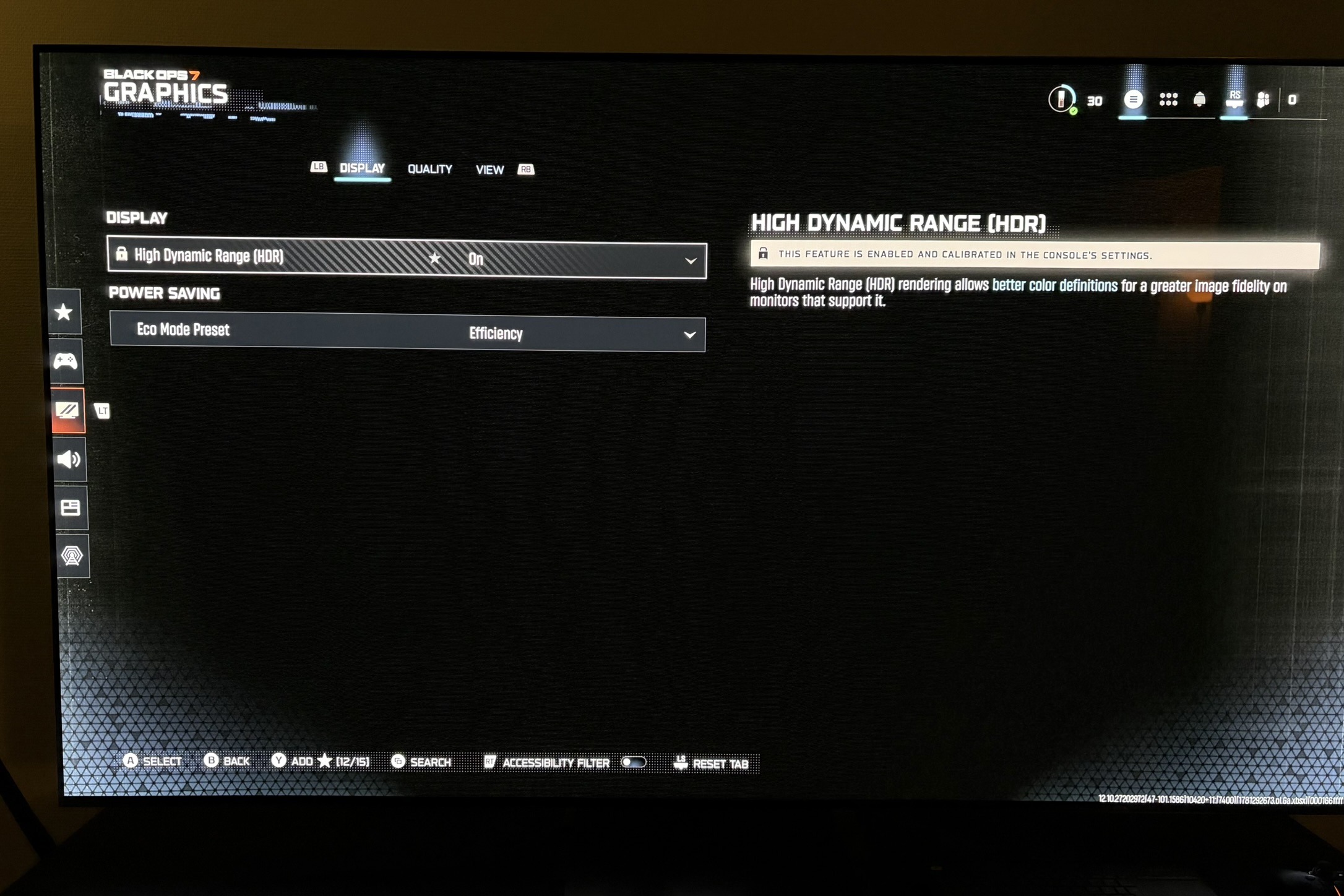
On Xbox there are no in-game settings for HDR.
The game is getting peak brightness from the value we have setup in Xbox's HDR system settings. Or at least that is what the game tells us. See picture 3.
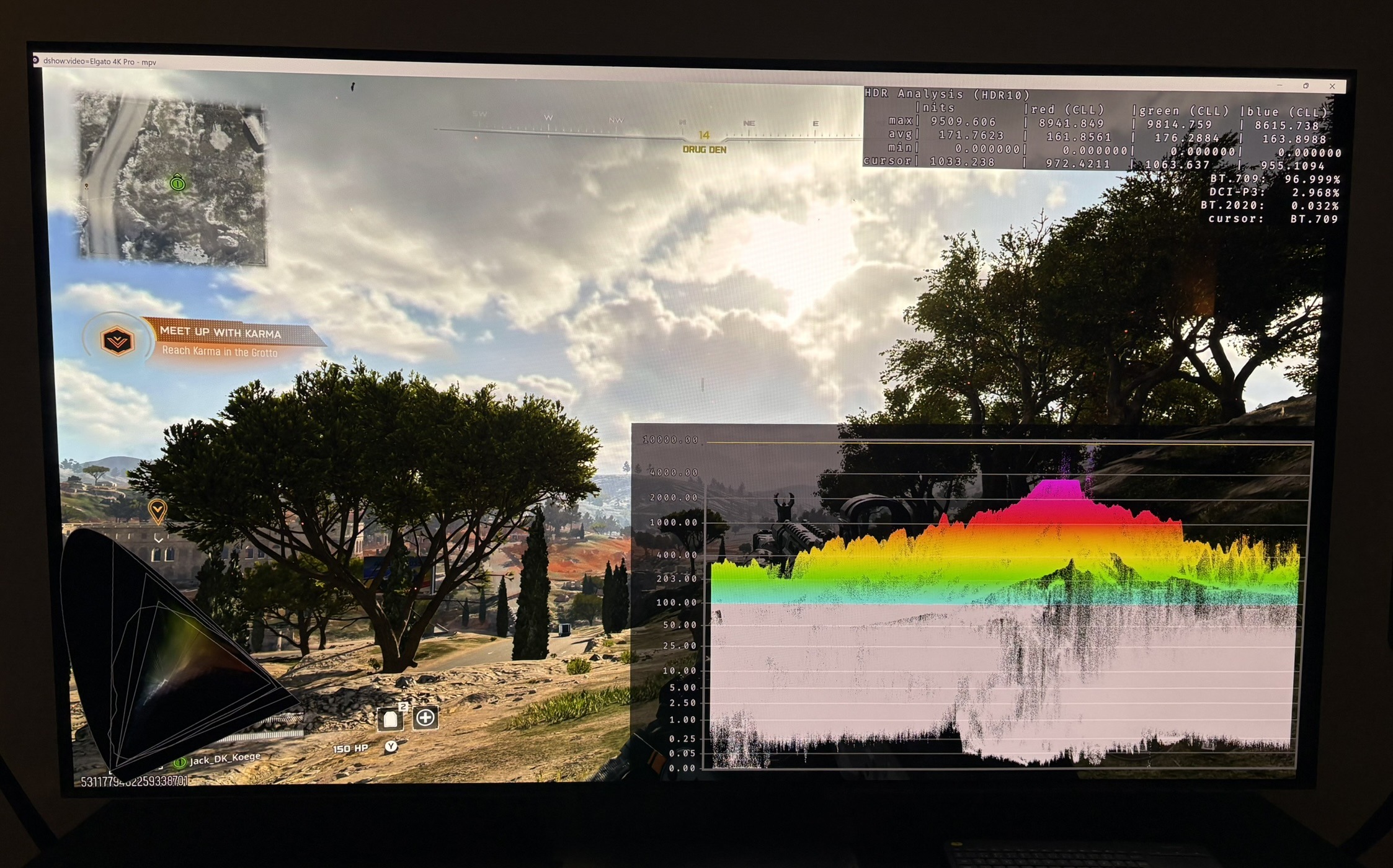
The reality is different. The game outputs up to 4000 nits, no matter what I setup in Xbox's HDR system settings. See picture 2. I tested this in the campaign and multiplayer. It's not good.
I have re-installed the game, deleted save files and checked my analysis software, and it gave the same result.
It sounds strange to me if no one else has ever noticed this. Maybe it's a recent bug in an update ? If someone else can test and confirm it too, it would be great.
I tested the game on PS5 a year ago, when there was a free trial period, and here the game correctly used PS5's HDR system settings. I don't have the game on PS5 to test it now.
PC:
On PC we have two in-game settings for HDR.
First is a black level slider. Move it all the way to the left for deepest black levels. They look good.
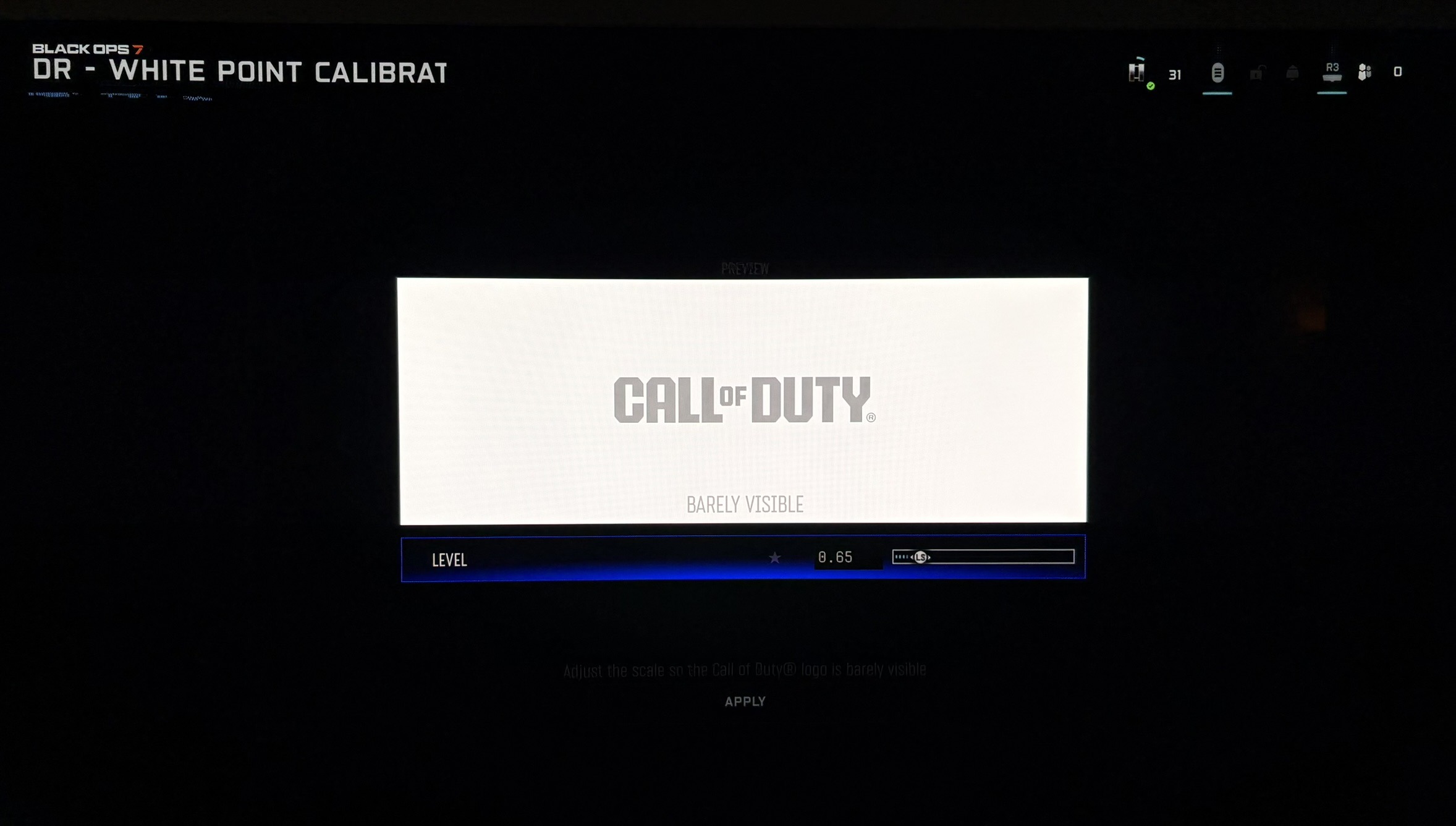
The second slider is called White Point. It's a peak brightness slider. It also increase upper midtones. It doesn't look like it changes midtones or lower, so the game might have a fixed paper white output.
This is what the game will output on the slider. I tested these numbers on the in-game setup screen.
0.64 = 325 nits
0.65 = 350 nits
0.66 = 390 nits
0.68 = 450 nits
0.71 = 610 nits
0.73 = 725 nits
0.74 = 825 nits
0.76 = 970 nits
0.78 = 1200 nits
0.81 = 1540 nits
0.83 = 1900 nits
0.85 = 2250 nits
0.86 = 2450 nits
0.88 = 2900 nits
I tested the numbers in-game as well. The games output follows these numbers well up until around 1500 nits. Then it begins to output a bit less.
Don't follow the setup screen instructions. You will end up setting up HDR too bright, if your TV does roll off in HGIG mode. Or too dim if your TV does ABL dimming on this test screen size. See my article about setting up peak brightness on OLED TVs.