Control Resonant
HDR analysis and setup guide for Control Resonant on PS5 Pro. I will test it later on PC, but it's most likely the same.
I don't really like the game's visual presentation. Partially because HDR looks pretty bad and partially because of some artistic choices I don't like. The two in combination gives an unpleasant image in my opinion. Control Resonant is a surreal game but it must still look natural in how light and HDR behaves. It doesn't, to my eyes.
The good:
- Peak brightness is automatically setup to the value we have setup in PS5s HDR system settings.
- The game actually outputs the peak brightness we have setup and it goes up to at least 2000 nits (I tested up to 2000 nits).
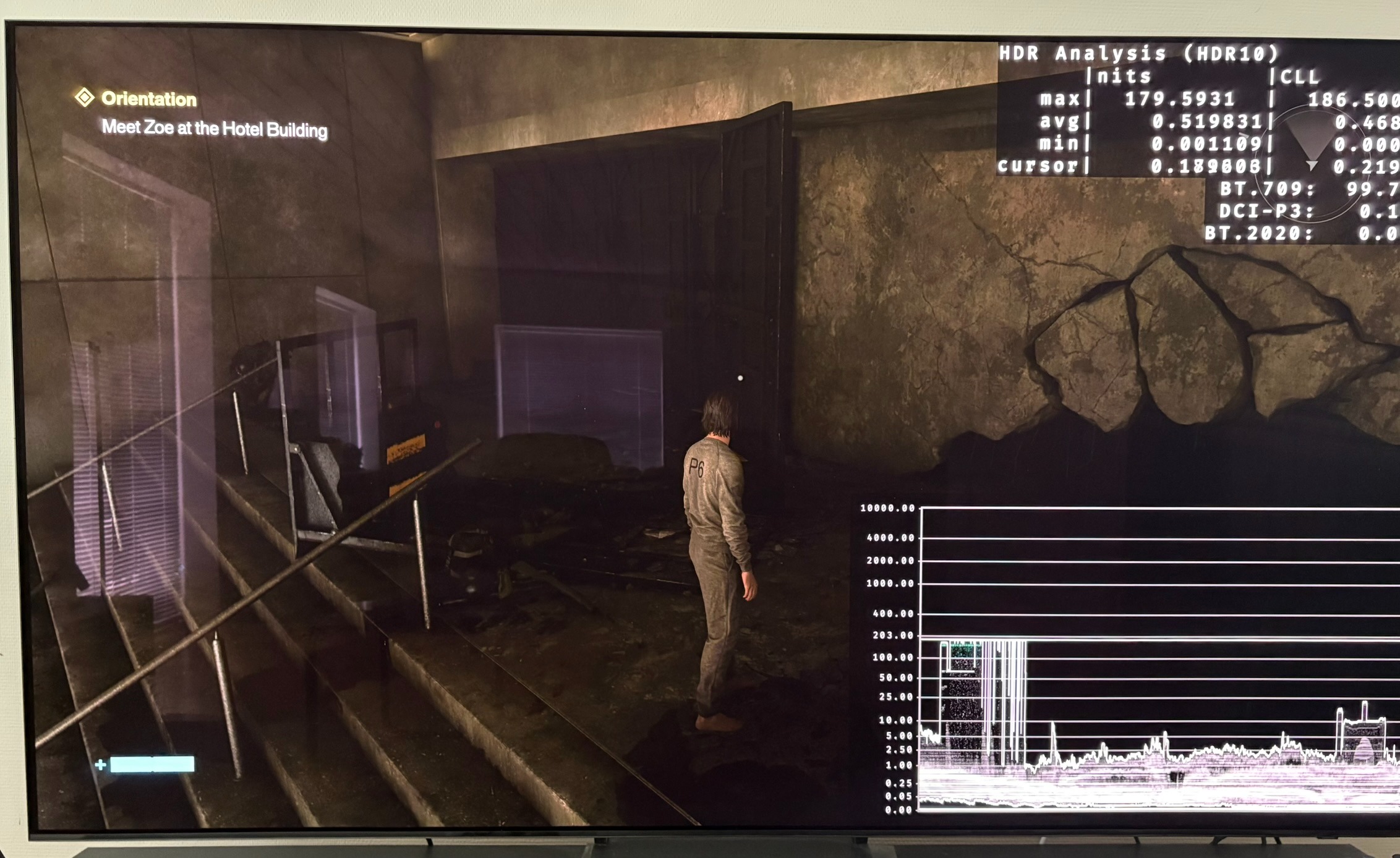
- Black levels can go down to zero nits in dark areas with no fog. See picture 1
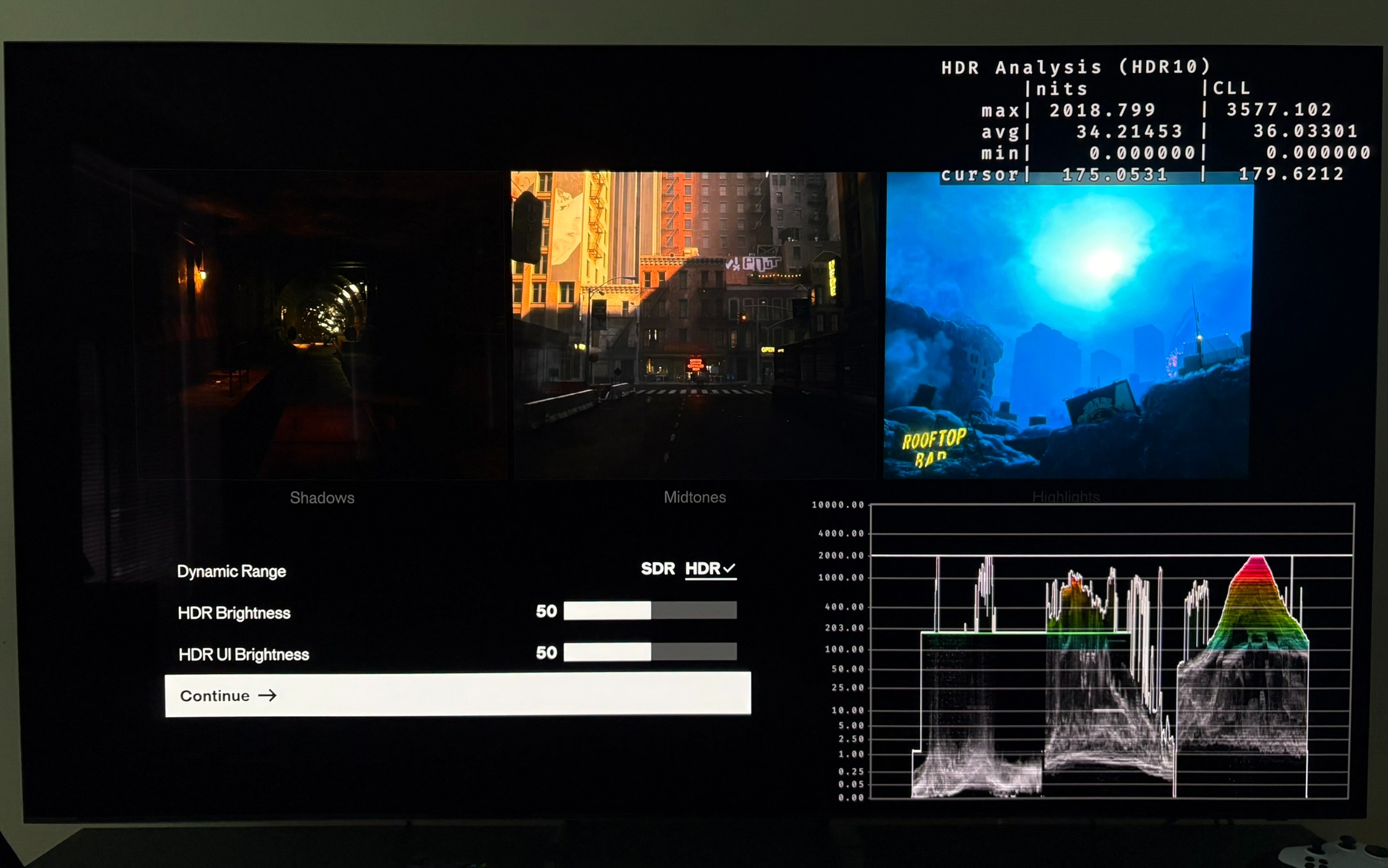
- I really like the HDR setup screen. It shows the same nits as the game outputs and it has 3 good images for shadows to peak brightness. See setup screen in picture 2.
- The HDR brightness slider don't change the black level floor and peak brightness. That's great because it makes setting up HDR more easy. It changes everything in-between black level floor and peak brightness, as such a slider must. I would have liked it to show nits values instead for paper white, and not just 50 for default.
- We have a UI-slider. It outputs 180 nits at default. That's a good value for most. But why not show the nits UI outputs on the slider ?
The bad:
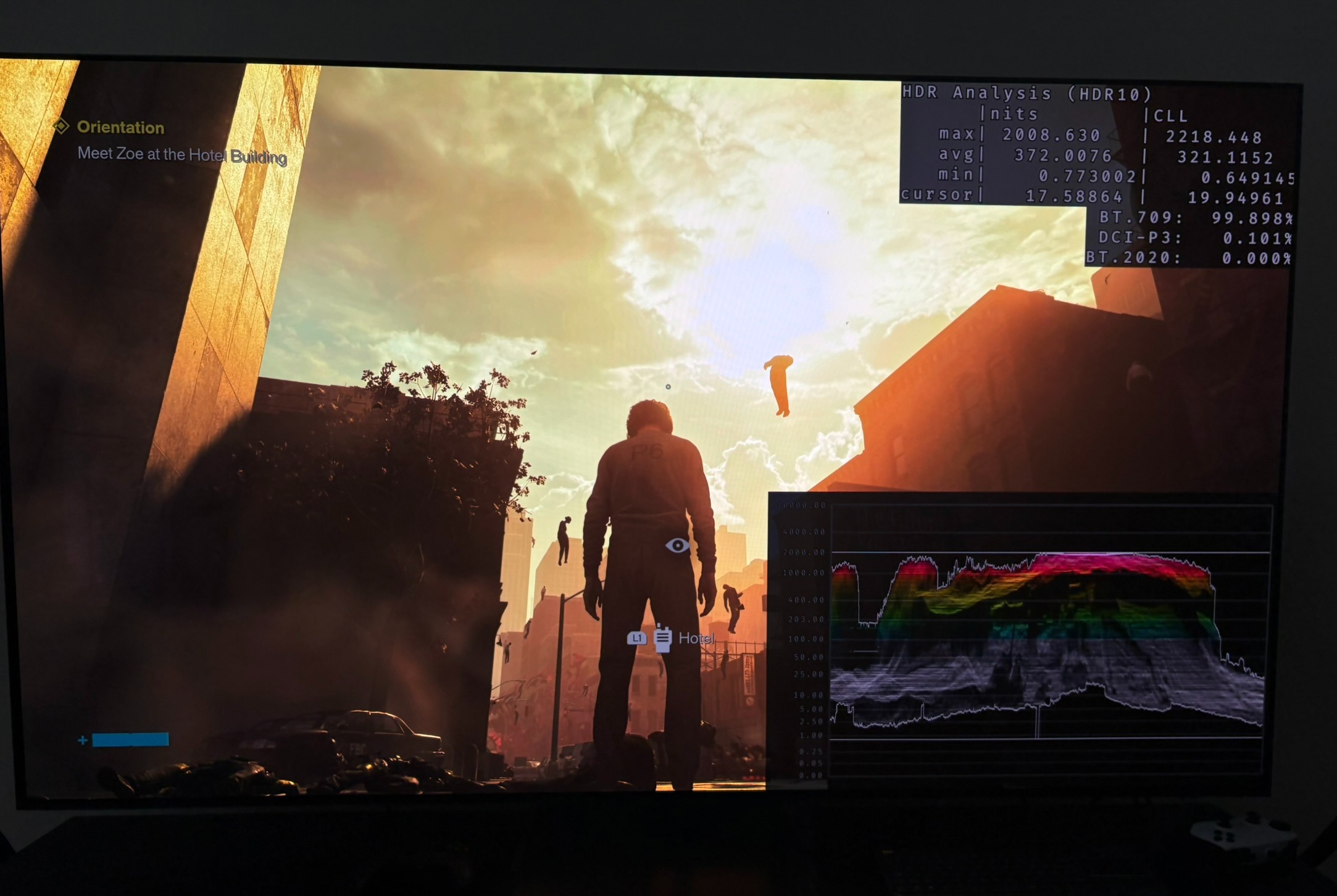
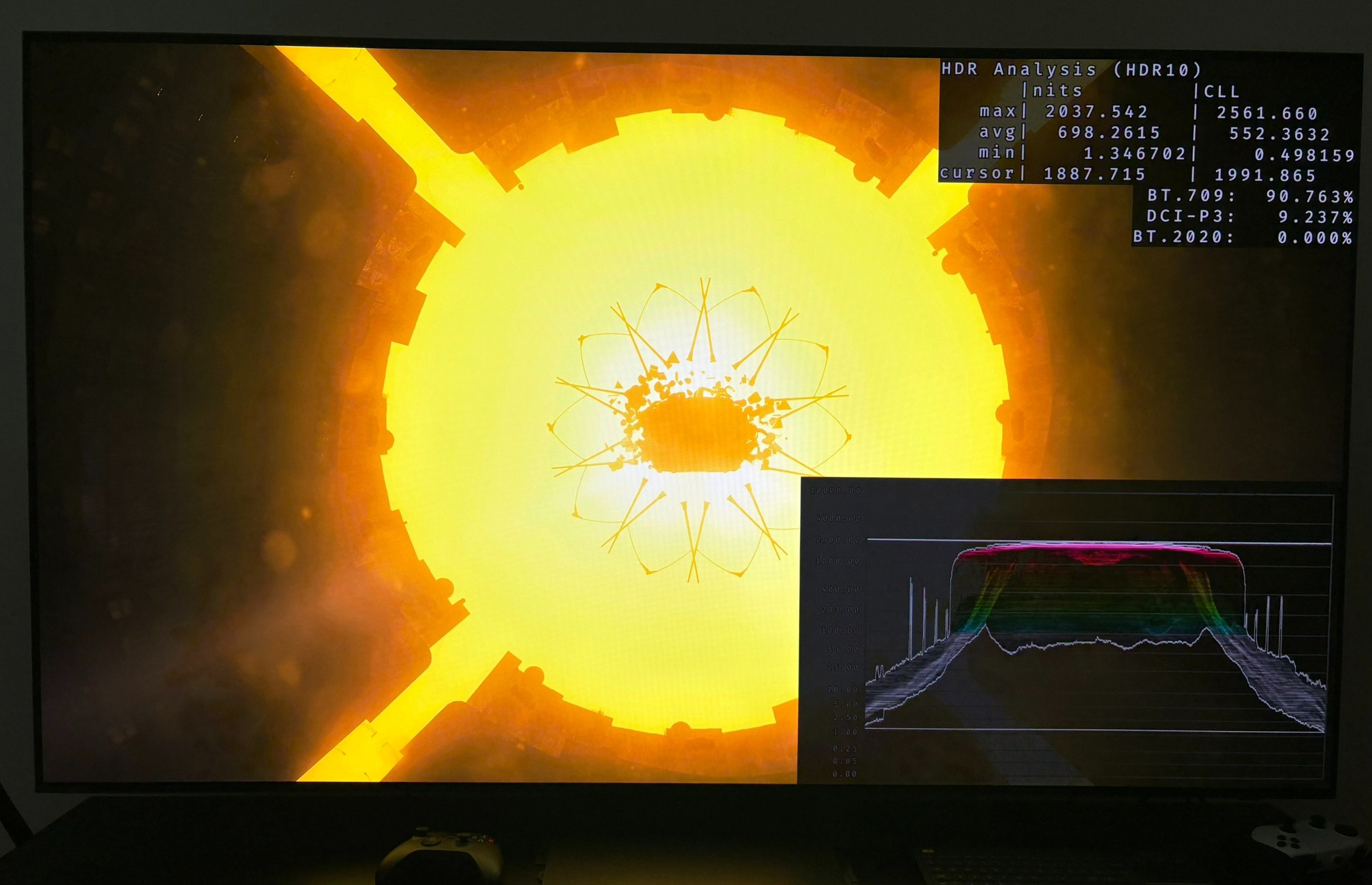
- Large bright areas sit at or near peak with no visible detail. The waveform shows a flat ceiling. In picture 4 we see a big light source in the sky with no detail in it. The same is the situation in picture 5.
- Average picture brightness is very high in some scenes: around 370 nits in a normal gameplay scenes in picture 4 , and around 700 nits in one scene with a huge light source in picture 5. It doesn't drop when you stand still, so auto exposure doesn't bring it down.
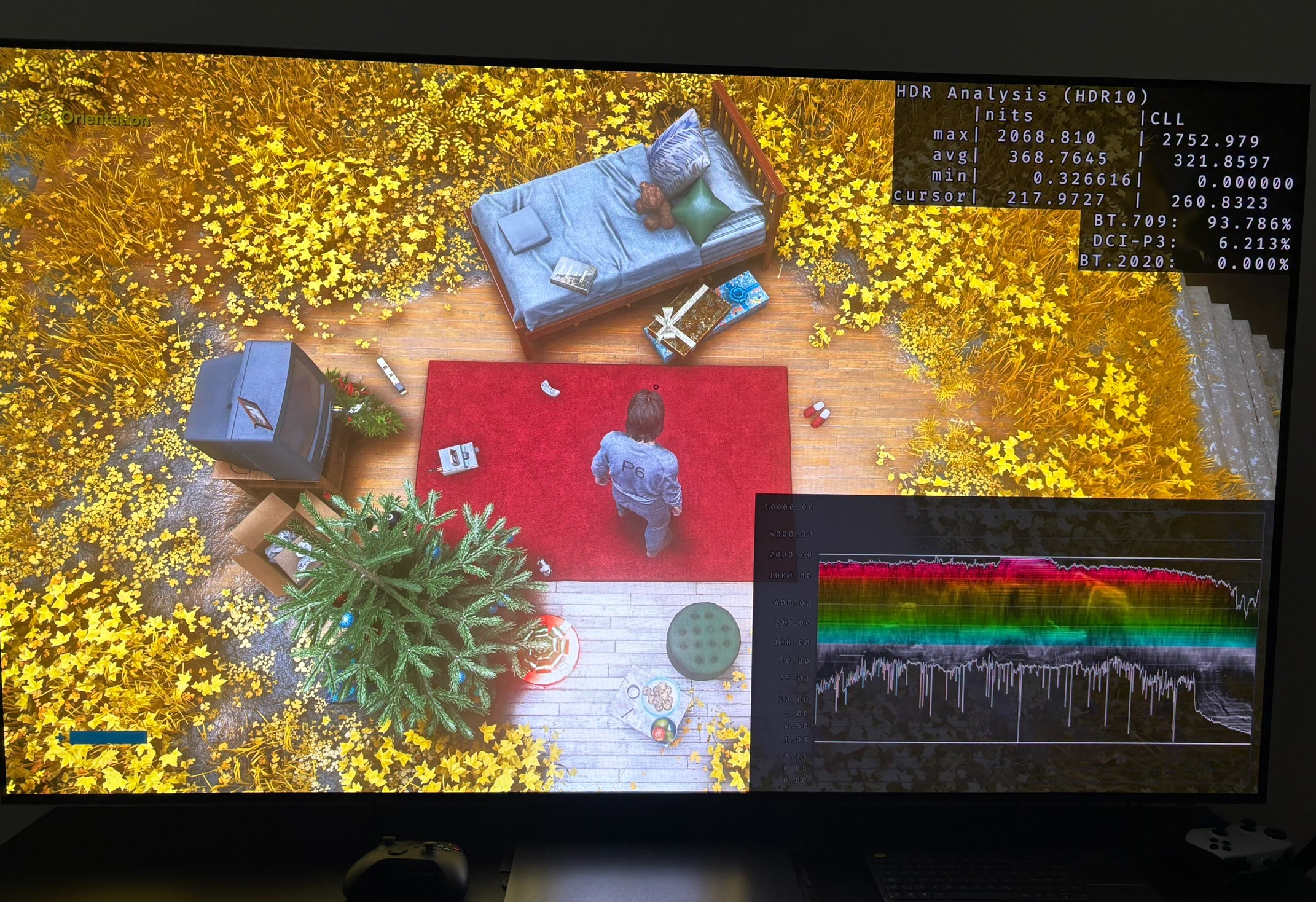
- Even surfaces that aren't light sources, like the yellow flowers in picture 6, sit in the 1000–2000 nit range. The dream-like flower sequence is meant to stand out from the rest of the game, I get that. But it's done with brute brightness instead of grading.
- No OLED display can show large areas this bright. On OLED, ABL dims the whole image, and anything above what the panel can actually show gets clipped.
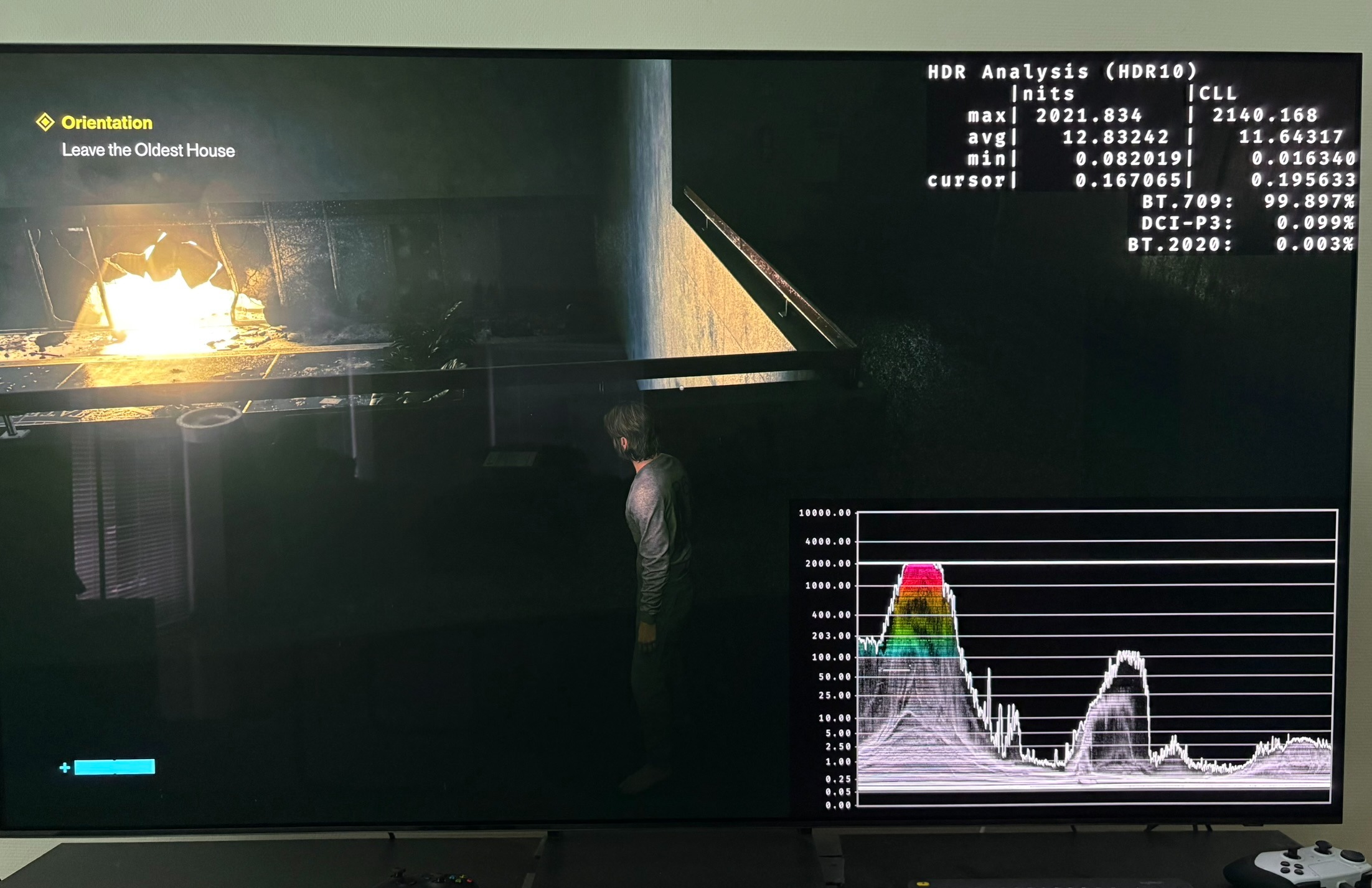
- There seam to be many scenes where the black level floor is raised. See an example in picture 7. I can't see if it's due to a tiny layer of fog all over the image or simply deliberate to increase shadow detail in poorly lit areas. I don't like this. It lowers contrast.
- HDR looks significantly more saturated than SDR.
Artistic:
– Fog is used in almost every scene of the game. It lowers contrast and washes out the image. We barely see blacks get deep. At least that's what I have seen in the first parts of the game. I have not completed the game.
Setup recommendations:
- Setup peak brightness in PS5s HDR system settings to the max your display can output.
- Leave the HDR brightness slider at default 50. Increasing it will only increase the upper shadows that already look lifted due to all the fog in the game, and it will push the already very bright secondary highlights even higher.
- Leave the UI brightness slider at default 50. It will output 180 nits that is a good value for most.
Chromatic aberration:
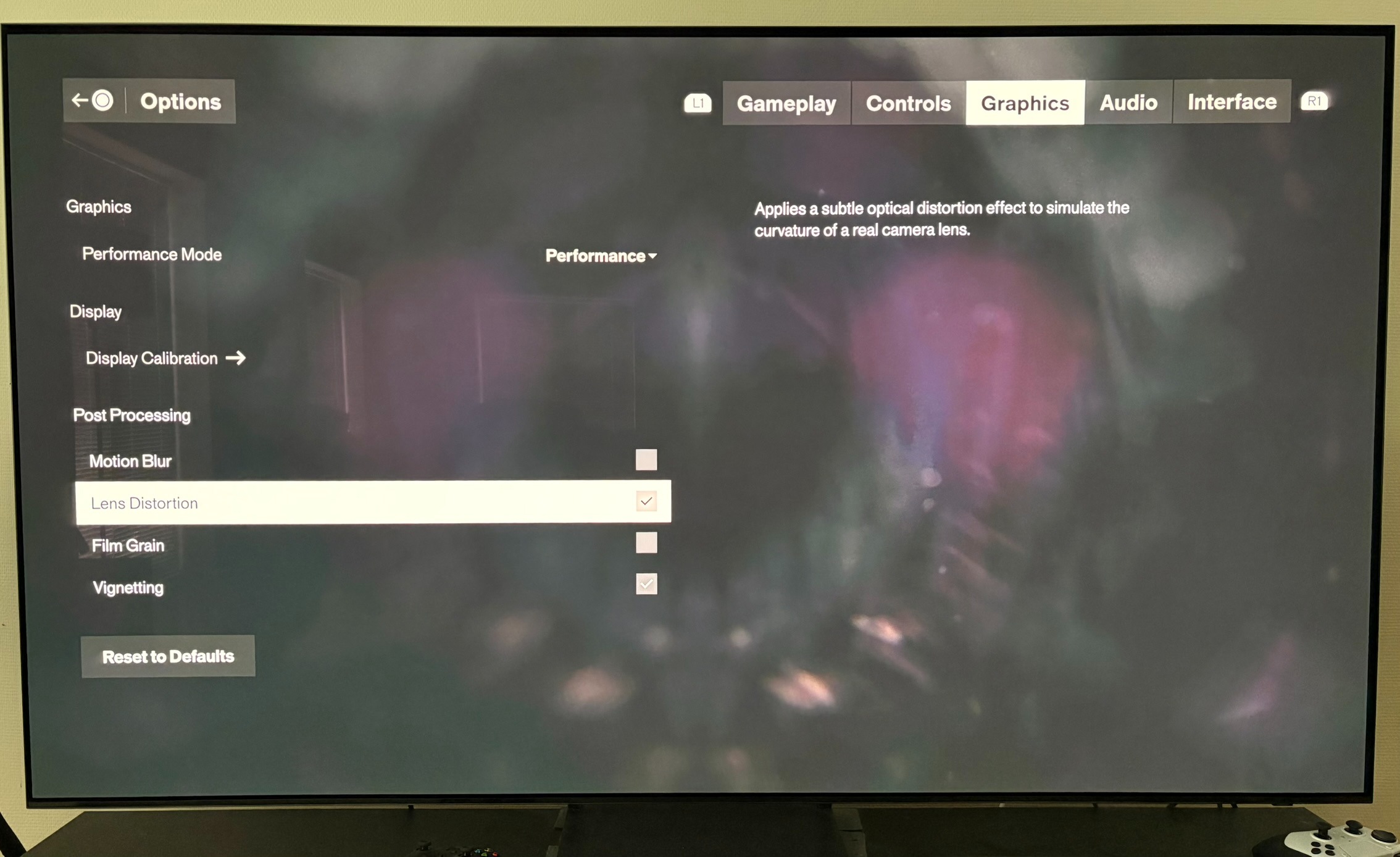
Remember to turn of the effects in picture 3 such as lens distorting (chromatic aberration) because it ruins fine detail and vignette that darkens the edge of the screen. Film grain and motion blur is more personal taste. I always turn that off myself.