Cyberpunk 2077
HDR analysis Cyberpunk 2077 on PC and PS5 Pro.
Cyberpunk looks amazing with HDR because of all the bright highlights from the neon lights, all the billboards and car lights in the city. But also because paper white is adjusted automatically, so the game always has an overall brightness and midtones that fit your displays capabilities (almost no other game does this correctly).
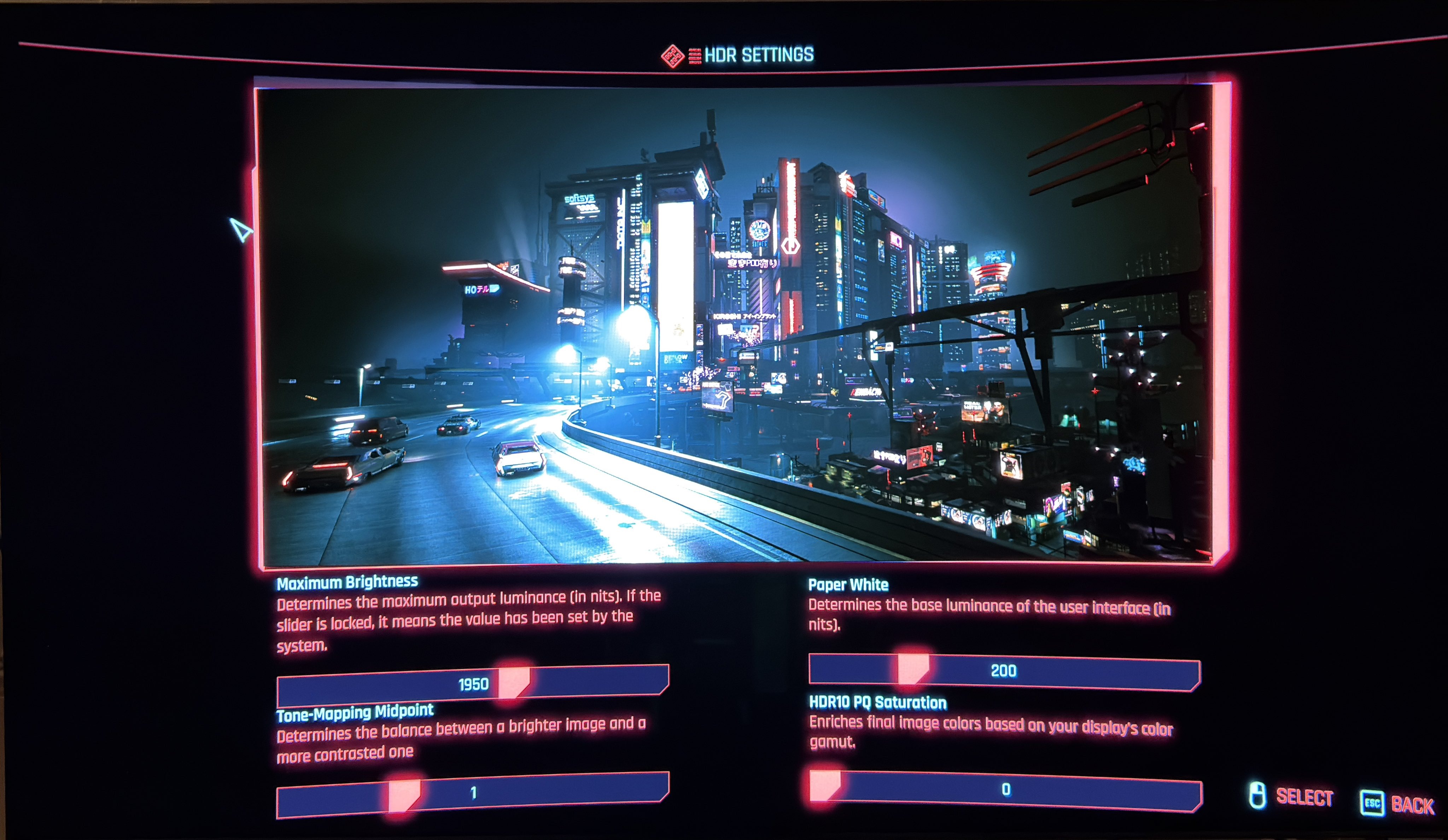
The HDR implementation is the same on PC and PS5 Pro with the same in-game setup menu (see image 1).
HDR is very easy to setup. Just set max luminance to what your TV can output on a 10% window in game mode. The game can output up to 3000 nits.
Then set tone mapping midpoint to 1, paper white (=user interface) to 200 nits and PQ saturation to 0, for most accurate shadows, contrast and colors.
The paper white setting is not actually paper white but the brightness of the user interface.
The game automatically adjusts paper white as you change max luminance. This is fantastic and I can only think of a handful of other games that actually do this. It means the game's overall brightness and midtones are automatically increased as you increase max luminance, so the game will not look too dim, and white to grey compared to the game's max luminance.
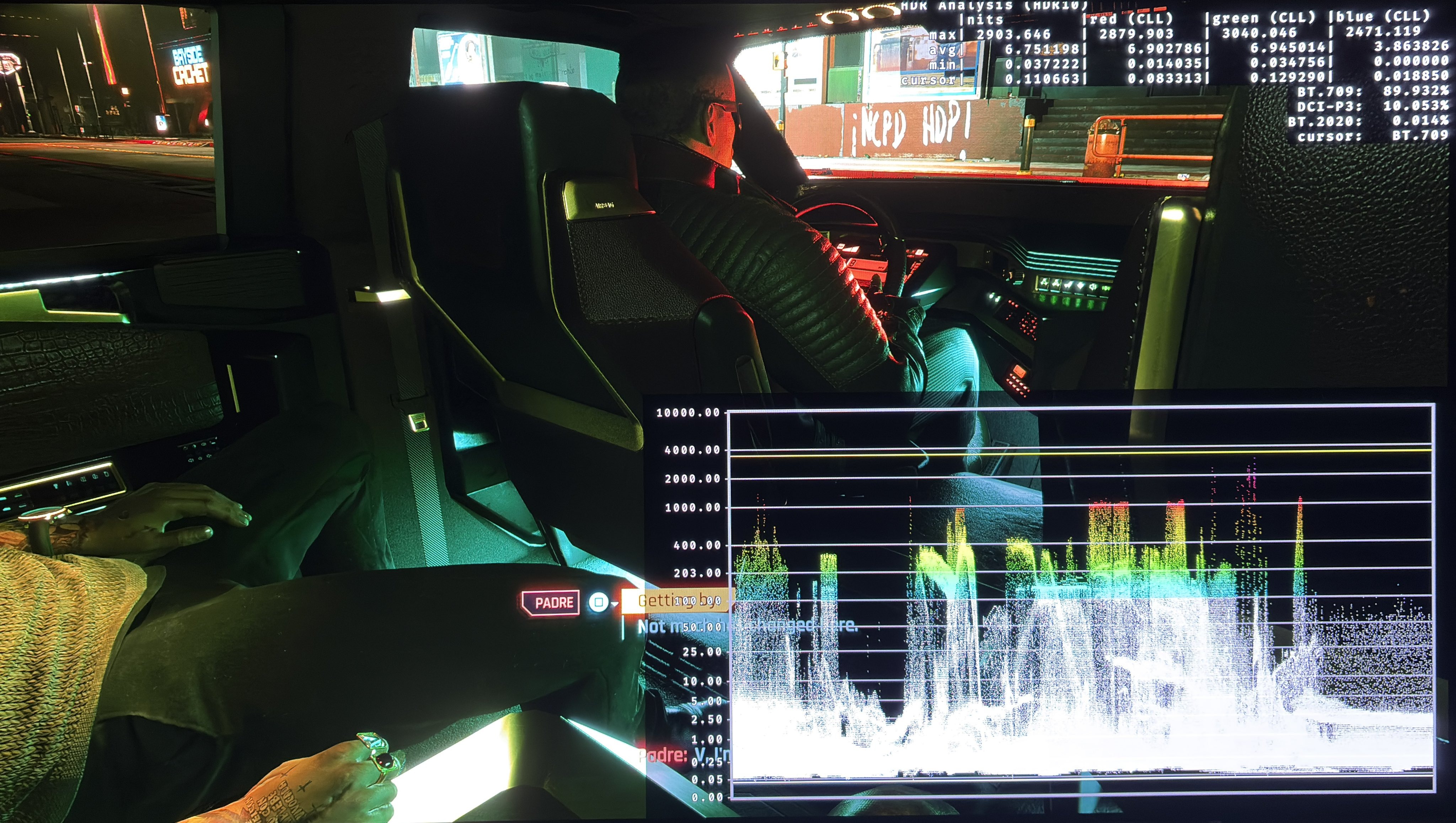
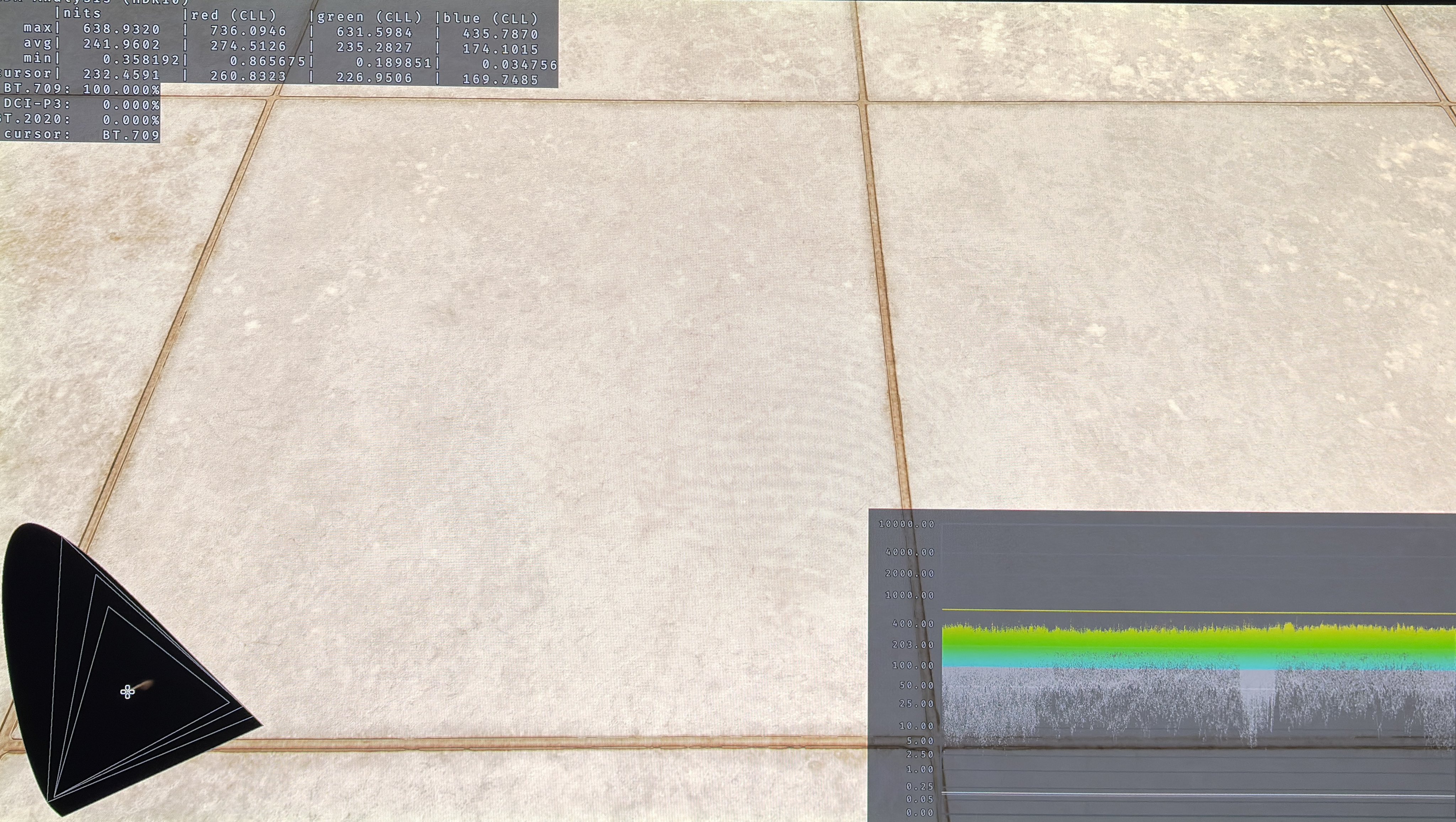
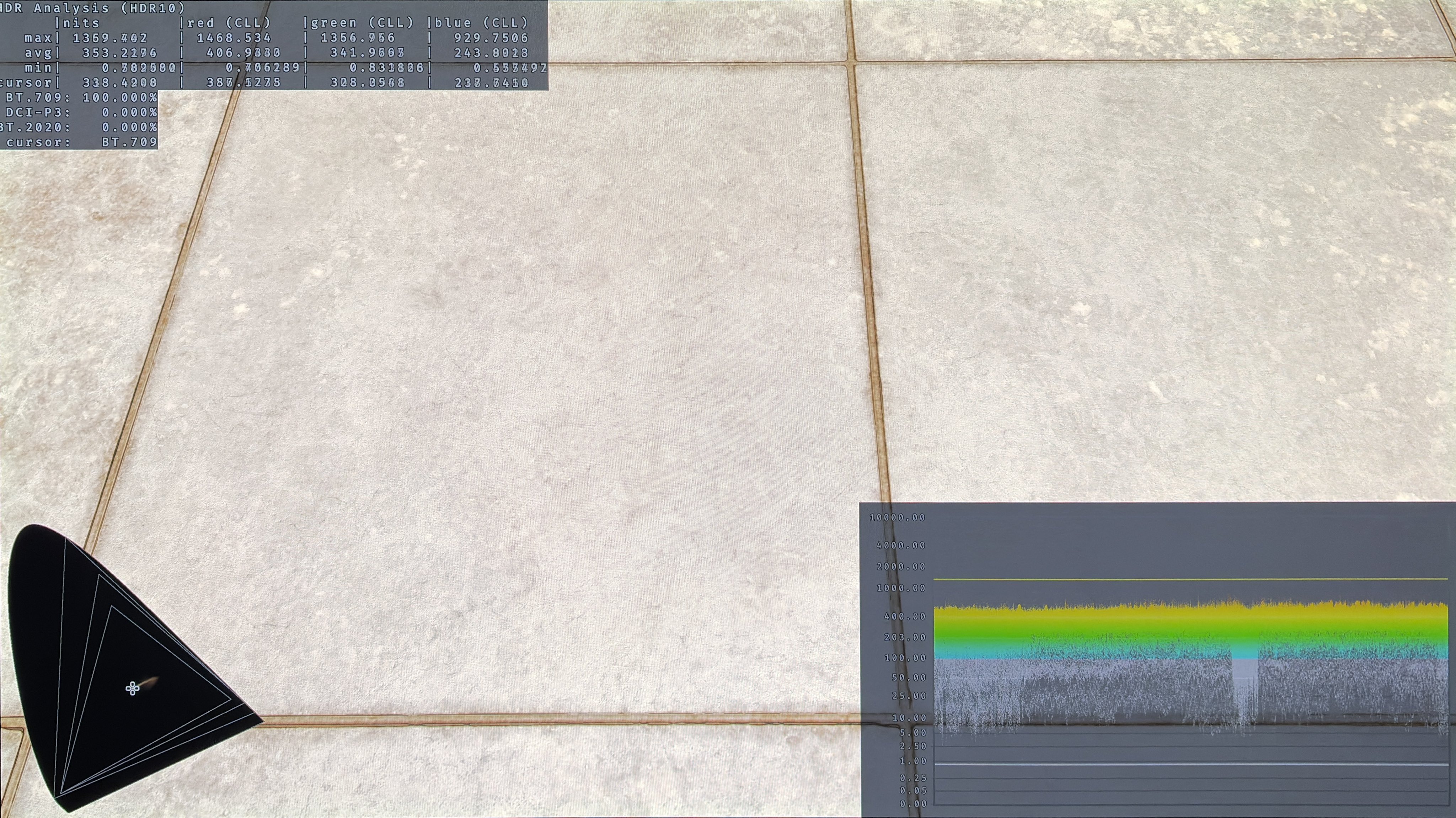
For 1000 nits max luminance paper white must be 203 nits and 343 nits for 2000 nits max. In picture 3 I have set max luminance to 1000 nits and to 2000 nits in picture 4. We see an average picture brightness of 242 and 353 nits indicating a paper white value around what we want 👍👍👍
However there is a significant black level raise of 0.05 nits making black look a bit greyish. It's something we easily can fix on PC using reshade tools, but on console we can not.
I think Cyberpunk looks decent on PS5 Pro in its 60 fps performance mode, but it looks amazing on a high-end PC with path tracing and DLSS 4, of course. In the next post I show two pictures from the same time of day. They almost don’t look like the same game ☺️
Beautiful picture
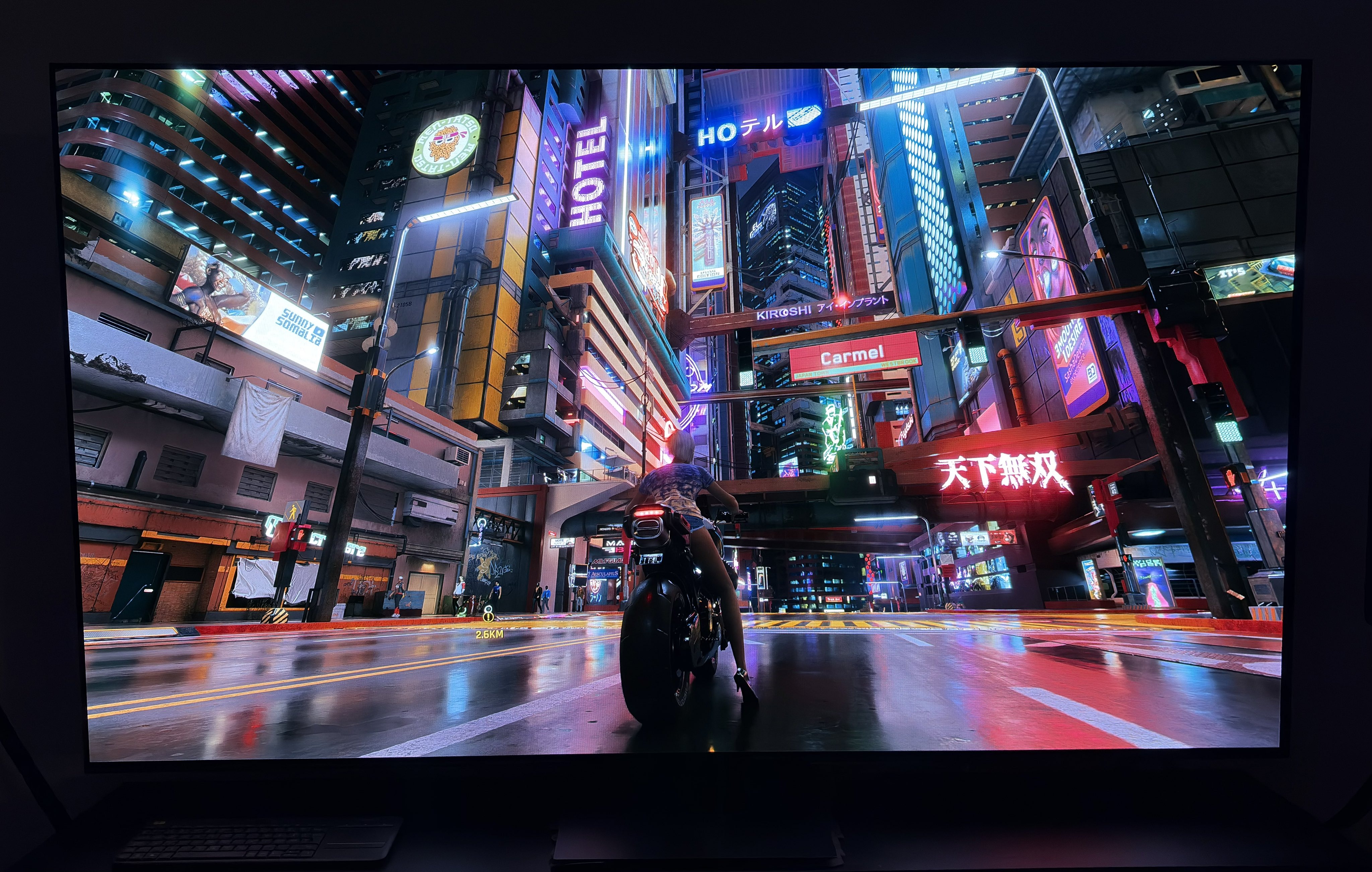
Path tracing 1
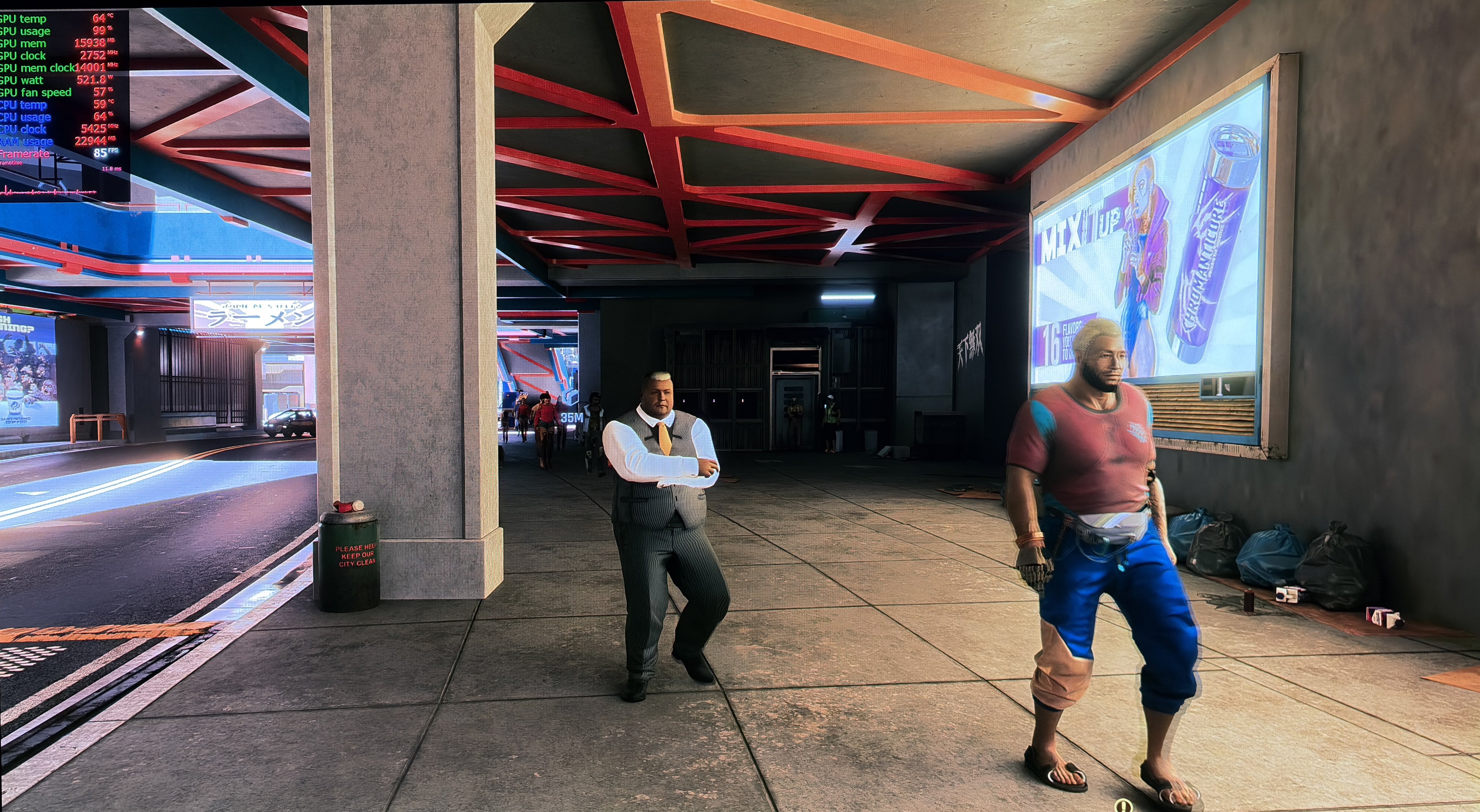
Path tracing 2