Doom; The Dark Ages
HDR analysis Doom; The Dark Ages on PC and PS5 Pro.
It's basically the same HDR implementation on PC and PS5, but path tracing on PC makes a difference to how shadows look, so I will suggest slightly different settings for PS5.
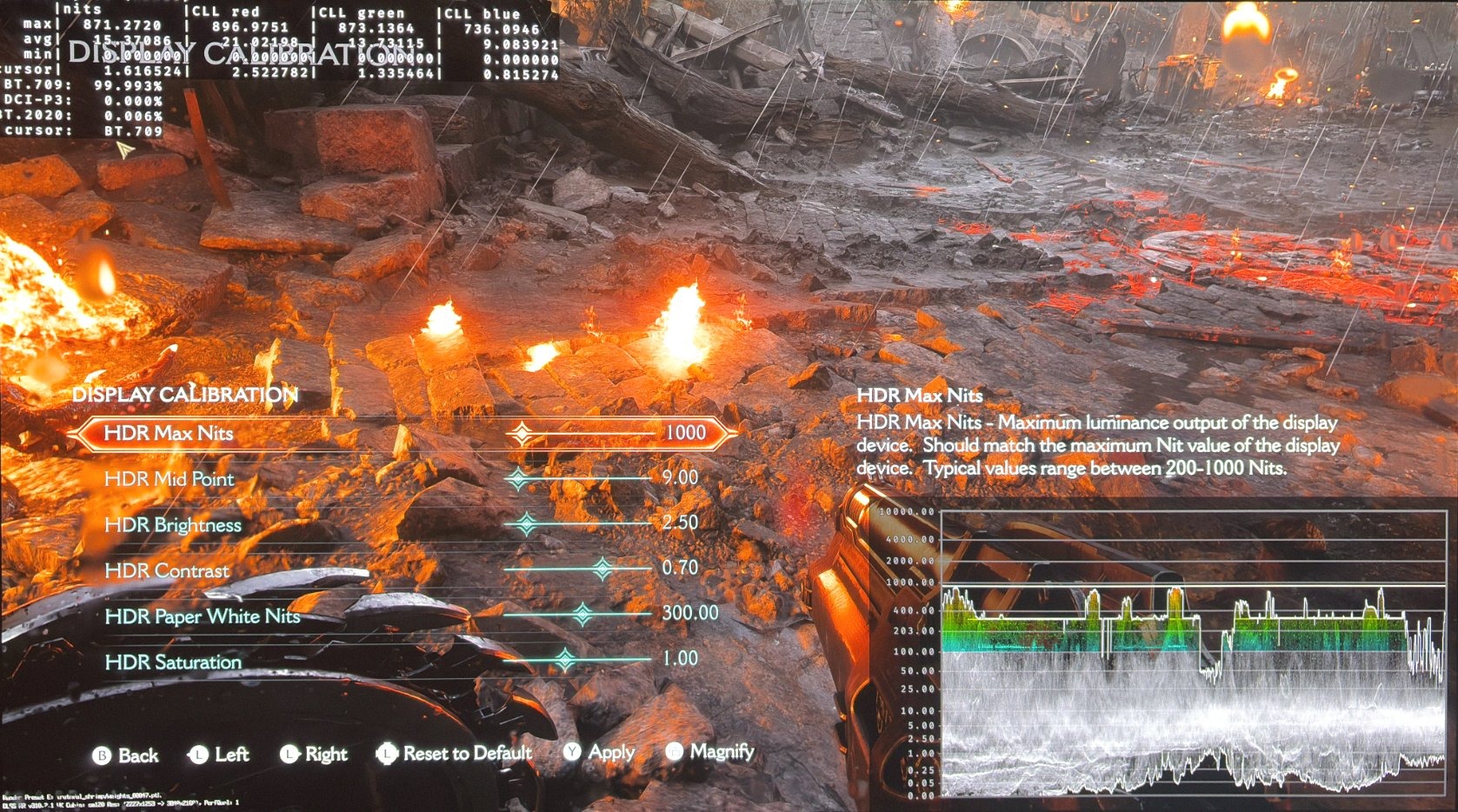
I don't like the standard in-game settings in picture 1. They lack overall brightness and impact.
PC:
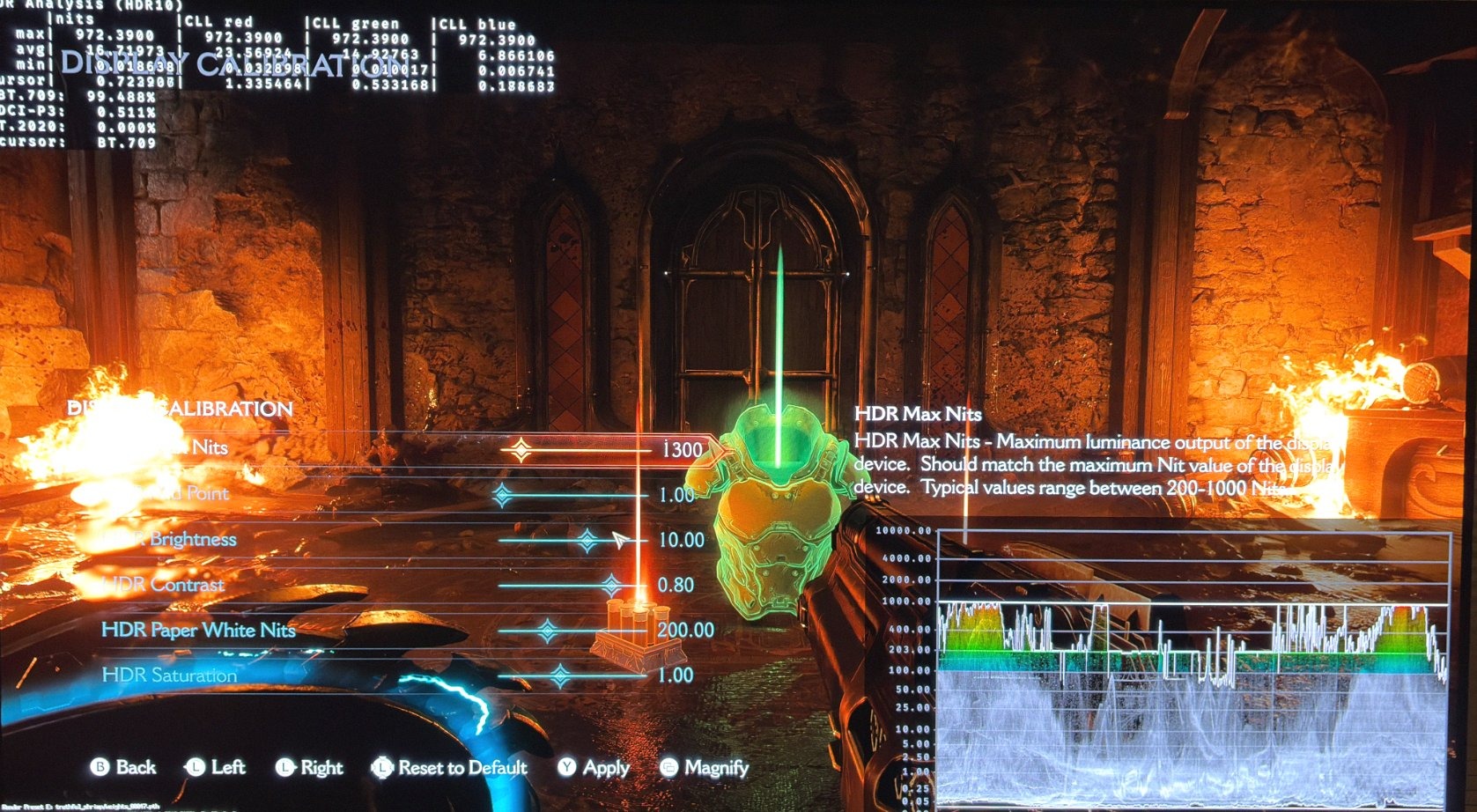
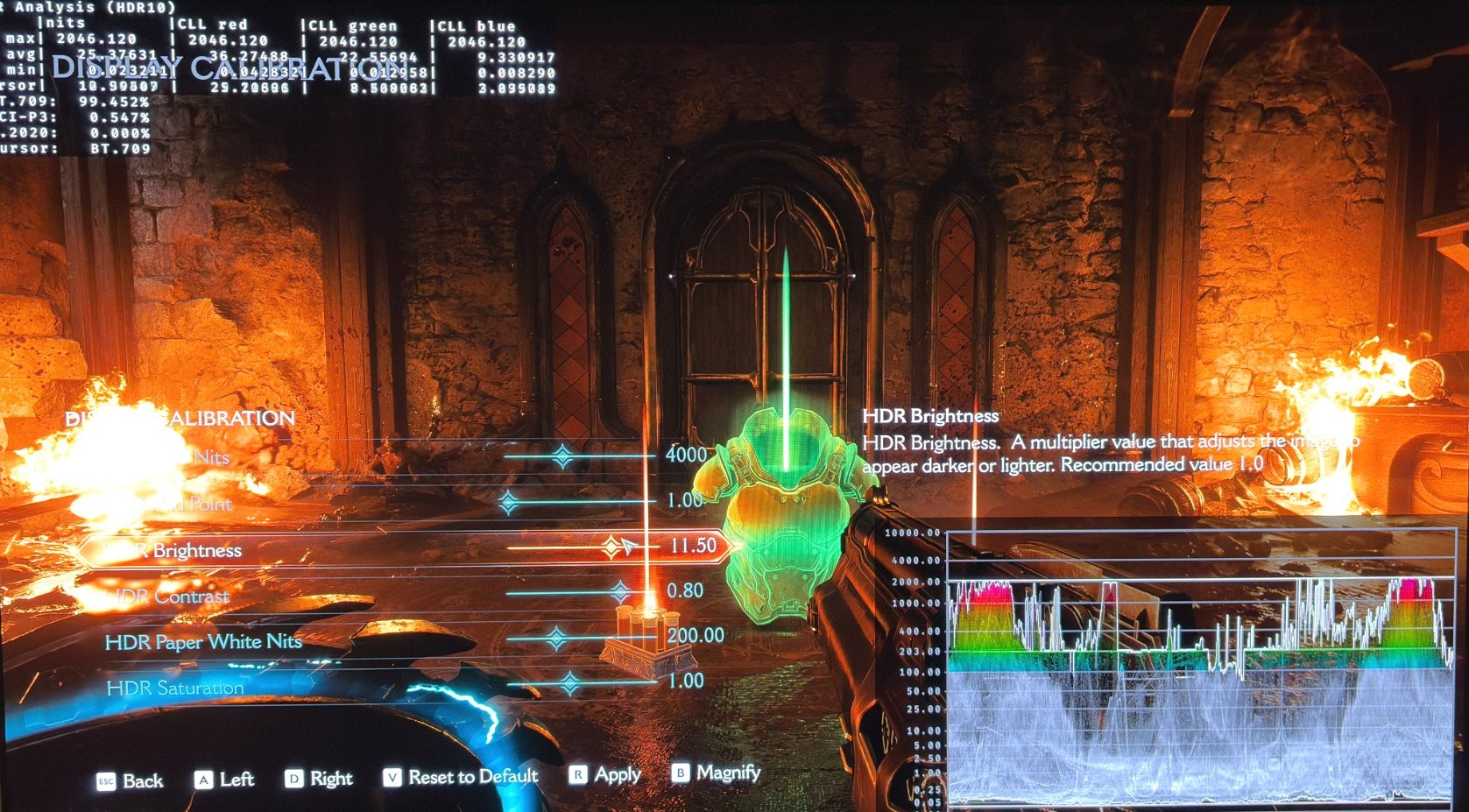
On PC I instead suggest to use the vastly different settings I show in picture 2 and 3 for 1000 and 2000 nits TVs (use 3800 instead of 4000 nits).
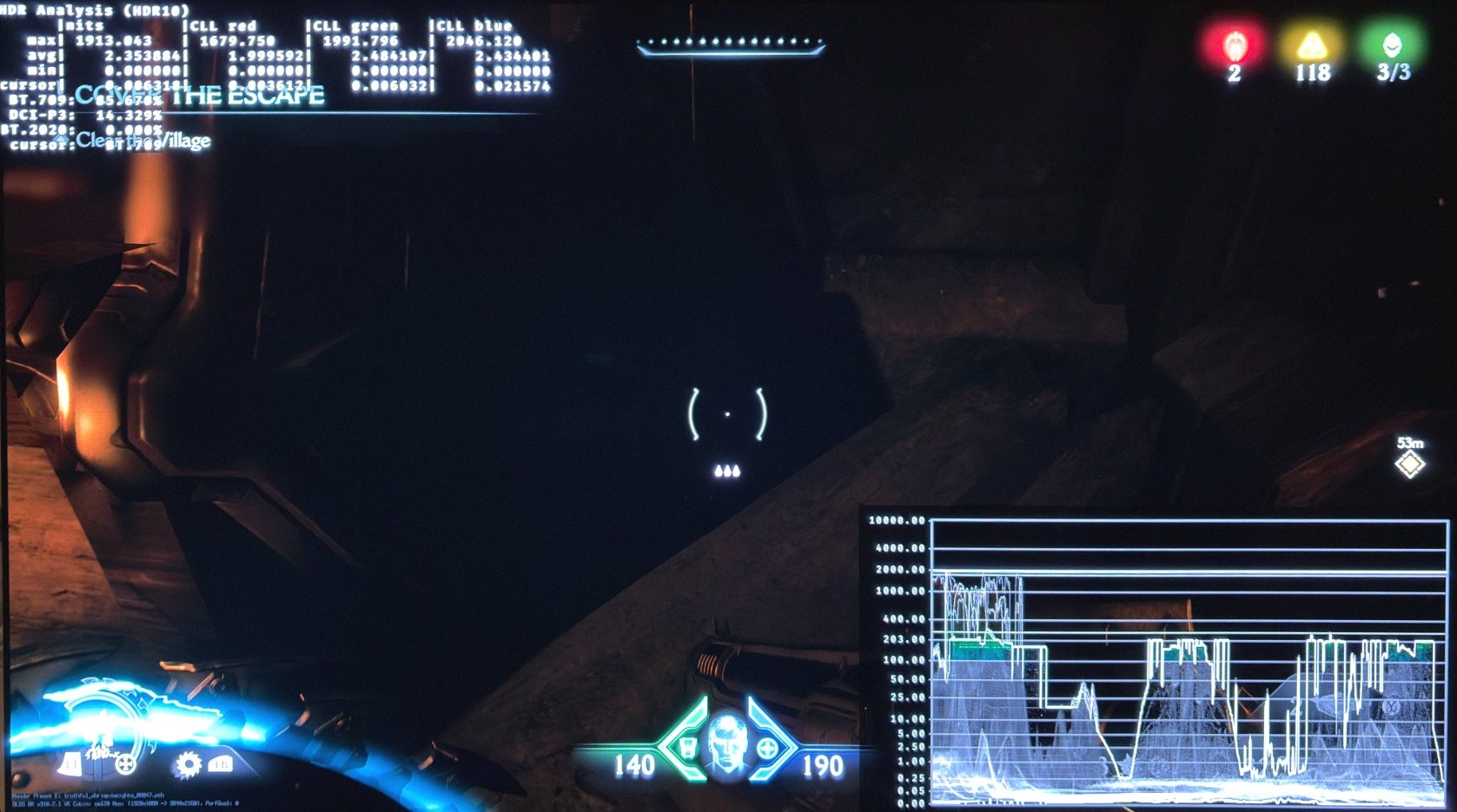
Picture 4 shows the black levels with the settings in picture 2 and 3. It shows perfect black levels.
However the game uses a lot of fog, that effectively raises the black levels and lowers contrast in many areas. It's something I personally don't like used so much in games.
PS5:
PS5 outputs slightly less max luminance than PC, so instead of 3800 nits, I suggest 3500 nits for a 2000 nits TV. I still suggest 1300 nits for a 1000 nits TV.
PS5 has much brighter shadows than PC, because it does not use path tracing as PC does. Its shadows are simply not so correctly shadowed as on PC. That effectively decreases contrast on the PS5 version. I therefore suggest you increase contrast to 85 from 80 on PS5. It will darken the game a bit. If it's too dark then just use 80 in contrast or something in-between.
I think the HDR looks great in this game. It's the first game where I have gotten HDR to look great using only in-game settings. So it's the first I can remember, where I have not used reshade tools on PC.
It's also quite interesting to see how much difference path tracing does to the game's visuals. Doom looks much more natural and realistic on PC, and its darker look gives the HDR more impact from the shadows being darker.
Reflections from light sources are also much more realistic on PC. Doom on PS5 simply looks very flat in comparison to the PC version. But it still looks great compared to other console games, of course.