Forza Horizon 5
HDR analysis #ForzaHorizon5 on PC.
(quick setup guide at the end).
With Forza Horizon 6 releasing in just 9–10 days, I took a close look at the HDR implementation in Forza Horizon 5 on PC.
Both games run on the same ForzaTech engine (Playground Games / Turn 10), so we can expect a very similar HDR foundation in the sequel.
Overall verdict: This is a very strong HDR implementation. One of the few where I genuinely feel no need for any ReShade/HDR mods on PC.
Max Luminance:
The HDR White Point slider adjusts max luminance and is very user-friendly. It directly shows the nit value that the brightest light sources in the game will output — and the game actually delivers it. Range: 400 – 10.000 nits👍
Brightness (Paper White):
The Brightness slider primarily controls paper white / average scene brightness and overall exposure. It affects midtones the most, has less impact on upper shadows, and does not touch max luminance or the black floor. It behaves exactly as a good paper white slider should👍
Game defaults to 300. It looks to be around 300 nits (or slightly below) paper white.
200 on the slider feels closer to ~200 nits (or a bit lower).
Shadows / Black Levels:
No in-game shadow or black floor adjustments (not necessarily a bad thing if the defaults are good).
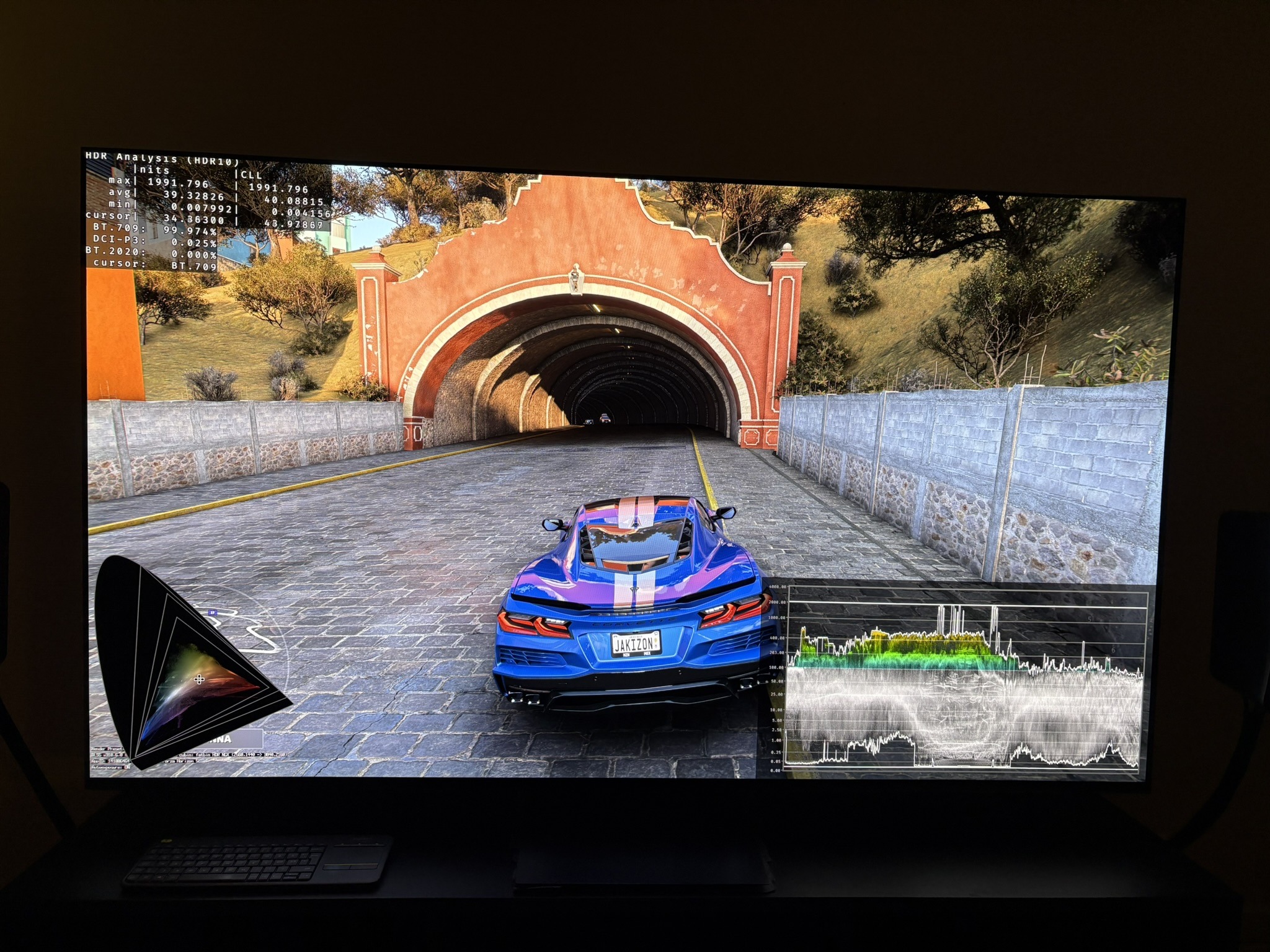
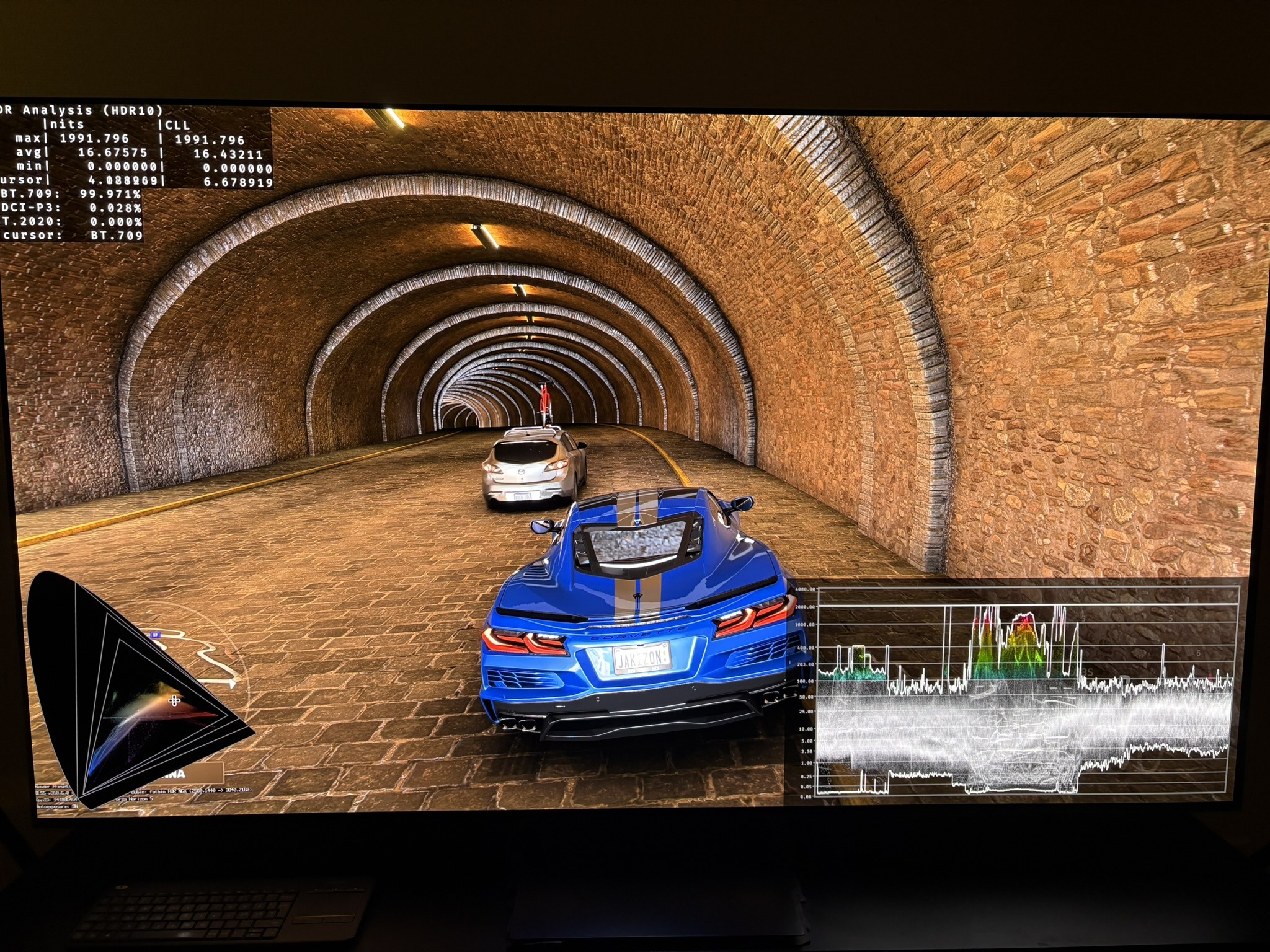
Daytime: Excellent. In open areas the bright sky naturally lifts the black floor in real life, so there are not supposed to be any 100% black shadows. When driving into tunnels, the blacks drop properly under the car because here we only have few local light sources. We see exactly that behavior in picture 1 and 2 and all over the game. Very realistic and natural.
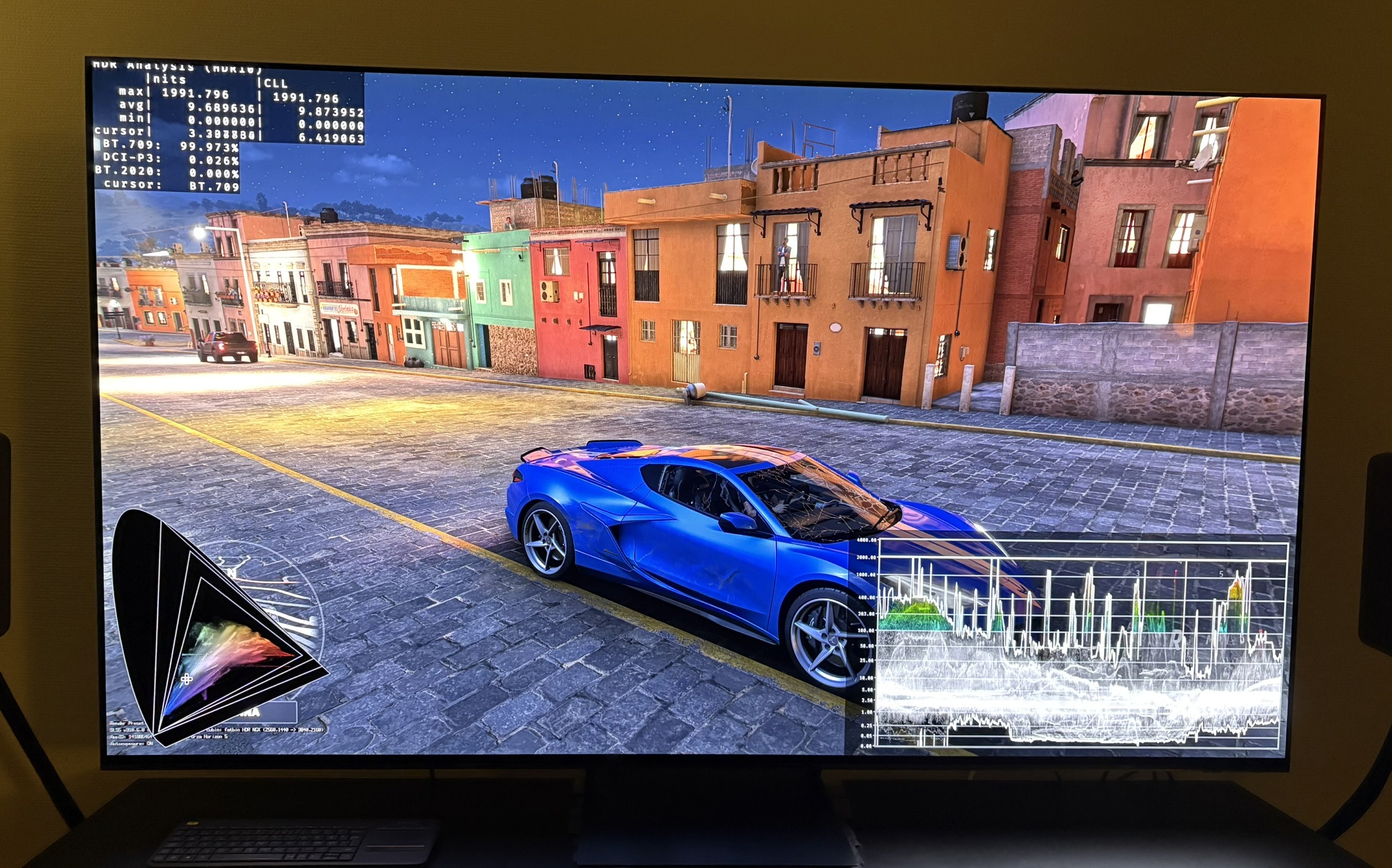
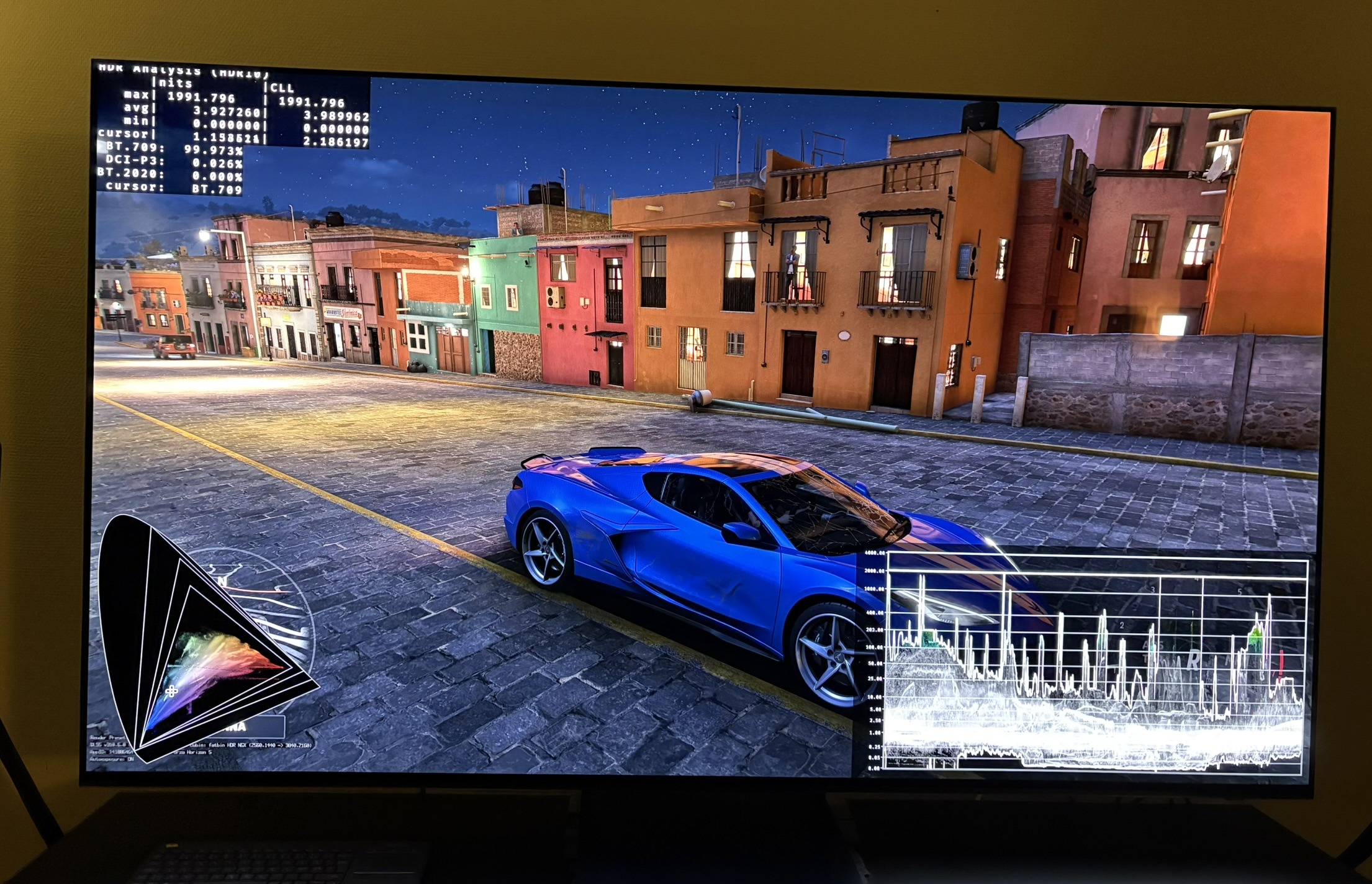
Nighttime: My only real nitpick. Upper shadows feel lifted too much. At default Brightness 300 the night scenes look a bit washed out for my taste. Dropping the slider to 100 lowers the upper shadows nicely and feels much more natural to me — but then daytime becomes way too dark. Picture 3 shows 300 brightness and picture 4, 100 brightness.
I would have loved a dedicated shadow adjustment so players could fine-tune this. It’s clearly an artistic choice for readability and fun night driving, but I personally prefer a darker, more cinematic look.
Colors:
The game stays within Rec.709. No DCI-P3 or Rec.2020 usage. This gives a somewhat muted color palette, which feels natural and grounded. I do think they could have used wider gamut (at least DCI-P3) for the car paints, but it’s a small nitpick — the colors still look great and believable.
HDR Tone Mapping:
Very clean and well-behaved tone mapping.
- No noticeable highlight clipping
- No unwanted color shifts
- No over-exposure, even in extreme brightness (midday sun, reflective cars, water glare)
Light sources have a natural brightness hierarchy:
- Headlights reach the same max luminance as the sun (both hit true peak)
- Clouds, reflections, and window/building lights are correctly dimmer
This creates excellent depth and gives a beautiful realistic natural look in the game’s dynamic day-to-night cycle.
Final verdict: Forza Horizon 5 has one of the strongest and most “set-it-and-forget-it” HDR implementations on PC. A few small nitpicks (especially the nighttime shadow lift and limited color volume), but overall it’s excellent and a great sign for what we can expect from Forza Horizon 6.
Setup guide:
Setup max luminance to what your OLED TV can do on a 2-3% window.
OLED monitor owners should read my article about setting up HDR max luminance on OLED displays, for further guidance. It's more complicated to setup max luminance on OLED monitors than on OLED TVs.
For brightness (paper white) you can use these values as starting points and adjust to personal preference and ambient room lighting. Use what looks most natural to you.
- 400-700 nits max luminance; 180-200 brightness
- 800-1200 nits max luminance; 200-250 brightness
- 1300-2500 nits max luminance; 250-350 brightness