Marathon
HDR analysis Marathon “ Server Slam” on PS5 Pro (and PC).
I don’t really like the HDR implementation. It's a mixed bag:
- fine black levels, but black crush indoors and black level raise in some areas.
- Most bright lightsources are much below max luminance.
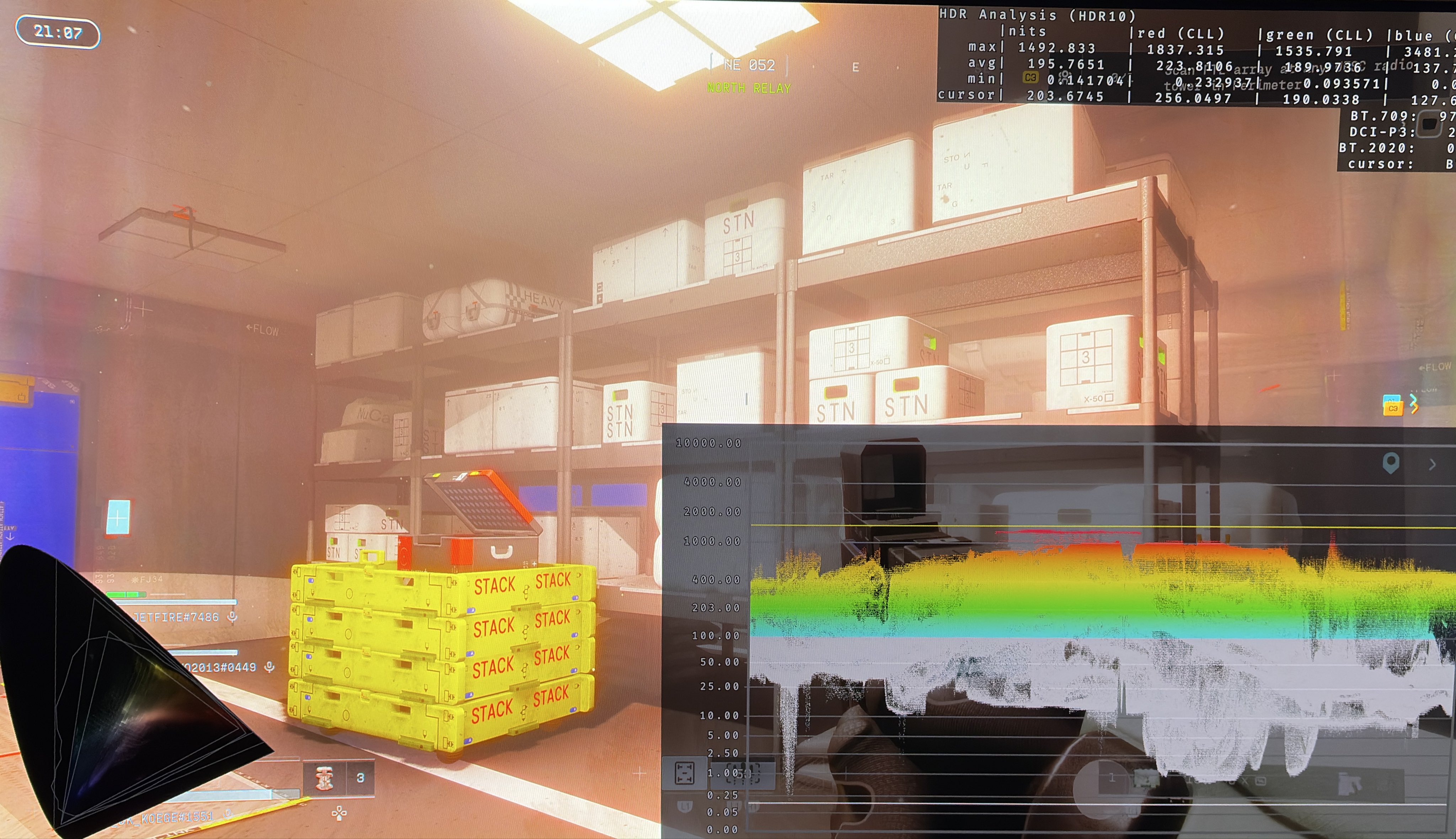
- Too bright areas in foggy indoor areas
- I do like, that paper white or overall picture brightness is set based on max luminance.
- HDR colors (P3) are used a lot. That's great.
This is only a quick look based on me playing the Server Slam for a few hours on mostly PS5 Pro.
The game uses anti-cheat so I couldn’t use Lilliums HDR analysis on the PC version. It does look like a similar HDR implementation as on PS5, but it looked brighter overall, so I turned max luminance on PC down from 2000 to 1600 nits.
My observations below and pictures are therefore to be considered related to the PS5 (Pro) version.
Max luminance:
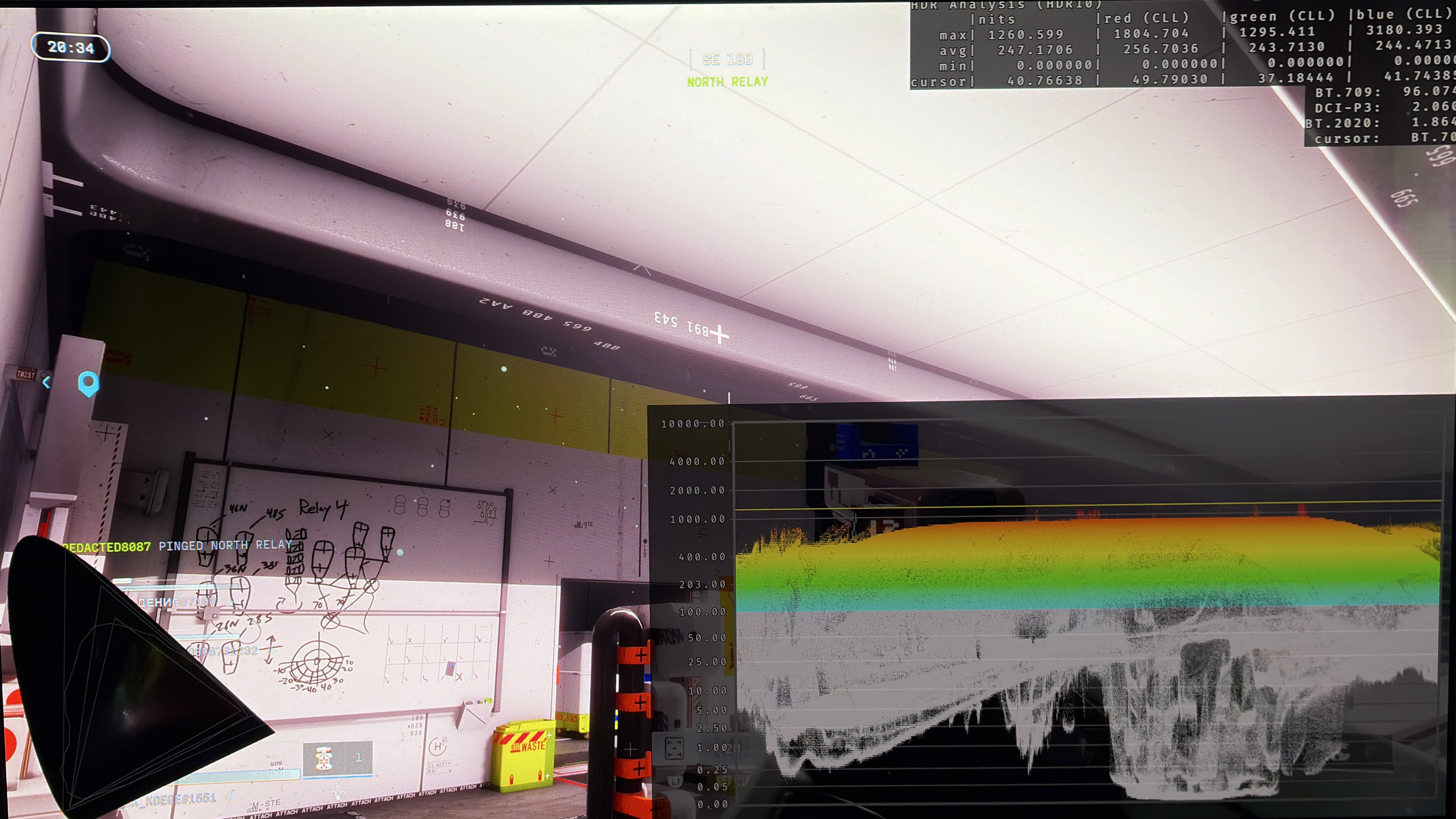
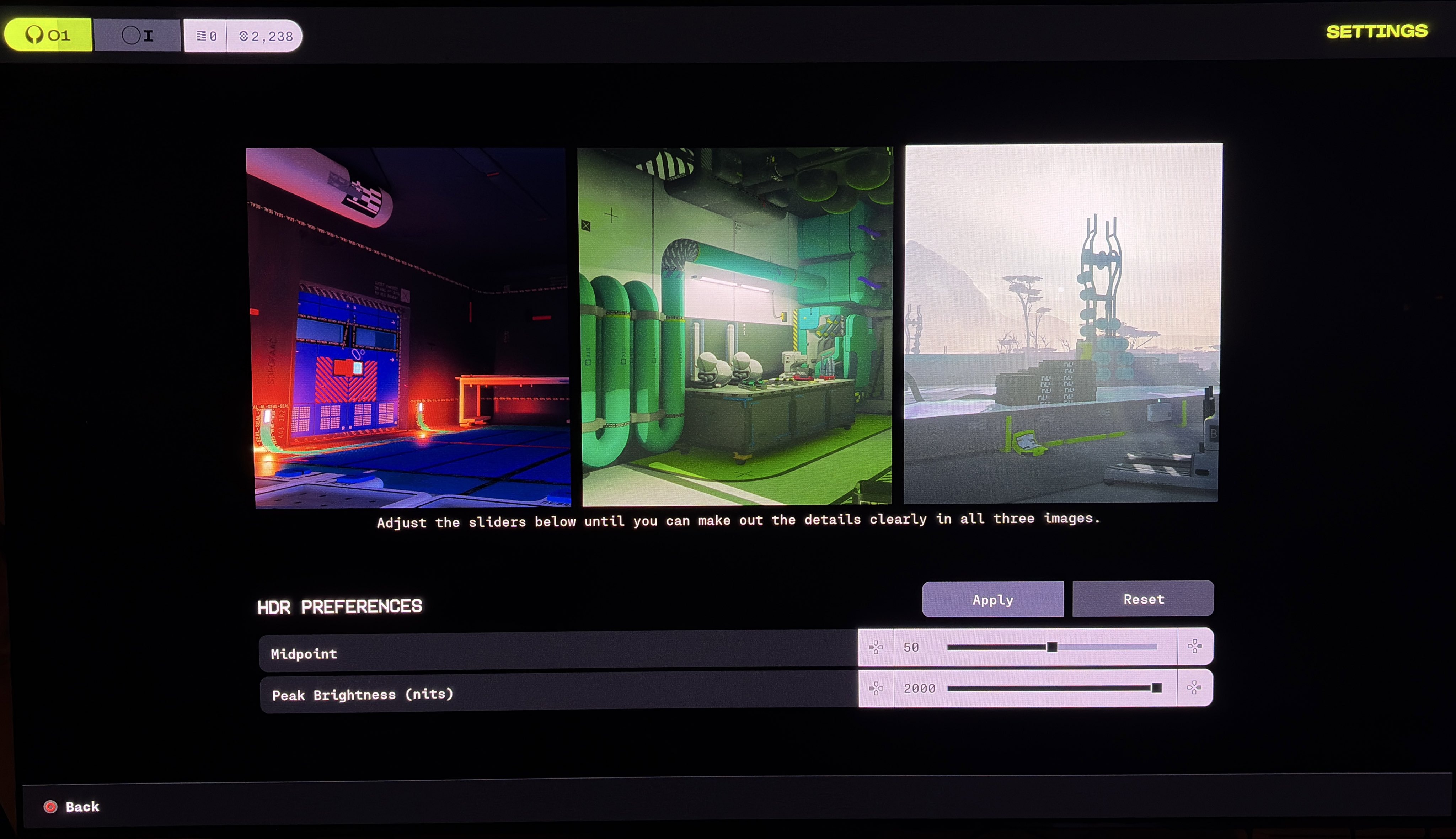
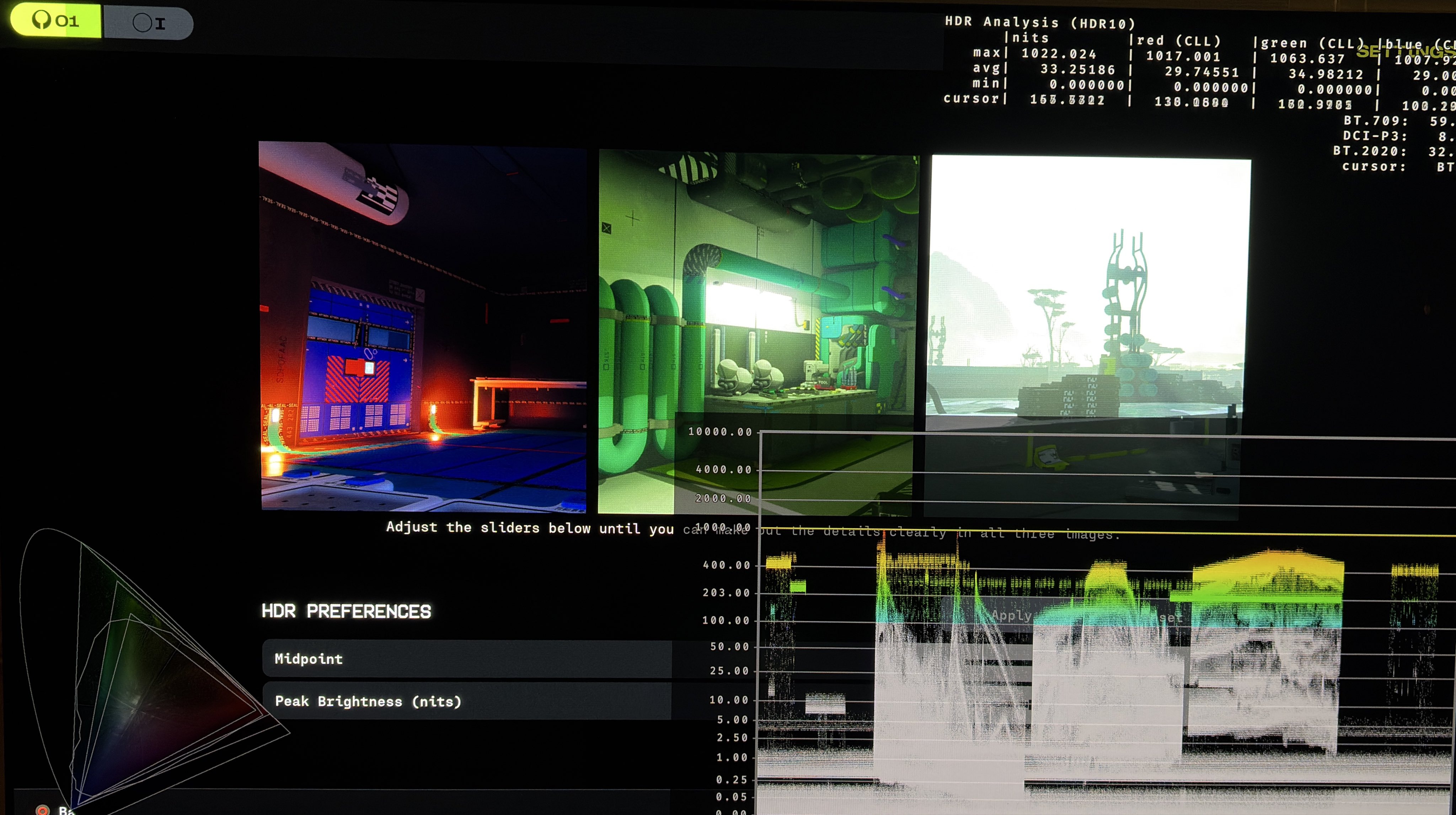
It's setup in-game using a slider that goes up to 2000 nits. See picture 1. The game will output what you set the slider to in nits. Picture 2 is set to 1000 nits on the slider and outputs 1000 nits. Picture 3 is set to 2000 nits and outputs 2000 nits maximum.
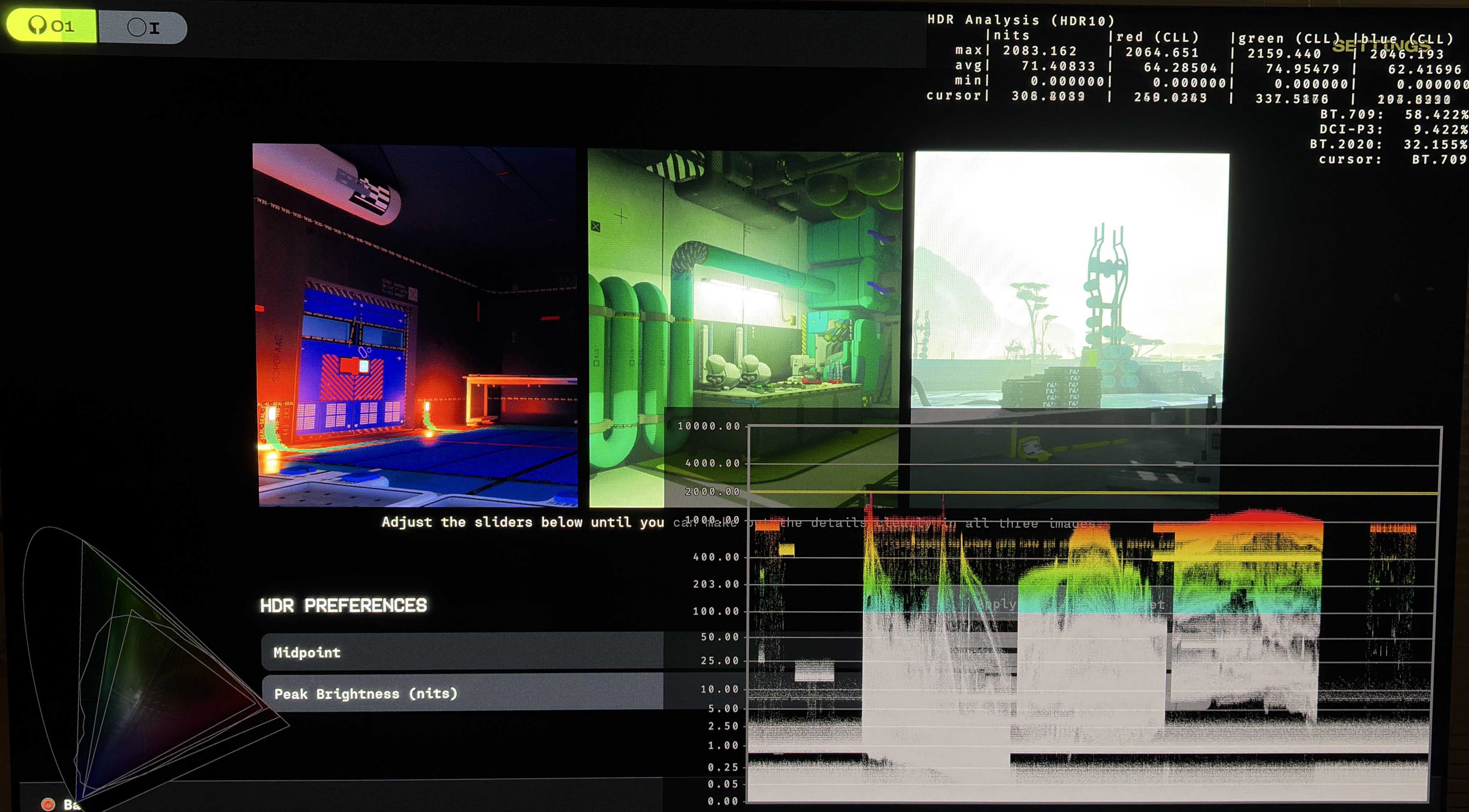
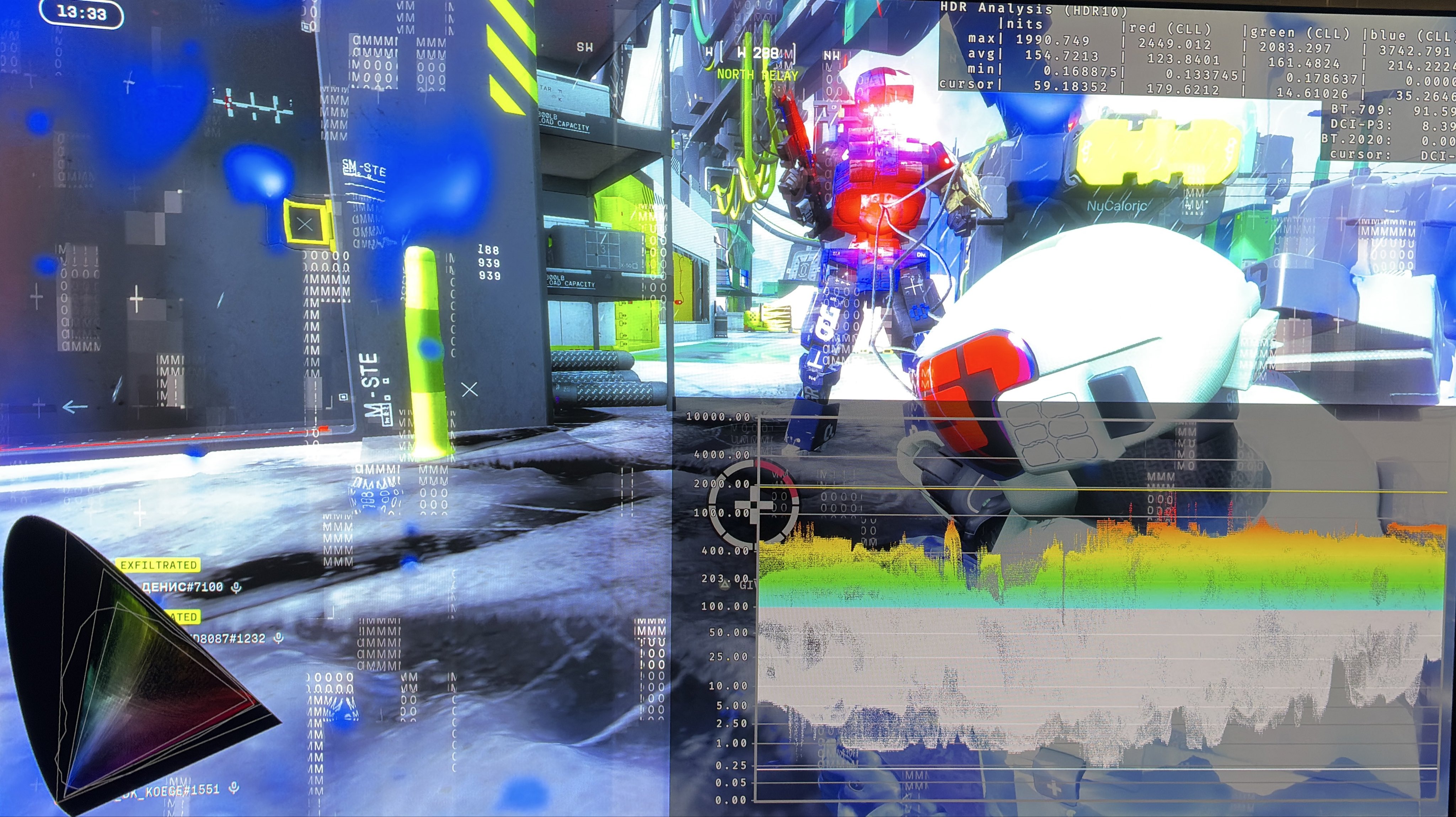
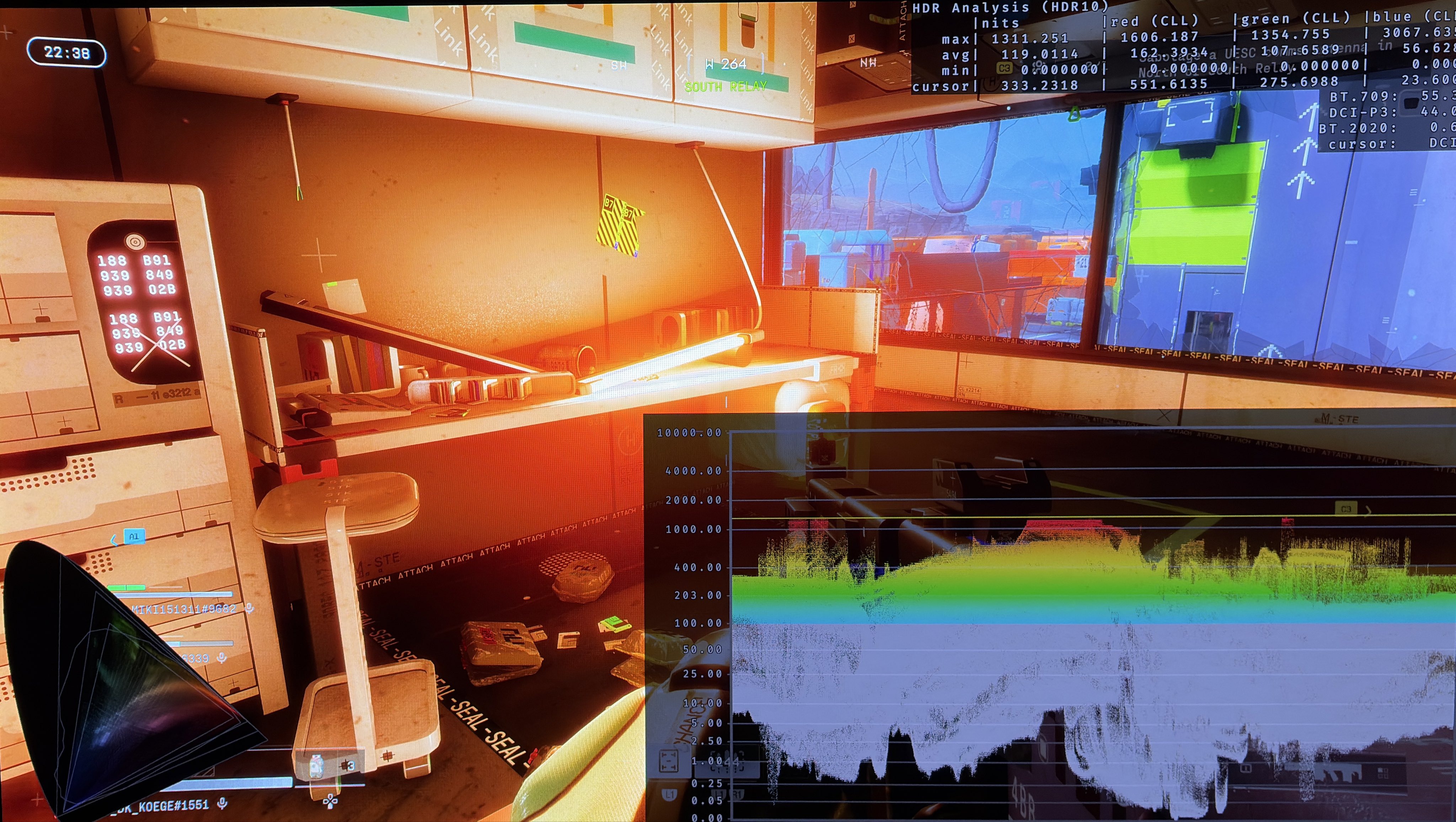
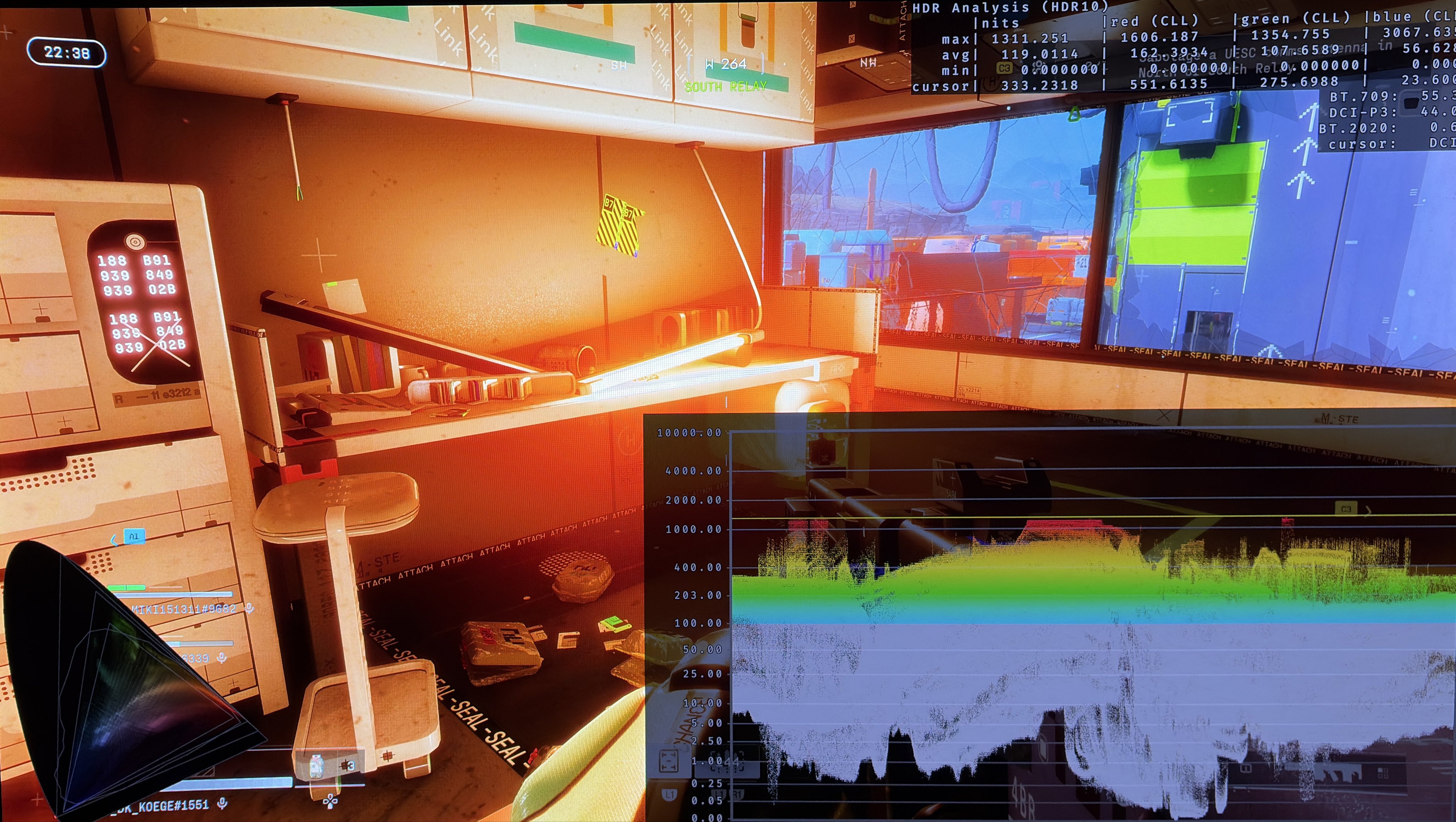
However, when we get into the game, the only bright highlight I have ever seen reach the max luminance is the bright eyes on the enemy robots. All other bright light sources are capped much lower, including the Sun. On my 2000 nits TV it was mostly around 1300 nits. See picture 4. The game does therefore not utilise the full brightness capabilities of your display and HDR highlights will lose impact.
We can’t just increase max luminance to fix this because it increases paper white (see below), so the overall picture brightness would get too bright.
Shadows and black level floor:
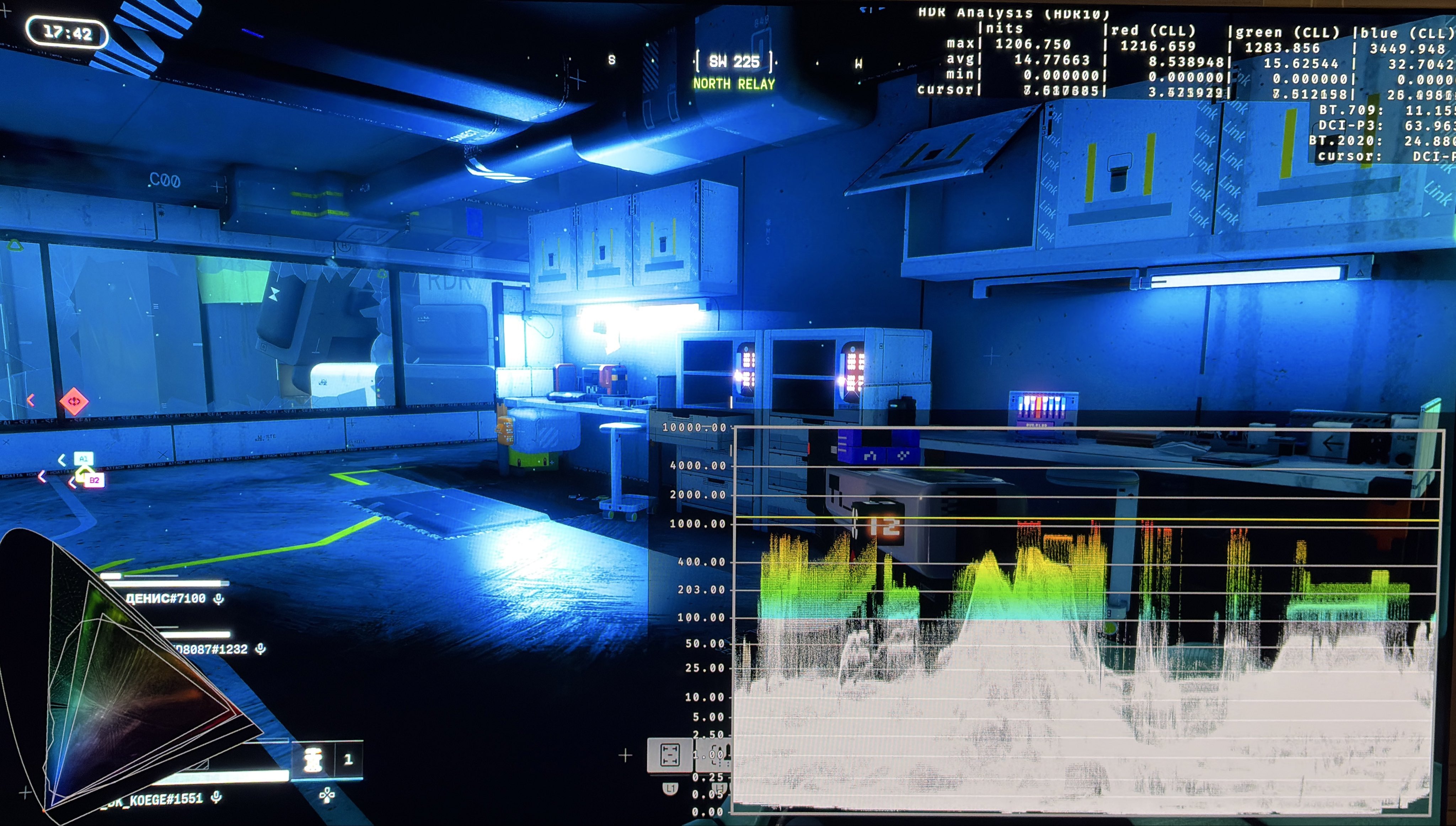
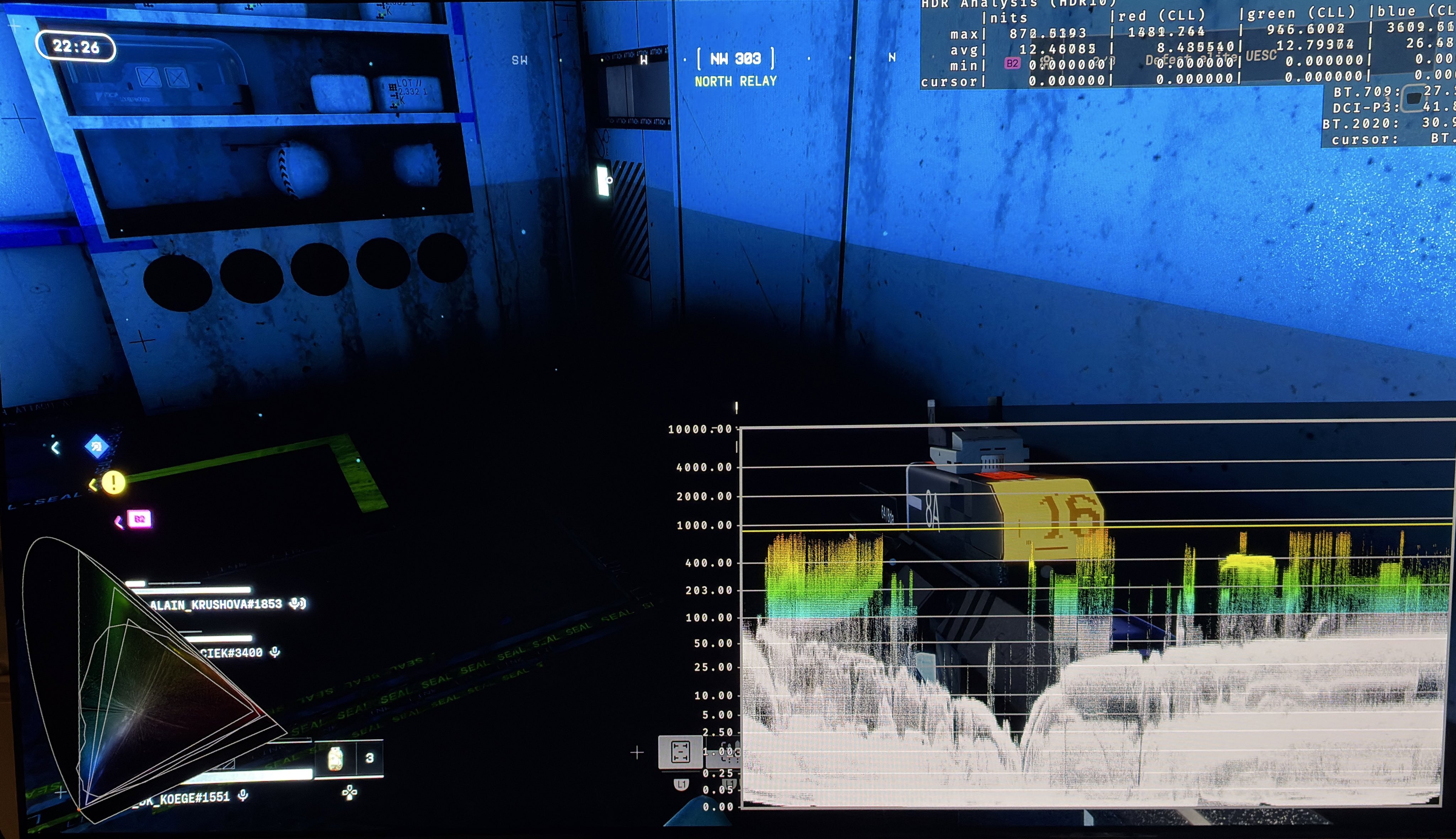
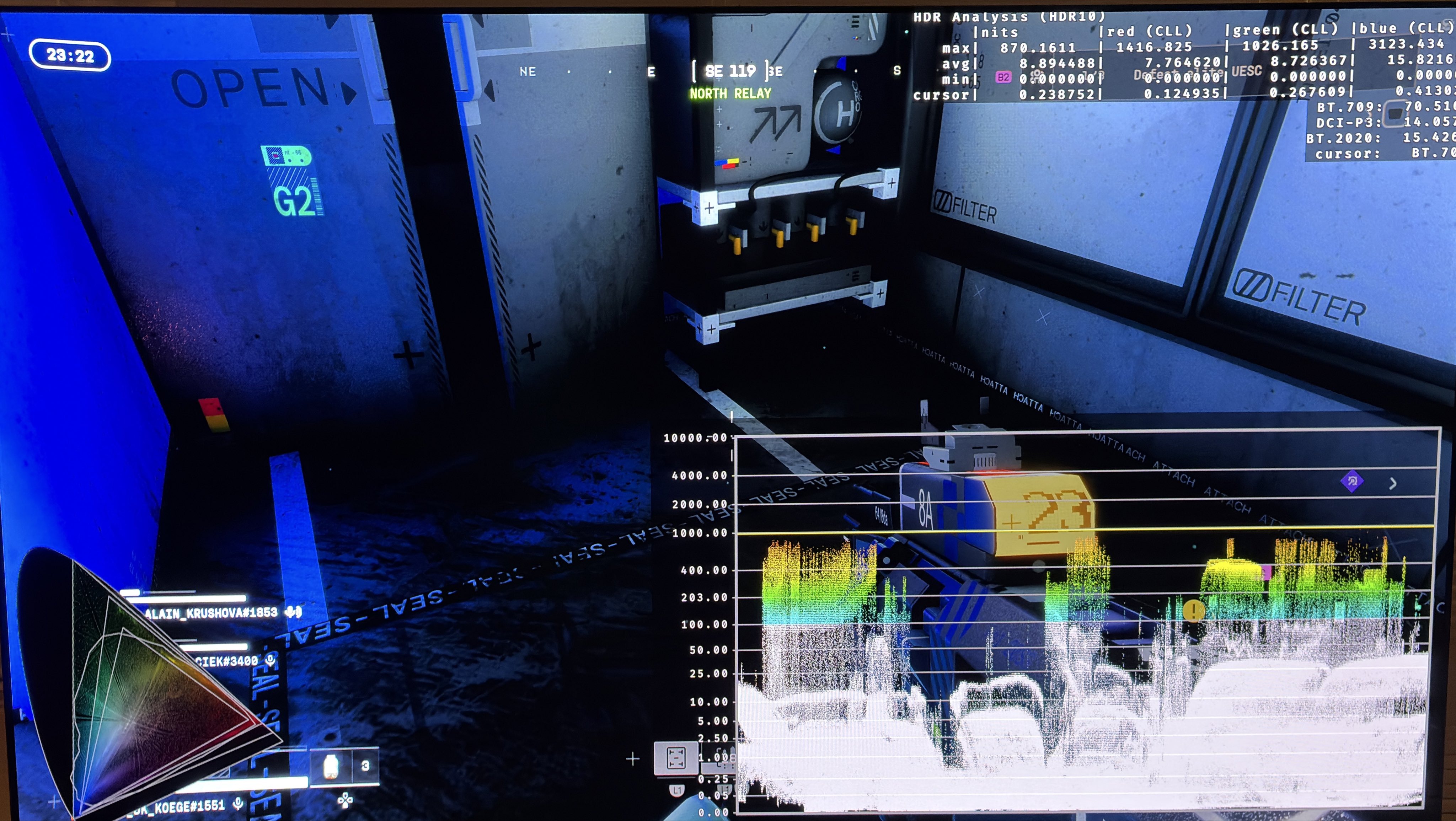
In picture 4 we see that the black level floor is great. But there are a lot of crushed detail in shadows indoors. This doesn’t necessarily have to do with HDR. To me it looks like the game over-shadows dark areas. Probably because a very low quality indirect lighting system and/or ambient occlusion system is used. If they can’t calculate the correct shadows, then they can chose no shadows or too much dark shadows.
In picture 1 we see a midpoint slider. It mostly changes the shadows and black level floor, but also changes lower midtones a bit. I would leave it at 50, because it increases the upper shadows way too much and it ruins the contrast too much. Shadows are also not too dark outside.
In some areas I saw black level floor raise. It’s either due to all the fog being used or because there in some lighting conditions or areas are used color filters (luts) that raise shadows. It really looks ugly in those areas because we lose contrast.
Paper white:
When we increase the peak brightness slider, it seems paper white or diffuse white is also increased. We can see this in picture 2 and 3. Look at the cursor value. In picture 2 it's 163 nits on a white area on the floor in the middle image. In picture 3 it's 306 nits. For 1000 nits we need 203 nits paper white and for 2000 nits we need 343 nits. It's normal for diffuse white to be a bit below paper white in such area. So it looks like the game outputs around the paper white we want for any given max luminance.
This is actually how I like a game to change paper white. But I would have liked a separate slider for paper white and max luminance.
HDR colors:
The game uses a lot of HDR colors (P3), so that's great.
Over-exposure:
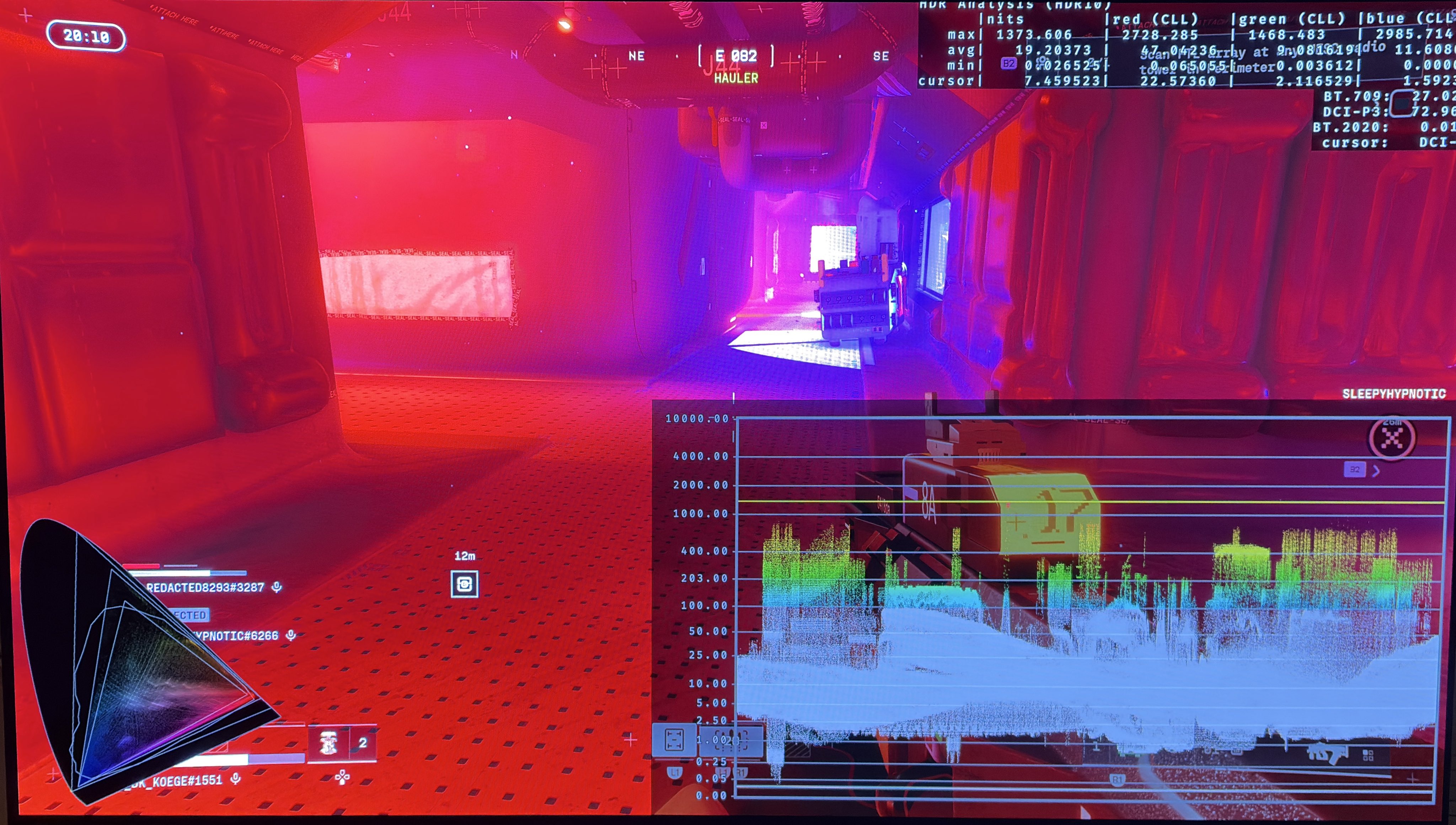
There are some situations indoor where a big bright light shines in a room with a lot of thick fog. Here it looks too bright to me for such big areas on the screen.
Conclusion:
It's very easy to setup on consoles. Just set the game to output the max luminance your TV can output on a 10% window. Leave midpoint unchanged at 50.
If you find the overall brightness a bit too bright, then lower max luminance because that lowers paper white / overall brightness.
2000 nits from robots eyes
Black crush 1
Black crush 2
Black level raise
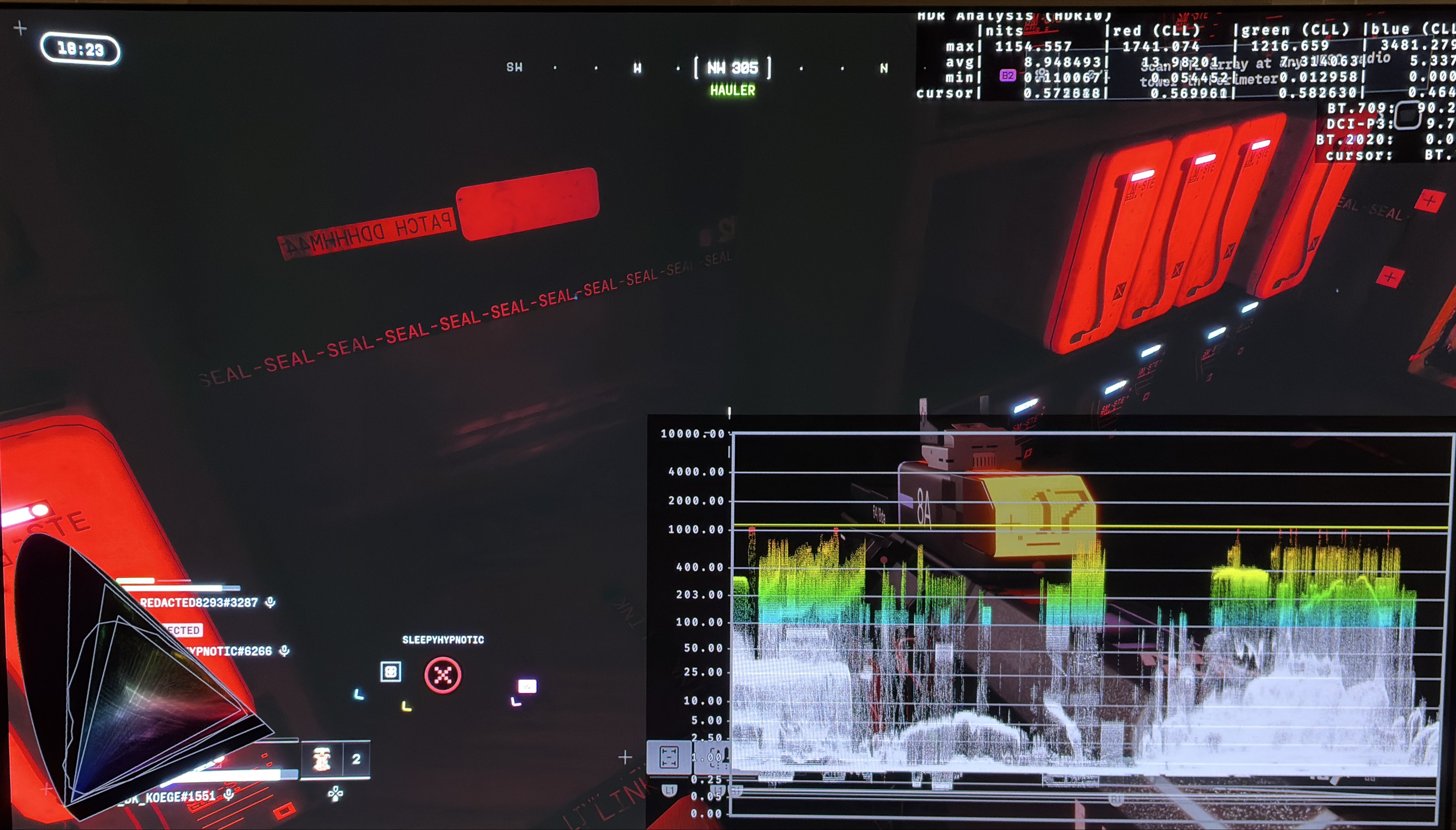
Midpoint is a shadow slider 1
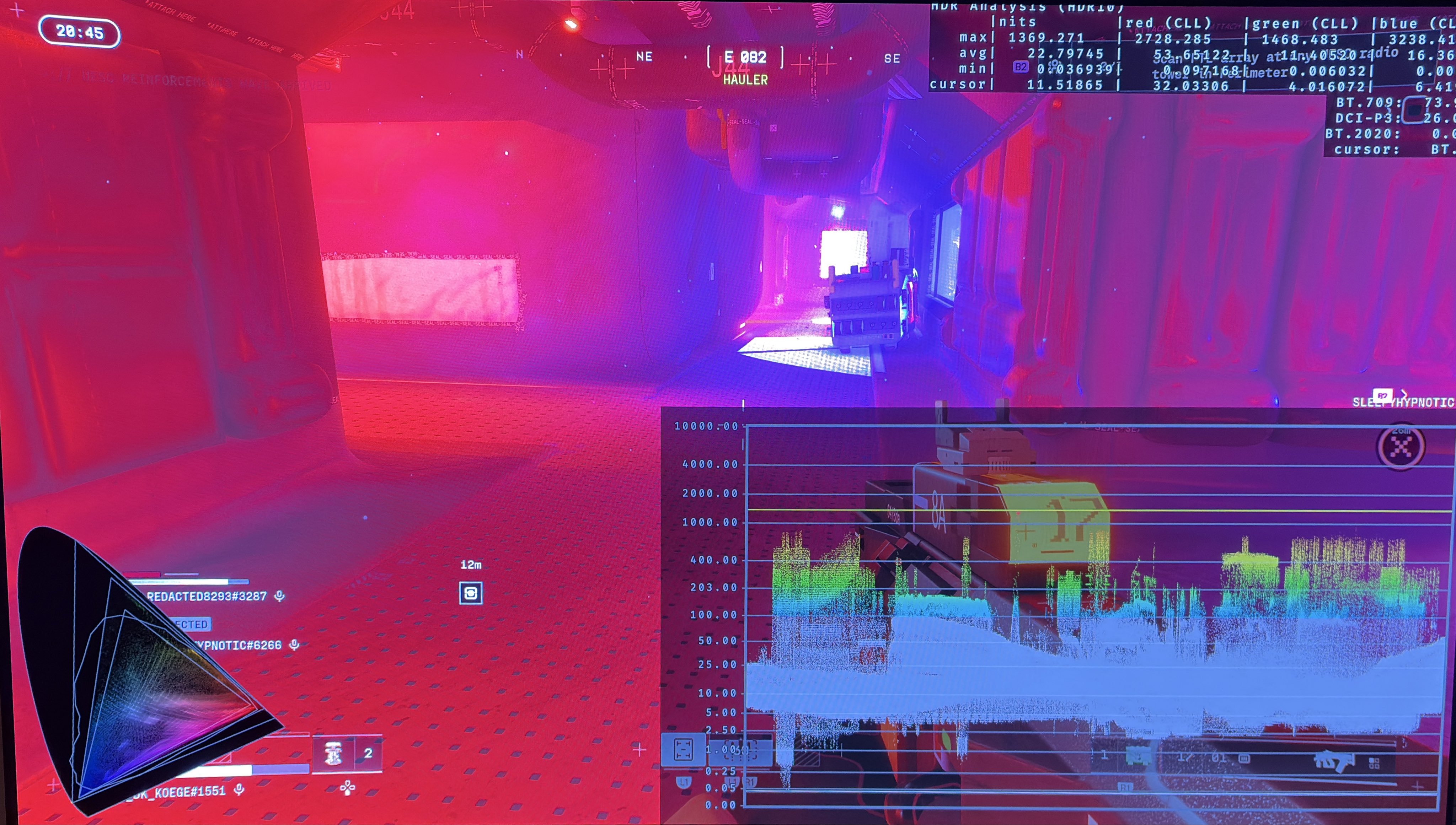
Midpoint is a shadow slider 2
Only 1300 nits lightsources 1
Only 1300 nits lightsources 2
To high brightness on big areas 1
Too bright lightsources on big areas 2