Onimusha: Way of the Sword
HDR analysis and setup guide for Onimusha Way Of The Sword on PC, PS5 and SS/SX.
No improvements to HDR since the demo, unfortunately.
I tested it on PC. I tested the demo on SX and PS5. No difference in HDR between platforms.
The good:
- HDR looks much better than SDR.
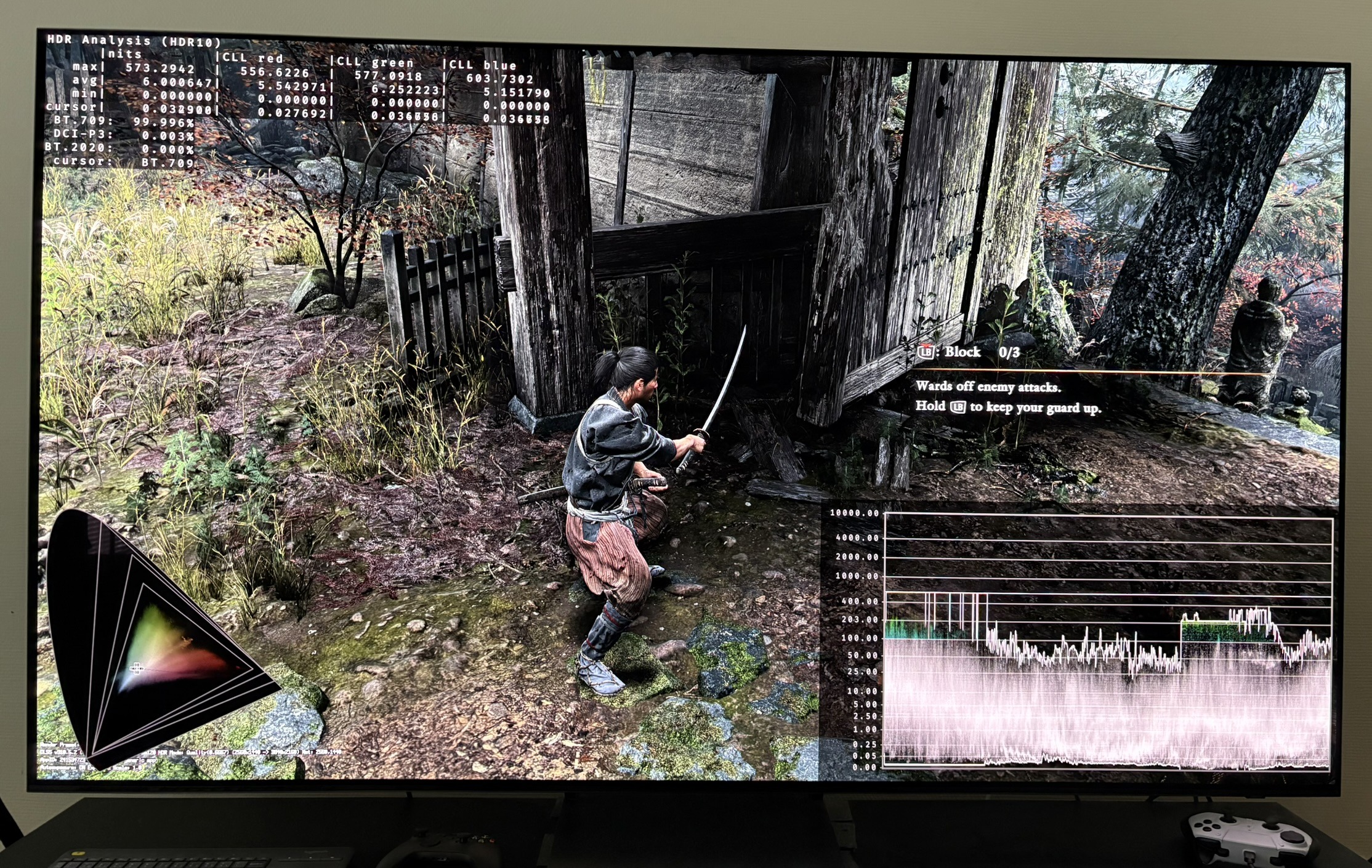
- Black levels are good (In areas with no fog). See picture 3.
The bad:
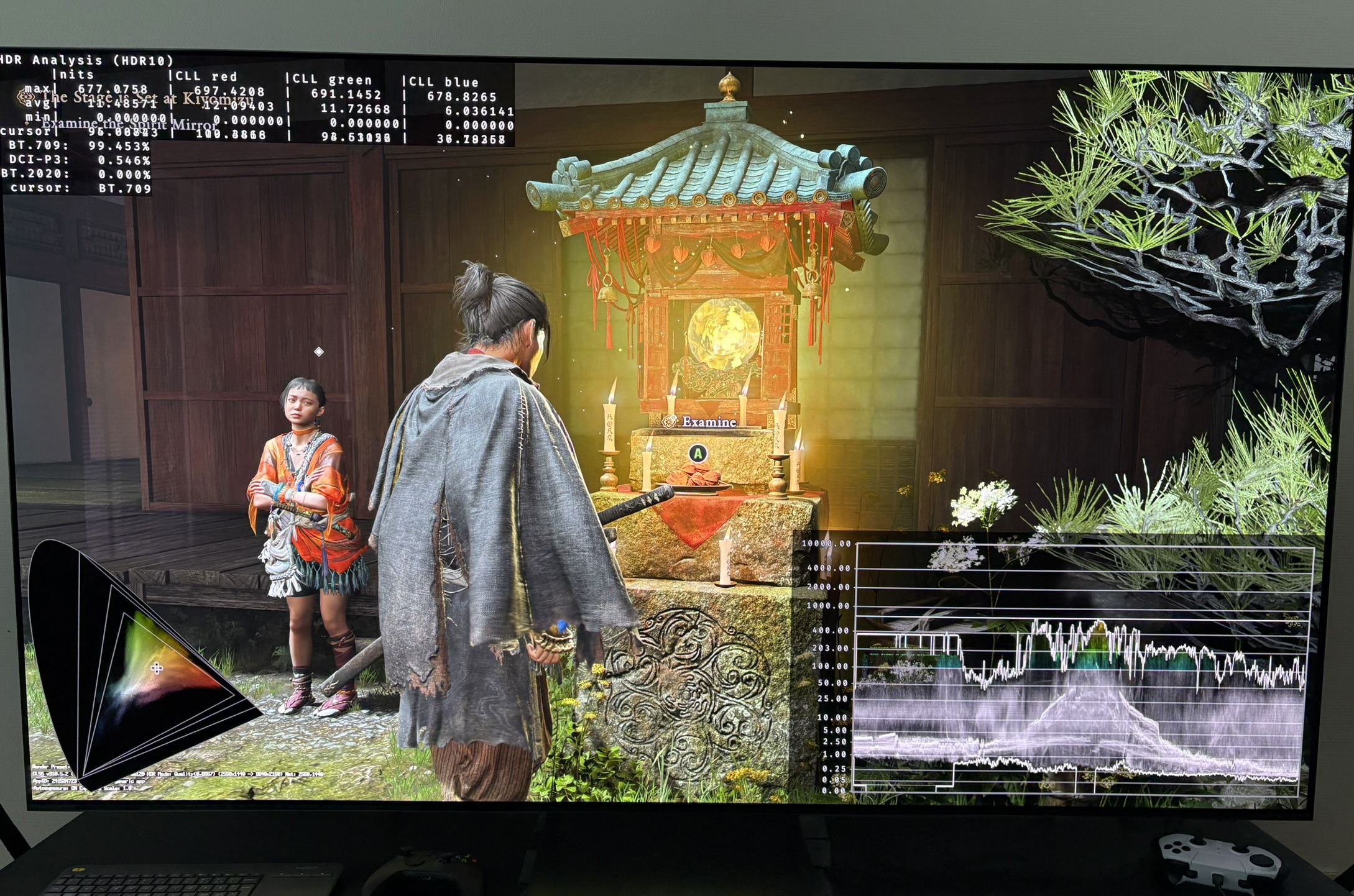
- It's very dim HDR. Peak brightness is only 680 nits. See picture 2.
- SDR and HDR does not look the same. HDR has much more saturated colors. So do we need to play the game in SDR or HDR to experience the creator's intended look of the game ???
- The Maximum Brightness setup screen is broken. It does not output the same brightness as in-game.
Setup recommendations:
Peak Brightness:
We can not trust the Maximum Brightness setup screen and slider.
Below I show what the game outputs in-game in peak brightness at different values on the slider.
Setup to what you display can maximum output.
0=300 nits
10=300 nits
20=360 nits
30=430 nits
40=490 nits
50=530 nits (default)
60=570 nits
70=600 nits
80=630 nits
90=660 nits
100=680 nits
Overall brightness (mid tones / paper white):
The overall brightness slider changes the overall brightness, by changing everything inbetween black level floor and peak brightness. That's okay.
The issue is, that when we only have 670 nits peak brightness, then there is no reason to increase mid tone brightness, because we want some separation between mid tones and highlights for highlights to pop.
So leave it at default 5. It's around 200 nits paper white and will be good for most in a dark room for 670 nits peak brightness. If you are in a bright room and need more overall brightness, then you need to increase it of course.
Saturation:
The saturation slider only changes color saturation. It does not change any brightness output or shadows.
HDR looks much more saturated than SDR. I recommend to decrease saturation from 30 to 25, but at the end of the day it's personal preference.
UI slider:
It outputs 200-220 nits. So just leave it at default.
RenoDX HDR mod:
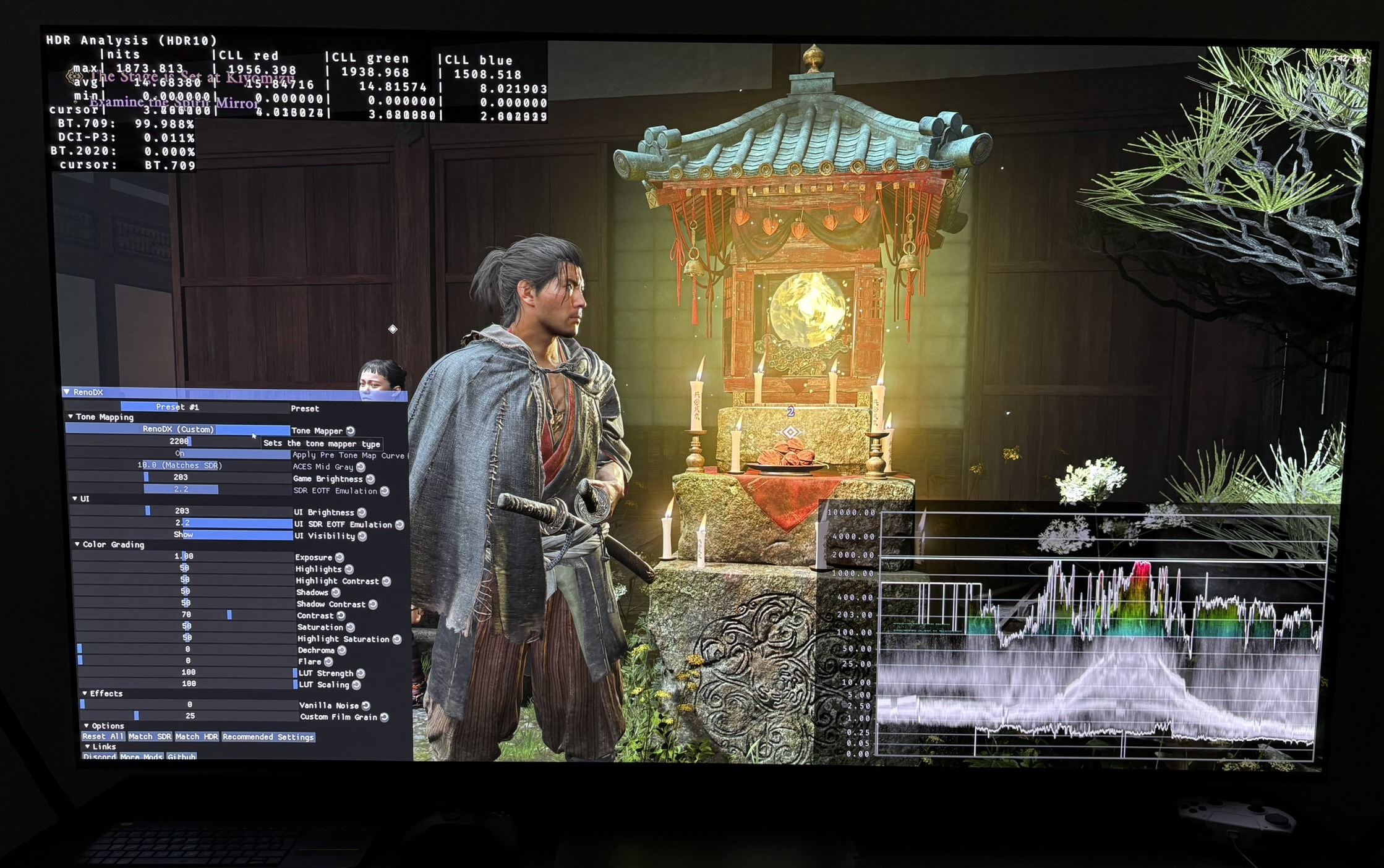
There is a RenodX mod for the demo, that also works for the main game. It's in WIP / draft, so it's not an official or finished mod. I think the mods recommended settings are fine. You can see me using it in picture 4, where it outputs close to 2000 nits peak brightness for my 2000 nits TV.