Setup HDR - PS5/PS5 Pro/SX/SS
In this article I will describe how to setup HDR in Xbox's and Playstation consoles system settings on TVs (OLEDs + higher end LCD/LED).
Gaming monitors are a bit more tricky, so read my OLED gaming monitors article also.
It's settings for HGIG or similar, meaning the TV must not do its own tone mapping. Some TVs will still do some roll off at the top of the PQ curve and that does not affect my recommendations.
PS5 and PS5 Pro:
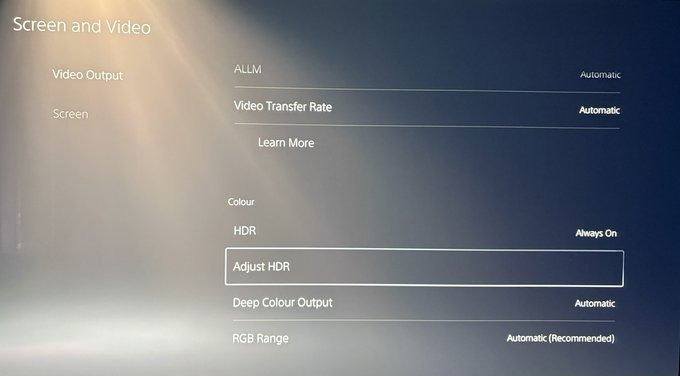
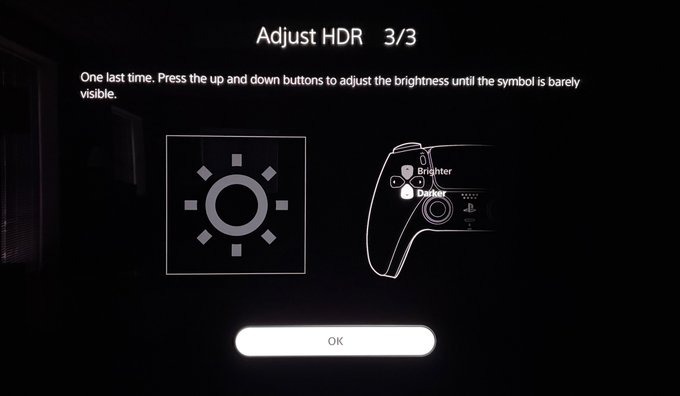
Go into PS5's and PS5 Pro's Settings / Screen and Video / Video output / Adjust HDR (picture 1).
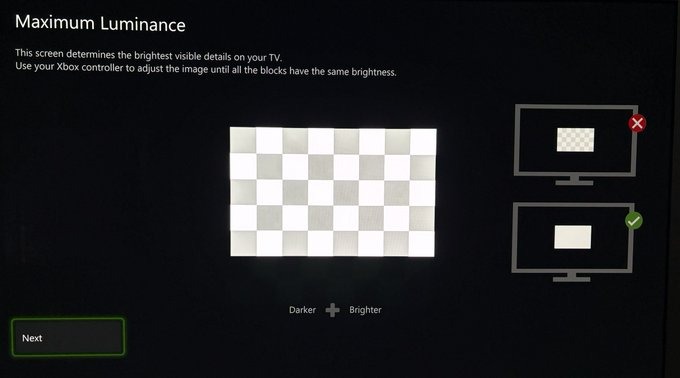
First and second setup screen sets up peak brightness (Picture 2+3). Set to what your TV can output maximum of brightness.
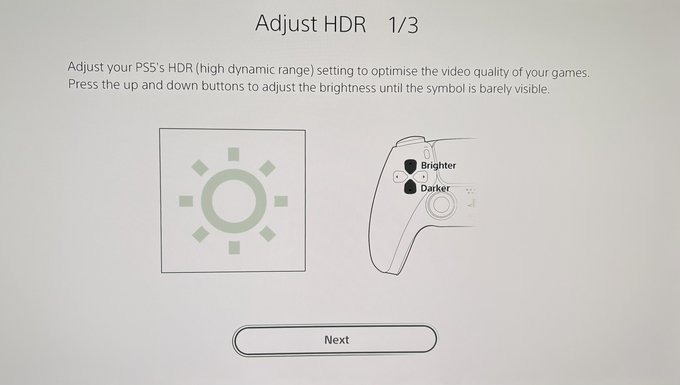
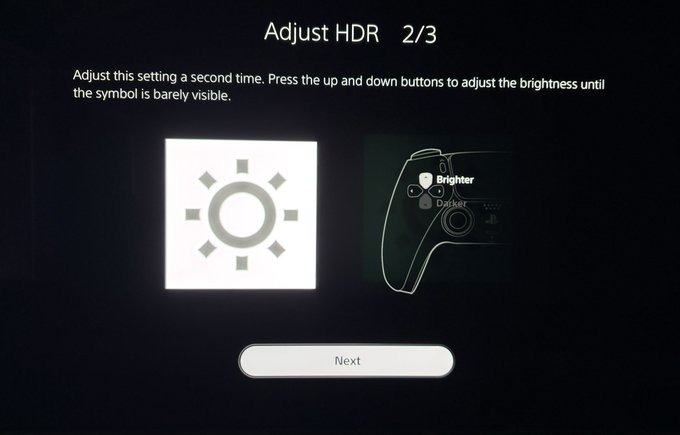
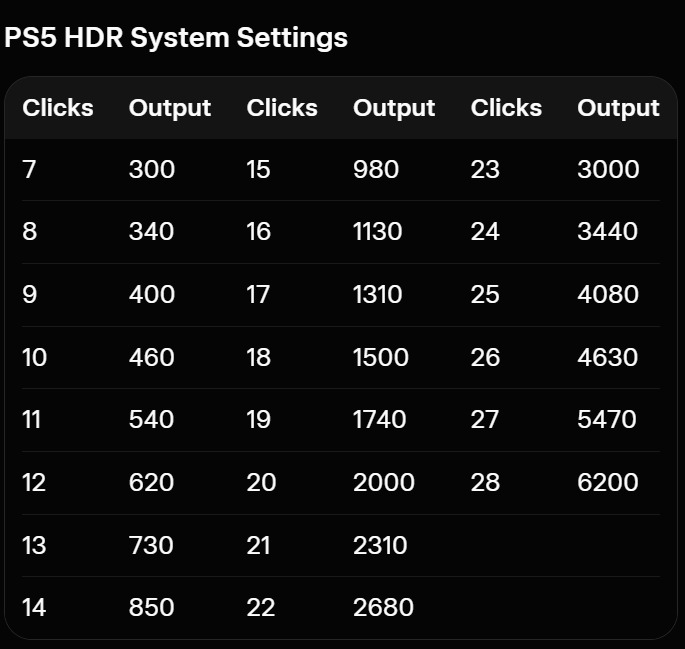
Don't look at what the setup screens tells you. Instead use the clicks shown in the table below, on both setup screens.
In the section below, I will show what a selection of TVs can output of maximum brightness.
Third setup screen (picture 4) sets up the black level floor. It has to be set to its lowest value. All the way down.
Xbox Series X and Series S:
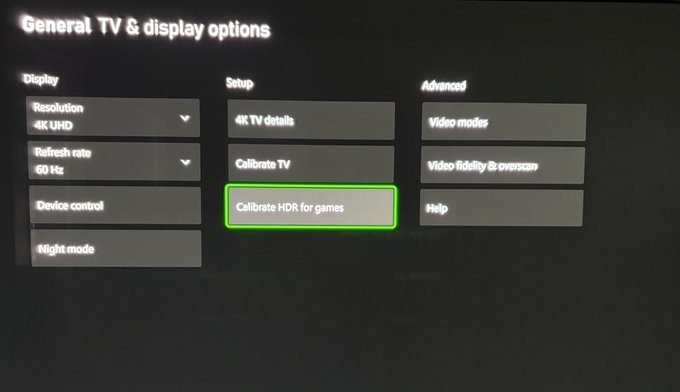
Go into Series X's and Series S's Settings / General TV & display options / Calibrate HDR for games (picture 1).
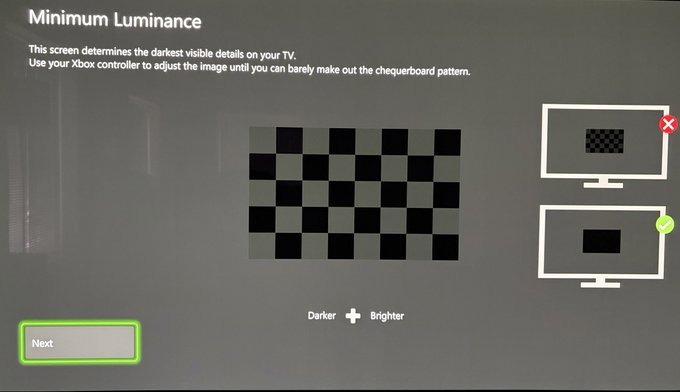
First setup screen (picture 2) sets up the black level floor. It has to be set to its lowest value. All the way to the left.
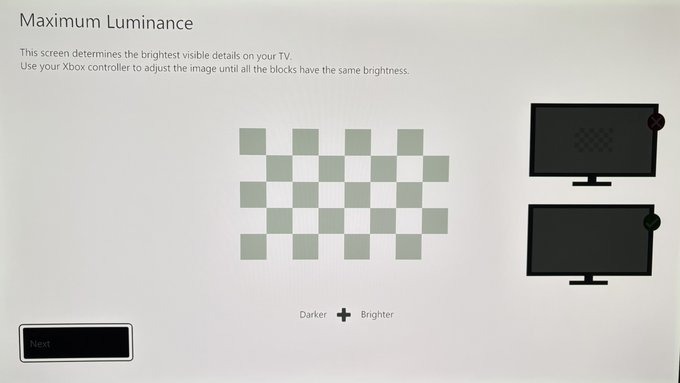
Second and third setup screen sets up peak brightness (Picture 3+4). Set to what your TV can output maximum of brightness.
Don't look at what the setup screens tells you. Instead use the clicks shown in the table below, on both setup screens.
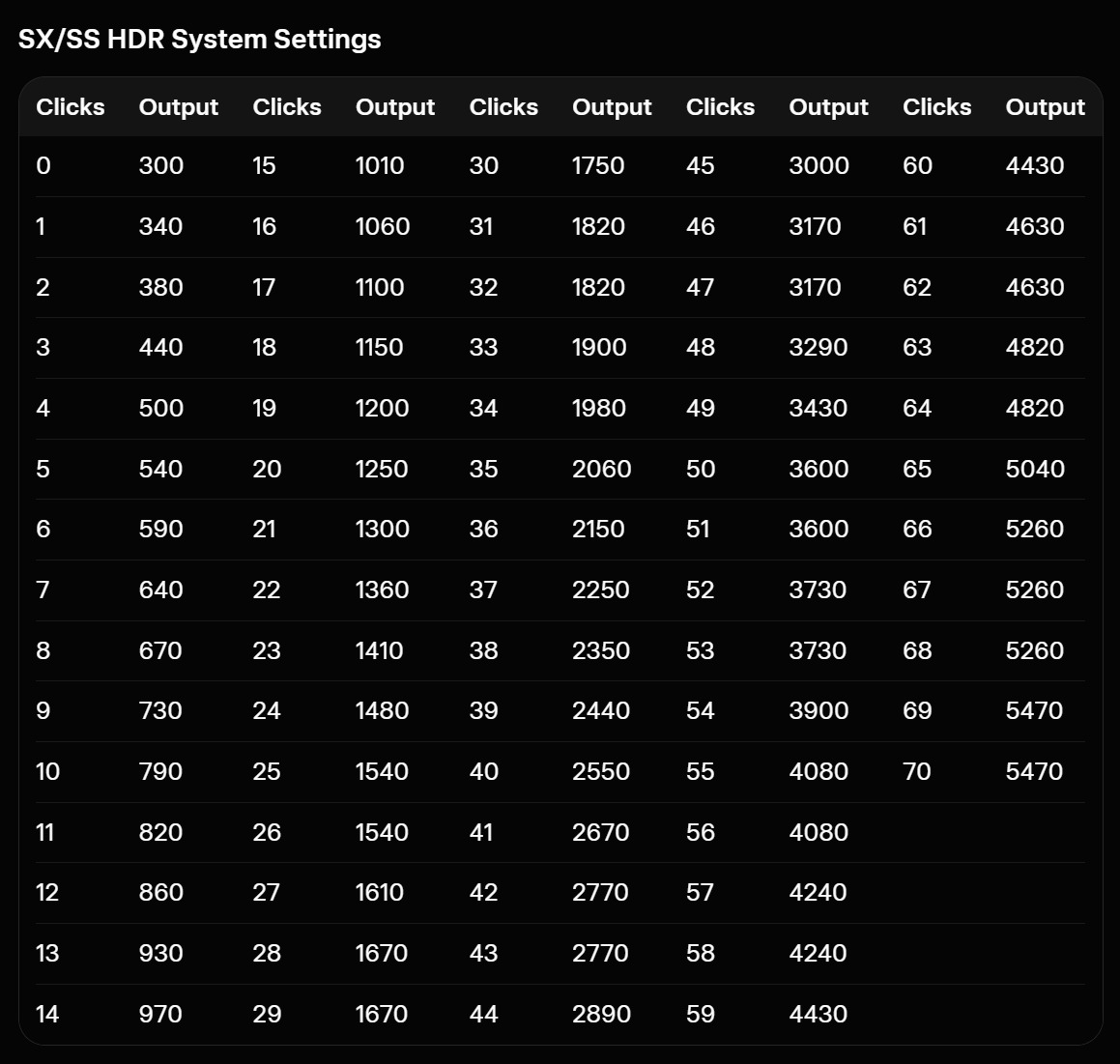
In the section below, I will show what typical TVs can output of maximum brightness.
If you hold all four shoulder buttons at the same time on Xbox's controller you can see what peak brightness you have setup (its not 100% the same as I have tested):
LB + RB + LT + RT
Maximum brightness output (TVs)
Maximum brightness, a selected numbers of OLED TVs can output in their game picture modes. The numbers are from Rtings.com. They test most TVs (and monitors).
For Samsung models, it's always for the QD-OLED panel, unless stated otherwise.
LG C2 42" - 700 nits
LG C1 65" - 730 nits
LG C4 42" - 740 nits
LG C1 48" - 790 nits
LG CX, C2, C3 - 800 nits
Samsung s95b - 880 nits
LG C4 65" - 920 nits
Sony BRAVIA 8 - 920 nits
Samsung s90c - 1000 nits
Samsung s95c, s90d - 1200 nits
LG C5 65" - 1280 nits
Sony A95L OLED - 1430 nits
LG C6 65" - 1470 nits
Samsung s90h (WOLED) - 1540 nits
Samsung s95d - 1650 nits
Sony BRAVIA 8 II - 1860 nits
LG G5 - 2100 nits
Samsung s95f - 2100 nits
LG G6 - 2700 nits
Samsung s95h - 2900 nits