Silent Hill Townfall
HDR analysis and setup guide for Silent Hill Townfall on PC and PS5.
I have tested the game on PC and PS5 Pro. I did not test it on my SX.
PS5:
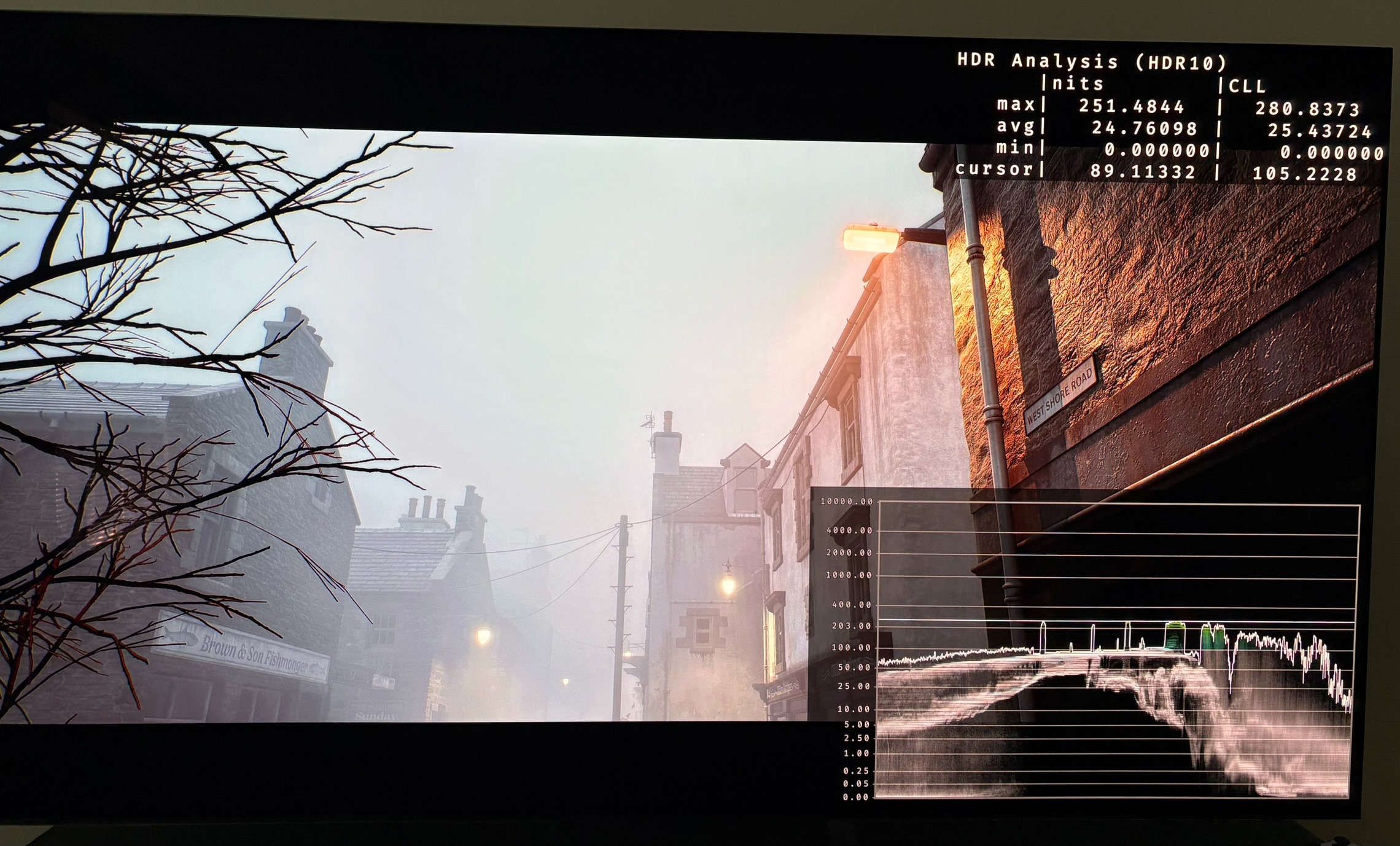
The game does not support HDR on PS5, unfortunately. In picture 1 we see PS5 output 250 nits in it's HDR Always On mode, as it will if the game only outputs SDR.
Use the link to read my article that explains what HDR Always On does.
PC:
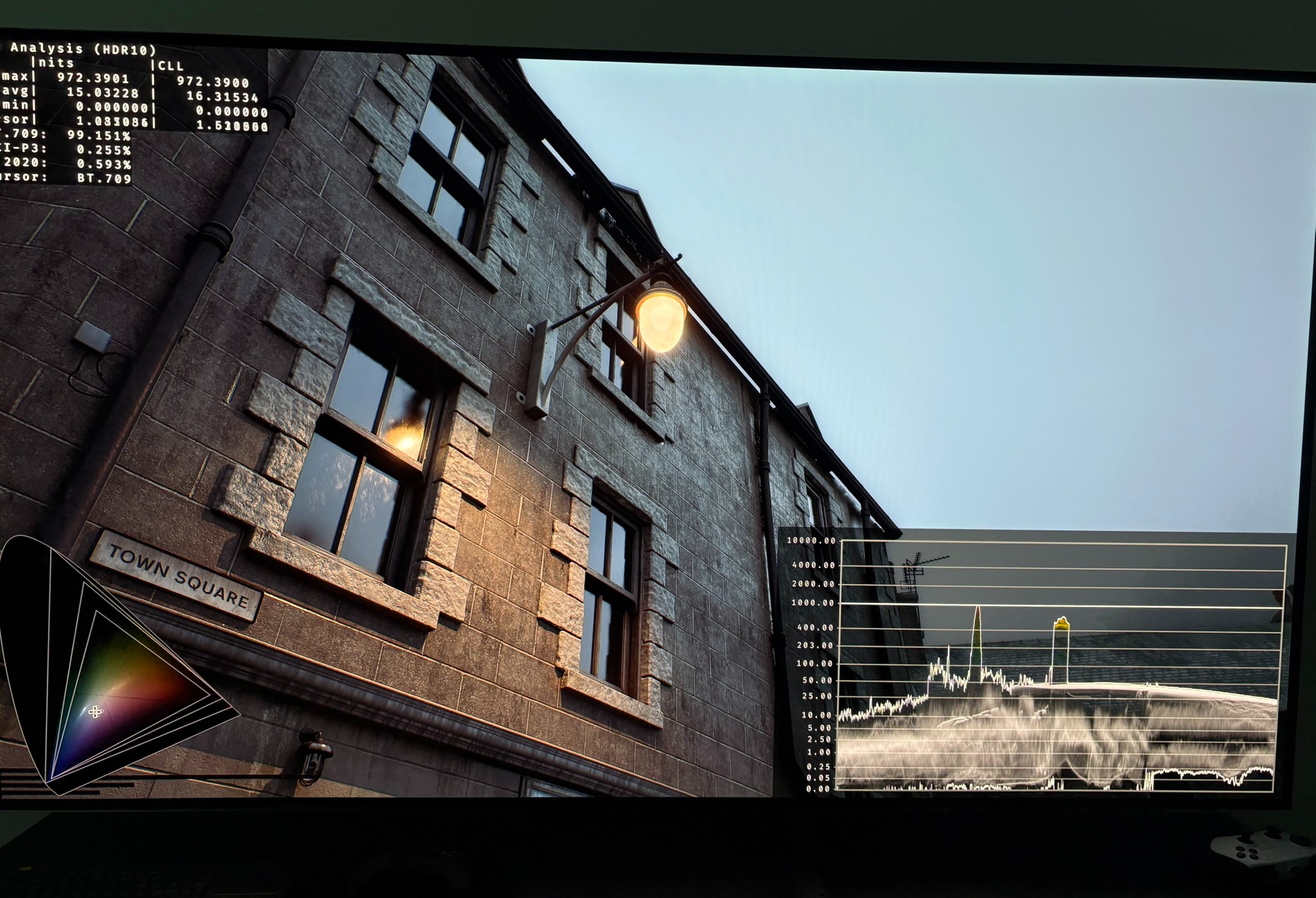
On PC the game supports HDR. HDR is turned on by default and it outputs a fixed peak brightness of 1000 nits. See picture 2.
It seams the developer has simply turned on the default HDR in Unreal Engine 5 without doing anything else. It's of course better than nothing and I don't understand why they didn't do the same on PS5.
RenoDX UE Extended version:
PC gamers are recommended to use the RenoDX HDR mod for Unreal Engine 5 in its extended version. It's easy to install using RHI. You will than get proper HDR sliders for peak brightness and paper white (game brightness). And you will get better tone mapping and proper use of luts (artists colors).
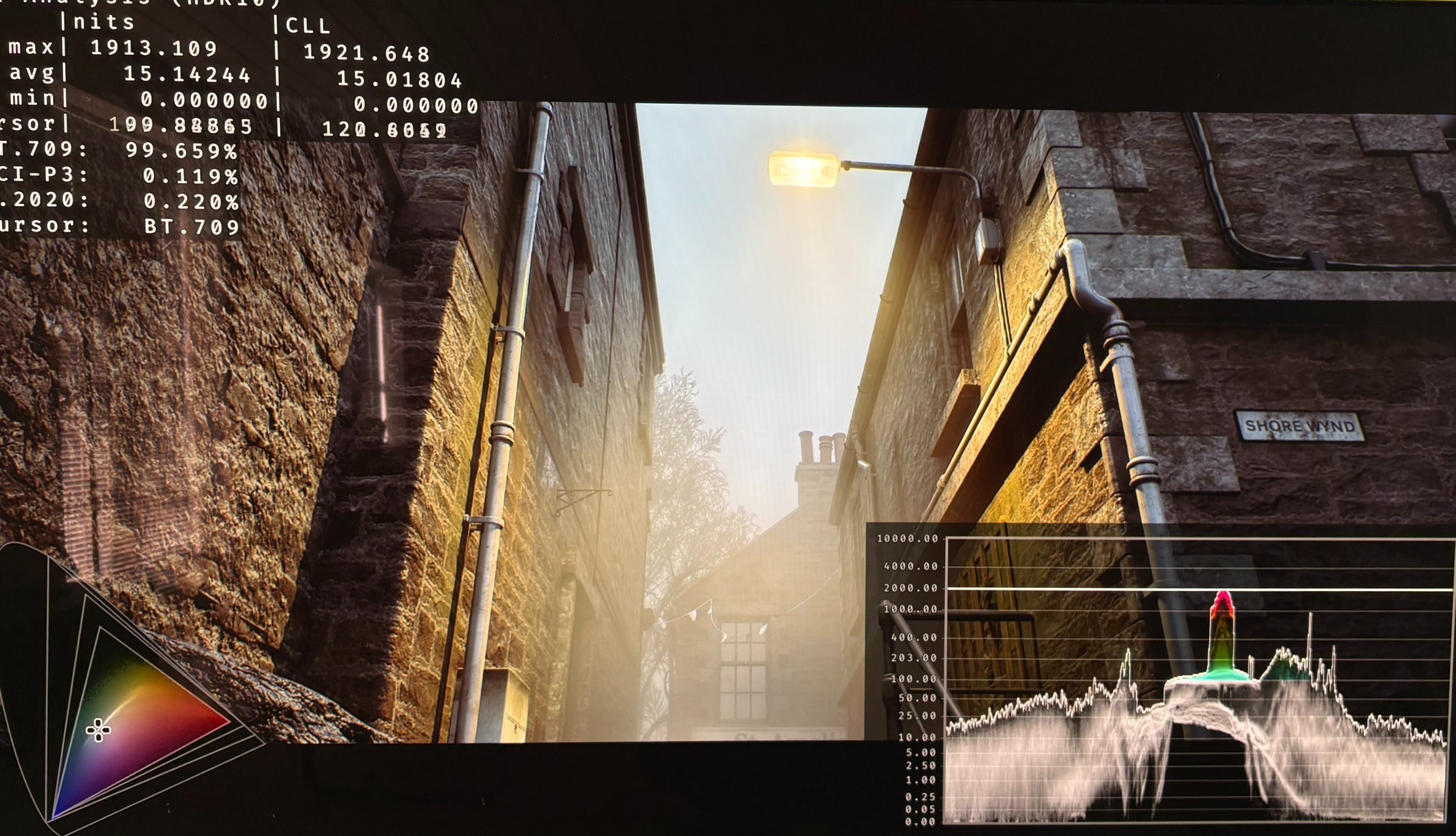
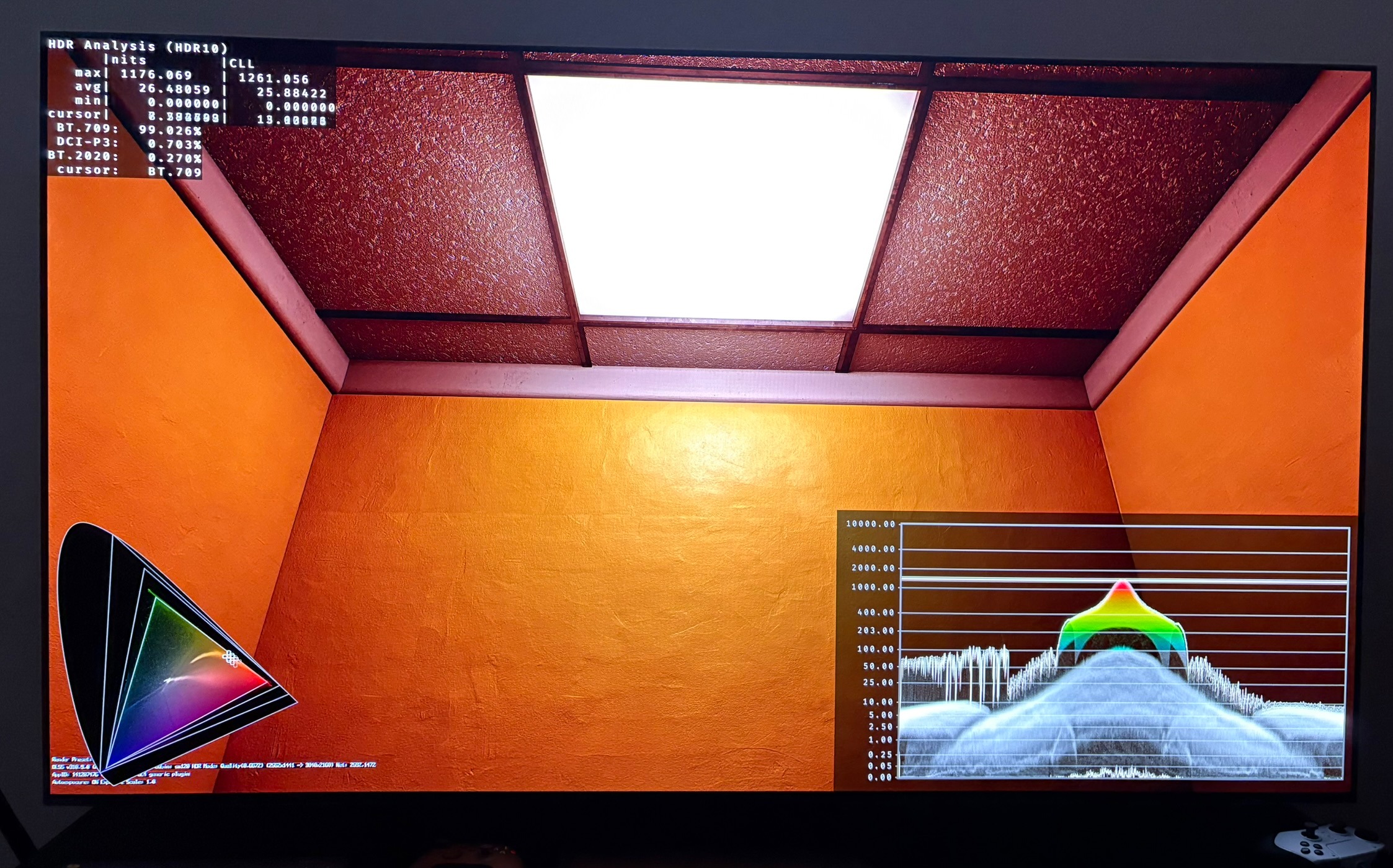
In picture 3 and 4 we see RenoDX UE Extended version working.
Gamma Slider
The game only has one in-game slider and it effects both SDR and HDR. It changes shadows. Don't use it because shadows and black levels are already fine.