Star Wars Galactic Racer
Quick HDR analysis and setup guide for Star Wars Galactic Racer on PC and PS5.
HDR is implemented the same on PC and PS5. I did not test it on Xbox, but it's most likely the same implementation.
The bad
This is how you implement HDR if you don't care about HDR:
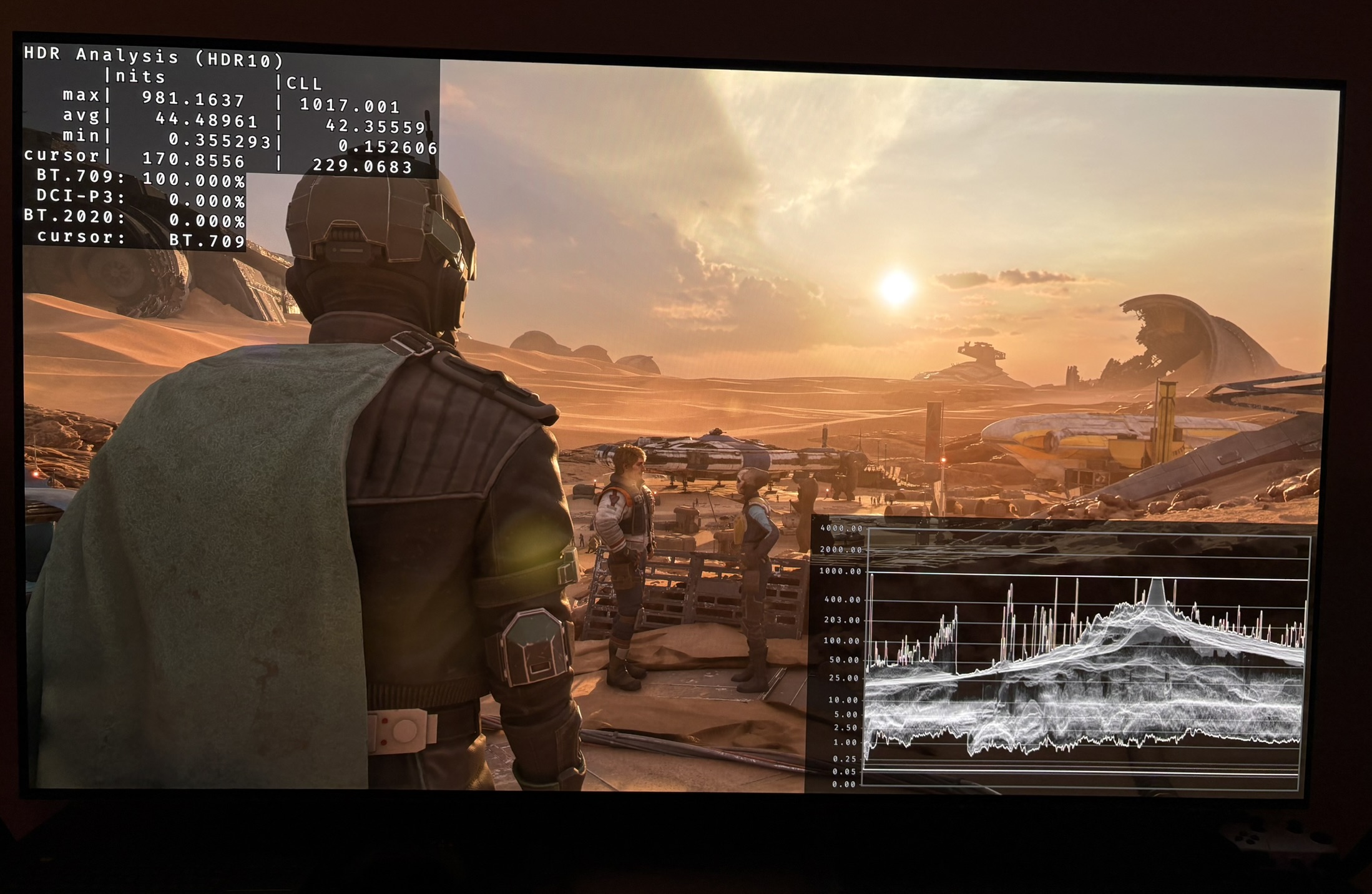
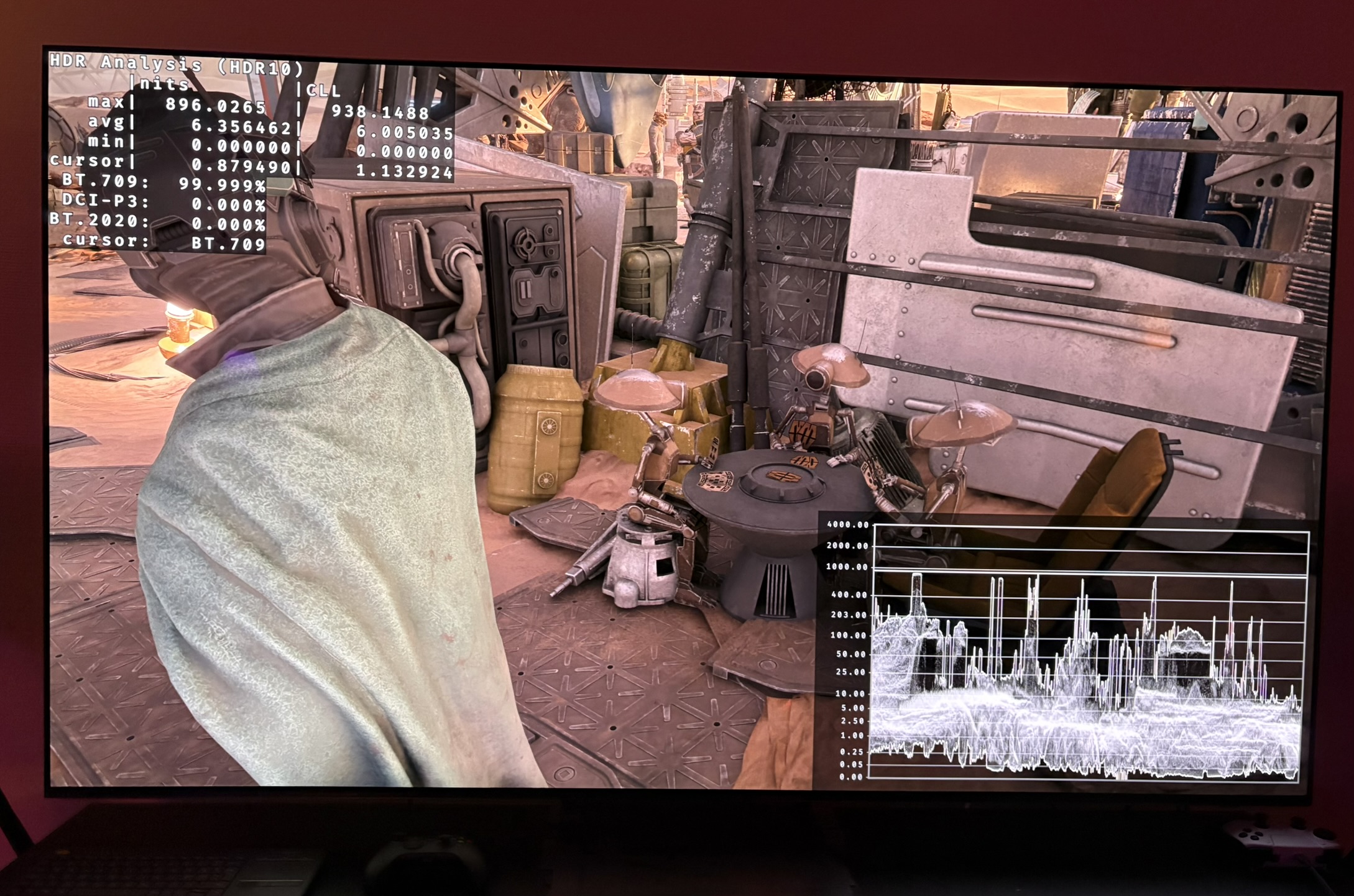
- Fixed 1000 nits peak brightness. There is no way of adjusting it up or down. See picture 1.
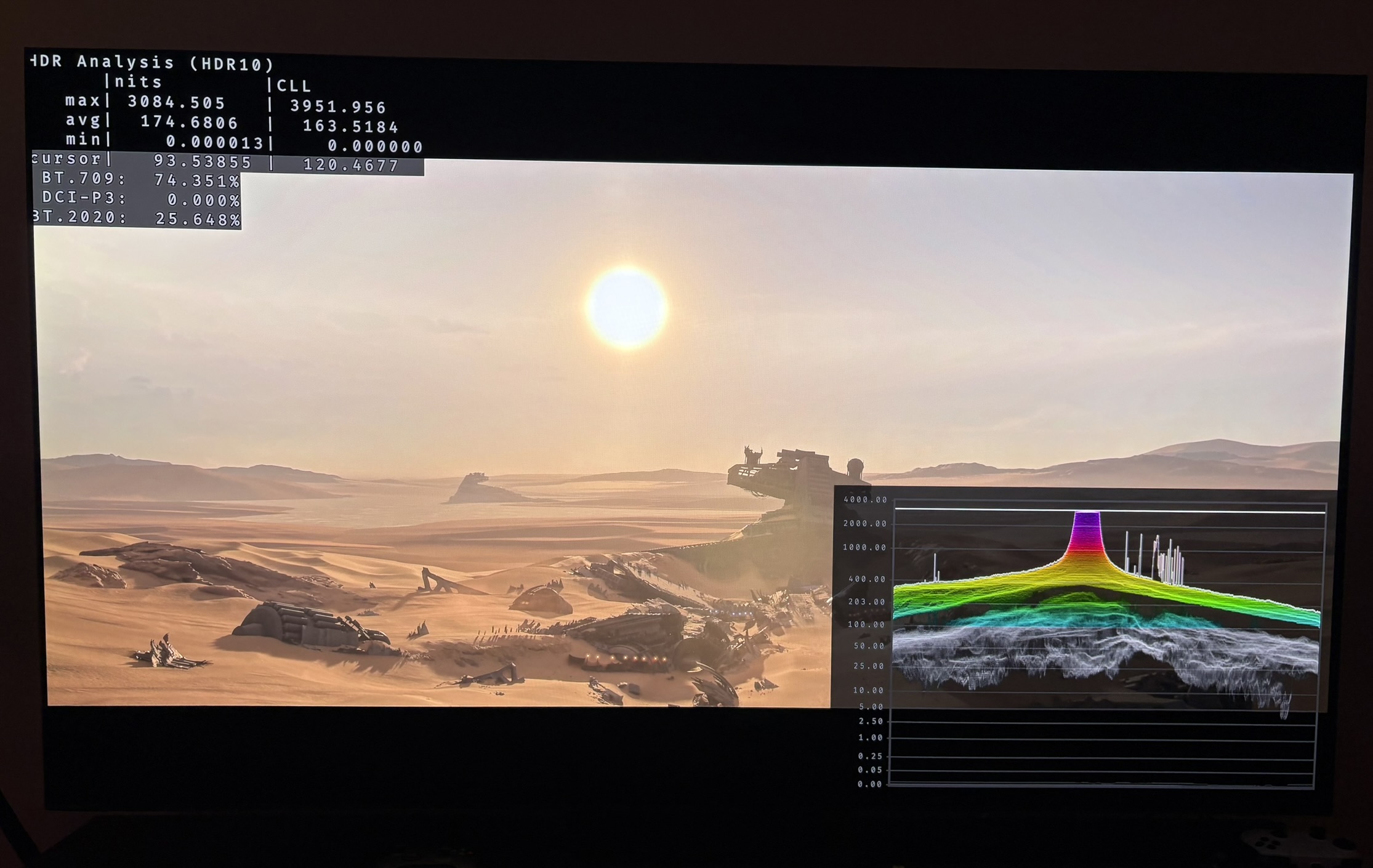
- The cut scenes with black bars have 3000 nits peak brightness. Of course way to much for almost everyone. See picture 2.
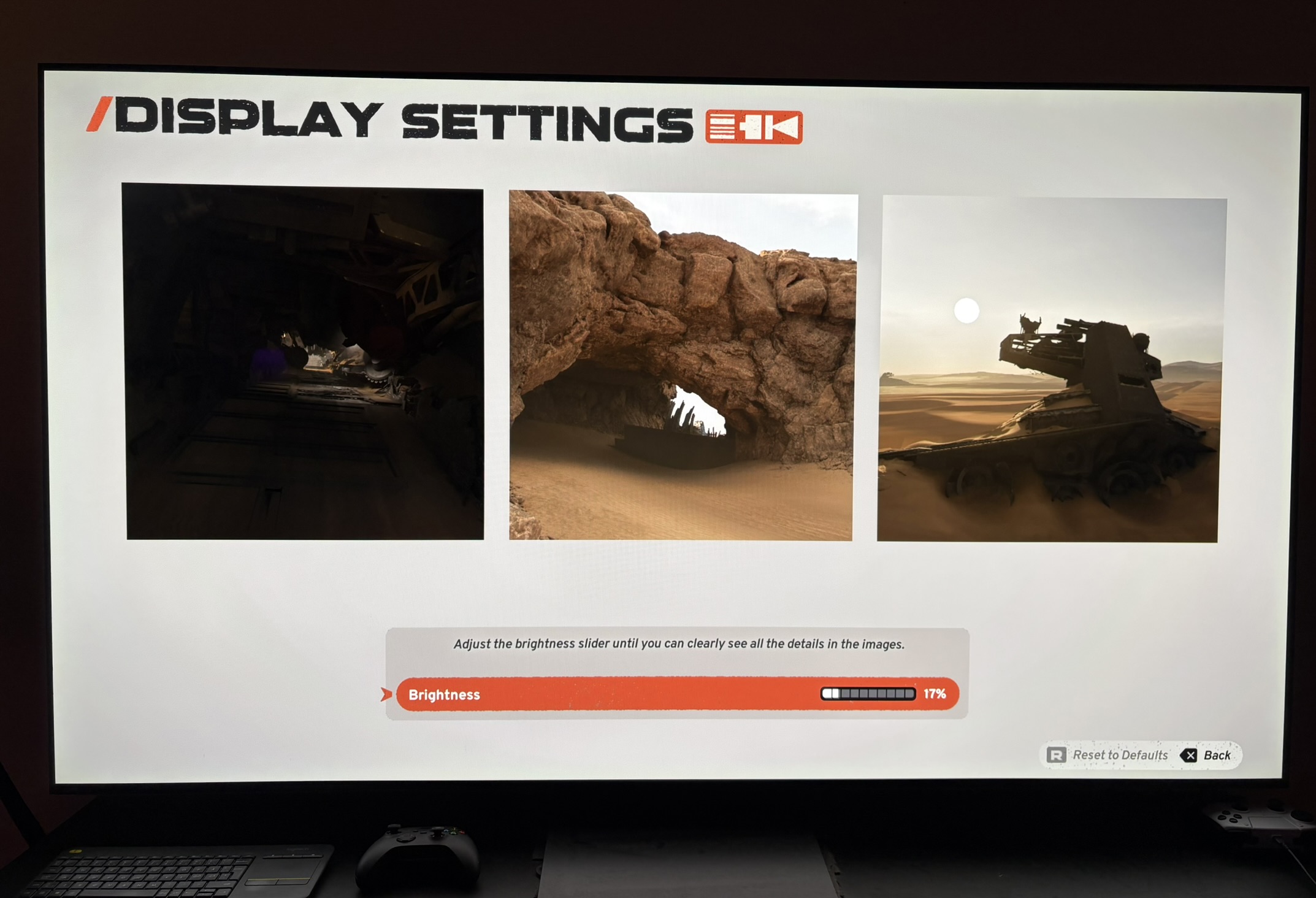
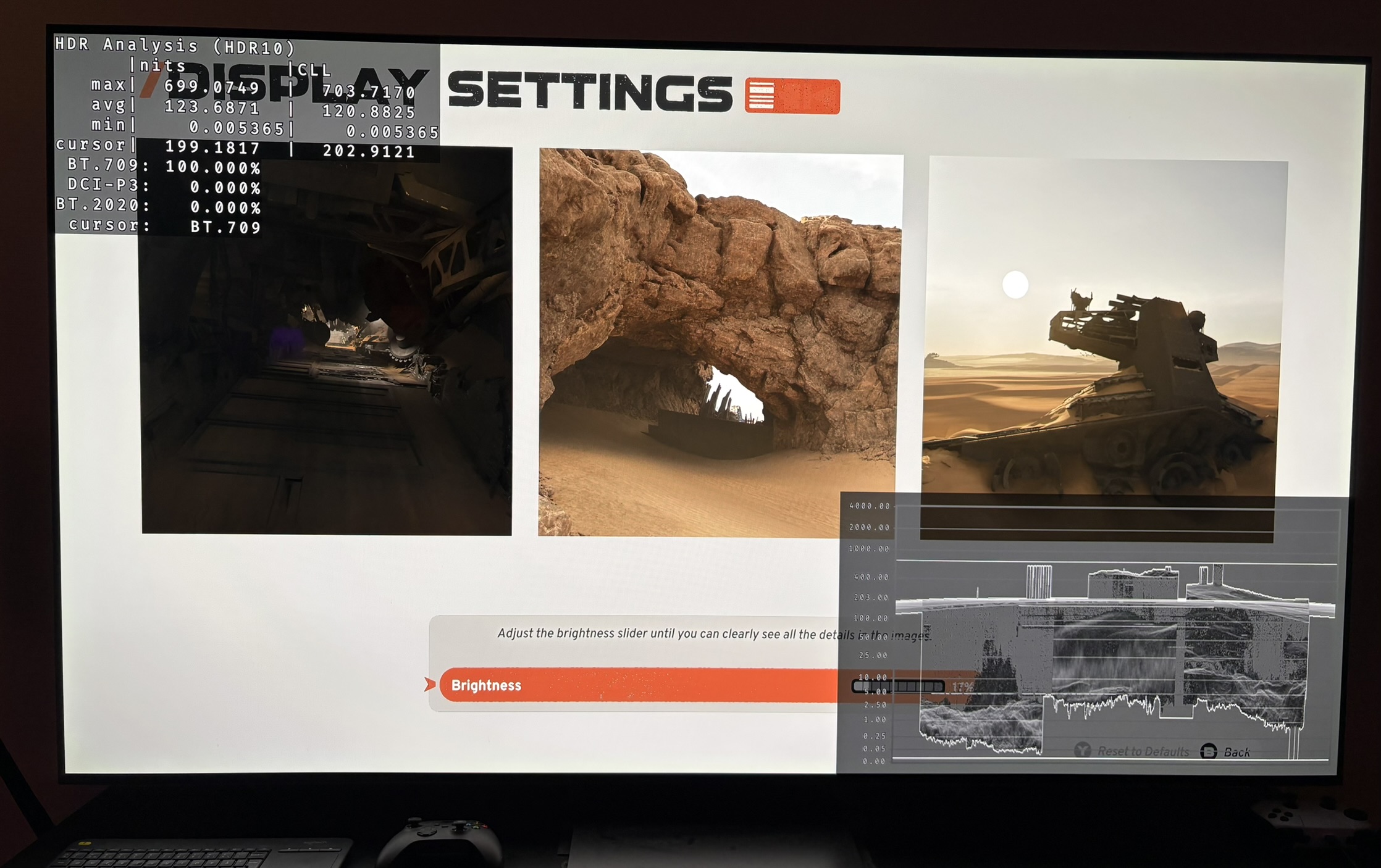
- HDR setup screen does not output the same as in-game, so it's useless. See picture 3 and 4.
- No way to change brightness on UI elements independently of overall brightness.
The good
- That being said, it's always better to have HDR than no HDR. HDR still looks much better than SDR, and 1000 nits is what most OLED TVs can display without too much highlight clipping. OLED gaming monitors could have an issue here.
- Black levels look fine. See picture 5.
Brightness slider
This is the only adjustment we have. It effects the overall brightness of the game (mid tone brightness). Just leave it at default 17%. Overall brightness looks good for a peak brightness of 1000 nits.
RenoDX HDR mod and Reshade
The game uses anti-cheat for its online game play. So RenoDX and Reshade most likely wont work and you risk a ban.
You might be able to use it for the single player campaign. If you can't get RenoDX HDR mod to work, then you can use Liliums Brightness Adjustment shaders to adjust peak brightness and overall brightness in the game.