The Callisto Protocol
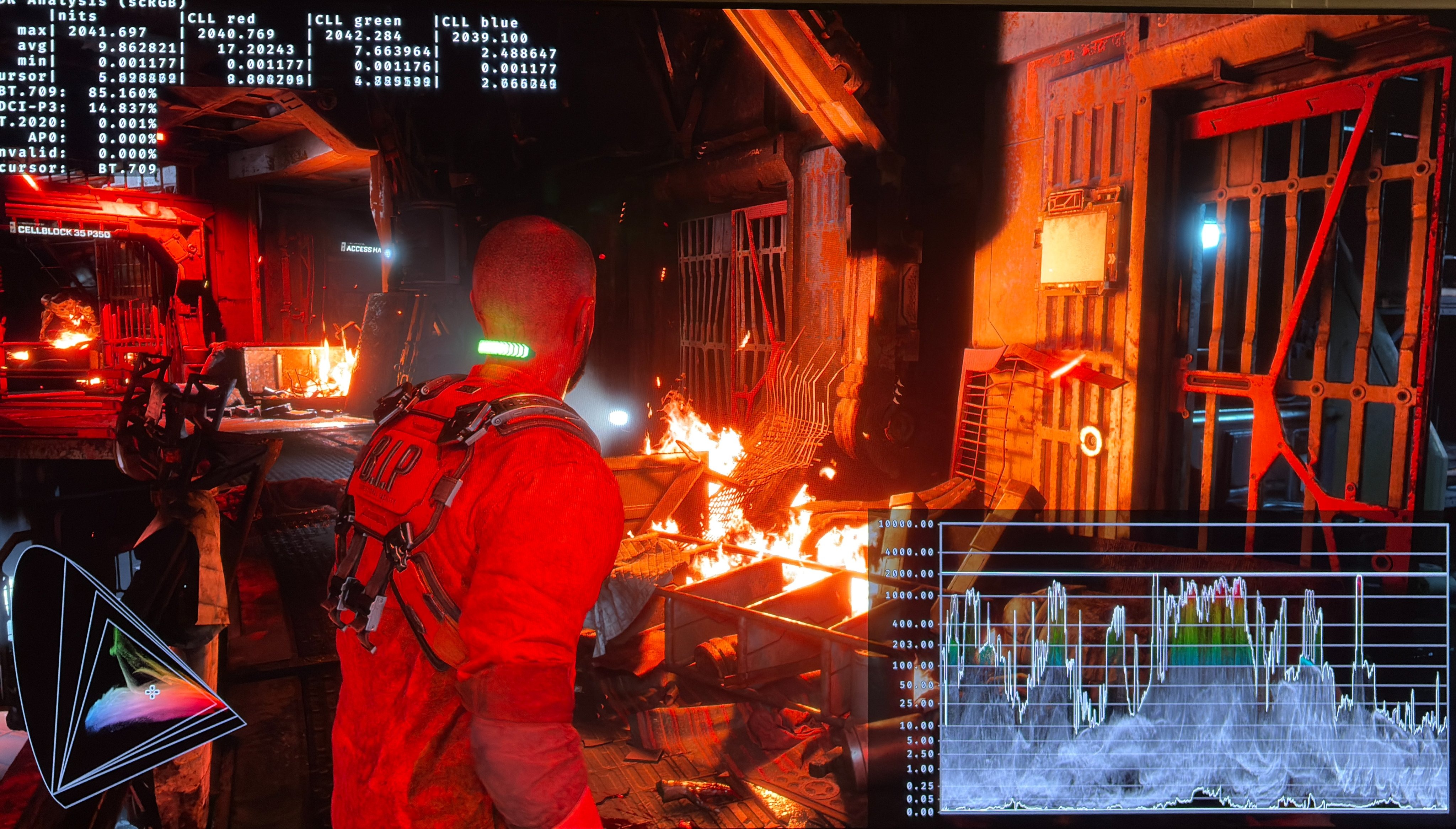
HDR analysis The Callisto Protocol on PC and PS5 Pro.
The HDR implementation is very similar on PC and console but there are a few minor differences.
In-game settings:
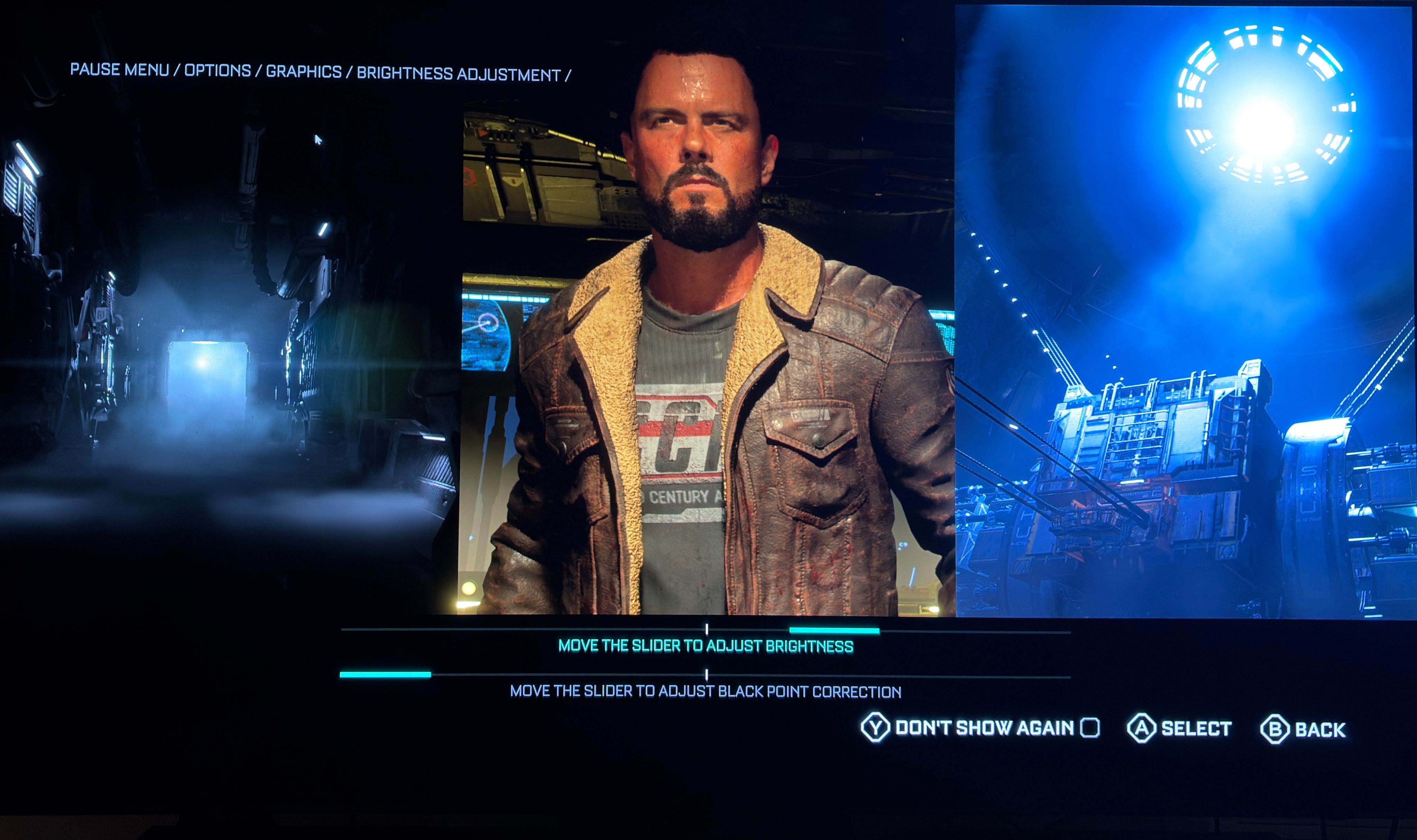
On PC we have a setting for max luminance that is not there on PS5. Besides that, the in-game HDR settings are the same and behave the same way. See picture 2. The brightness slider changes midtones and shadows, but does not affect max luminance and black level floor. The black point slider lowers shadows and black level floor.
Max Luminance:
On PC we can set max luminance to 600, 800, 1000, 2000 and 3000 nits output. It's of course not great to have so little granularity. At least the game outputs the nits it says it does.
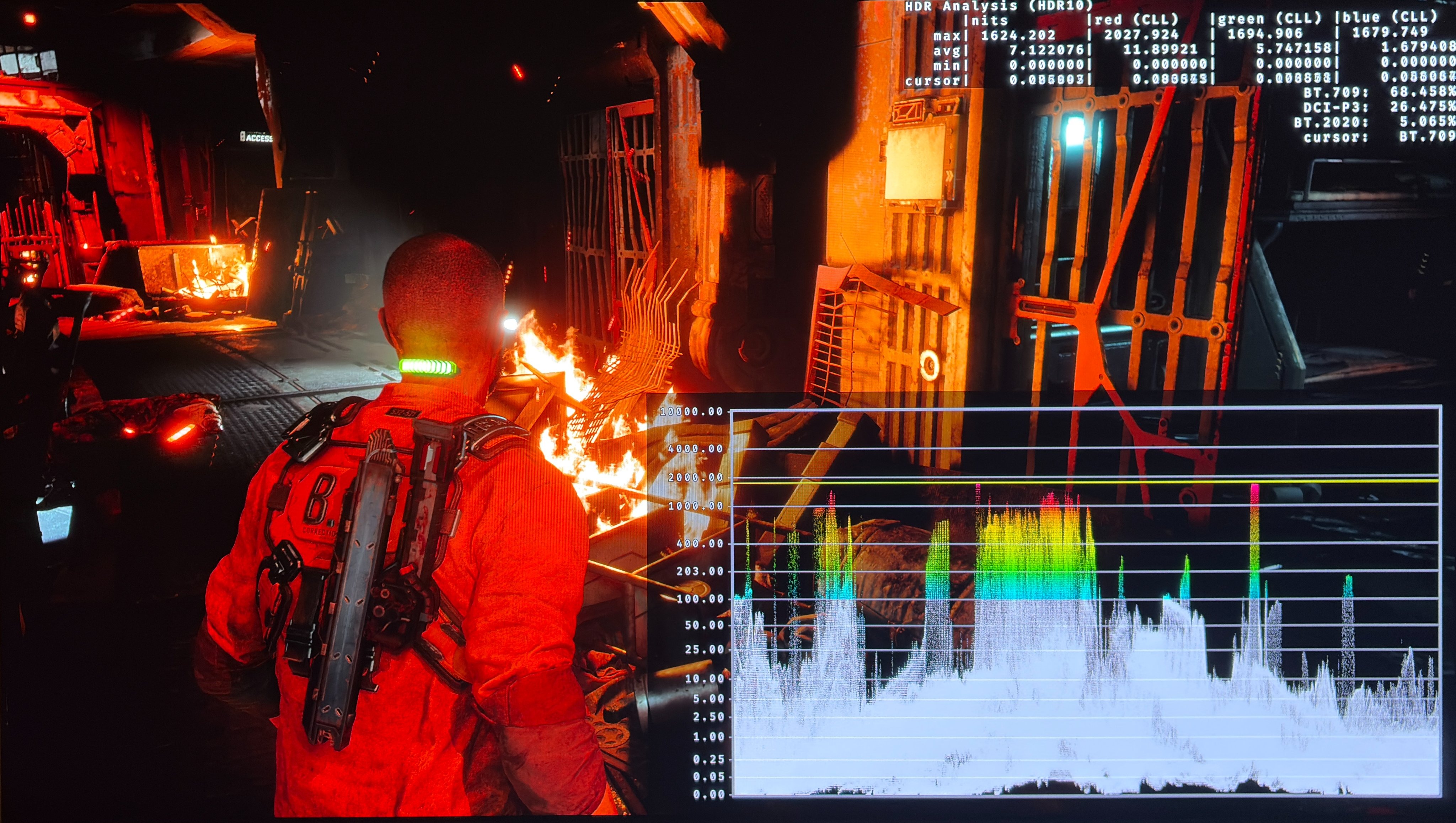
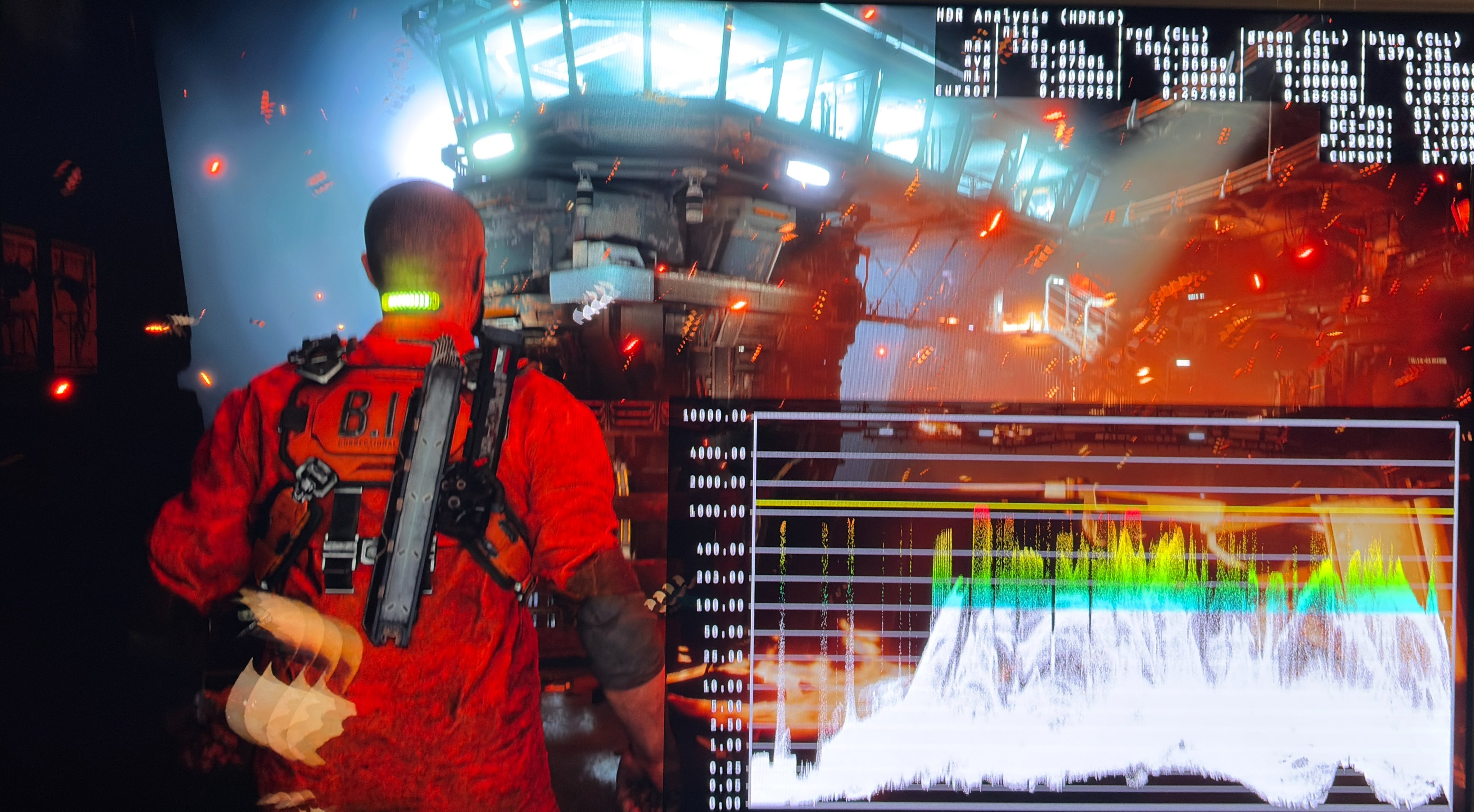
On PS5 the max luminance value is from the value we have setup in PS5's system level HDR calibration. So here there is more granularity. But here the game outputs around 200 nits too little, so set it 200 nits higher. Picture 3 and 4 are with 2000 and 1500 nits in PS5's system level HDR calibration.
Black levels:
The game originally launched with massively raised black levels. This has been fixed a long time ago. I suggest the settings in picture 2, where I set the black point slider all the way to the left. All images are with these settings and we can see perfect black level floor.
Paper white - game brightness
It's a very dark game, so measuring paper white has not been possible for me. I suggest to move the brightness slider 24 steps to the right for a good balance of brightness and shadow detail. But you can use any value you want.
This game looks great on both PC and PS5 Pro and HDR makes a huge impact. HDR gives much more detail in shadows than SDR, so it's important to use HDR in a game like this, even if it's so dark most of the time (See my article about why HDR is better than SDR).