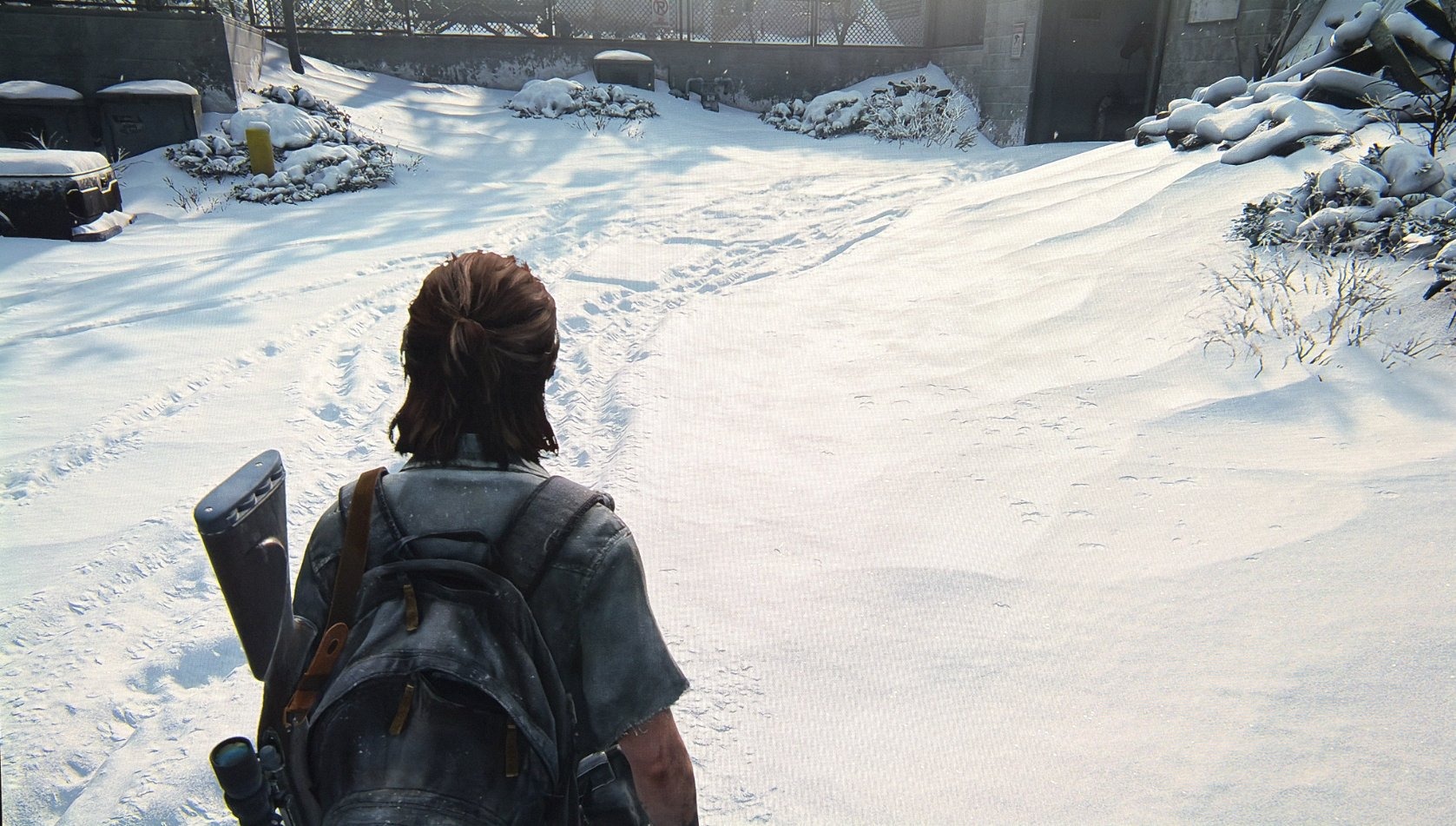
The Last of Us Part 2
HDR analysis Last of US 2 on PC and PS5 Pro.
This took me a long time to make, because HDR on PC looks much better to me than on PS5 Pro.
HDR implementation is similar on PC and PS5 except for shadows, colors/contrast and PSSR (yes PSSR has a negative effect).
The game does not use windows 11s or PS5s system level HDR calibration. You can only make adjustments in-game.
In-game adjustments;
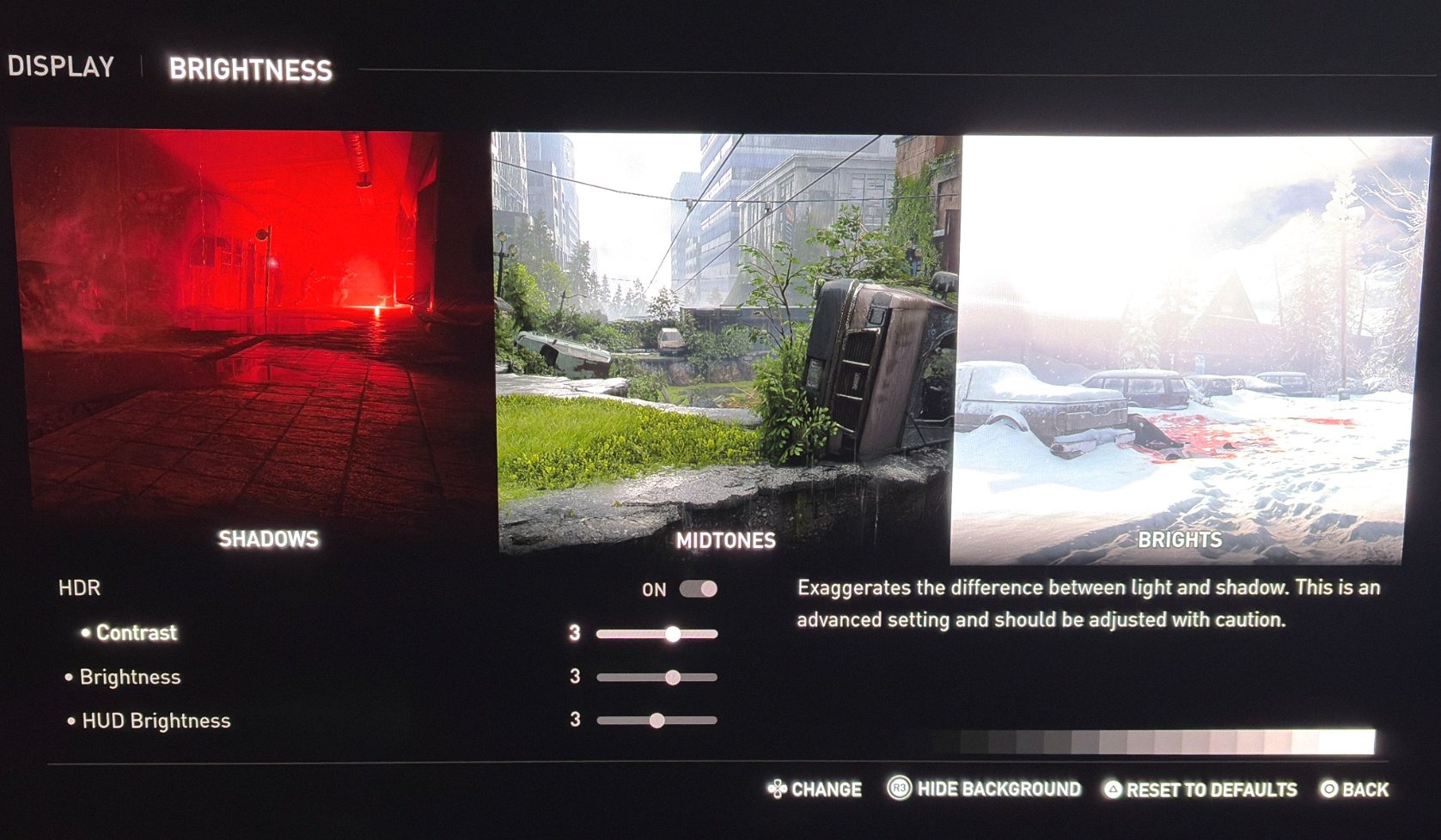
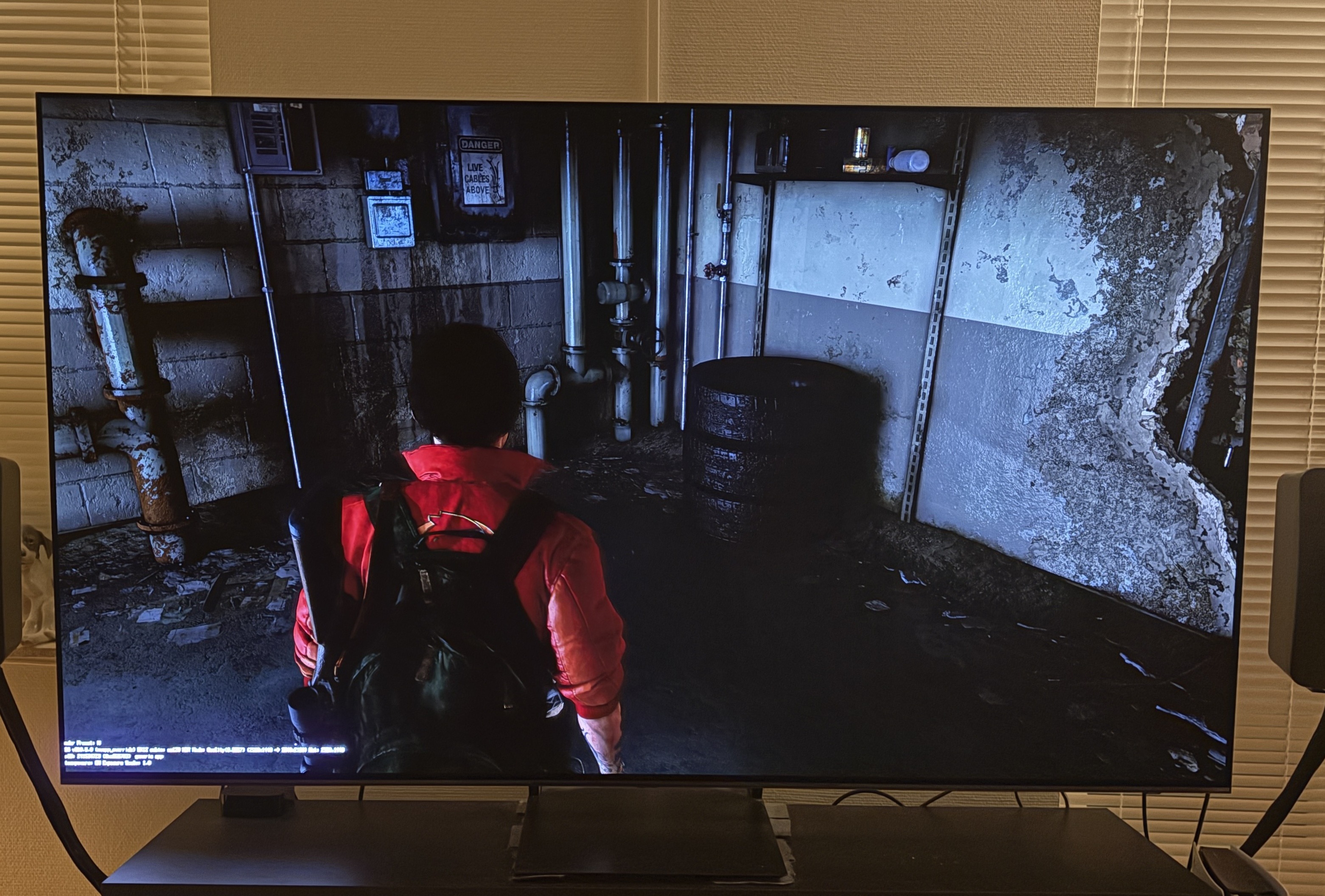
You have two sliders. One for contrast and one for brightness. See picture 1.
Contrast increases peak brightness and upper midtones and lowers lower midtones and shadows, all at the same time.
Brightness increases both midtones and shadows, but shadows are increased a bit less, so it's a good way to increase paper white. It does not change peak brightness.
Peak Brightness:
The game has no setting to setup peak brightness separately 👎👎👎 That's of course very bad. The game often takes place in dark areas, so maybe the developers didn't think specular high-lights was so important.
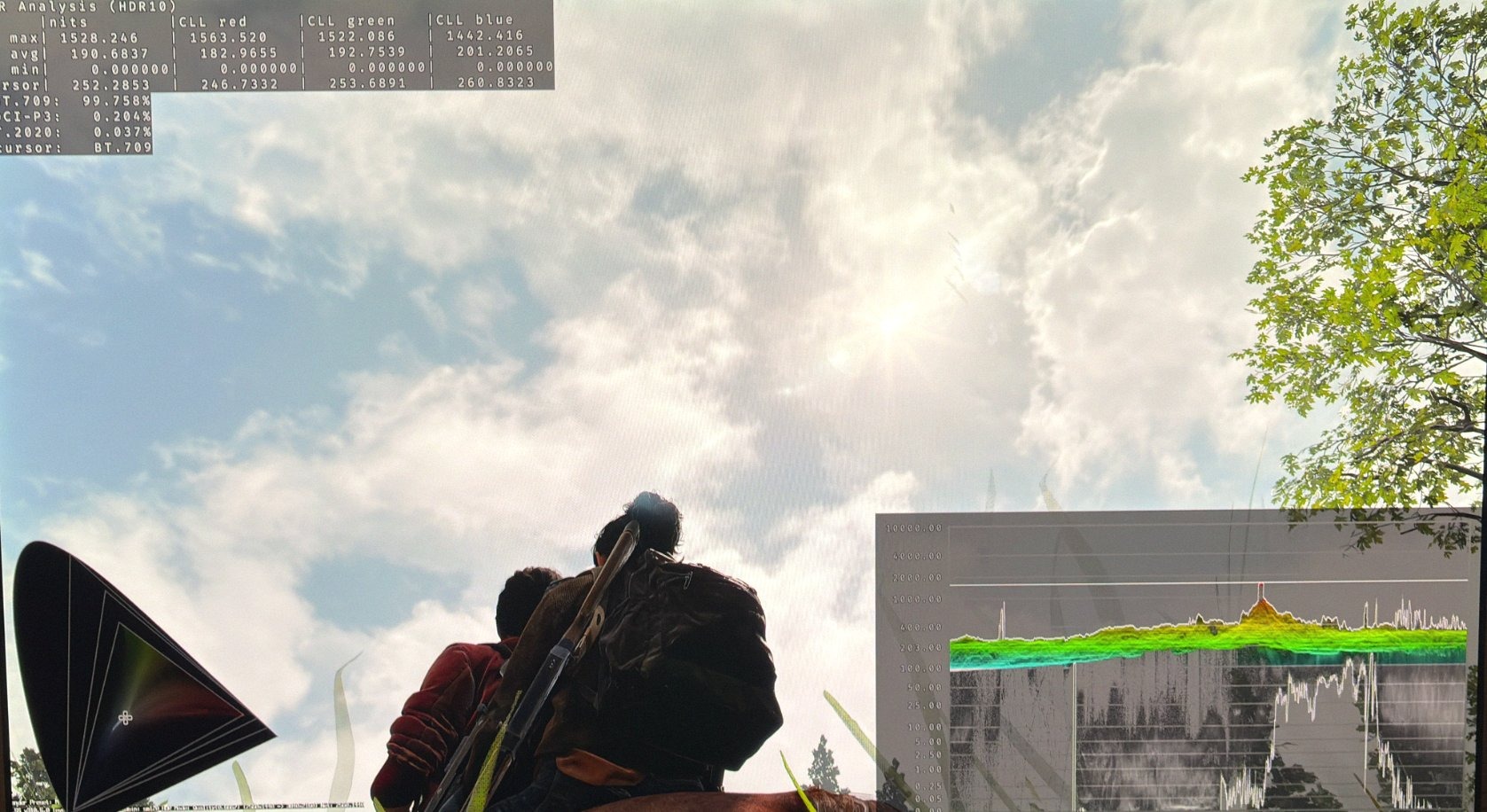
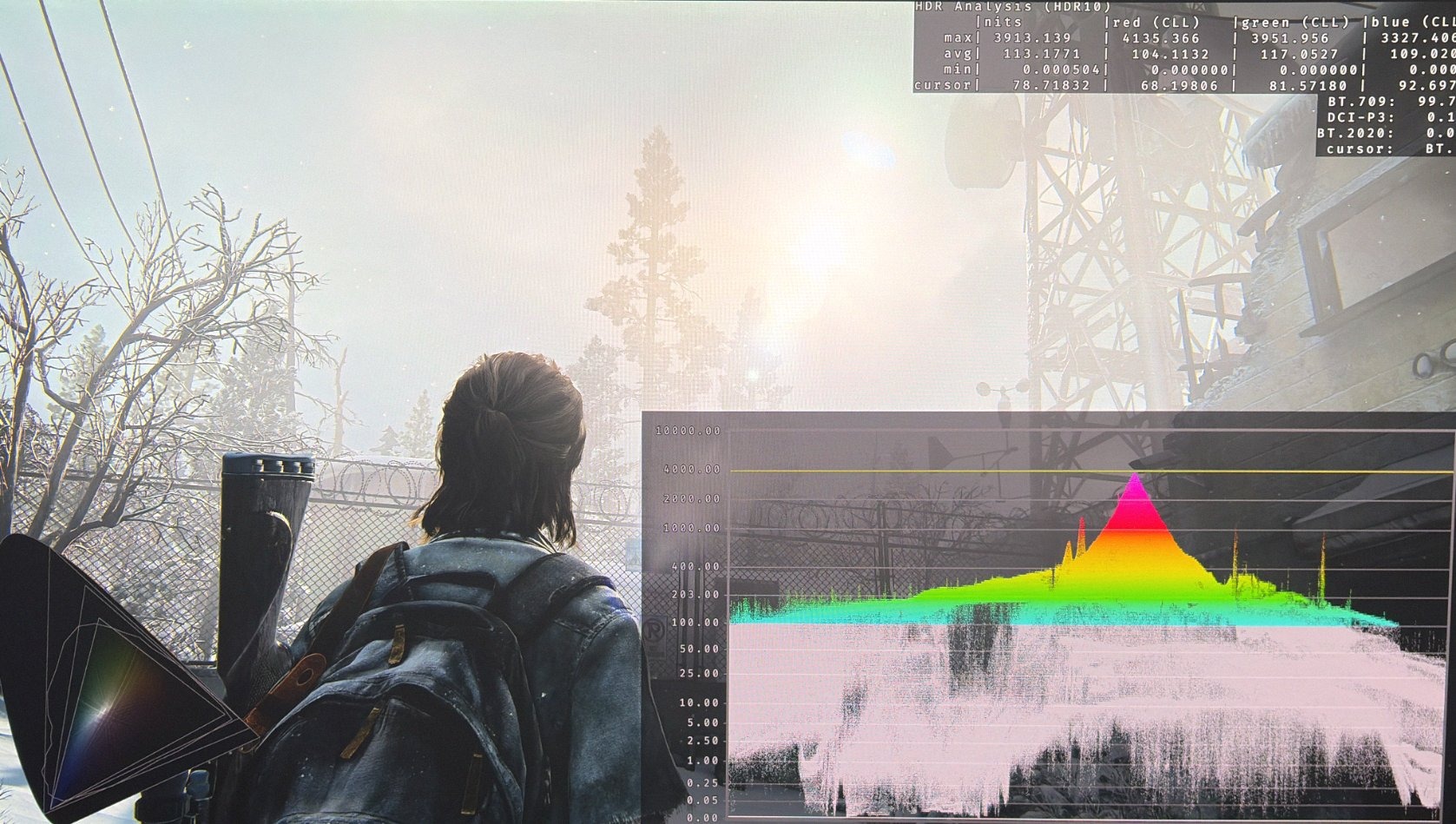
The games peak brightness from the Sun and the sky varies from scene to scene. In most scenes I saw around 1500 nits (see picture 2), but in others I saw 4000 nits (see below).
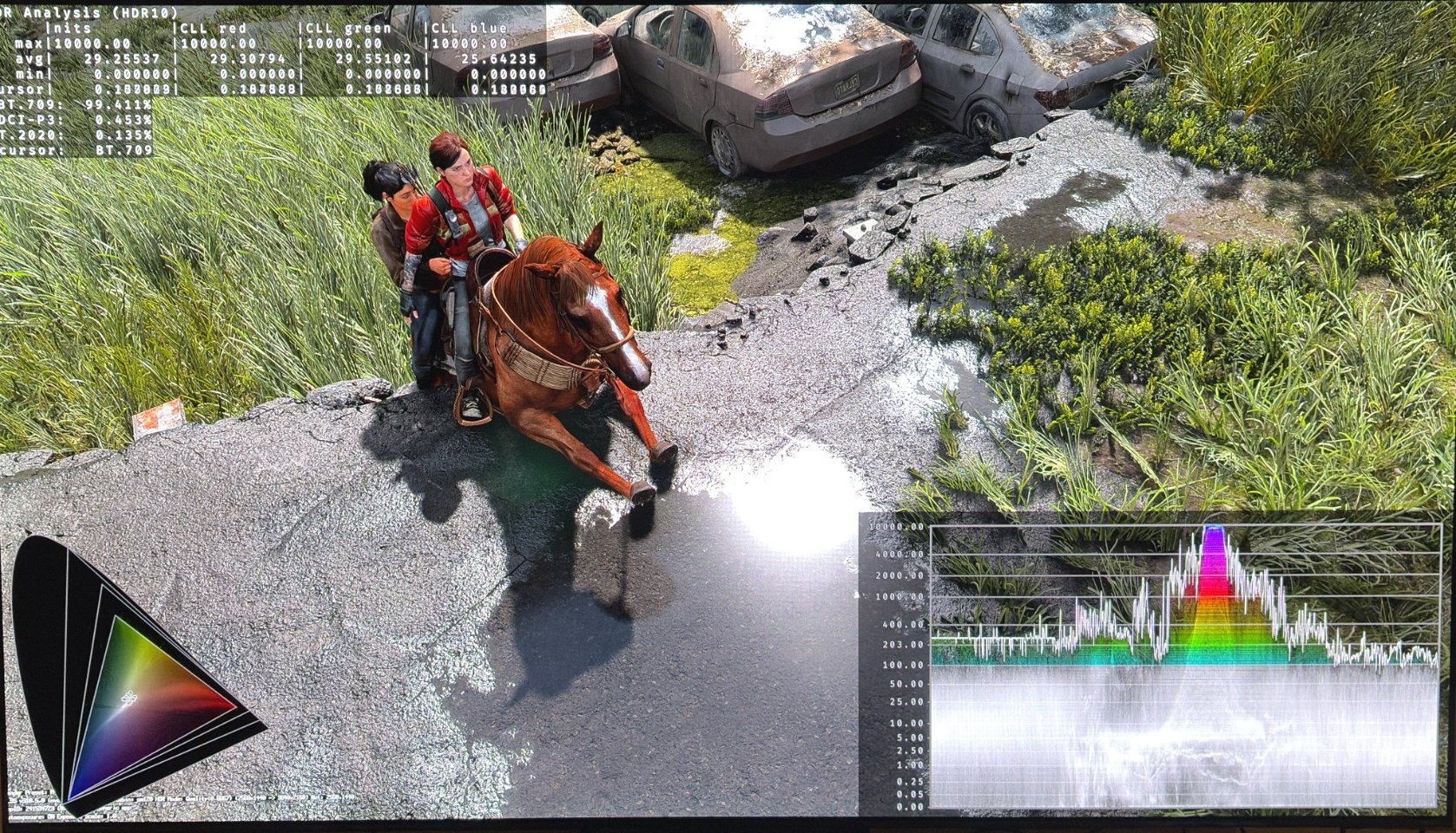
Reflections are up to 10.000 nits, so we totally lose detail in bright reflections, where ever they are.
Paper White:
It's around 203 nits at standard in-game settings. For a 2000 nits TV I suggest increasing the brightness slider to 3 for around 343 nits paper white. It does not change the black level floor so that's good.
I don't recommend lowering peak brightness, because I think it lowers brightness and shadows too much. Even going one lower has this effect.
Shadows (and color / contrast).
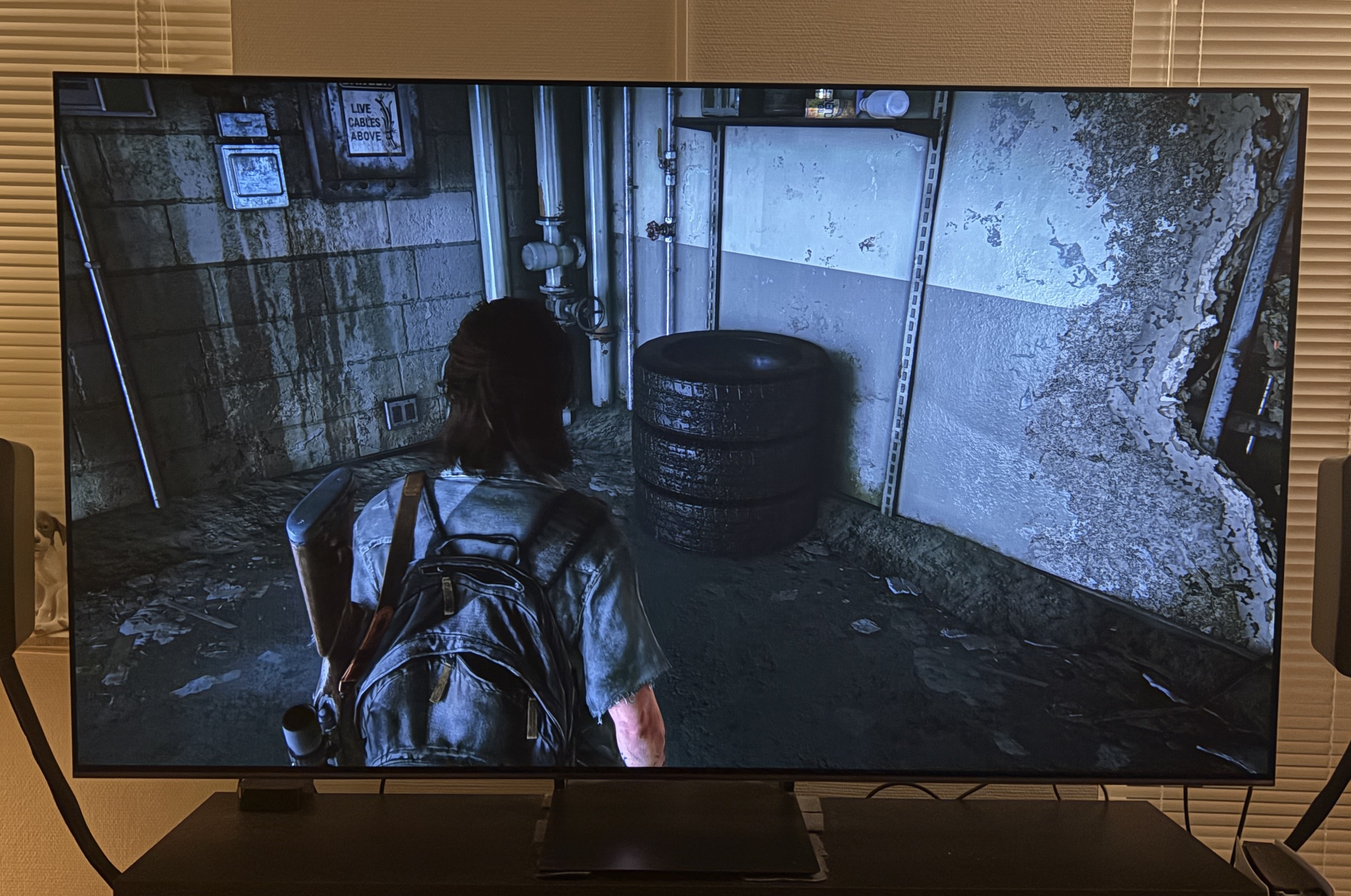
It's where the big difference is between the PC and PS5 Pro version. I really like the black levels and shadows on PC, but not on PS5 Pro.
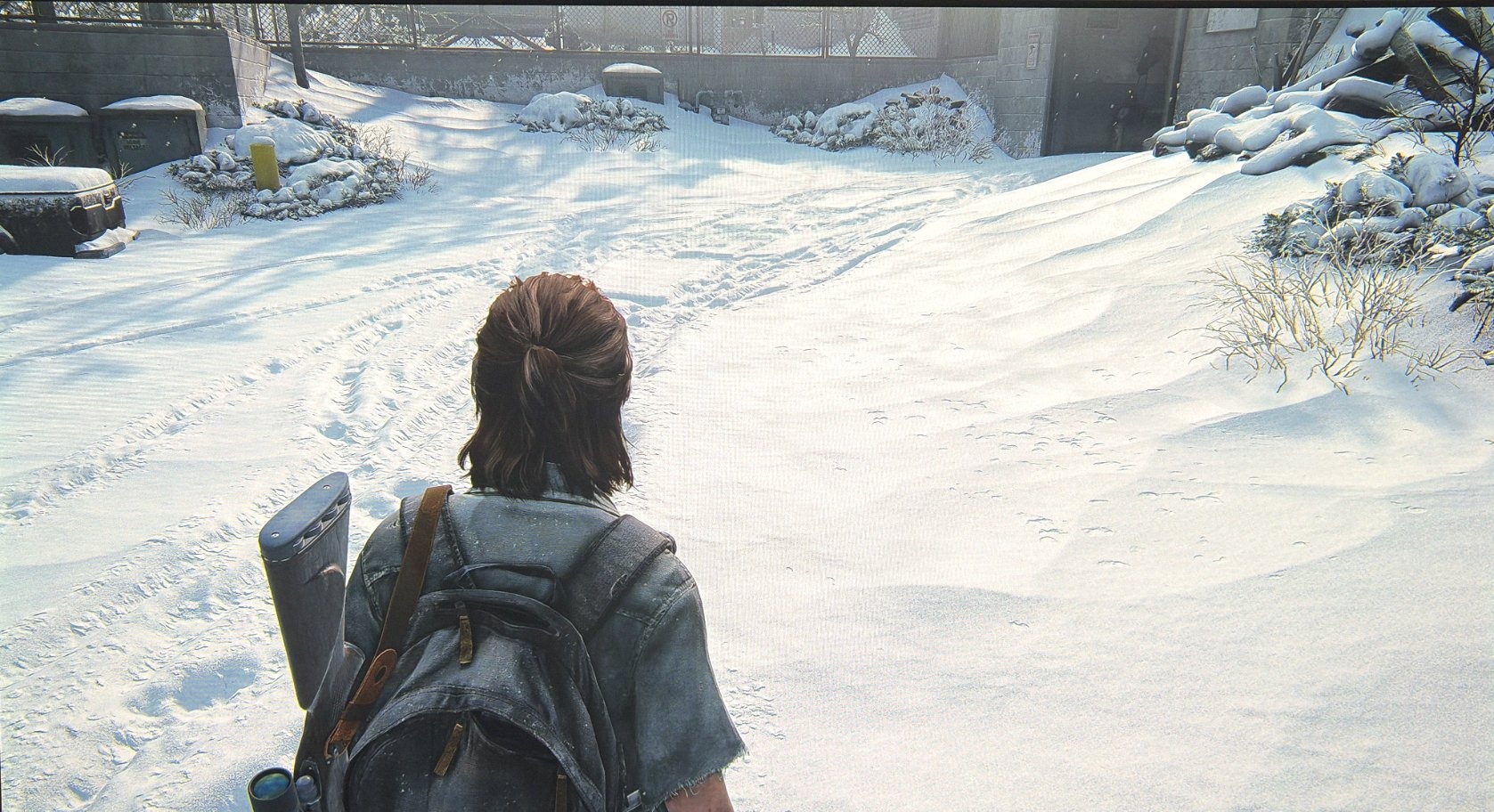
Picture 3 is PS5 Pro and picture 4 is PC. We see that shadows are lifted much higher on PS5 Pro. It's not the black level floor that is lifted but the Shadow area. I much prefer how it looks on PC. It makes the game have better contrast, colors and 3D depth in the image.
I recommend increasing contrast on PS5 to improve this, but I could not get it to look as good as on PC.
PSSR;
PSSR makes the game look a bit more flat. It for instance removes the tiny bright reflections we see in snowflakes, making snow look dull and flat. With DLSS 4.5 it's all there. I recommend not to use PSSR in this game.
Graphics:
This is an HDR analysis, but better graphics, such as better shadowing (ambient occlusion and shadow detail) make a difference to the HDR visuals. Also DLSS 4.5 makes the game look much better. It has much better detail and stability than PSSR, of course. But DLSS 4.5 also make transparencies (water) and scenes where light shines bright through glass and smaller tight spaces look more realistic.
This game simply looks much better overall on PC, due to the better HDR (black levels / shadows and colors), better graphics and upscaling. It's quite remarkable how huge the difference actually is.
I hope PSSR 2.0 gets a massive upgrade over PSSR 1.0.
Conclusion:
It's not a great HDR implementation, but HDR still overall looks great on PC, and less so on PS5 Pro.
We can't adjust peak brightness separately, and especially reflections of the Sun and bright light sources (the few we have) go up to 10000 nits and look blown out with no detail.
There is also no proper way of adjusting shadows and that is an issue for PS5 Pro. Pro lacks a bit color saturation and dark shadows.
Also PSSR negatively impacts the HDR implementation by removing bright snowflakes etc.
For most PC gamers, I would just leave the settings at standard. If you have a very bright TV, such as 1500 to 2000 nits, then I would simply increase brightness to 2-3 and see if you like it. If not then its not a big deal, since the game takes place in dark areas most of the time.
On PS5 I would increase contrast to 3 and see if you like this better. It still does not look as PC, but it's closer.
Blown out detail 1
Blown out detail 2
Missing snowflakes PSSR 1
Missing snowflakes PSSR 2