Understanding default HDR sliders in Unreal Engine 5
If a game ships with the default Unreal Engine 5 HDR sliders, then this article will help you understand them.
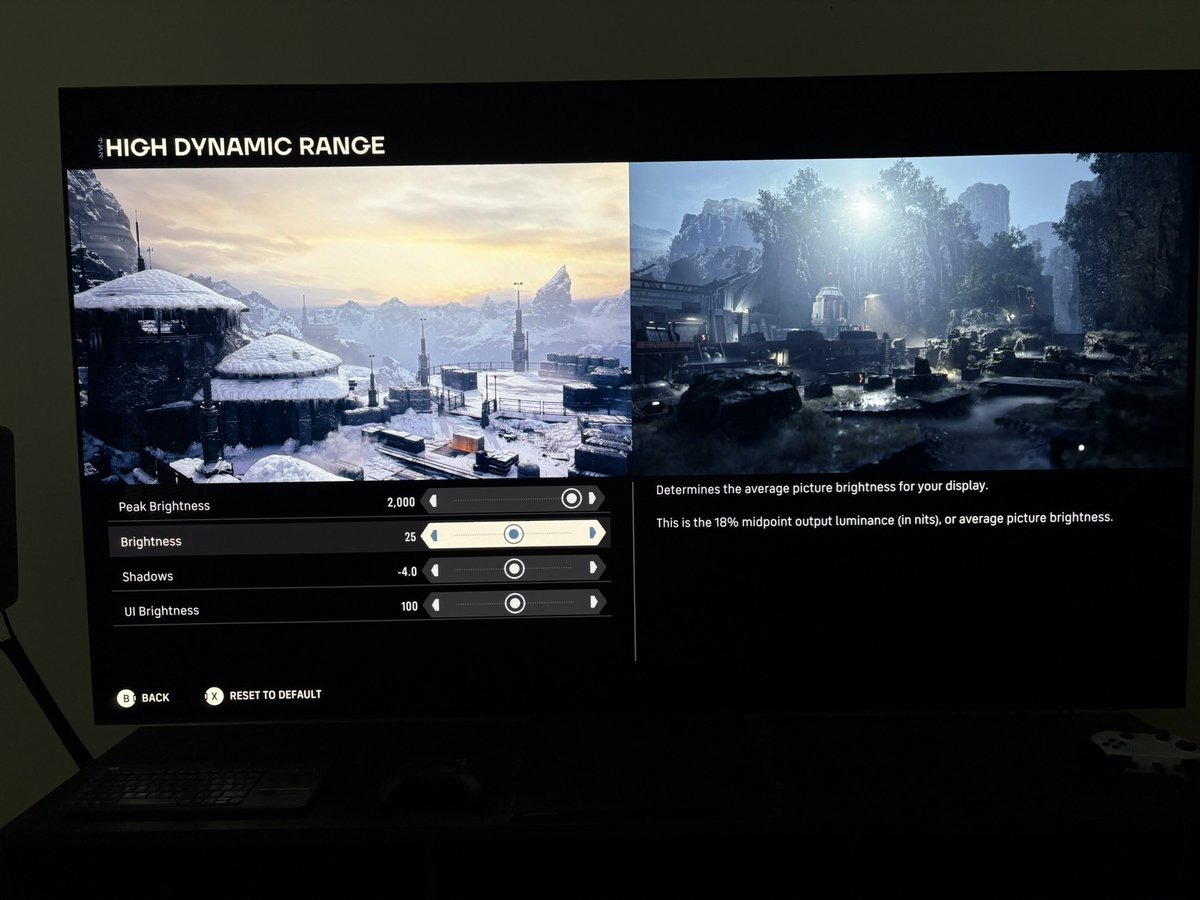
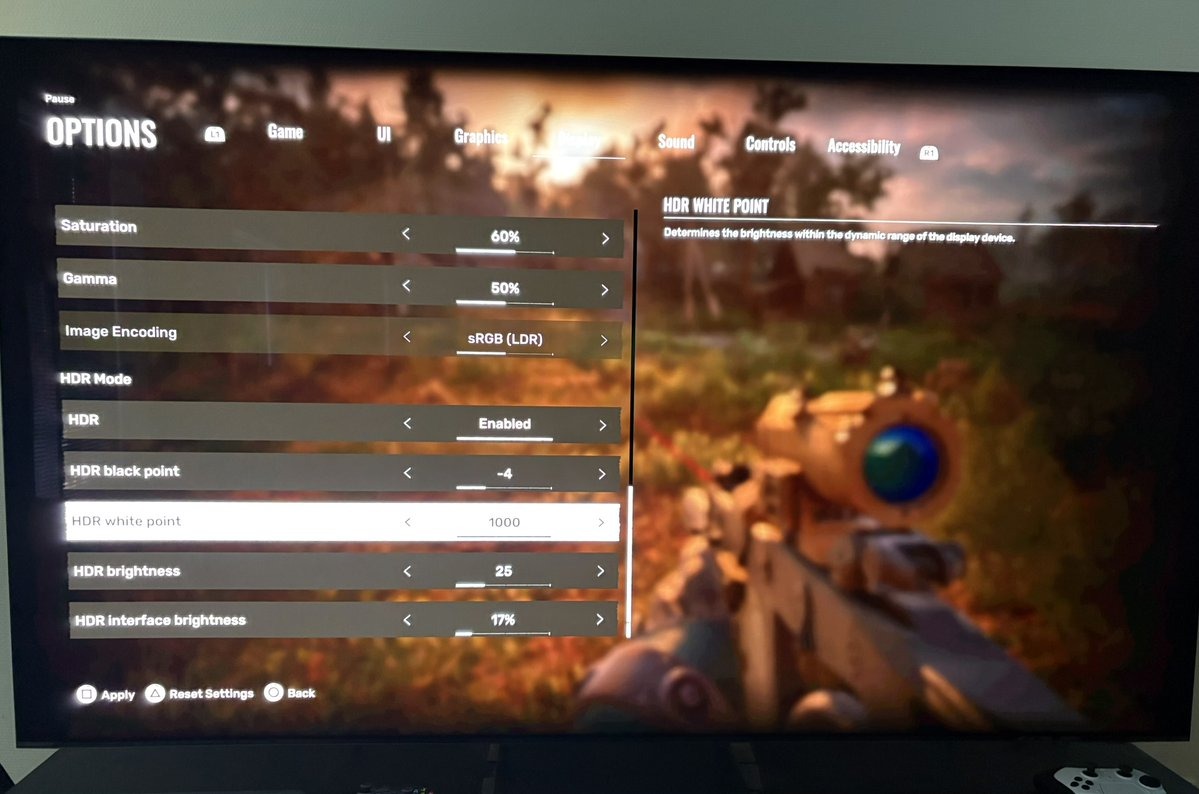
(If you see - 25 nits middle grey on the brightness slider and/or -4 on shadow slider).
I use these two games as examples:
- Star Wars Zero Company
- Stalker 2
We saw something similar in the demo for Gears of War E-day.
This is not meant as a setup guide. Read my HDR analysis and setup guides for the game you are interested in, such as my HDR analysis for Star Wars Zero Company. It explains the sliders below in the context of that game.
The HDR sliders explained
Star Wars Zero Company and STALKER 2 both run on Unreal Engine 5, and both give you the same three underlying controls (HDR sliders) under different names. One sets the display peak, one sets the mid tone, and one sets the black floor.
Peak brightness
This slider does what it must. It shows the peak brightness the game outputs in nits. You set it to whatever your panel can actually reach.
Star Wars calls this Peak Brightness and STALKER calls it HDR white point. I would prefer that developers call it peak brightness. No one will understand that HDR white point is a peak brightness slider, from that wording.
Brightness mid tone (paper white - middle grey)
This is the slider that sets how bright the overall image looks. Both games default it to 25, which is the 18% grey card level measured in nits from the BT.2408 HDR standard.
A grey of 25 nits is the same as paper white (or diffuse white) of around 200 nits. Picture a grey card and a white card under the same lamp. The white card reflects roughly 200 nits back at you and the grey card around 25. Same light, different surfaces.
Middle grey to paper white (nits)
- 10 = 80
- 15 = 120
- 20 = 160
- 25 = 200 (default)
- 30 = 240
- 35 = 280
- 40 = 320
- 45 = 360
- 50 = 400
The above is the theoretical output. Not necessarily what I measured in-game. Read my HDR analysis of the games for more info.
I would prefer all games to use paper white or diffuse white as the standard for light output in a game. Default brightness must be set to the industry standard default of 203 nits paper white on the brightness slider, instead of this 25 nits middle grey value. Using the same standard in all games, would make setting up HDR more intuitive and easy for gamers.
Read my article "Paper White - in HDR games" that explains the concept of paper white in games.
Shadows, the black floor
This slider affects the black level floor and lower shadows. Both games default this to minus 4, and this time the number is not nits. It is the logarithm of the black level.
Turn it back into a real number and minus 4 gives you 0.0001 nits, which is even darker than an OLED can go.
The values on the slider equal to this in nits:
0 = 1
-2 = 0.01
-4 = 0.0001 (default)
-6 = 0.000001
-8 = 0.00000001
This is of course completely un-intuitive to the gamer. Gamers expect a value of zero for true blacks. The developers want gamers to understand logarithmic scales.
Lastly a word on the UI sliders in those two games.
The UI brightness sliders
(I don't know if these are default sliders in UE5).
Both games also have a separate slider for the brightness of the menus and HUD, kept apart from the image itself, and this is where they stop agreeing on anything. Both call it a percentage, yet they behave nothing alike. Here is what they actually put out.
Star Wars UI brightness (nits)
- 90% = 203
- 100% = 226 (default)
- 140% = 316
STALKER interface brightness (nits)
- 7% = 274
- 17% = 452 (default)
- 50% = 750
Star Wars runs on a straight line, and 90 percent happens to land on reference white at 203 nits. STALKER runs on a curve that flattens as it climbs, and its default of 17 percent comes out at 452 nits, more than twice reference white and more than twice Star Wars' own default. The same word covers two unrelated scales.
Why make things so difficult. Set default UI brightness to the standard 203 nits paper white and show the nits on the UI slider.
Disclaimer
I'm a gamer, just like you, who has an interest in HDR. I'm not a developer, modder or have any experience working in the gaming industry. I'm no expert in Unreal Engine 5.