Witcher 3 Remaster
HDR analysis and setup guide for Witcher 3 Remaster on PC and consoles.
I have tested it on PC and PS5. It's most likely the same on Xbox.
HDR is implemented the same on all platforms.
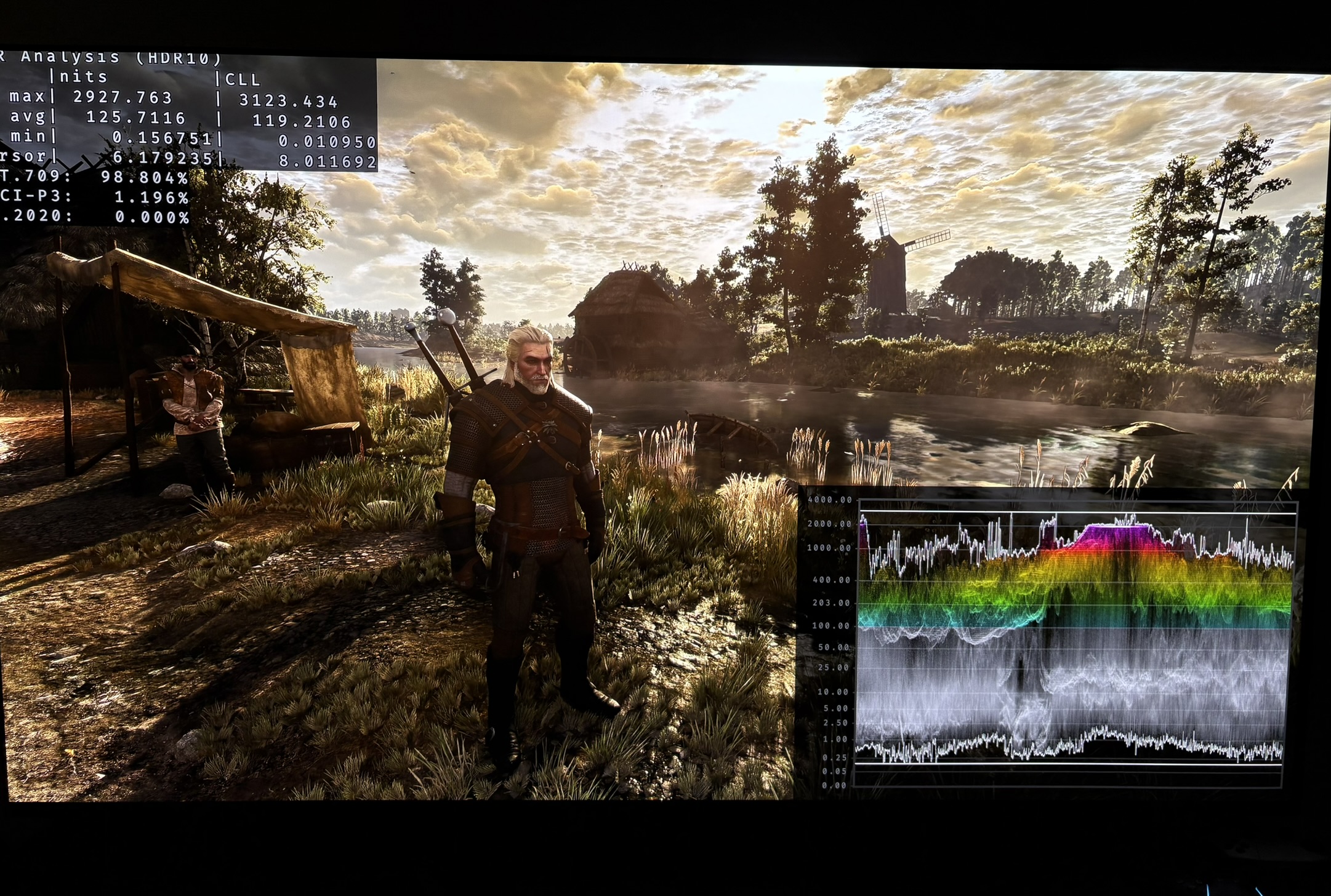
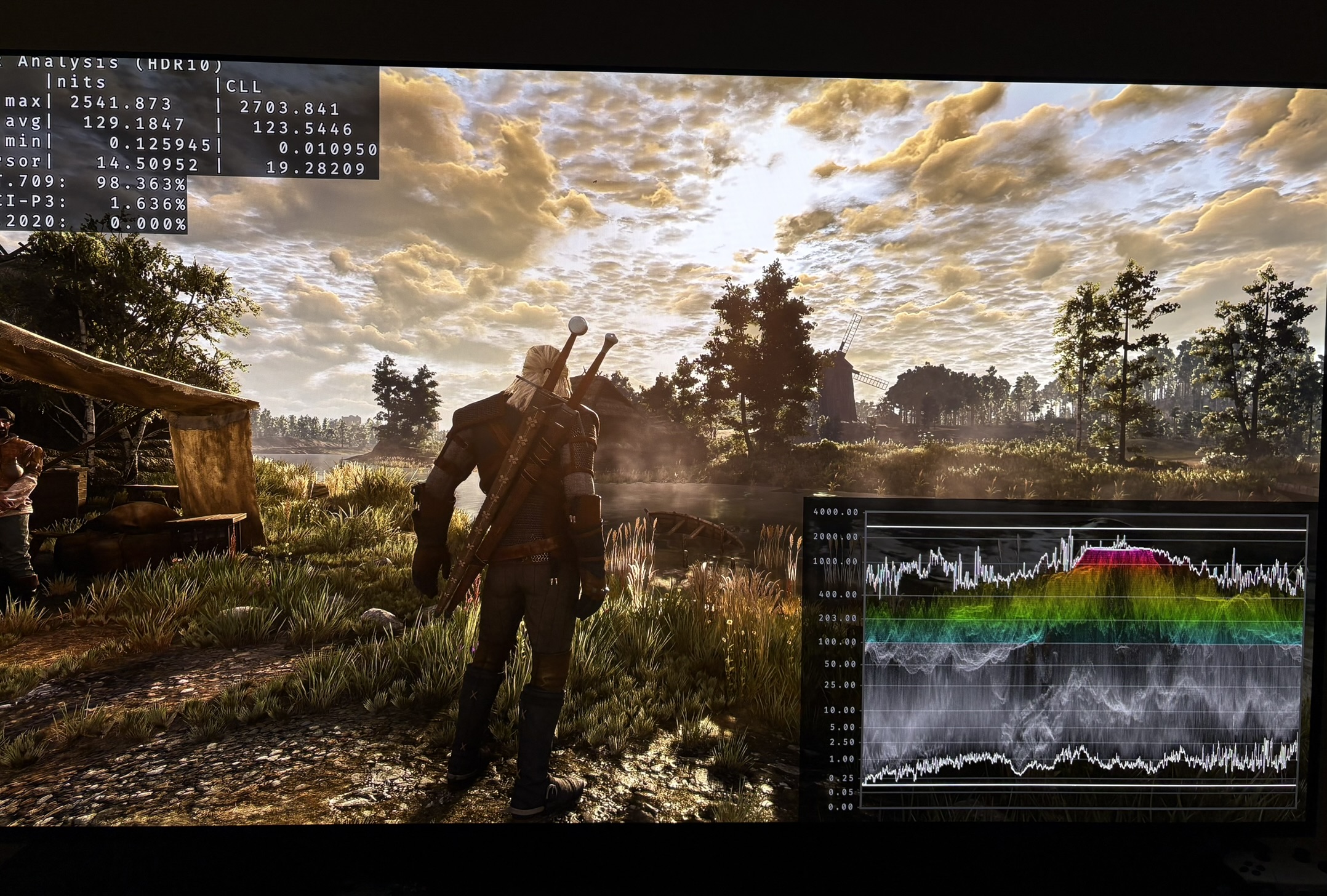
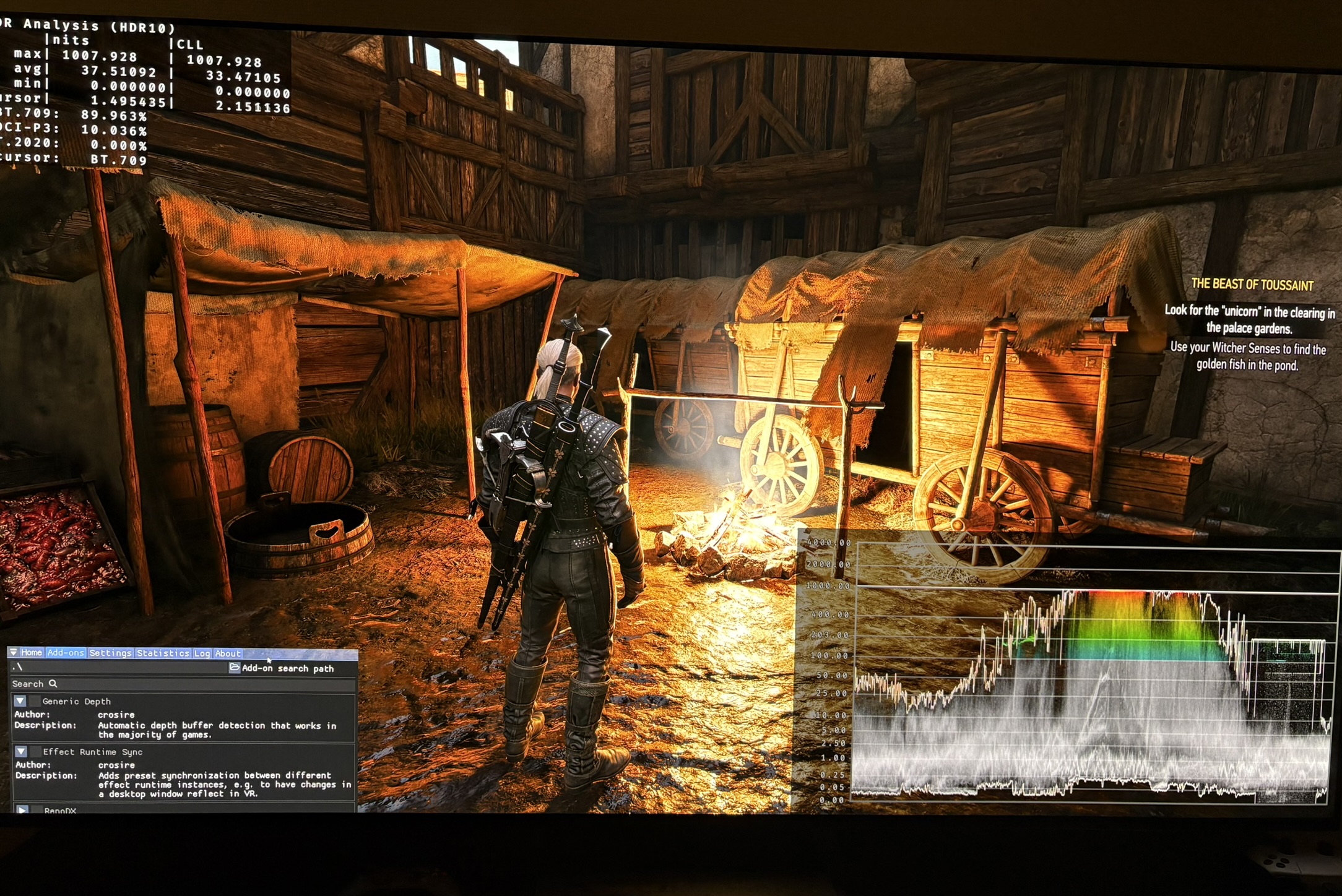
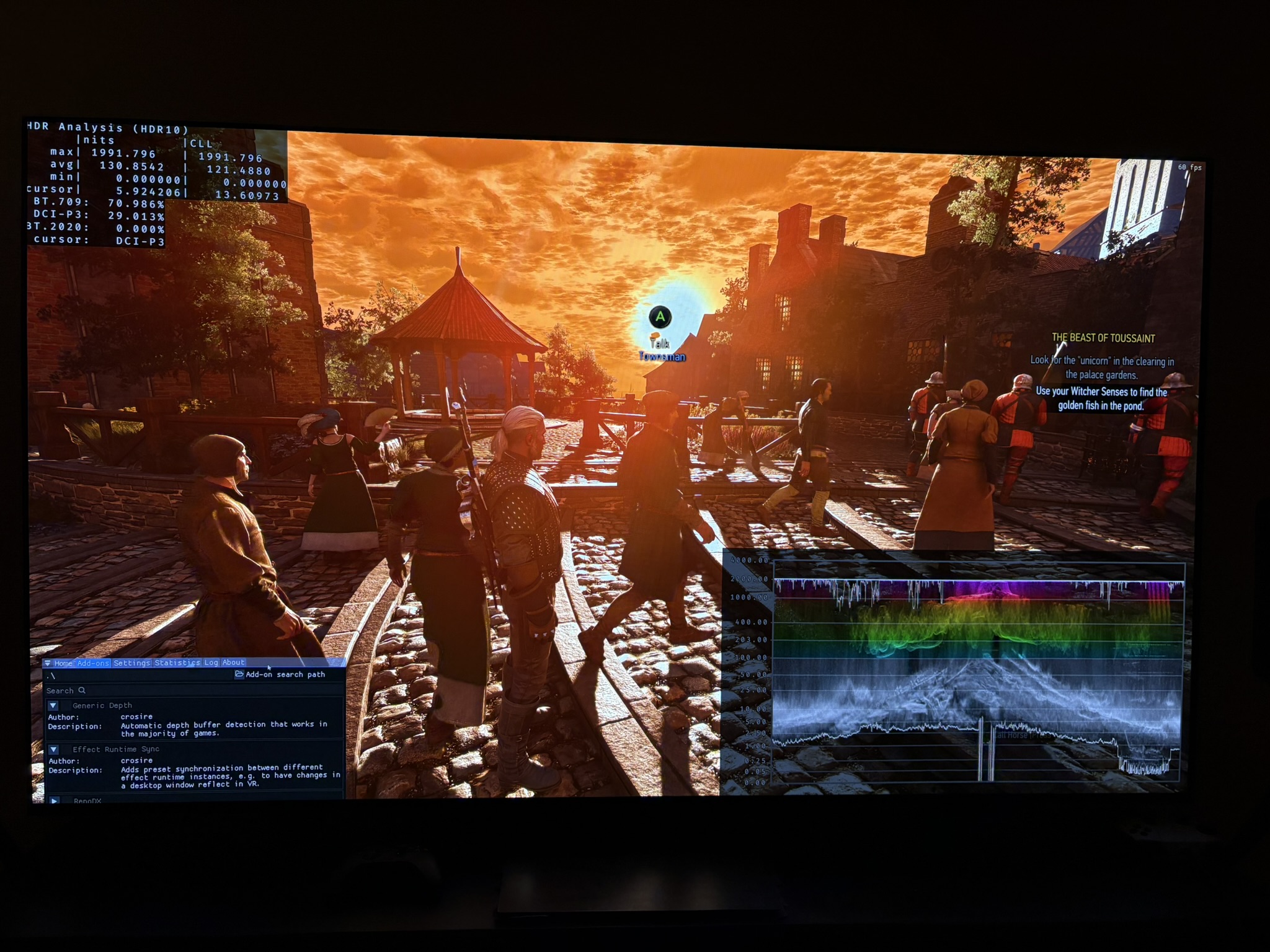
I don't like the HDR implementation. It looks very unnatural with loss of detail and color in bright highlights, lifted black levels in some areas and almost every light source above mid tones are pushed to peak brightness. Mid tones also seam very high at default settings.
Bloom, Chromatic aberration etc:
Turn bloom off. It massively increased gamma (shadows and mid tones) before the update we got October 8 2026. It's now also possible to do on PS5. It was not prior to the latest update.
Remember to also turn of the other effects, such as chromatic aberration. It ruins fine detail.
Peak brightness:
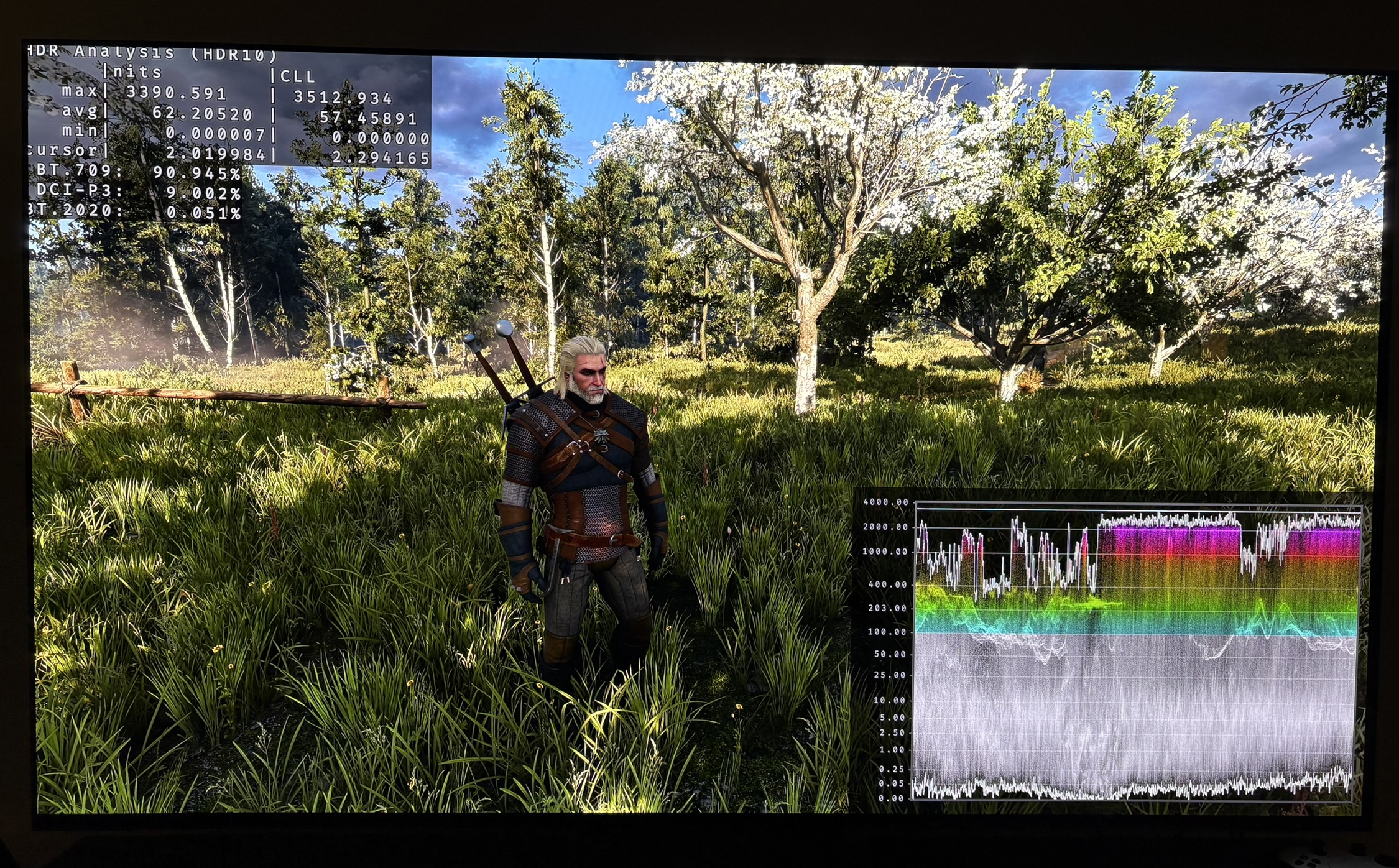
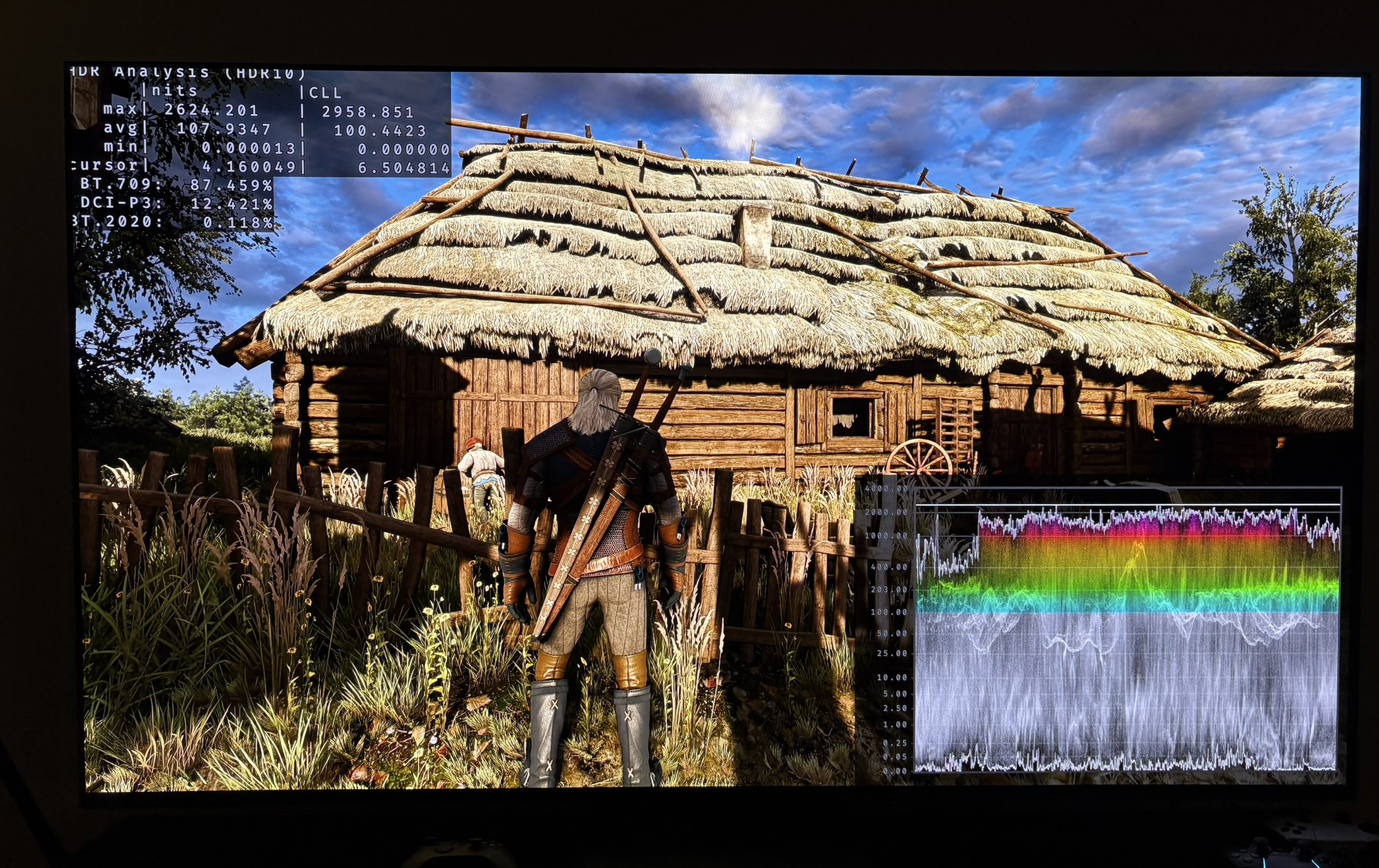
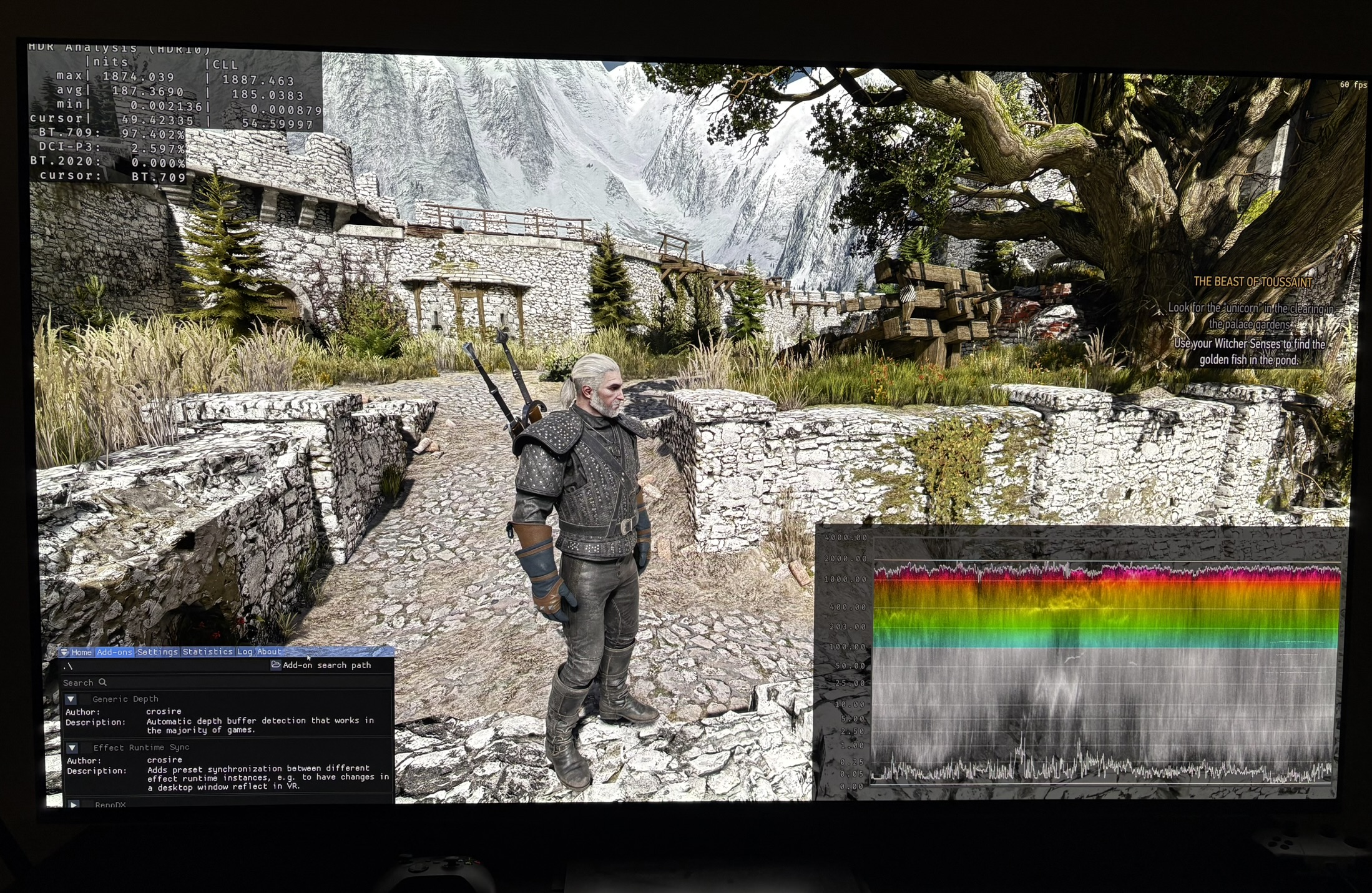
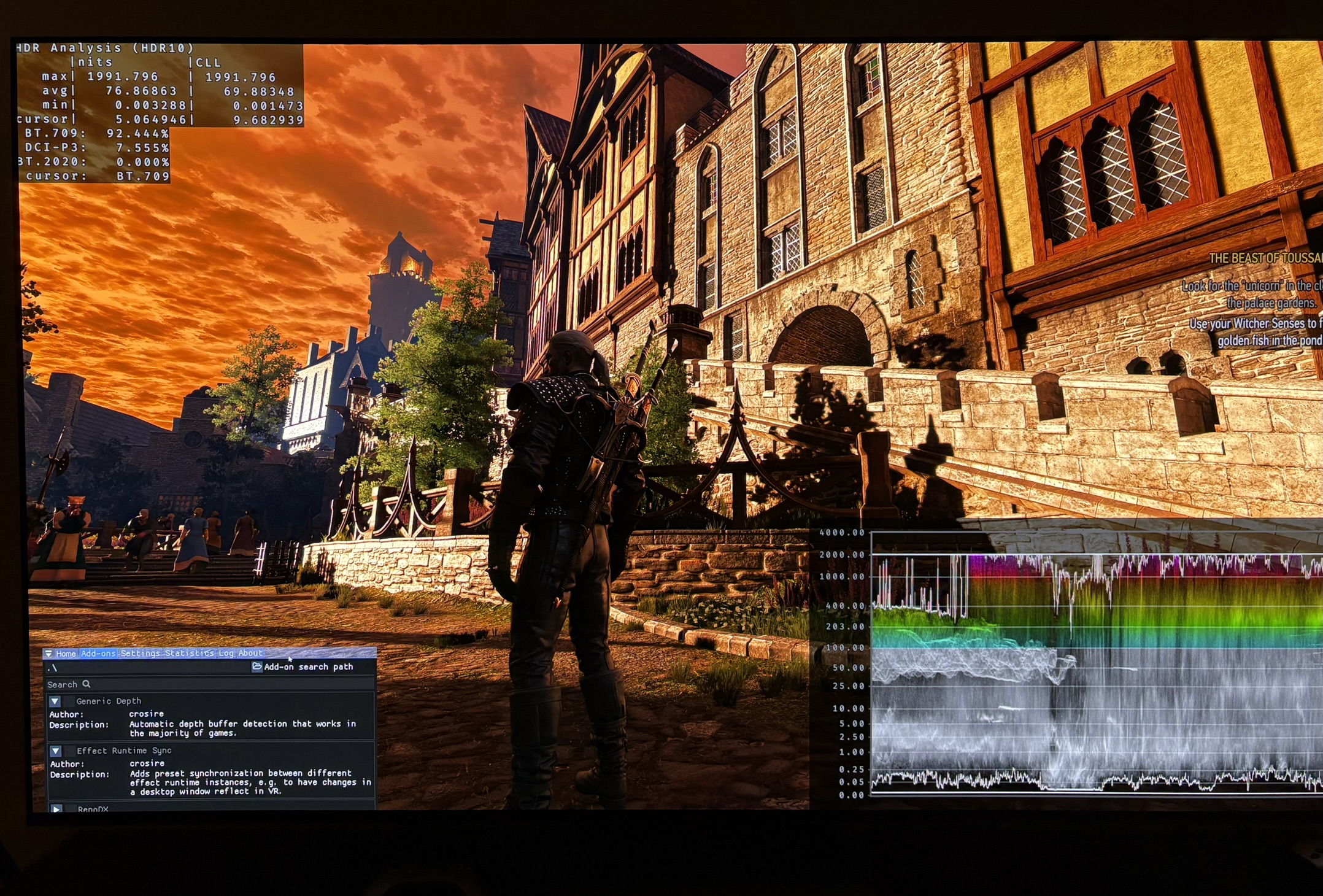
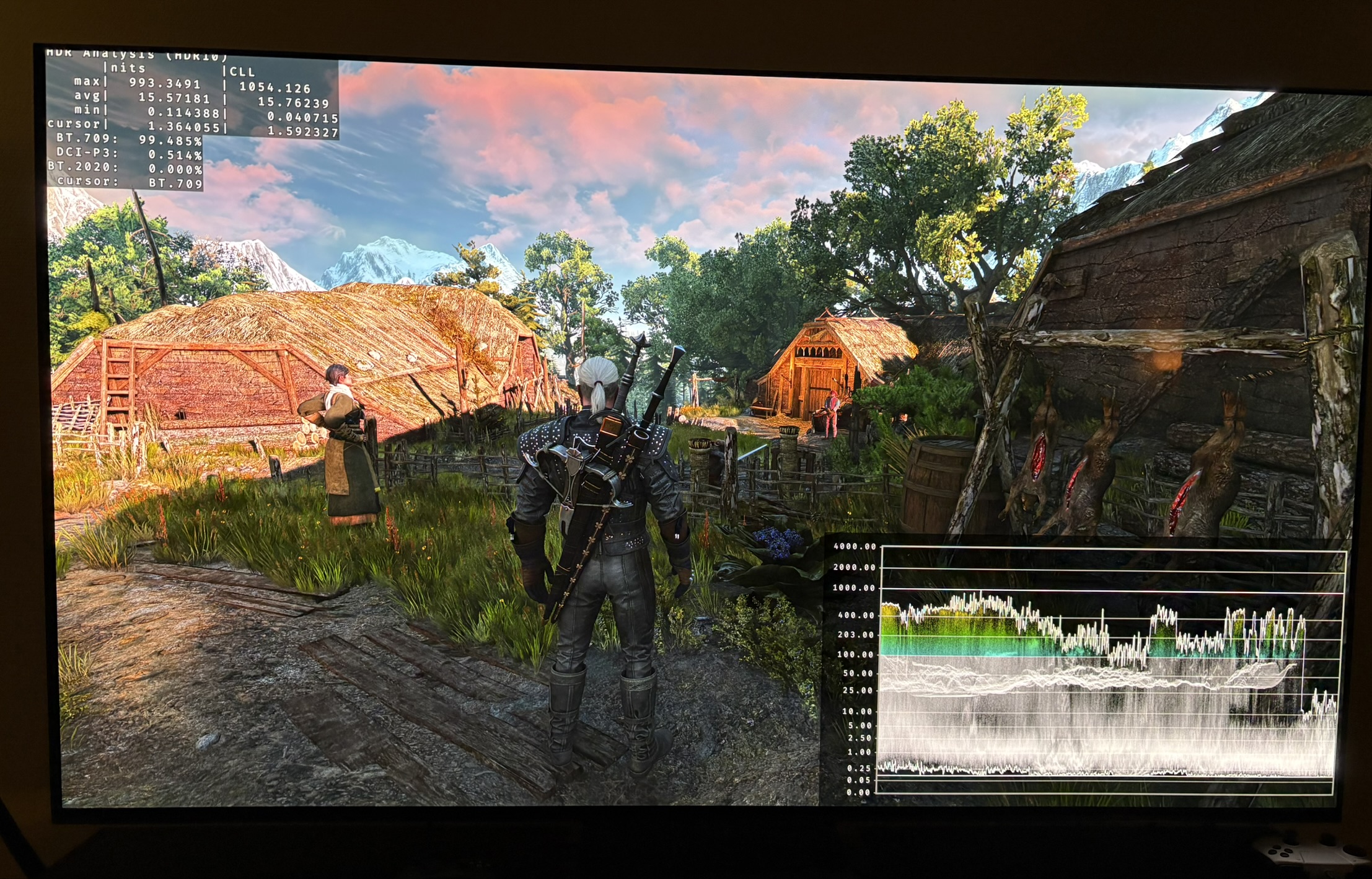
Picture 1 to 4 shows that there is no detail or color in the brightest highlights, such as bright areas in the sky, fire, torches etc. It is simply clipped off, it seams. The waveform looks completely flat. It doesn't help to bring back detail by lowering peak brightness.
Mid tones and secondary highlights:
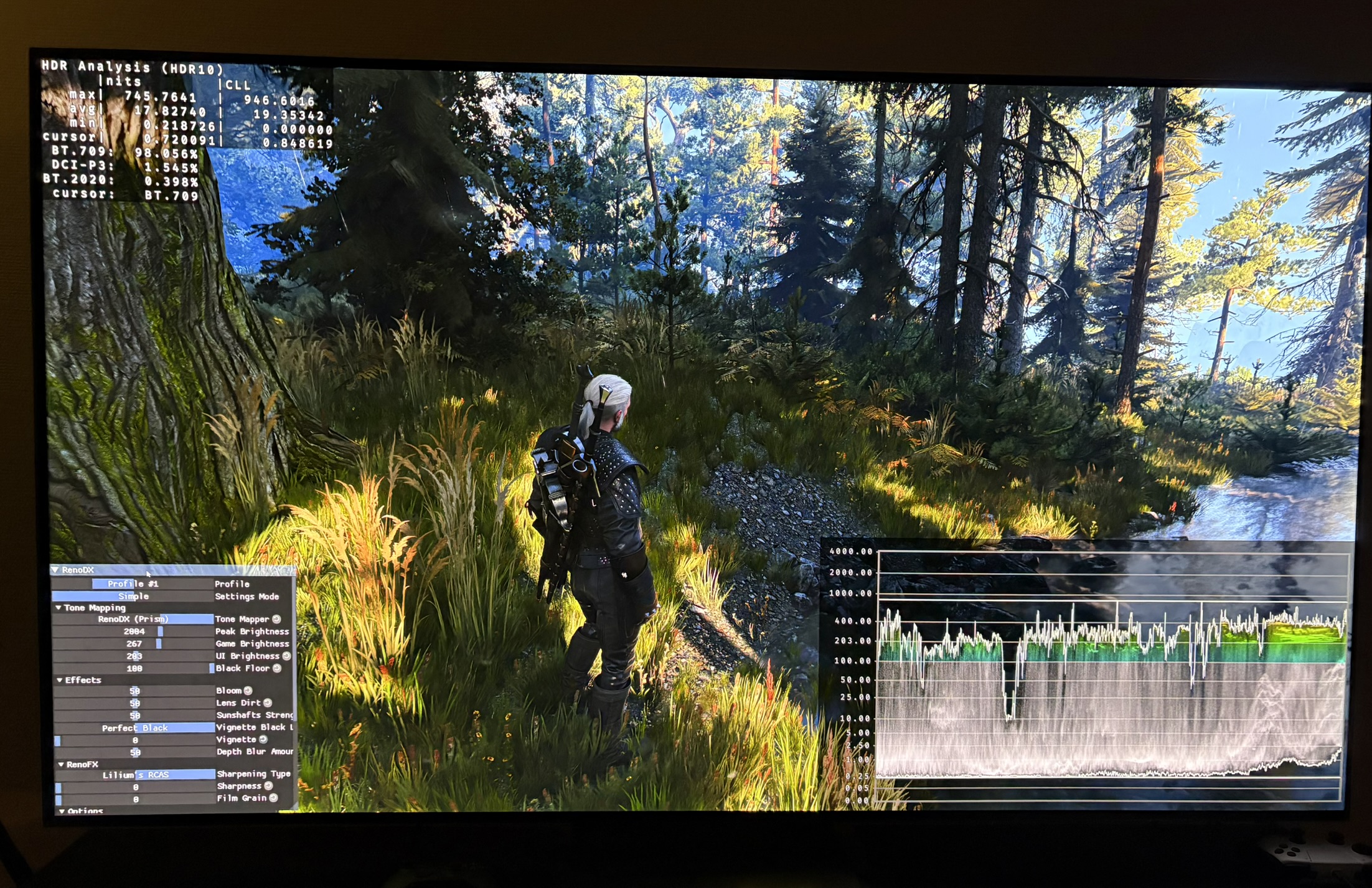
Picture 5-9 shows that white flowers, hay on roof tops, bricks on walls etc. are lit up almost to peak peak brightness. They are way to bright. They act like their own light sources. This is the primary reason HDR looks so unnatural and the reason we need to lower peak brightness and paper white so much in the settings (see below).
Black levels and shadows:
In some areas of the game black levels are fine. But in others there are massive black level raises at all times of day. See picture 9 and 10.
HDR setup screen:
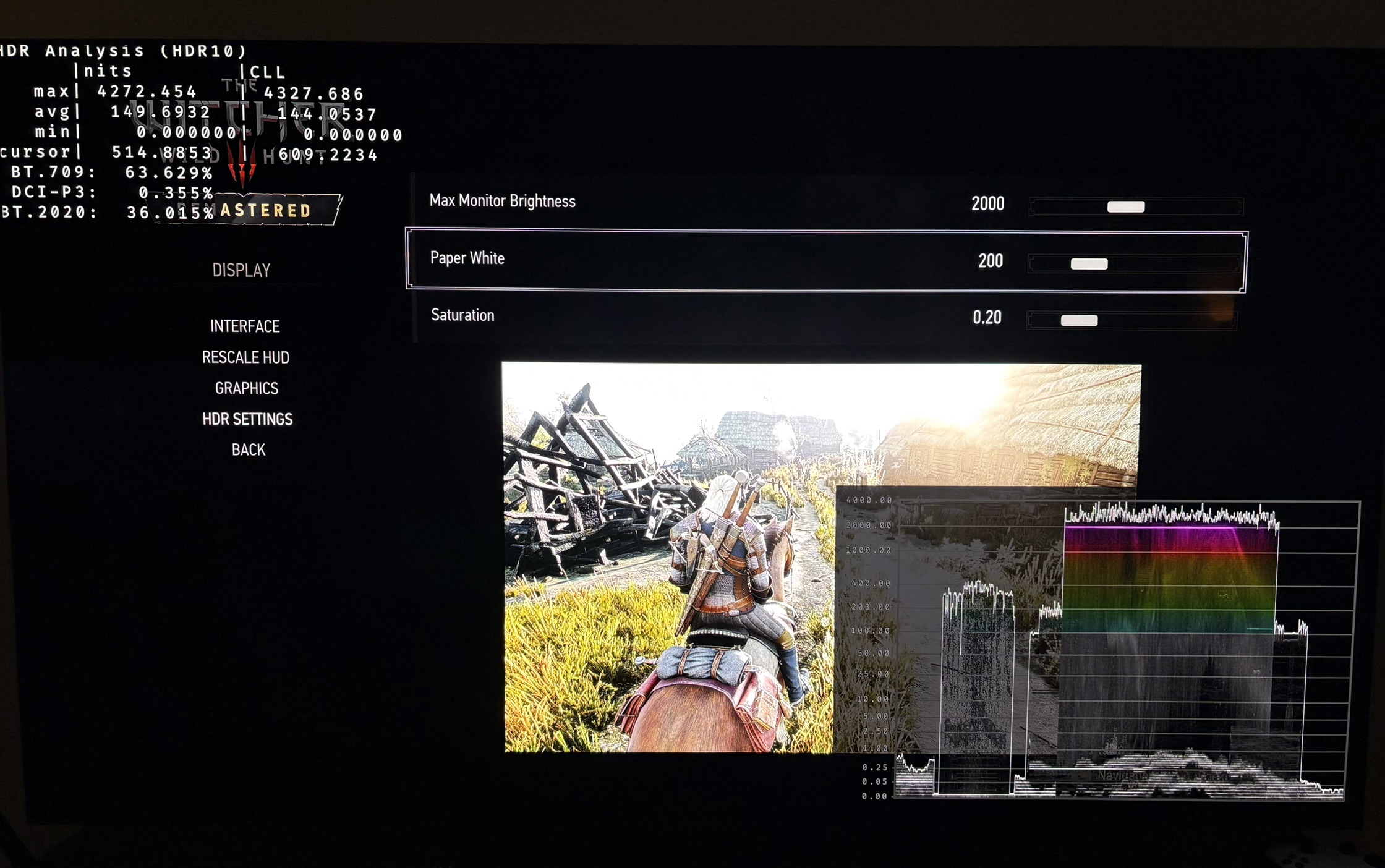
This screen is completely useless. No matter what we do to peak brightness, it does not give us more detail in any part of the big bright area. So what's the point of it ??? You would use such a screen to see when you begin to lose detail and then you know you shouldn't increase peak brightness further. It does represent how bad the HDR actually looks in-game, so in that sense it's correct, but still useless. See picture 11.
Setup recommendations:
PC gamers
PC gamers should use the RenoDX HDR mod. It's a great mod that fixes all the issues, basically. It makes the game look amazing. It takes 10 seconds to install it using RHI. I have a few videos on my Youtube channel that shows how much it improves the HDR.
Console gamers (dark room)
We need to drastically lower mid tones and secondary highlights to try and get the image to look more natural. It will be at the expense of peak brightness. I don't see any other way. We can't fix the bad HDR using the in-game settings.
I recommend to setup peak brightness (Max Monitor Brightness) from 600-800 nits with 100-130 paper white.
I think 800 nits peak brightness and 130 paper white looks most natural over a wide range of areas and times of day on my 2000 nits OLED TV. If you are on a 800-1000 nits OLED, than you probably should setup with 600 nits peak and 100 nits paper white.
There are a few times of day where these settings will look a bit dull, but in other scenes or areas it's what is needed to pull down the way to bright mid tones and secondary highlights.
I can't do my usual and more precise recommendations based on your displays peak brightness. I can only give this range to adjust within.
Don't change saturation. Leave it a default 0.2.