A Plague Tale: Resonance
HDR analysis and setup guide for A Plague Tale Resonance on PC, SS/SX and PS5.
I have tested HDR on PC and SX. It's the same HDR implementation on PC and SX, and it's most likely the same on PS5 too.
HDR looks to be implemented very similar to HDR in Requiem, that I recently tested.
Overall, the HDR looks unnatural and too bright to me (especially at default settings). The current RenoDX HDR looks significantly better to me (it's still wip/draft).
The good:
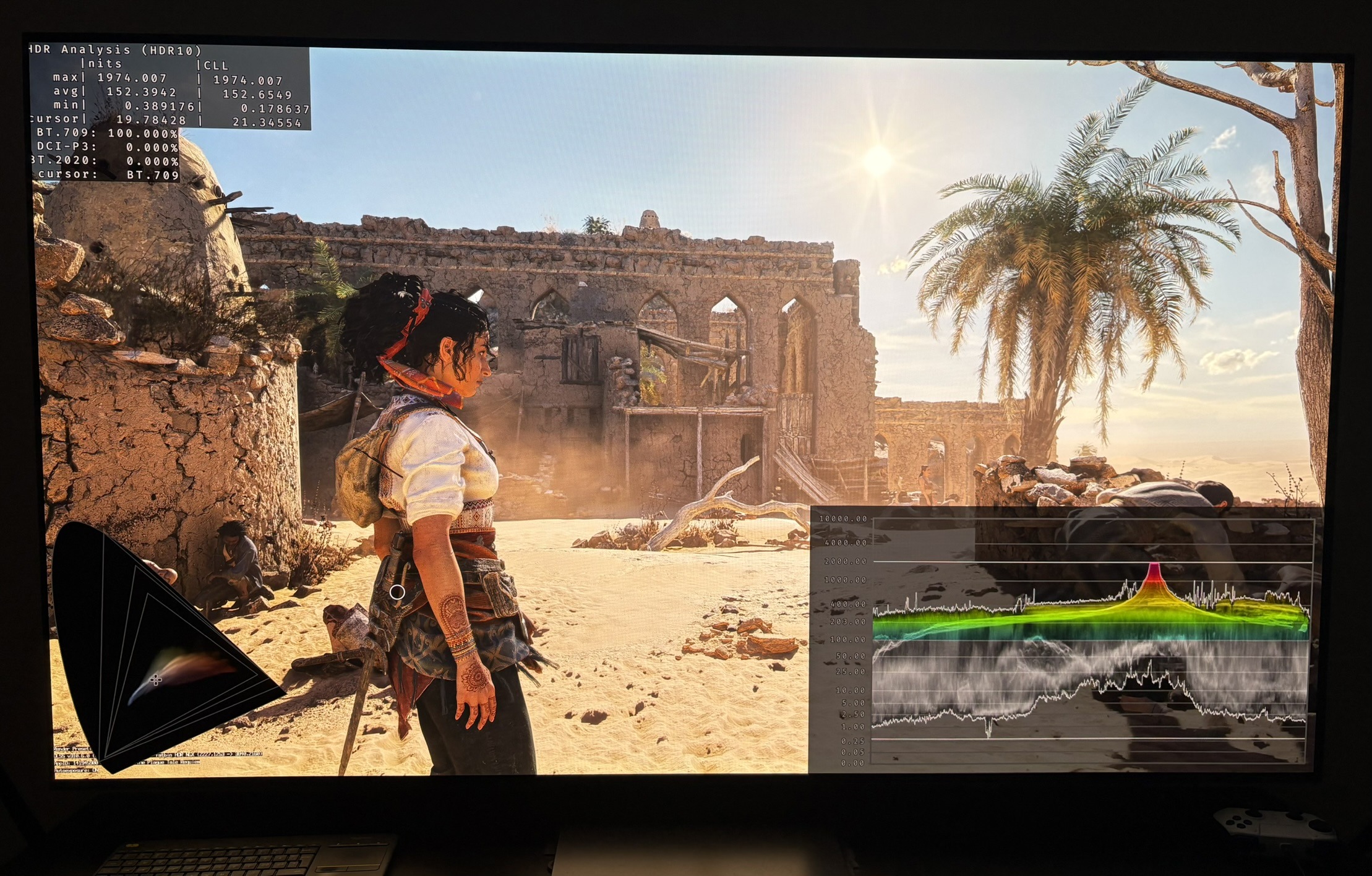
- It's impactful HDR with bright highlights. See picture 2.
- HDR peak brightness is automatically setup based on what we have setup in Windows calibration app or consoles HDR system settings.
- The game actually outputs that peak brightness and it goes up to at least 2000 nits. I only tested up to 2000 nits. See picture 2.
- We have a good brightness slider for changing the overall brightness of the game.
The bad:
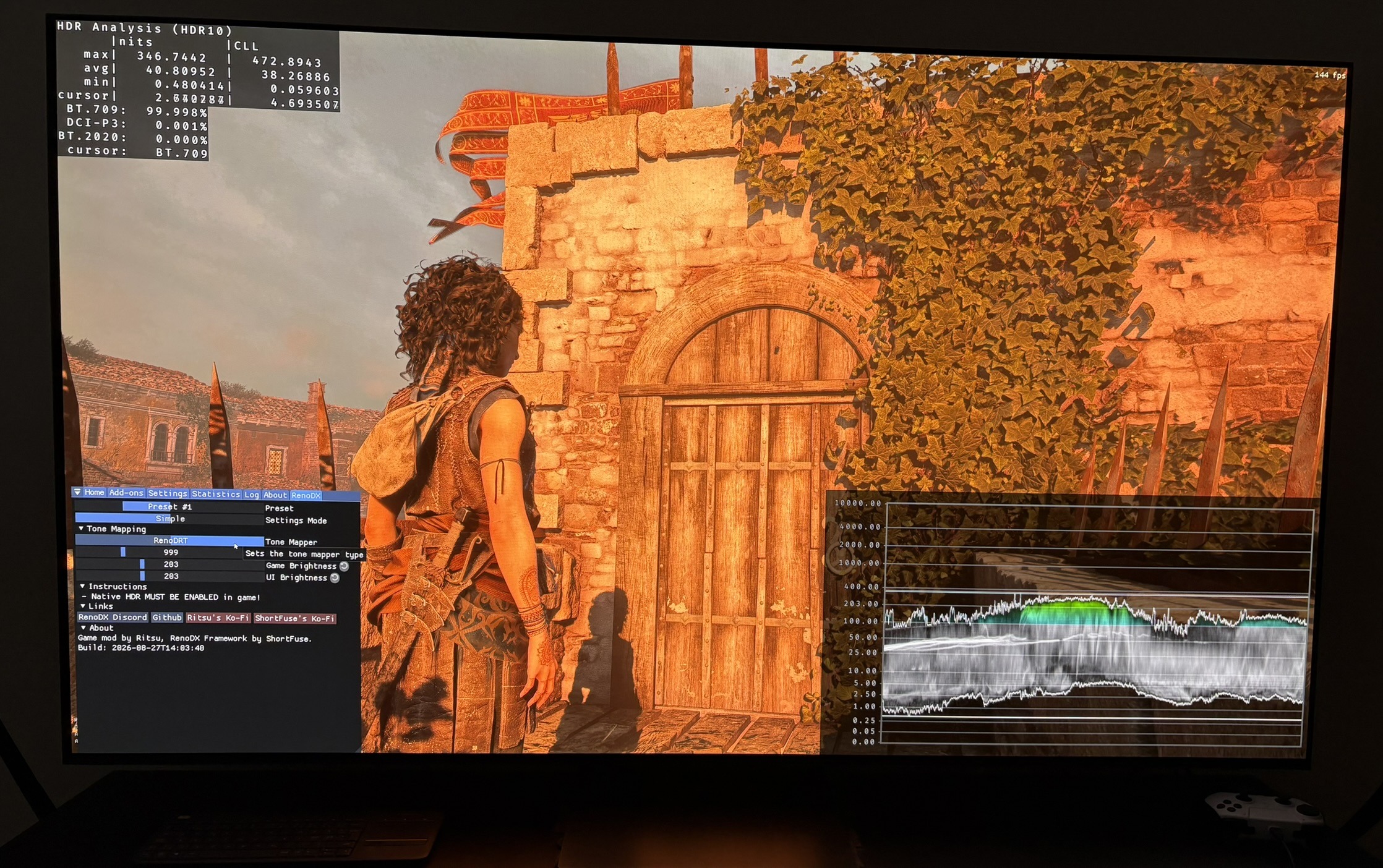
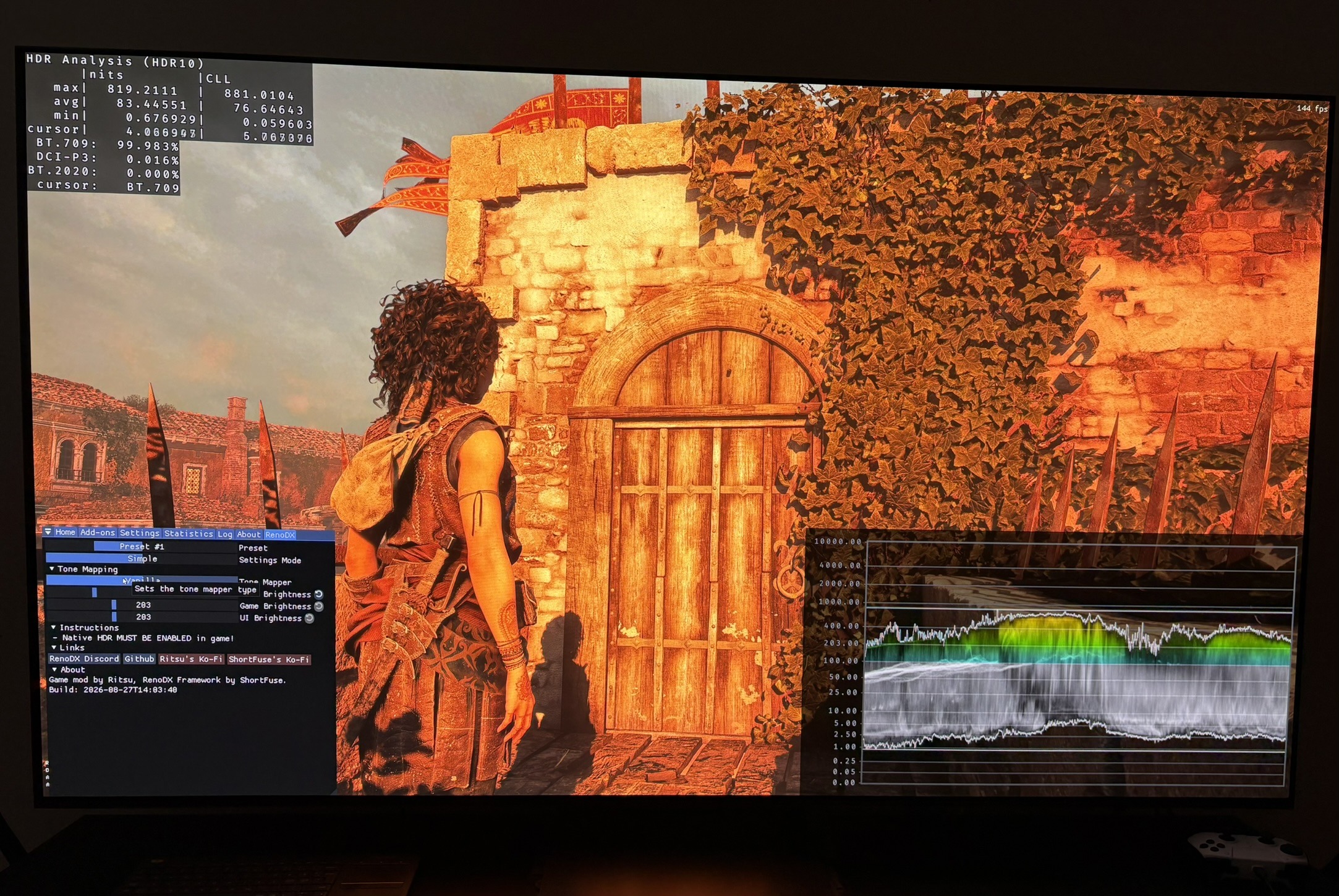
- The biggest issue I have is that upper midtones and secondary highlights are too bright, especially at default settings. Picture 4 is 1000 nits peak and default 0 on the brightness slider. We see a brick wall lit up to almost 800 nits, even when we look away from the Sun. This is way too bright. RenoDX in comparison shows 350 nits in picture 3.
- The default HDR settings should be at the standard 203 nits paper white, because that's the industry standard and the paper white most will use. Default settings on the brightness slider looks more like 330 nits paper white. Most will just set to default, so they will experience too bright HDR.
- There are minor clipping of detail in the brightest highlights.
- SDR has darker shadows than HDR, in some scenes.
- There is a color difference between SDR and HDR. It's something I need to look more into, to understand.
HDR setup:
This is the approximate paper white output at different settings on the brightness slider. 0 is default setting at the middle of the slider.
The numbers I have estimated by comparing the overall brightness level to the RenoDX HDR mod.
-6= around 130 nits paper white
-5= around 150 nits paper white
-4= around 170 nits paper white
-3= around 200 nits paper white
-2= around 230 nits paper white
-1= around 280 nits paper white
0 (default)=330 nits paper white
I recommend the following settings on the brightness slider. They are meant as starting points in a dark room. Adjust further to personal preference and how bright your room is.
- 1800-2500 nits display (-1,0)
- 1300-1700 nits display (-2,-1)
- 800-1200 nits display (-3)
- 500-700 nits display (-5, -4)
- 300-400 nits display (-6)
The settings above can't fix the too bright upper midtones and secondary highlights. It will pull them down somewhat without getting a too dim overall brightness.
RenoDX HDR mod:
The RenoDX HDR mod is at the time of this post still in wip/draft mode. It already looks better than in-game HDR.