Arc Raiders
RTX HDR setup guide Arc Raiders on PC.
In this setup guide I have tried to make settings for;
- 1) 800-1000 nits displays with around 203 nits paper white. 203 nits paper white is the standard paper white and leaves good headroom for highlights to pop with the brightest mid tones at 203 nit
- 2) displays below 800 nits with a lower paper white of 140 nits.
In both settings I have tried to:
- get a saturation that is a bit deeper than SDR's saturation. At little more saturation is what will see when colors get brighter.
- get shadows as close to SDR as possible.
- get the brightest secondary highlights without pushing them to much towards peak brightness, losing separation/detail (not adjustments where needed).
I think RTX HDR looks pretty good in this game, compared to SDR. But it's not comparable to a native HDR implementation, that the game unfortunately do not support. And we can't use HDR mods, because of anti-cheat software.
Recommended settings
800-1000 nits peak displays - 203 nits paper white
- Peak brightness slider: 800-1000 nits
- Middle gray slider: 50
- Contrast slider: 0
- Saturation slider: -100
Below 800 nits peak displays - 140 nits paper white
- Peak brightness slider: Your displays max nits output
- Middle gray slider: 35
- Contrast slider: 0
- Saturation slider: -50
A few comments to the sliders:
Middle grey slider at default 50 is around 203 nits paper white. That's the case in most games I have tested. Reducing it to 35 gives a paper white of around 140 nits.
A lowering of peak brightness and the middle grey slider lowers brightness overall. A less bright image overall will look a bit less saturated to our eyes. Lowering the middle grey slider also lowers upper shadows a bit, lowering perceived saturation further. Therefore I only needed to lower the saturation slider to -50 for displays with max nits of lower than 800 nits.
A few comments to the pictures
I have added a few pictures showing waveform analysis of HDR and SDR (with HDR on in Windows).
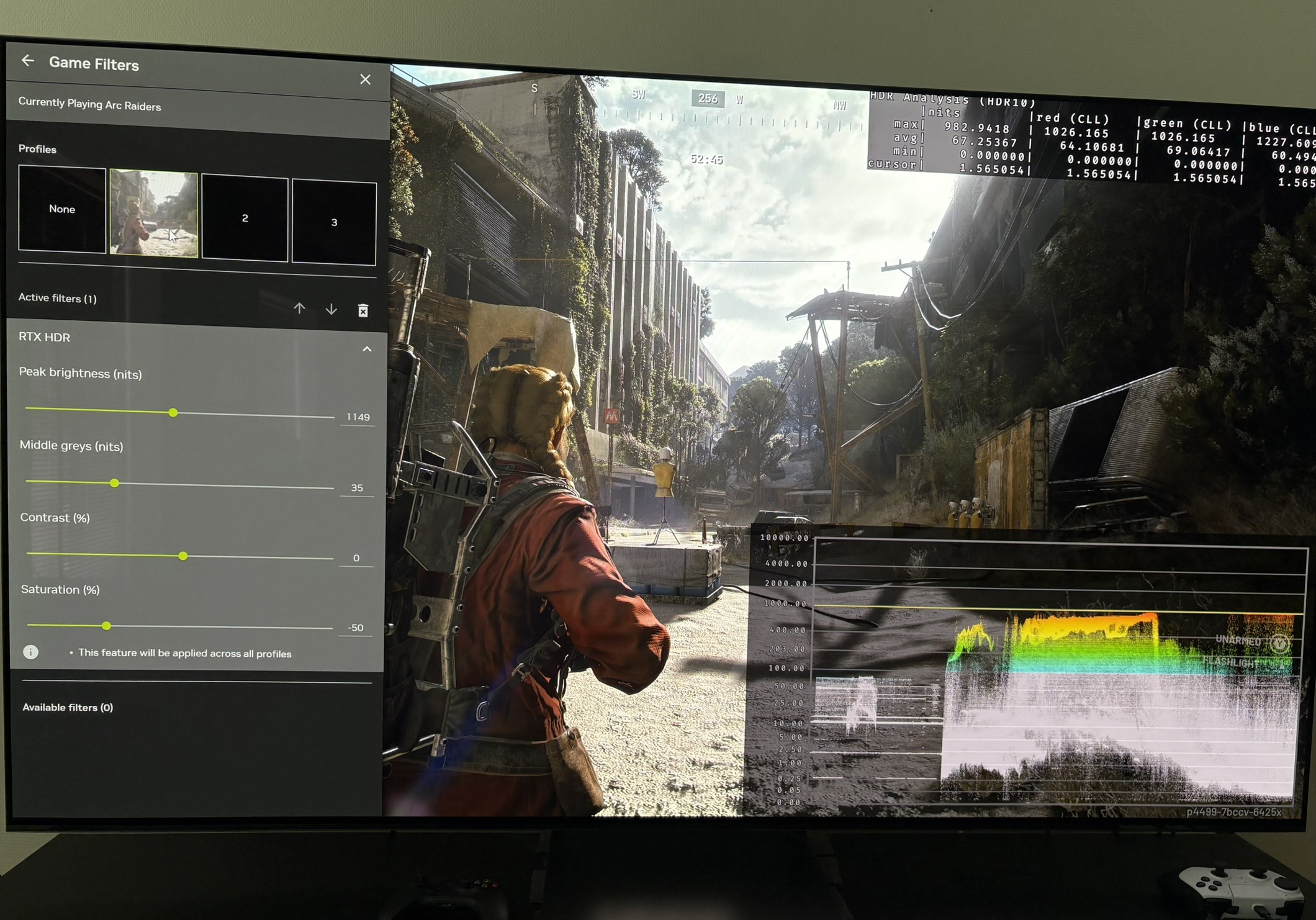
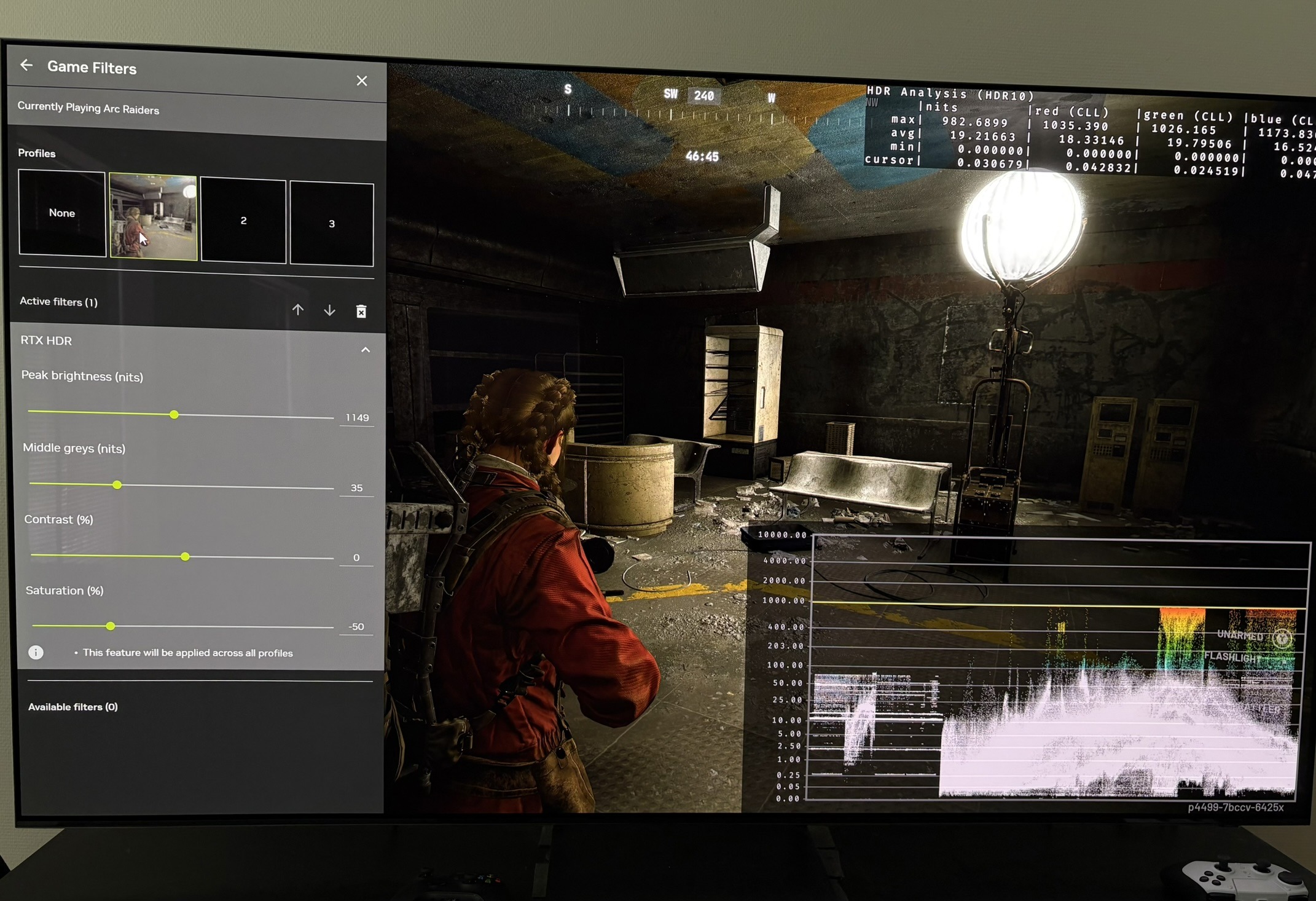
Picture 1 and 3 show that RTX HDR can not output higher than 1000 nits even though I setup the slider to output 1150 nits. The slider will show the peak brightness value you setup in Windows calibration app. I have tested that up to 2000 nits.
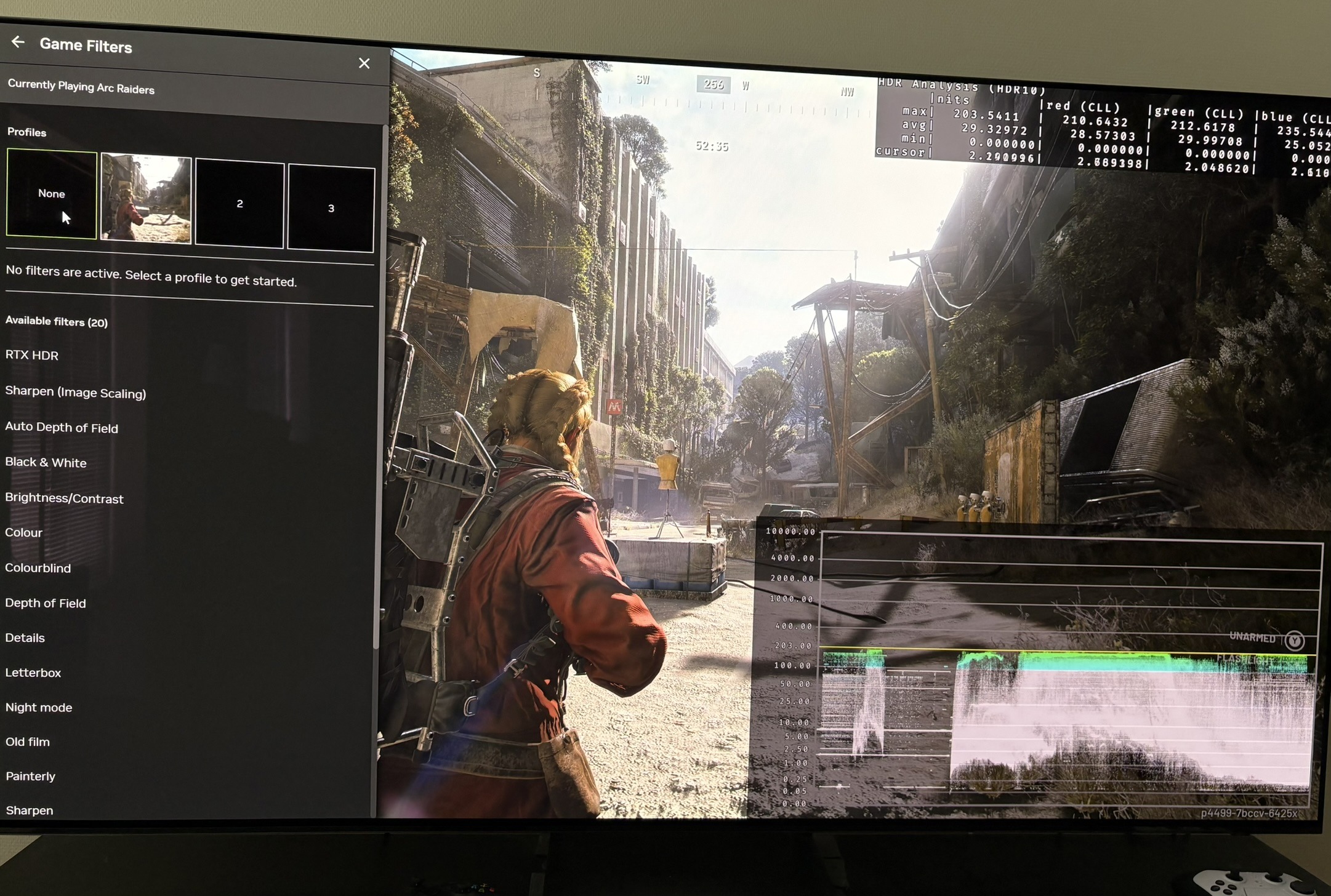
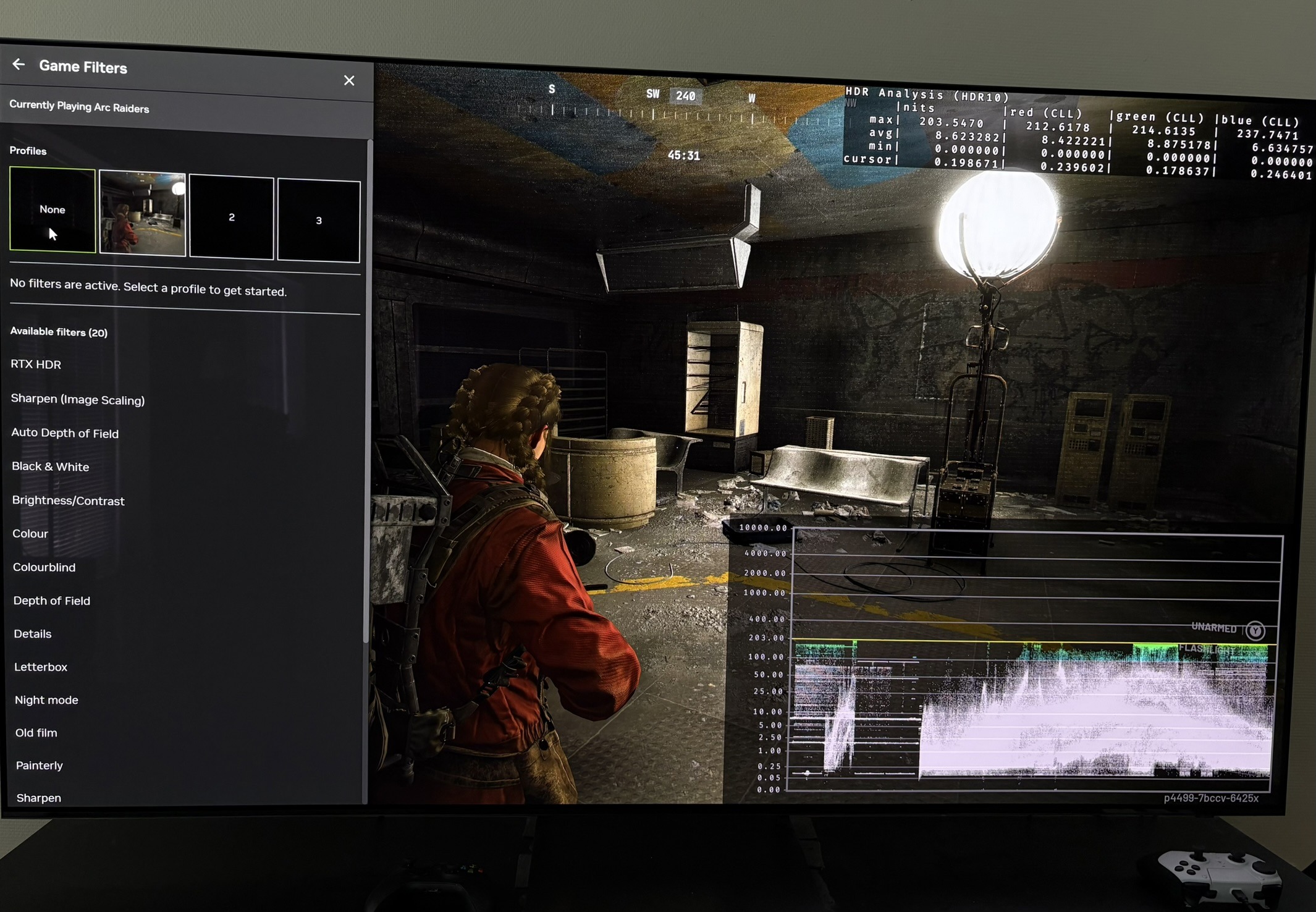
We see the game outputs 203 nits max in SDR in picture 2 and 4.
We also see on the waveform that shadows are lifted in SDR compared to SDR with HDR enabled in Windows. This is because the game suffers from the Windows gamma bug. It's only relevant to fix if you use Auto HDR or what to game in SDR with HDR on in Windows (if you use your TVs HDR features). RTX HDR is not effected by this bug as we see in picture 1 and 3.
Picture 1 and two shows that using RTX HDR will show more detail in the sky box. It's also very visible in other bigger highlights that are near SDRs max brightness. It's because RTX HDR uses it's higher brightness headroom to separate these highlights. The information is in the SDR image, but our eyes just can't separate them as easily as we can with RTX HDR. RTX HDR can't create detail there is not already in the SDR image, that was lost when the game engine created the SDR image. RTX HDR only has the SDR image from the game to work on. See my article about RTX HDR for further explanation.