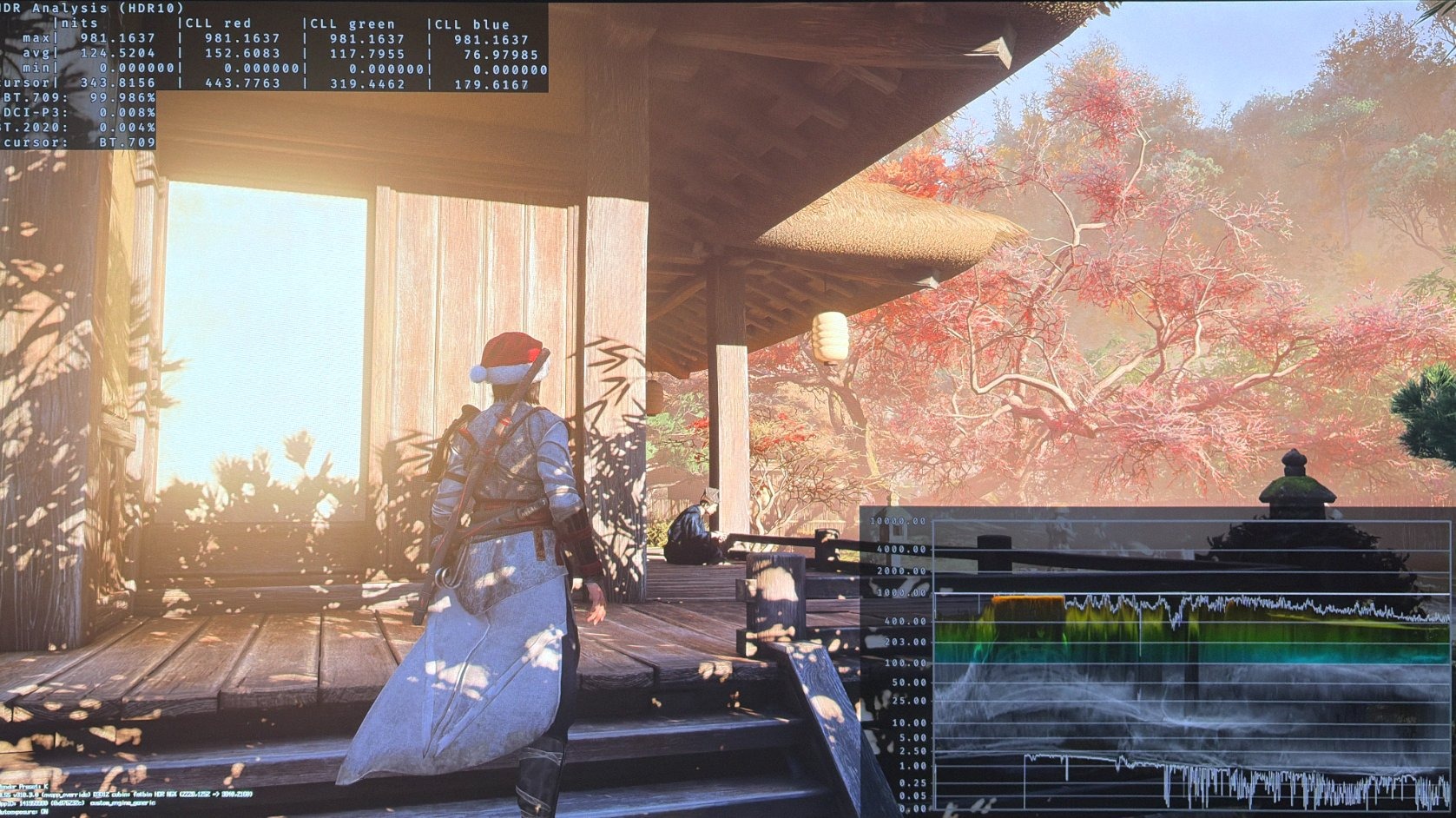
Assassin's Creed Shadows
HDR analysis Assassin's Creed Shadows on PC and PS5 Pro.
It's the same HDR implementation on both PC and PS5.
It's a terrible HDR implementation.
Issues:
1) Raised black levels
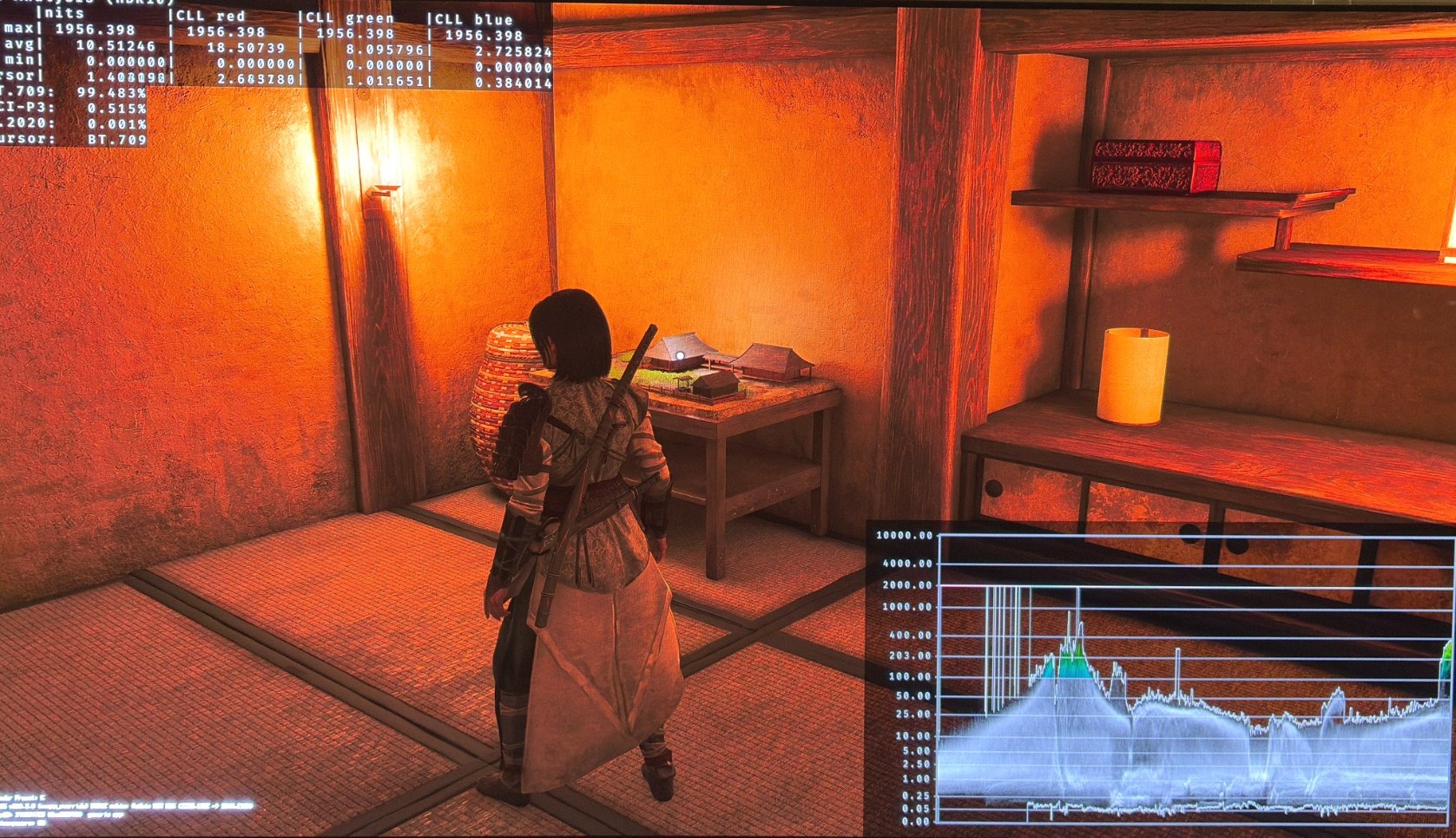
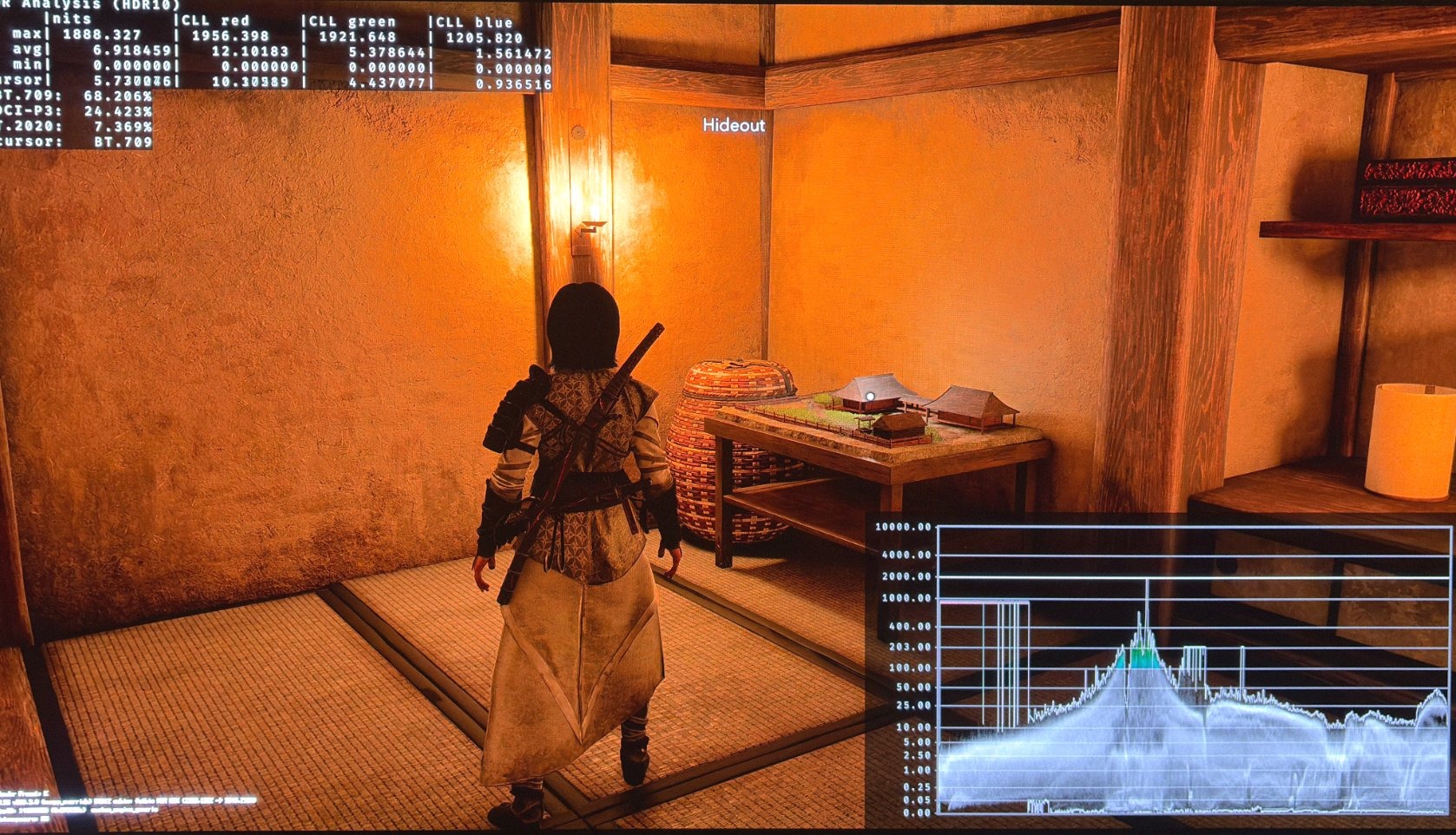
First we have significant black level raise, most of the time of around 0.05 nits. Sometimes it's much higher. So blacks look grey and we lose contrast.
See picture 1.
2) Over-exposure / incorrect tone mapping
It looks to me like we have a combination of those two. I'm not a game developer, so I don't know exactly what is going on behind the scenes.
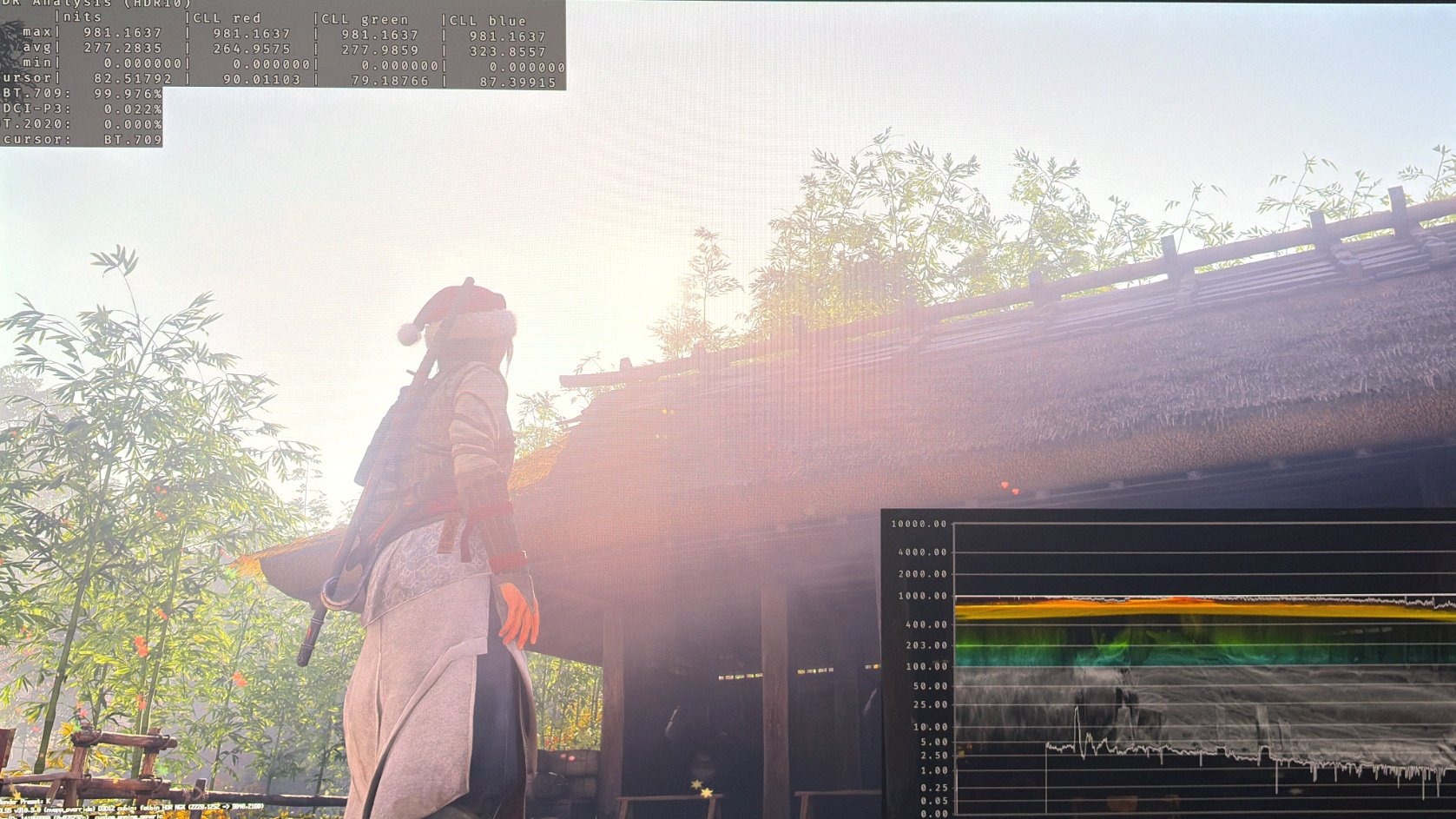
The game is way too bright on larger surfaces lit up by the Sun. Look at picture 1, where it's 277 nits full screen with 1000 nits peak brightness. No 1000 nits TV can show this without it looking overblown and washed out, and without losing detail. It's the same on the ground and white doors etc. when they are lit up by the Sun (they look too bright and washed out).
3) In-game exposure setting doesn't work - as intended
It raises black levels and brightness, instead of just brightness. It further increases the already lifted blacks and issues in 2.
4) Paper White
With the exposure setting lifting black levels, we can't use it to increase paper white.
Solution:
There is none on PS5 other than to try and lower the exposure slider a bit. It might help a little on issues in 2, without solving the fundamental issue.
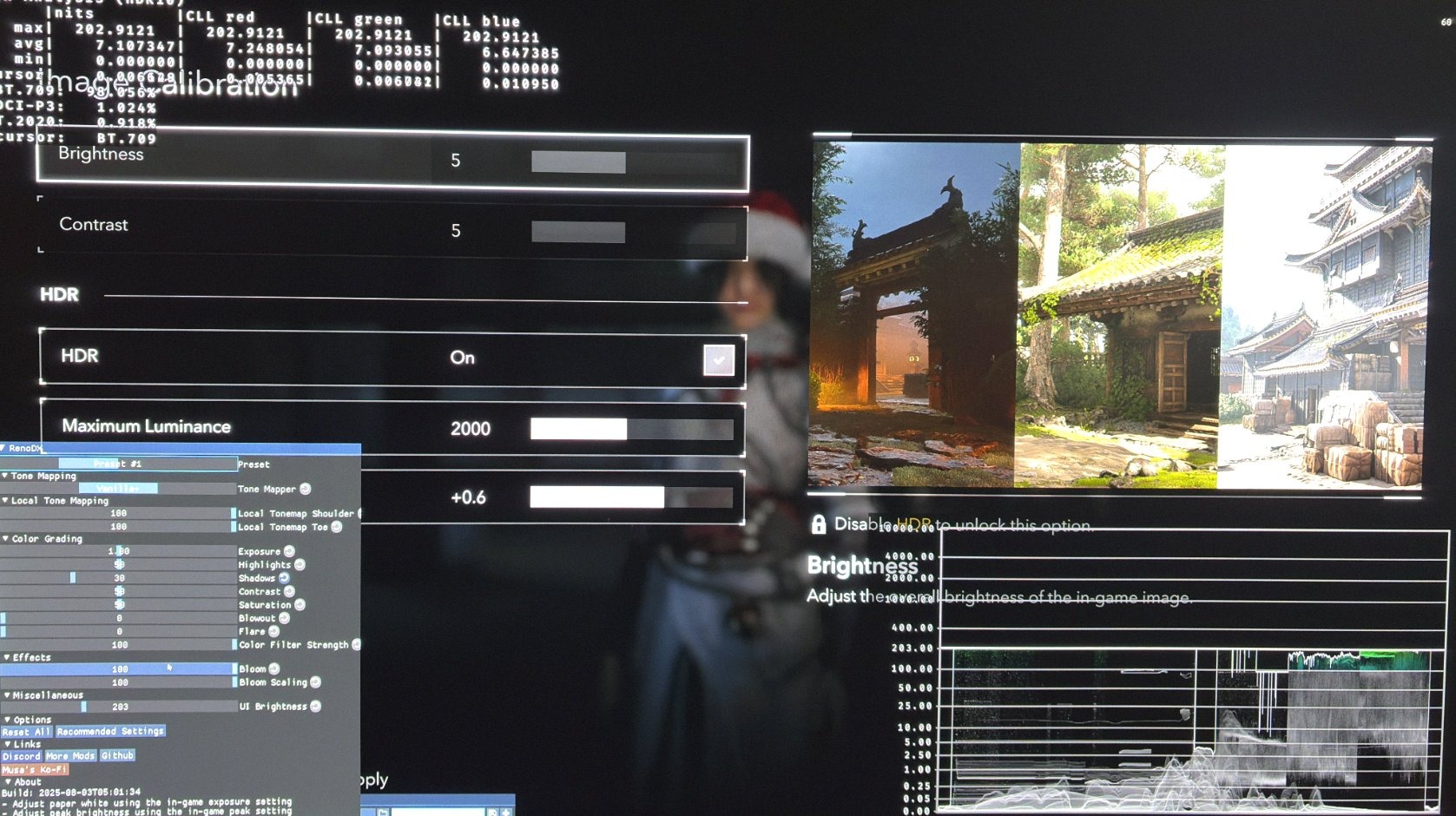
On PC we can use the native RenoDX HDR mod. It fully solves the above issues. In picture two we see a much lower full screen brightness. It also solves the black level issue. See picture 4. And we can change paper white using the in-game exposure slider (it fixes the in-game slider).
I would leave it at zero for a 1000 nits TV to get around 203 paper white and at 0.6 for a 2000 nits TV to get around 343 nits paper white.
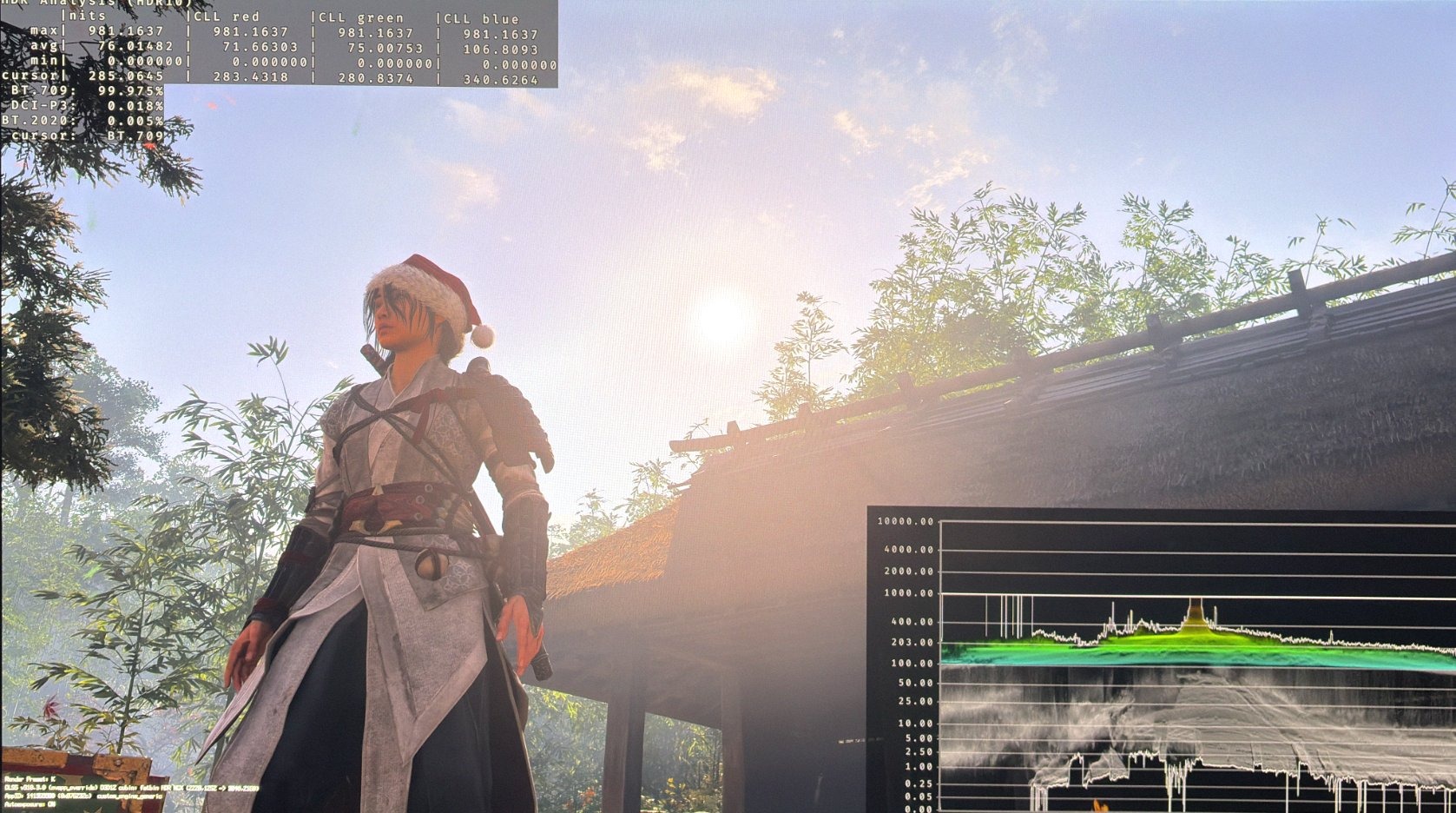
Ingame settings RenoDX
No detail on door blown out