Avatar: Frontiers of Pandora
HDR analysis Avatar Frontiers of Pandora on PC and PS5 Pro (updated).
On January 23, 2026 the developer, in a patch, finally fixed the HDR black level raise. It only took them two years 👎
Patch notes only said there were fixes to PS5, but PC also got the same fixes.
HDR implementation is the same on PC and PS5.
We have an in-game brightness slider and a max luminance slider.
Max luminance:
The patch lowers the black levels, but also lowers peak luminance output, so setup the HDR max luminance slider as follows.
1000 nits output - 1050 nits on slider
1500 nits output - 1600 nits on slider
2000 nits output - 2200 nits on slider
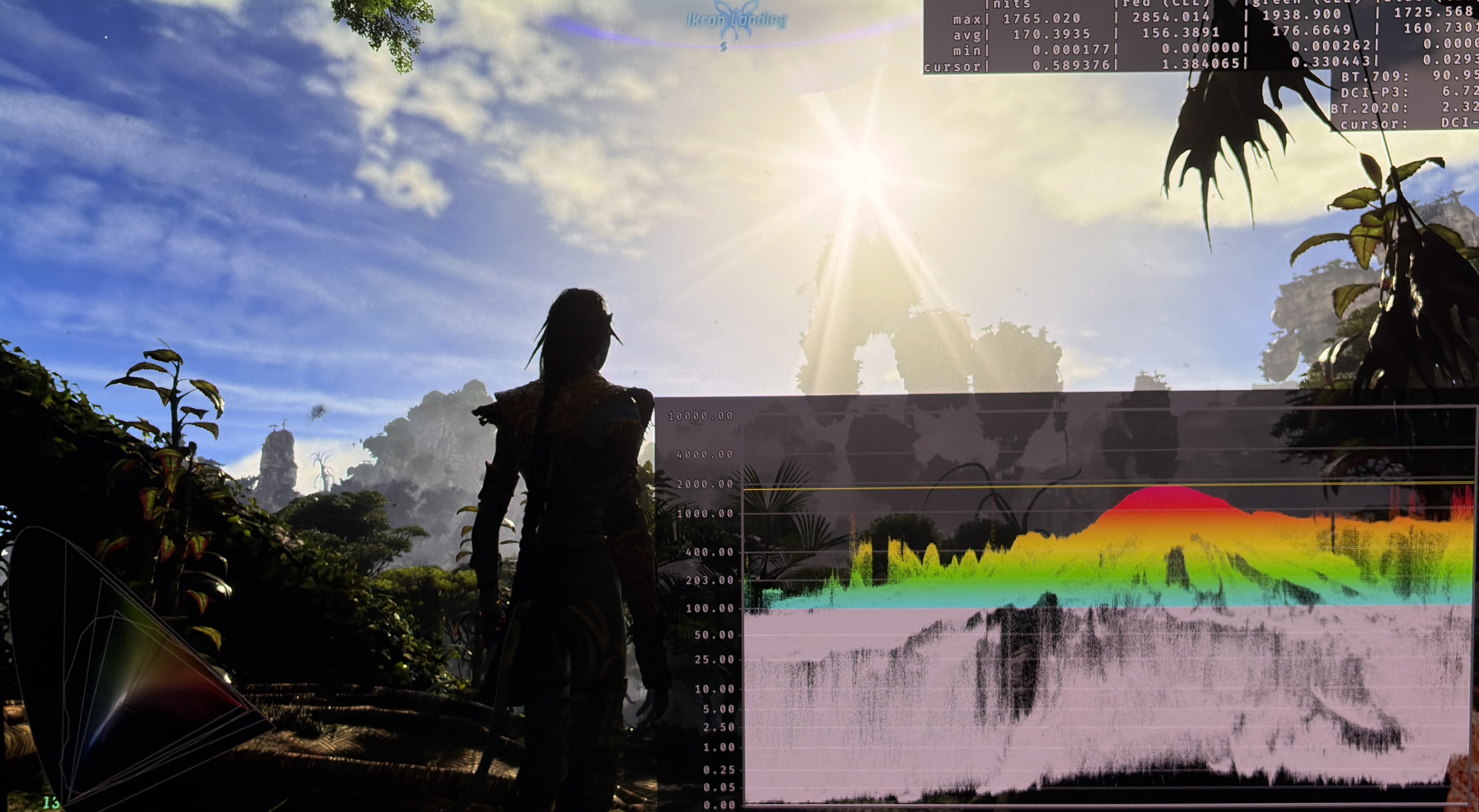
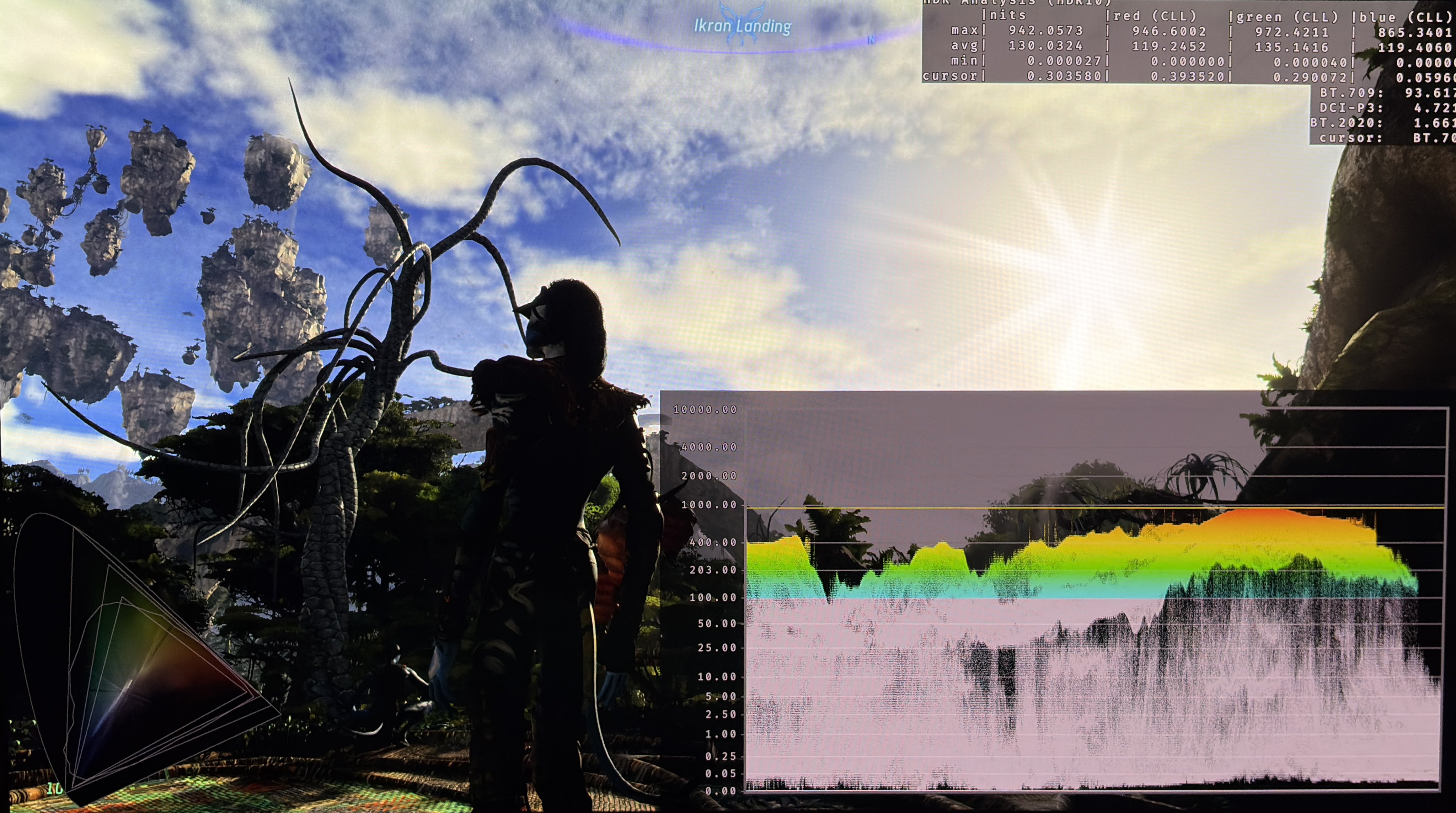
In picture 3 we can see the game outputs around 950 nits at 1000 nits. Picture 4 shows around 1800 nits output at 2000 nits.
Black levels / Paper white (brightness):
The brightness slider lowers upper shadows quite a lot when moved to the left and also lowers the black level floor. It also lowers midtones (paper white).
The black level floor is great at standard 20 brightness. But paper white looks to be around 300-400 nits, so 20 brightness is suitable for a 1500-2000 nits TV.
I would set brightness to 16 or maybe 15 for a 1000 nits TV. If we go lower the shadows will look too dark and we begin to see more black crush of detail. But try it out.
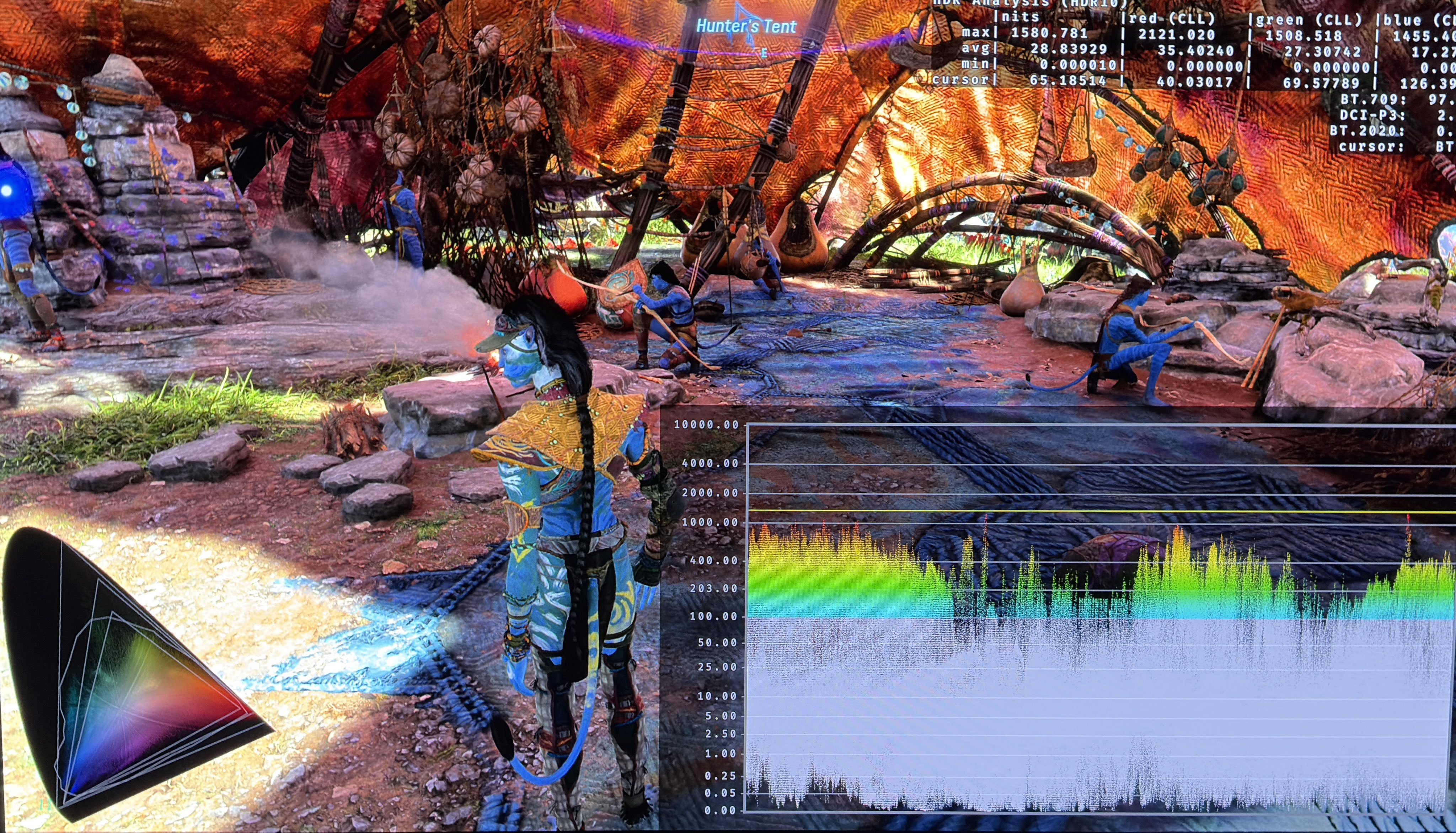
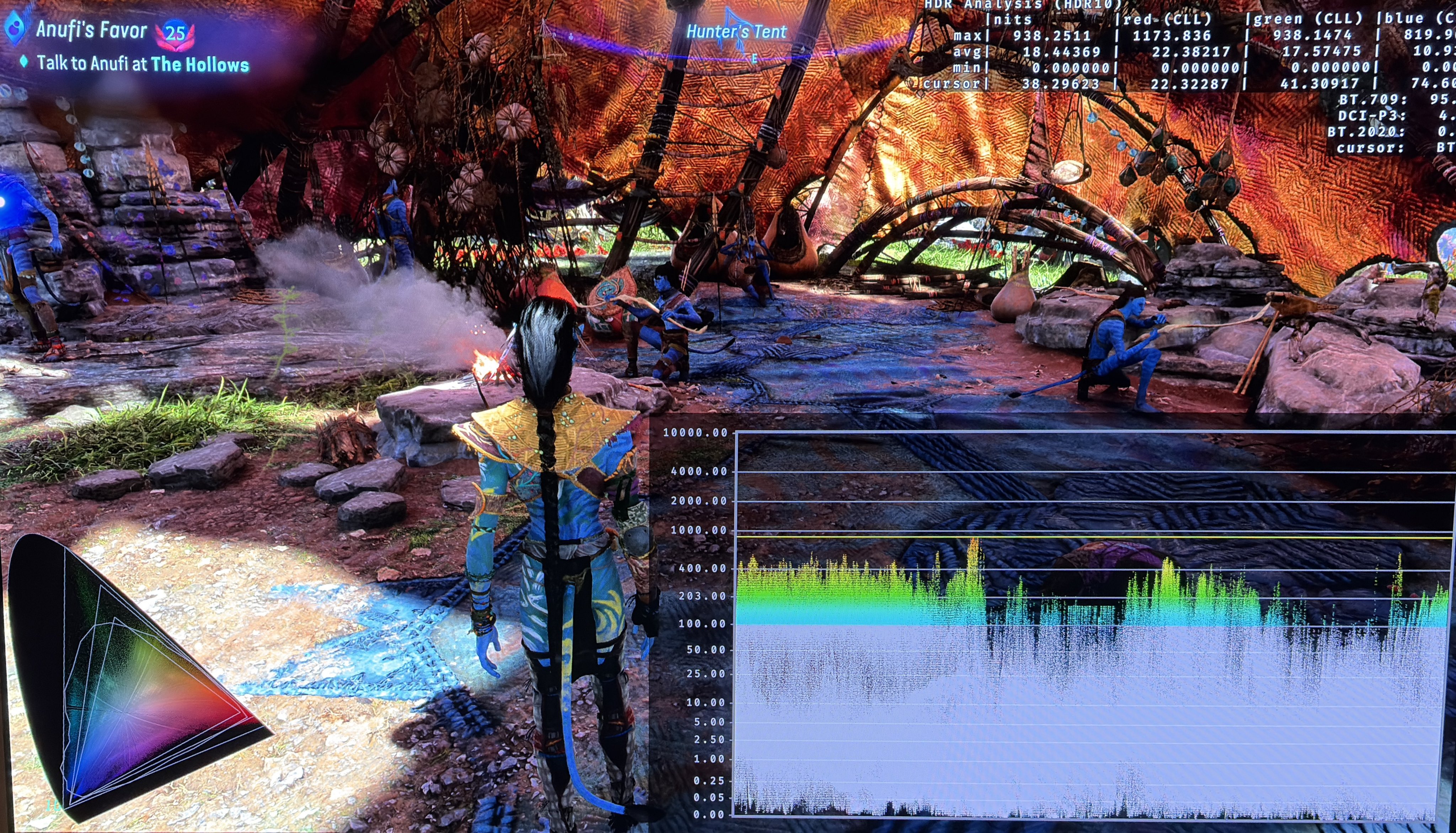
In picture 1 and 2 I show the difference between 20 and 16 brightness and it's not too massive of a difference.
RenoDX:
I think the HDR overall looks great now and I don’t really see a need for the RenoDX mod anymore. I haven’t tested the RenoDX mod after the update.
Still needs to be fixed:
Now they need to make the brightness slider into a real paper white slider, that only changes upper shadows and midtones. Give us a separate black level floor/ shadow slider. And make the max luminance slider output the correct nits. I don’t think that's too much to ask, but I doubt we will get more fixes to HDR.