Black Myth Wukong
HDR analysis Black Myth Wukong on PC (and PS5).
The game does not support HDR on PC or PS5.
On PC we can use RenoDX (and other reshade tools) to get native HDR. There is no solution for PS5.
Here I will show how I have setup RenoDX for my 2000 nits TV and show the other Reshade tools I use together with RenoDX.
Black levels:
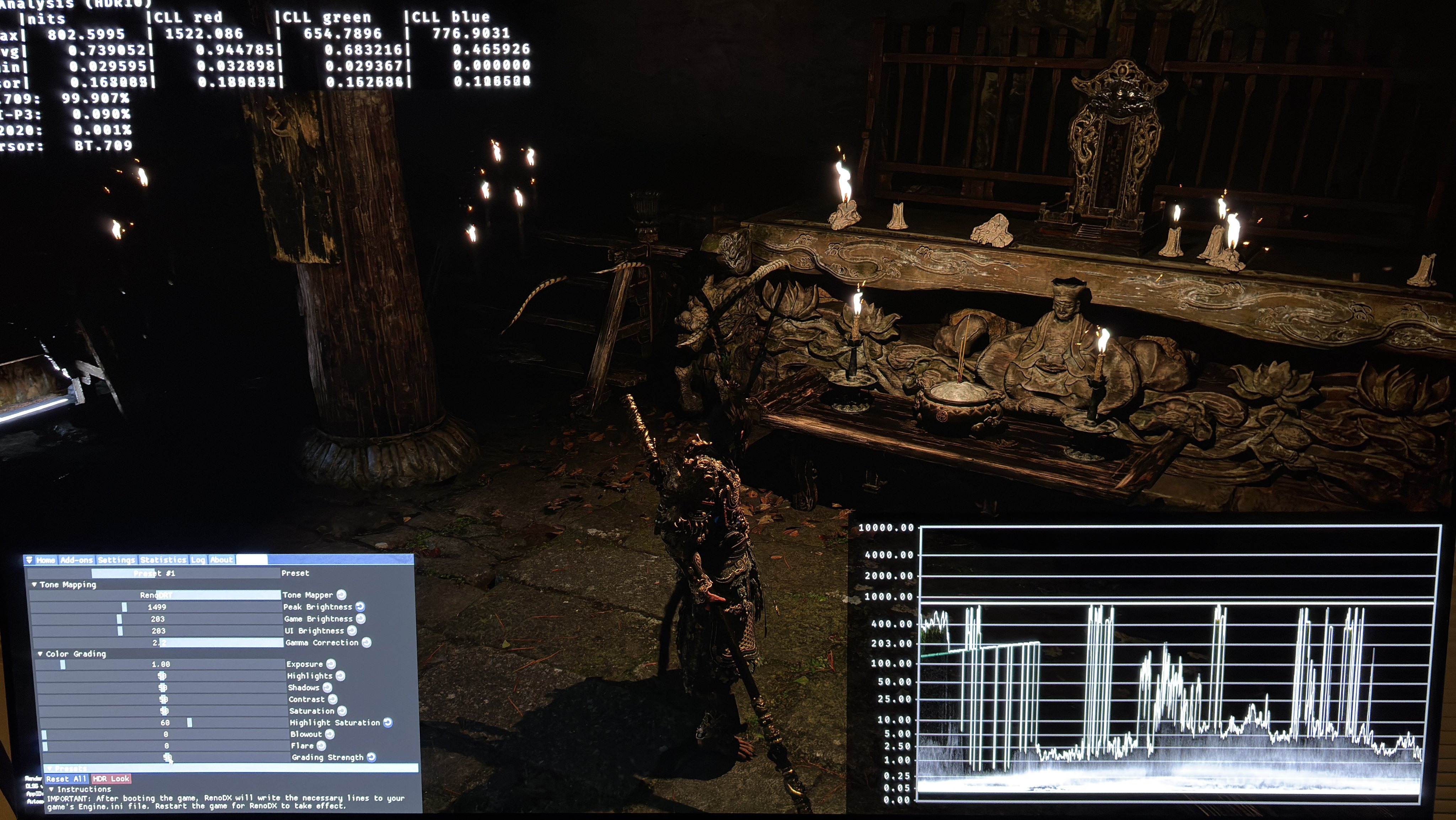
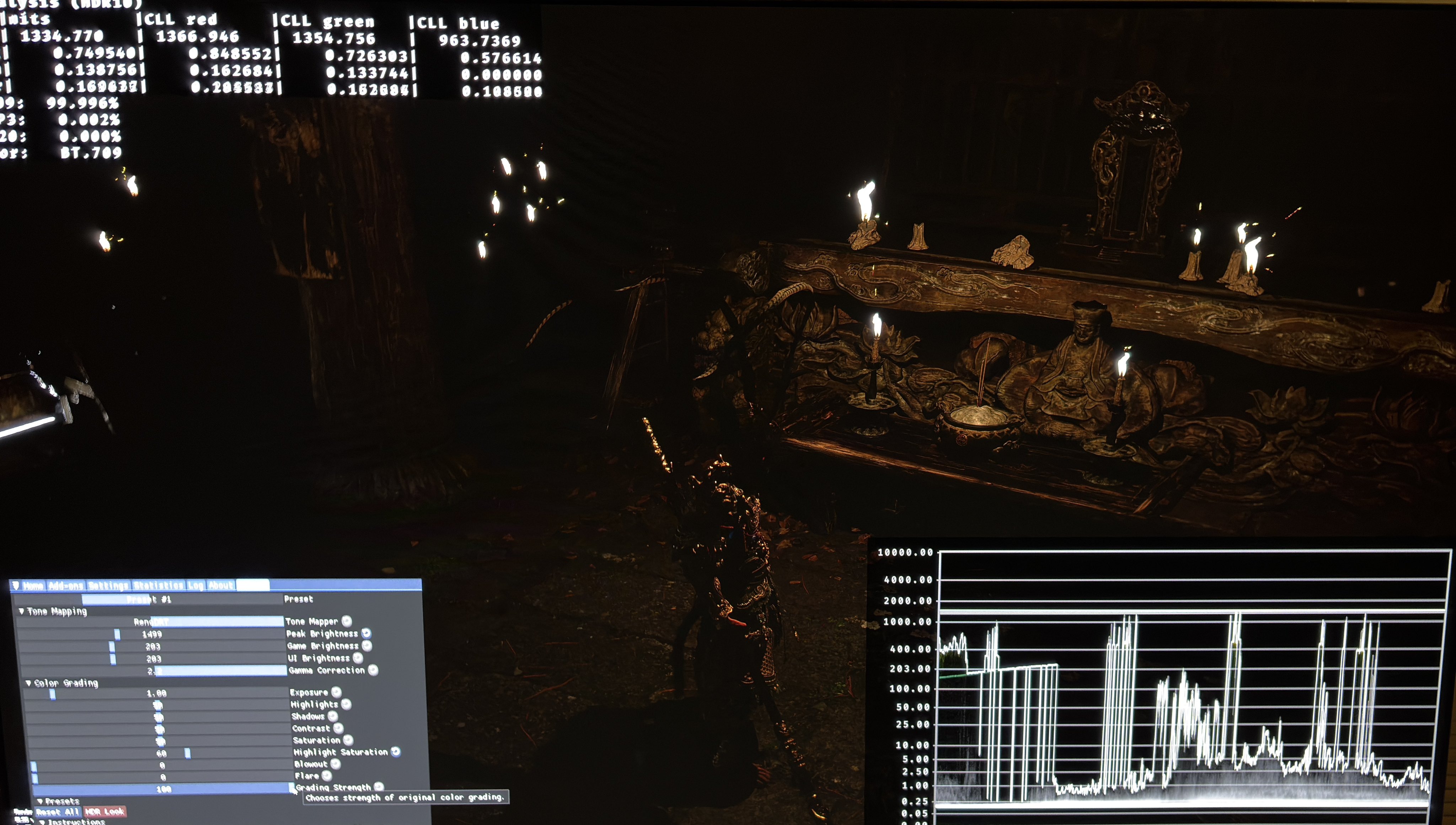
Shadows look very dark with RenoDX. See picture 1. In picture 2 I have reduced Grading Strength from 100 to 50. It greatly increases shadow detail (lifts shadows) and it also lowers the black level floor.
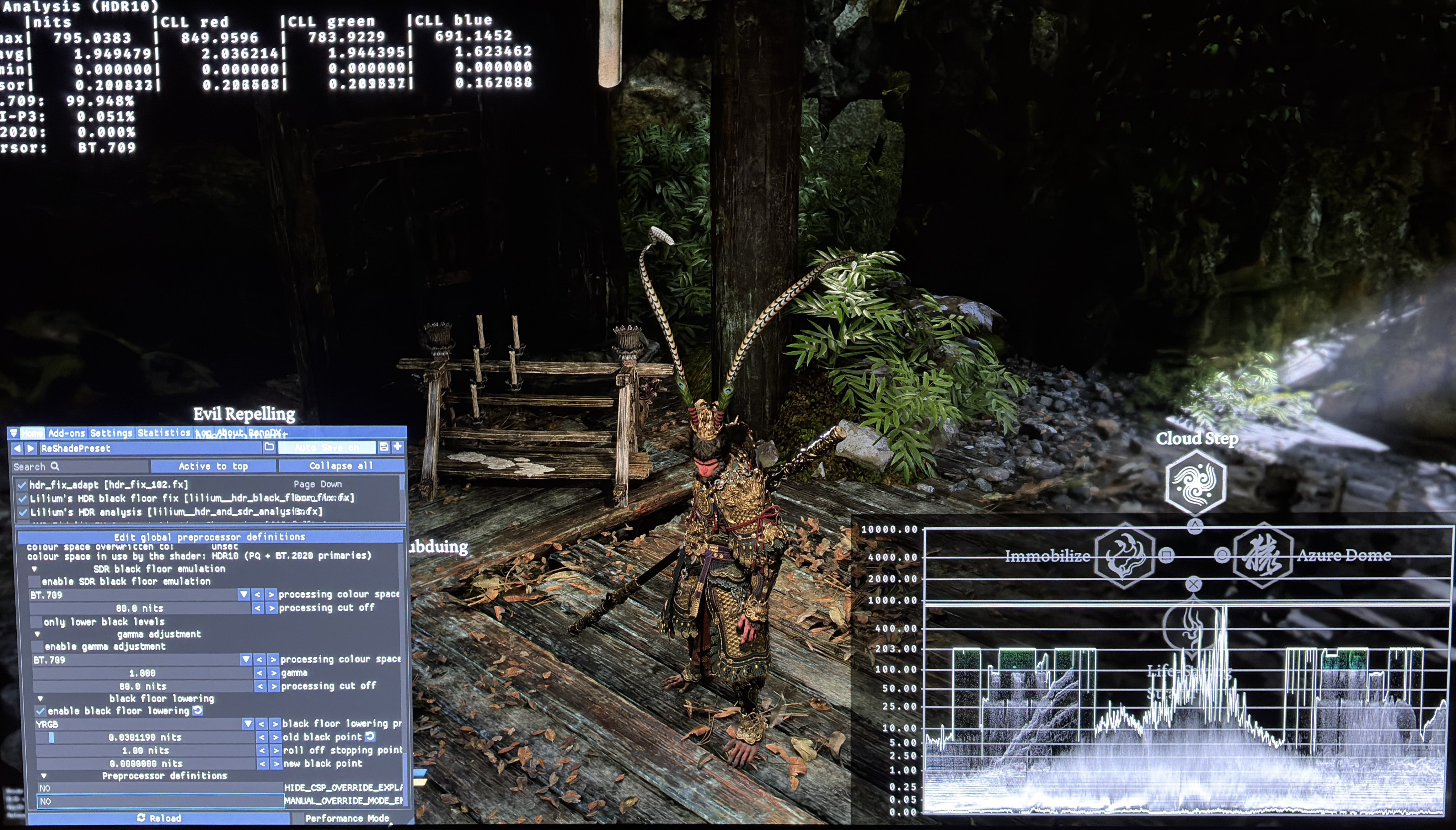
As you can see there is still a 0.03 nits black floor raise. We could use RenoDX shadows slider to fix that, but I instead use Lilliums Black Floor Fix. It's because it will let us lower only the lowest shadows, while keeping the upper shadows unchanged. We will then keep most of the detail in shadows while still lowering the black level floor.
See picture 3 where I set Old Black Point to 0.03 nits and Roll of Stopping Point to only 1 nits (it's 10 nits as standard).
Max Luminance / paper white:
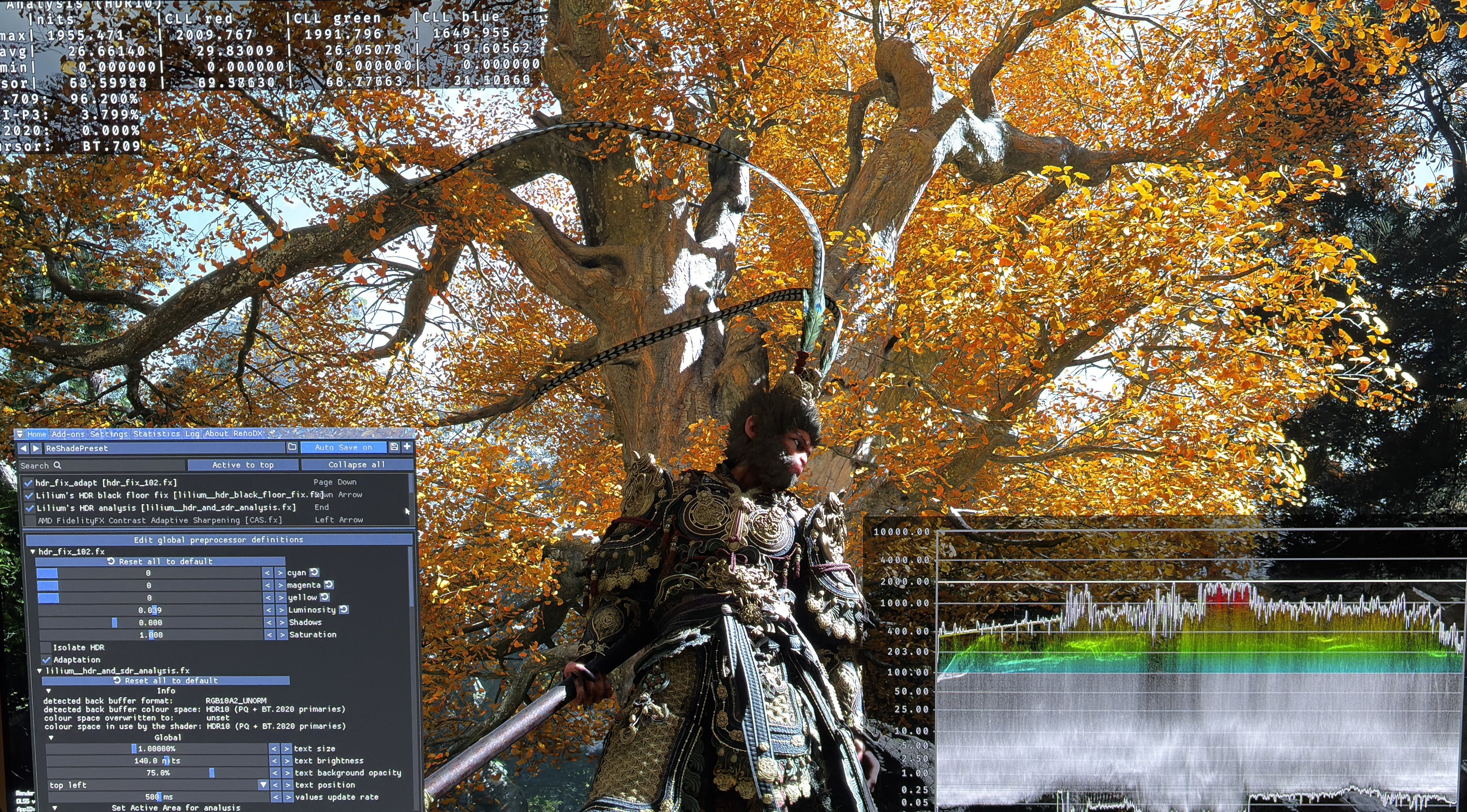
We can use RenoDX to setup max luminance and paper white. I often don’t like how RenoDX's paper white (game brightness) slider works. So I instead chose to use HDR Fix Adapt to setup Paper White and max luminance. See my settings in picture 4.
My goal is a paper white of around 343 nits and a max luminance of 2000 nits (for my 2000 nits TV). I think the game's overall brightness looks very bright to me in some areas. So I actually chose a paper white of around 265 nits, because that looks to be around 343 nits output to me in the brightest areas of the game.
To get that I setup 203 nits paper white and 1500 nits max luminance in RenoDX. I then stretch the brightness curve using HDR Fix Adapt to get 2000 nits and 265 nits.
I have also increased Highlight Saturation from 50-60. I just liked a bit more saturated highlights.
I think the above solution looks good, but not perfect. Try it out and adjust to your own display and taste.
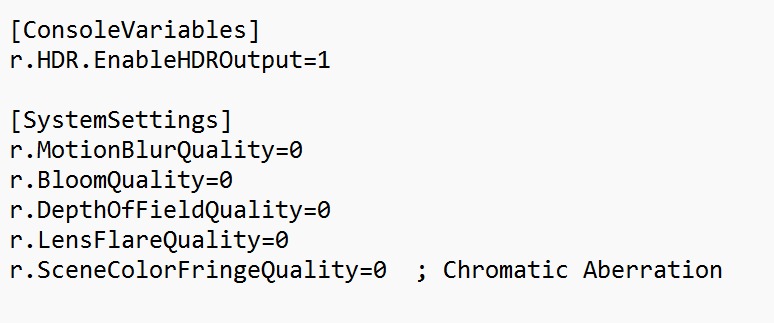
In a post below I will show changes I made to Engine.ini, to get rid of any depths of field etc., that we can’t turn off in the in-game settings.
Engine ini