Borderlands 4
HDR analysis Borderlands 4 on PC and PS5 Pro.
It's the same HDR implementation on both PC and PS5 Pro.
Max Luminance:
When you start the game it automatically sets the max luminance to the value you have setup in either Windows or PS5's system level HDR calibration.
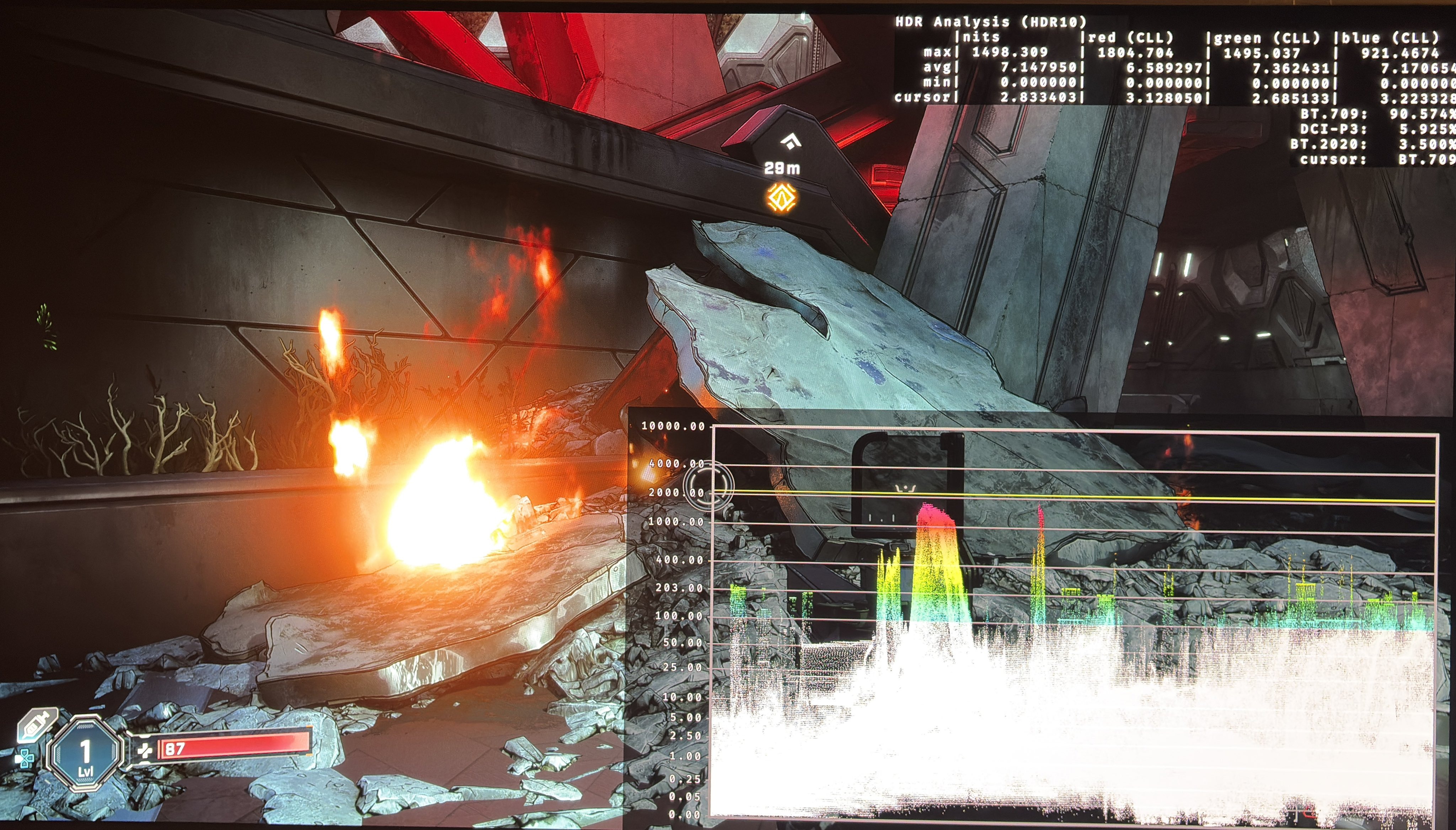
I think there are too few bright light sources that actually hits the max luminance. Some of the few who do is fire. See picture 3.
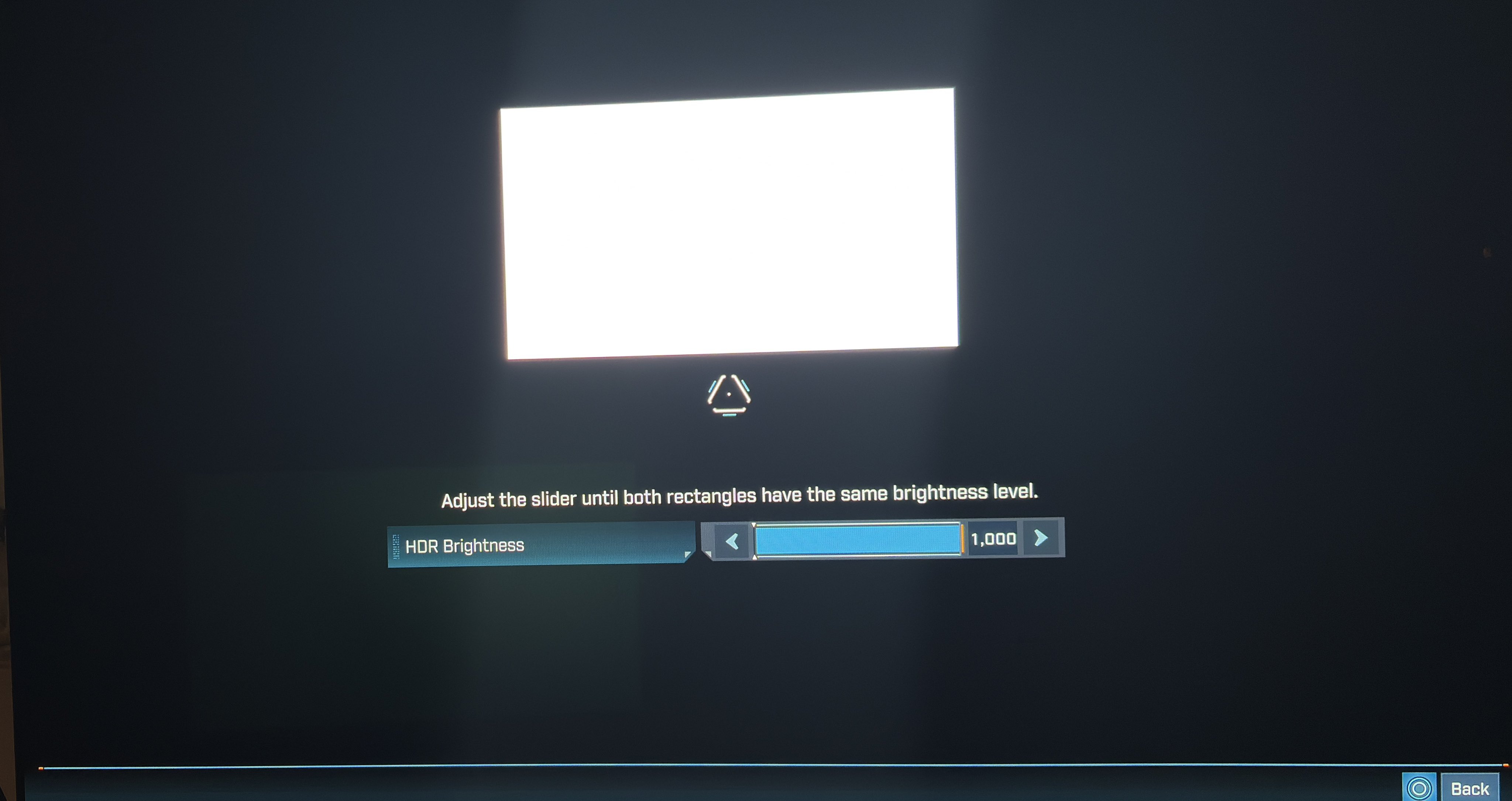
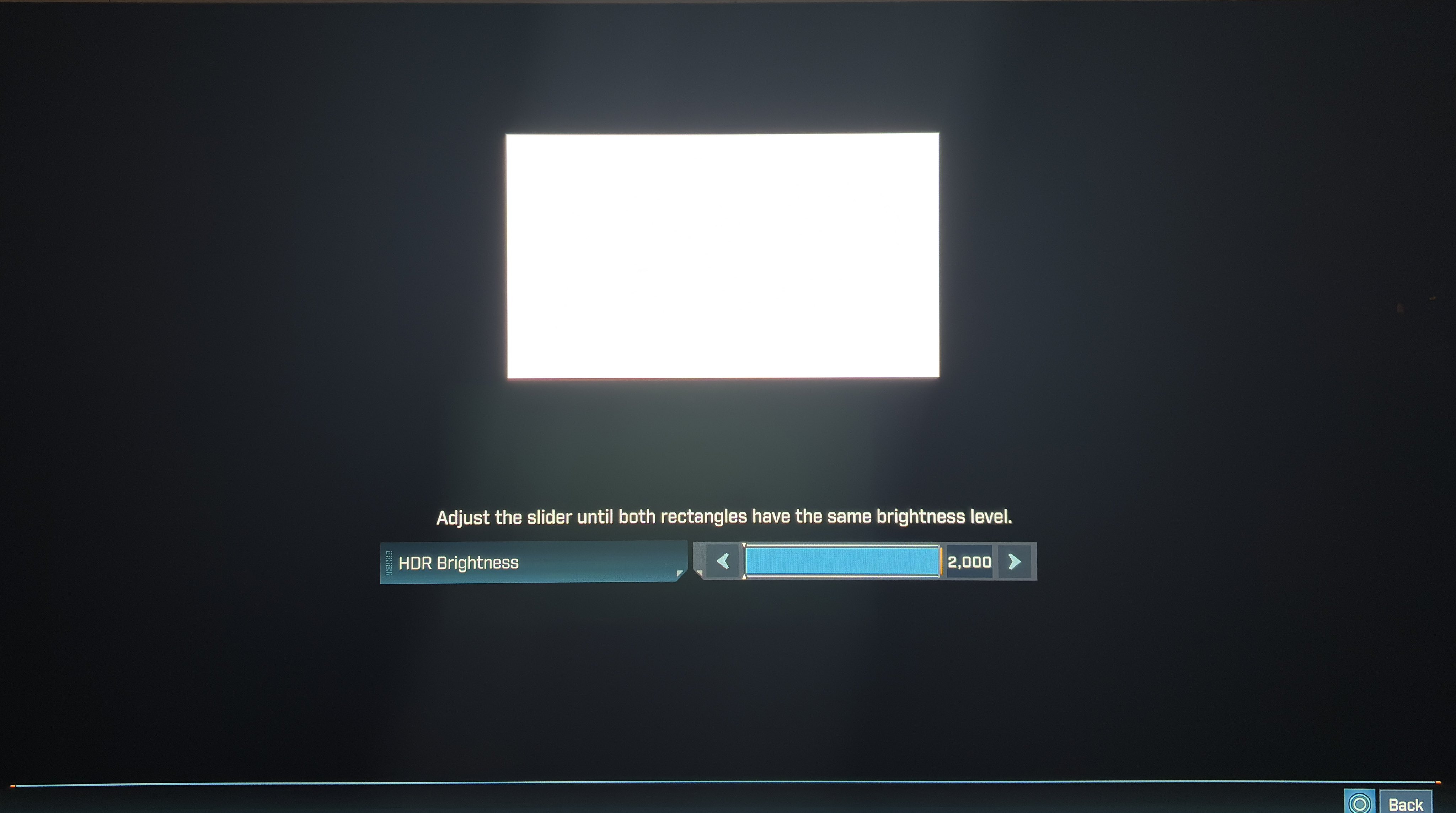
Warning !!! Don’t change max luminance in the in-game menu after upstart, because then max luminance will drop to a cap of 1000 nits. I had to re-install the game to get 2000 nits back. See picture 1 and 2.
In-game settings:
Only max luminance 👎
Black levels:
HDR black level floor is good. It's just that the game uses a lot of fog all the time, effectively raising black levels and shadows with decreased contrast, colors and detail as a result.
HDR does not look exactly as SDR. There is a gamma shift where the game looks a bit more saturated in SDR.
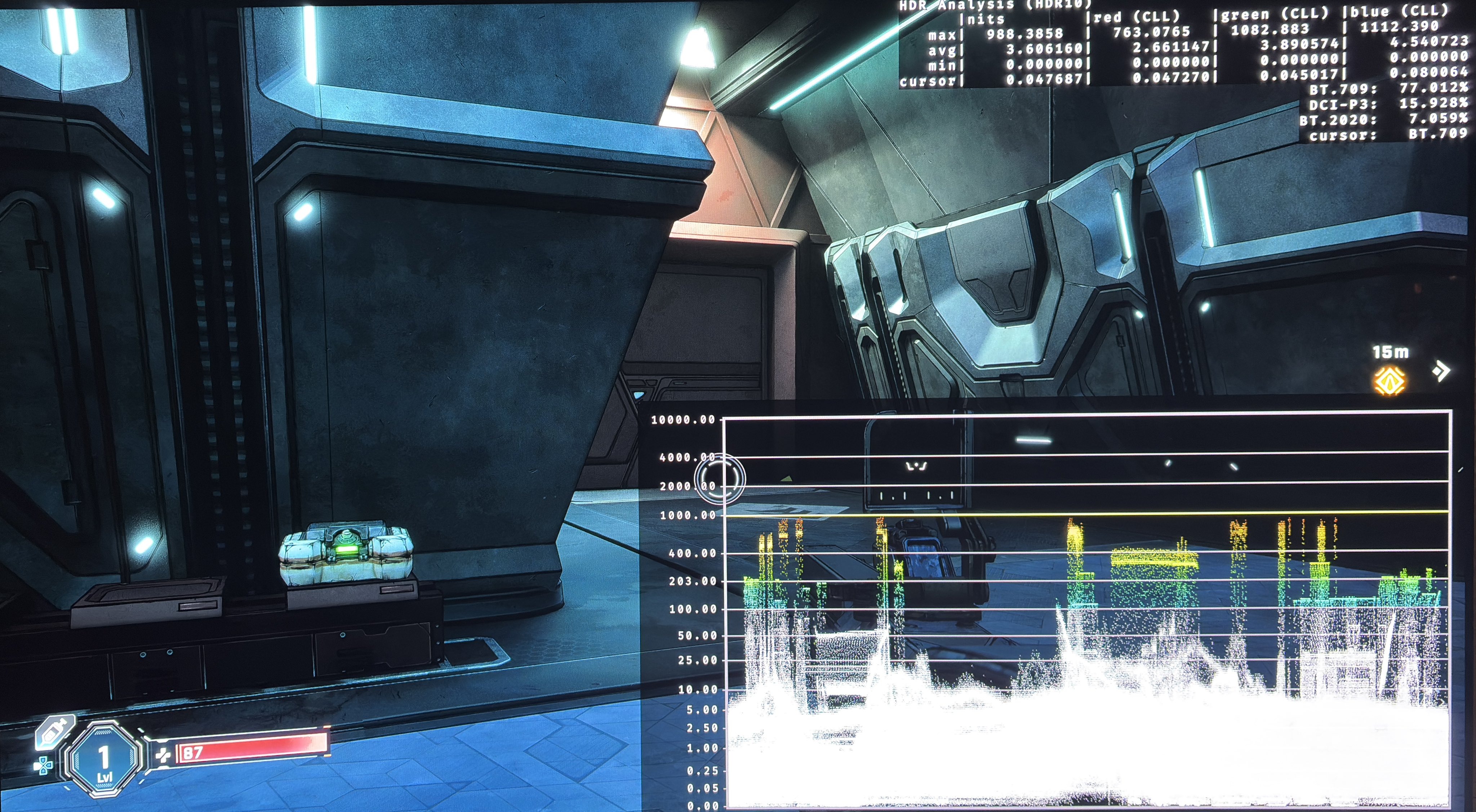
See picture 3 and 4 for good black level floor.
Paper white:
Paper white is around 203 nits with no way to change it. That's good enough for those with 800-1200 nits displays. It's not good enough for gamers with more capable displays. I need 343 nits for my 2000 nits TV.
PS5:
The only option you have on PS5, if you need higher paper white, or midtones, is to use Dynamic Tone Mapping or similar on your TV. DTM compresses bright high-lights to make room for brighter midtones. Compressing highlights means loss of detail in highlights.
PC:
There is a RenoDX HDR mod that fixes the gamma issue between SDR and HDR, it improves bright highlights and gives us many more settings to adjust, such as paper white and black levels.