Elden Ring
HDR setup guide for #EldenRing (base game) on PC.
I don't have the game on Series X or PS5 Pro, however HDR is most likely the same on consoles.
In-game sliders:
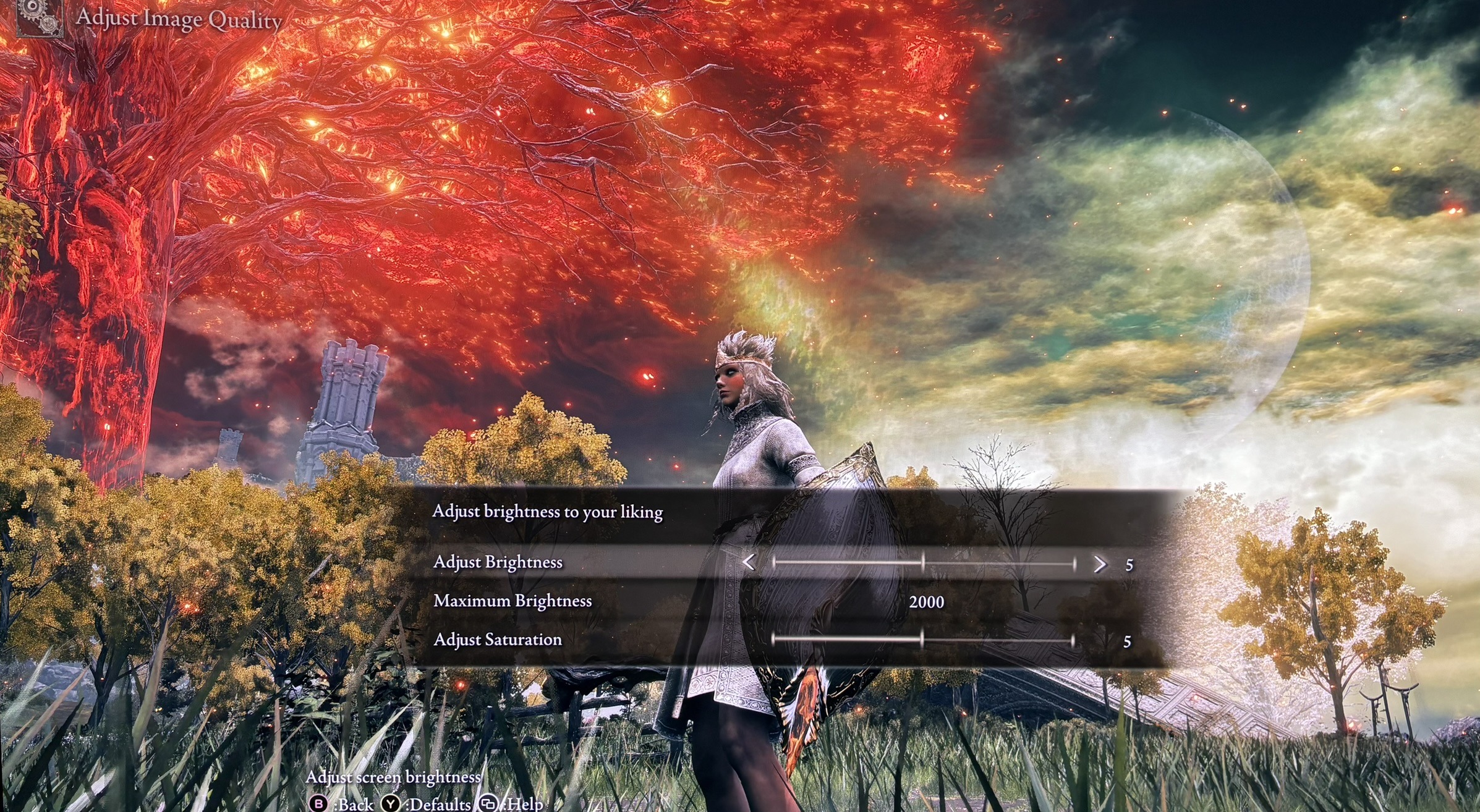
To setup the games HDR we need to understand what the in-game sliders do. In-game HDR setup screen is shown in picture 1.
Increasing the Brightness slider linearly increases shadows, midtones and peak brightness.
The Maximum Brightness slider's function is to cut off everything above. Your display can't show more anyway, if setup correctly. I didn't see any cutoff of detail, so the game must be doing some roll off at peak brightness to preserve detail.
The game will output a peak brightness of 1000 nits at brightness setting 0, 1500 nits at brightness setting 5 and 2000 nits at setting 10 - and so on.
That also means the games peak brightness is basically capped at 1500 nits peak brightness at default brightness setting of 5.
If you have a display capable of 1500 nits or less, you are fine, at default setting 5.
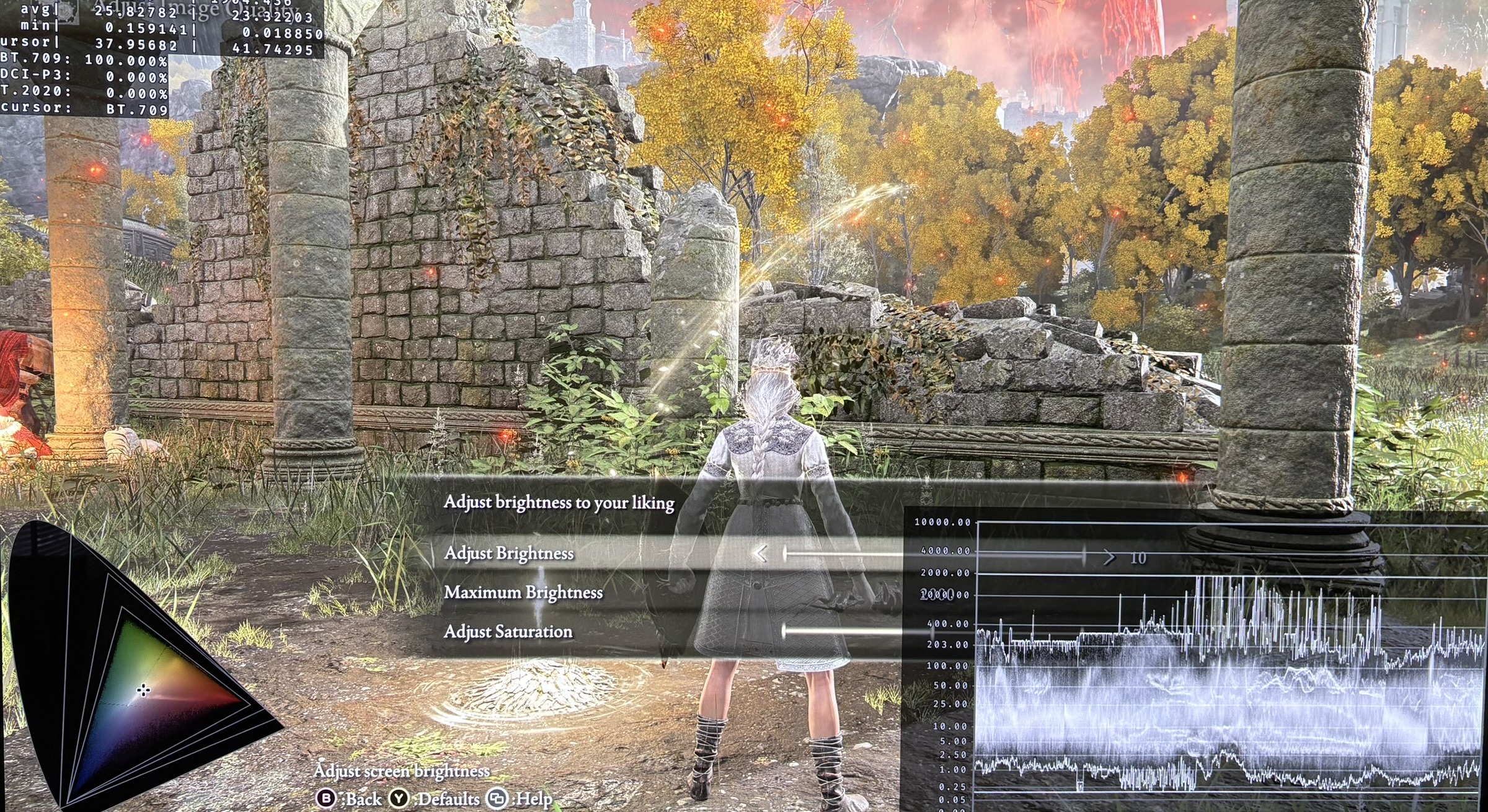
Picture 2 shows a peak brightness of 1000 nits with 0 on the brightness slider and 2000 nits max brightness.
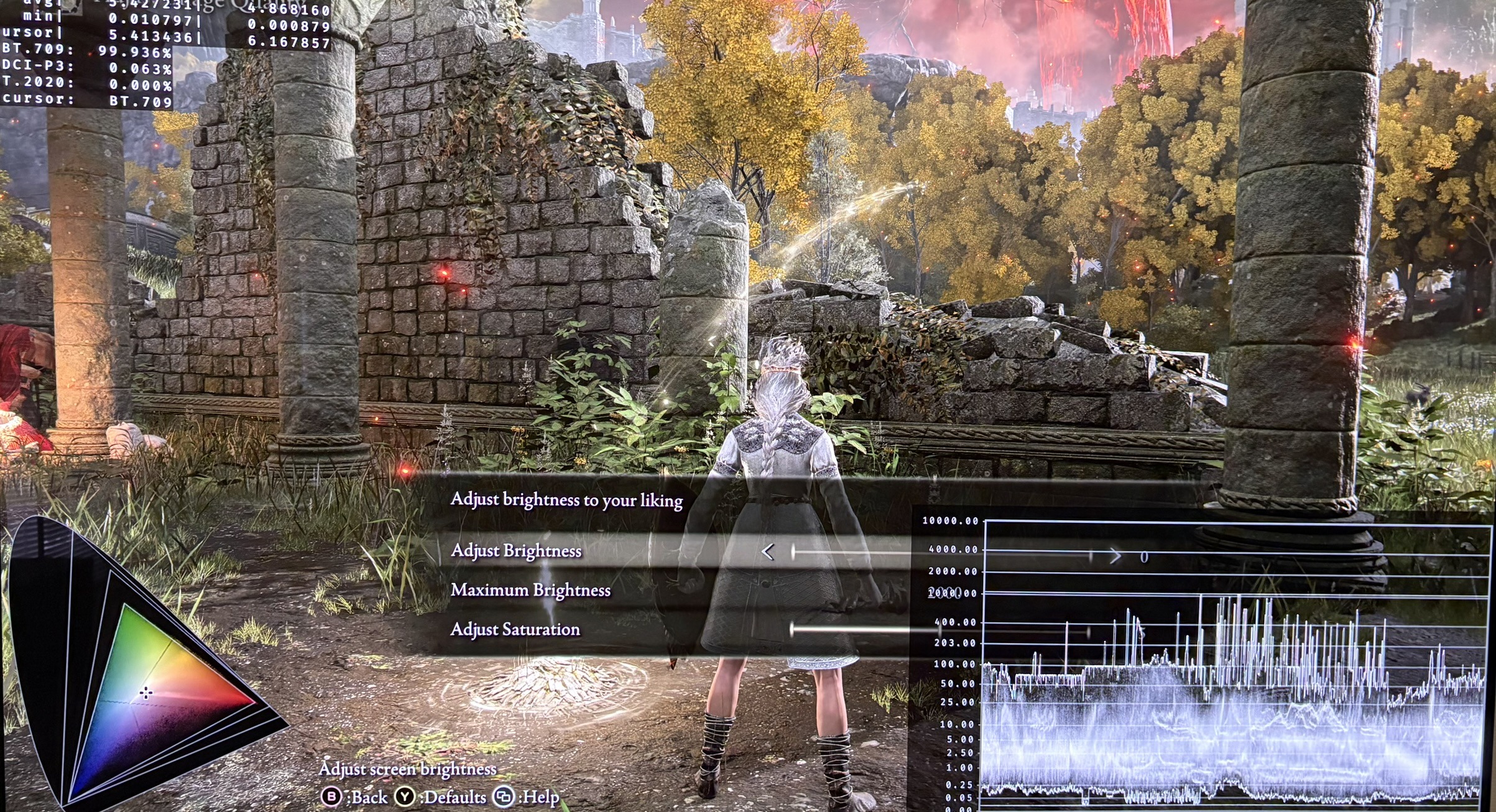
Picture 3 shows a peak brightness of 2000 nits (the max the game can output) with 10 on the brightness slider and 2000 nits max brightness.
Setup recommendations:
Setup the maximum brightness slider to what your displays max brightness capabilities are.
The brightness slider is best kept at default 5, I think. Here the game has the best combination of dark shadows, good midtones and peak brightness.
Lowering it will lower shadows, but it will also lower midtone brightness and peak brightness. So it's going to be a compromise, no matter what you decide to do.
I hate when a brightness slider affects everything. It always means higher nits displays will not be utilized fully. It should only affect midtone brightness.
I would also have liked a separate shadow slider.
RenoDX HDR mod:
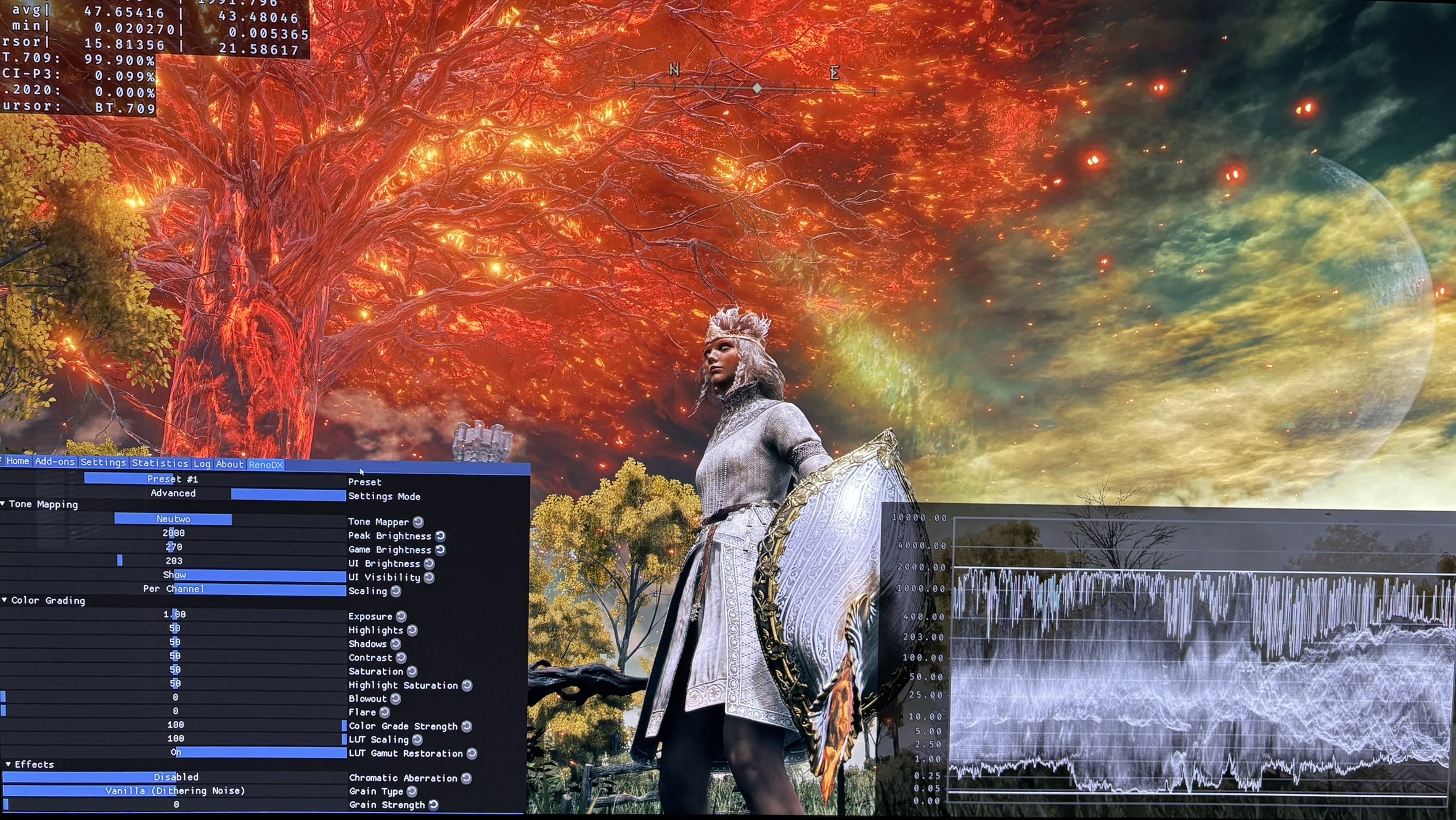
On PC there is a good RenoDX HDR mod. Here we can setup peak brightness, midtones and shadows separately.
We can also turn off the games use of chromatic aberration. It makes the game look much more detailed. Games should always have the option to turn off chromatic aberration.
The mod increases highlights a lot and I also see more and beautiful colors in highlights. It looks great.
Picture 4 is me using the RenoDX mod on my 2000 nits TV.
Washed out image:
Some of you will get a washed-out, greyed image with HDR on. It's the game's old NVIDIA HDR path not kicking in properly — not your display or settings that is the issue.
First thing to try: restart your PC with Windows HDR already on, then launch Elden Ring first and set it to exclusive fullscreen. If that doesn't sort it, search for NVAPI / Display Commander fixes — they cover the more stubborn cases.