Final Fantasy 7 Rebirth
HDR analysis and setup guide for Final Fantasy 7 Rebirth on PC, Xbox (SS/SX) and Playstation (PS5/PS5 Pro).
The game released a week ago on Xbox consoles and the game on Playstation consoles was just updated with the PC's lighting (Xbox has it too) etc.
HDR is implemented the same way on all 3 platforms.
It's good looking HDR with a big negative. It only supports up to 1000 nits peak brightness and that is of course totally unacceptable.
PC:
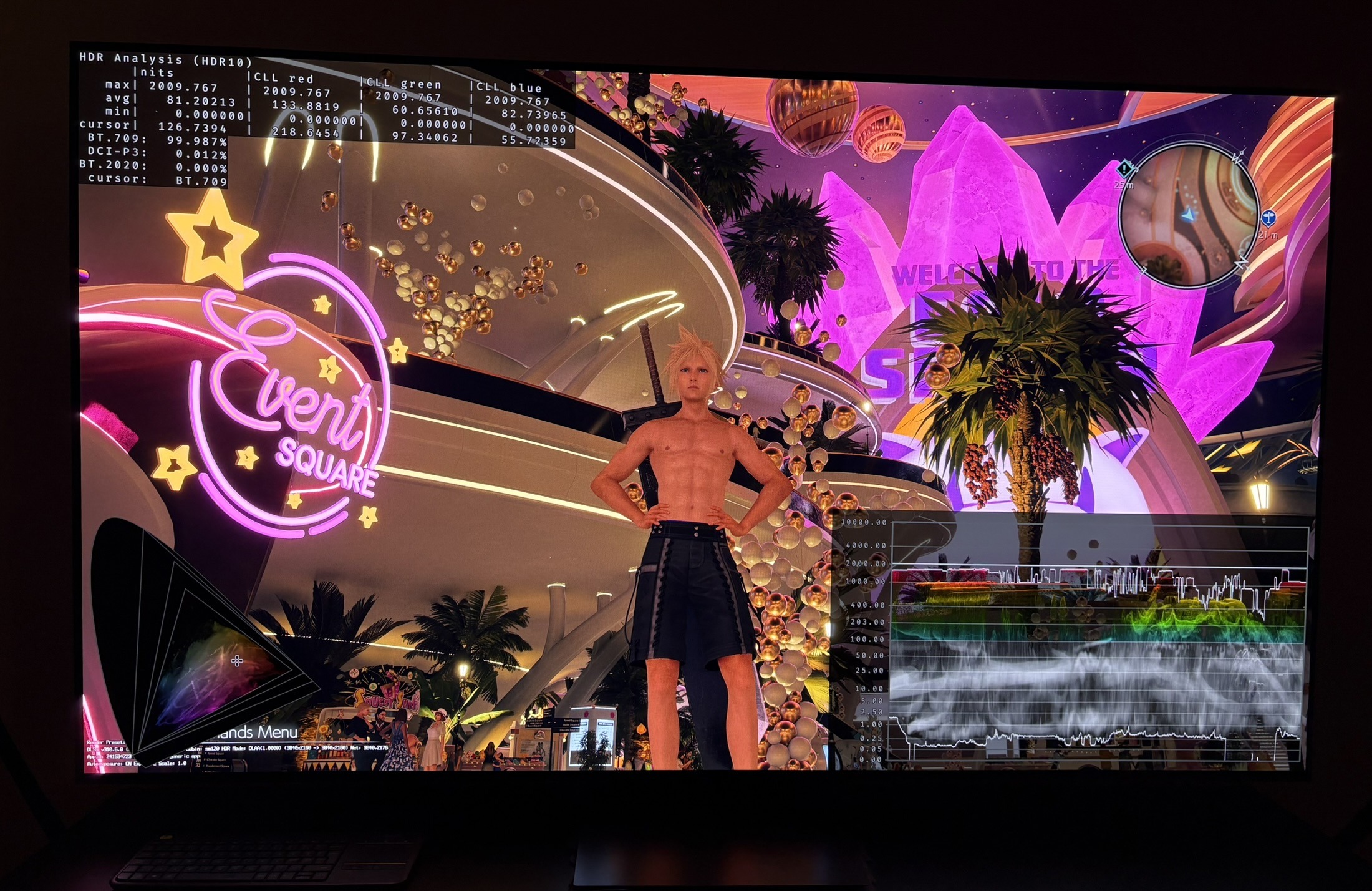
There is a native RenoDX HDR mod. I recommend to use that on PC. It has been updated to support the game's new update.
You get better settings and up to 4000 nits peak brightness.
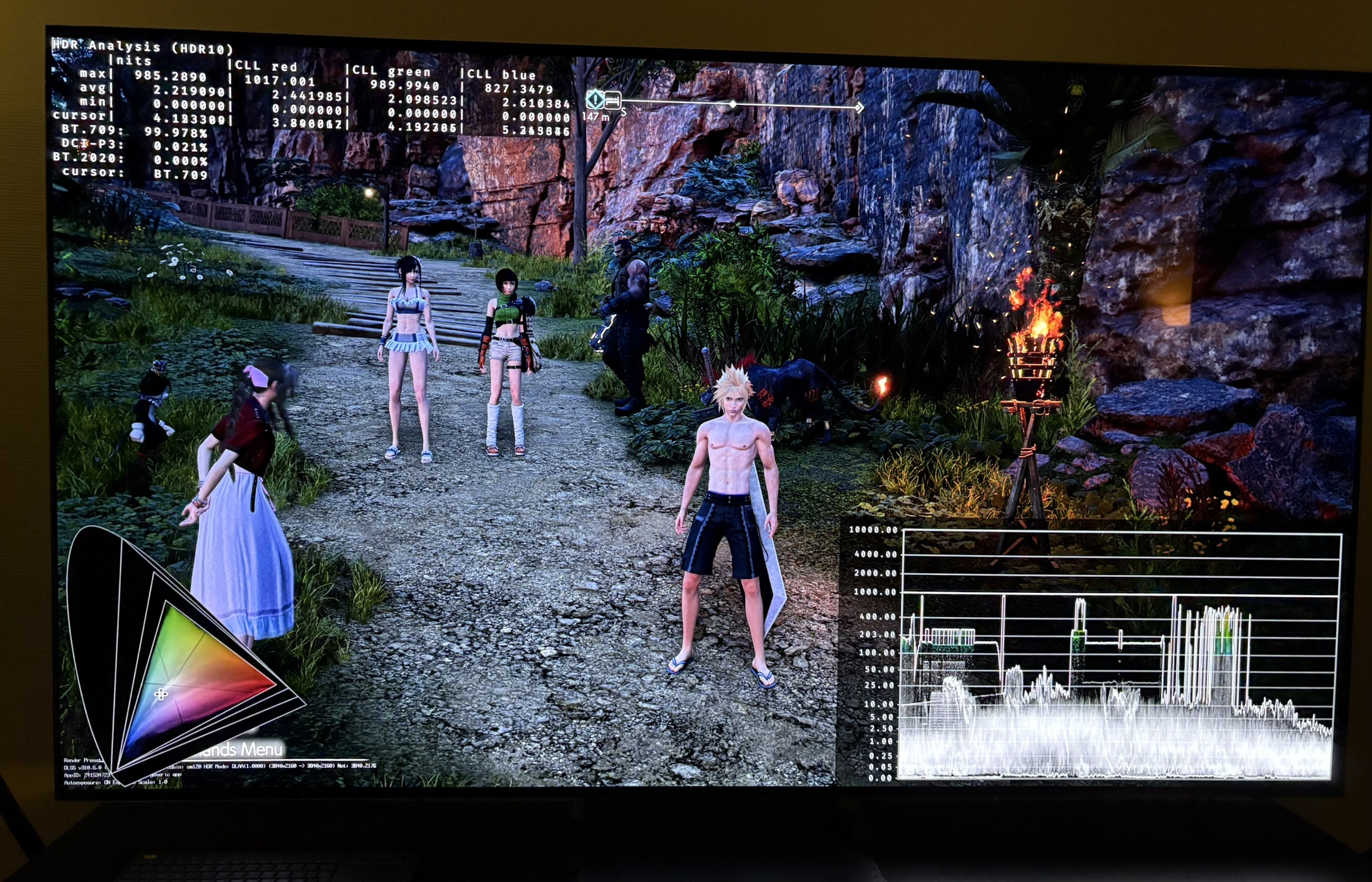
In picture 4 you can see me using this RenoDX mod on my 2000 nits OLED TV.
It increases saturation of colors a bit. It looks great.
Playstation and Xbox:
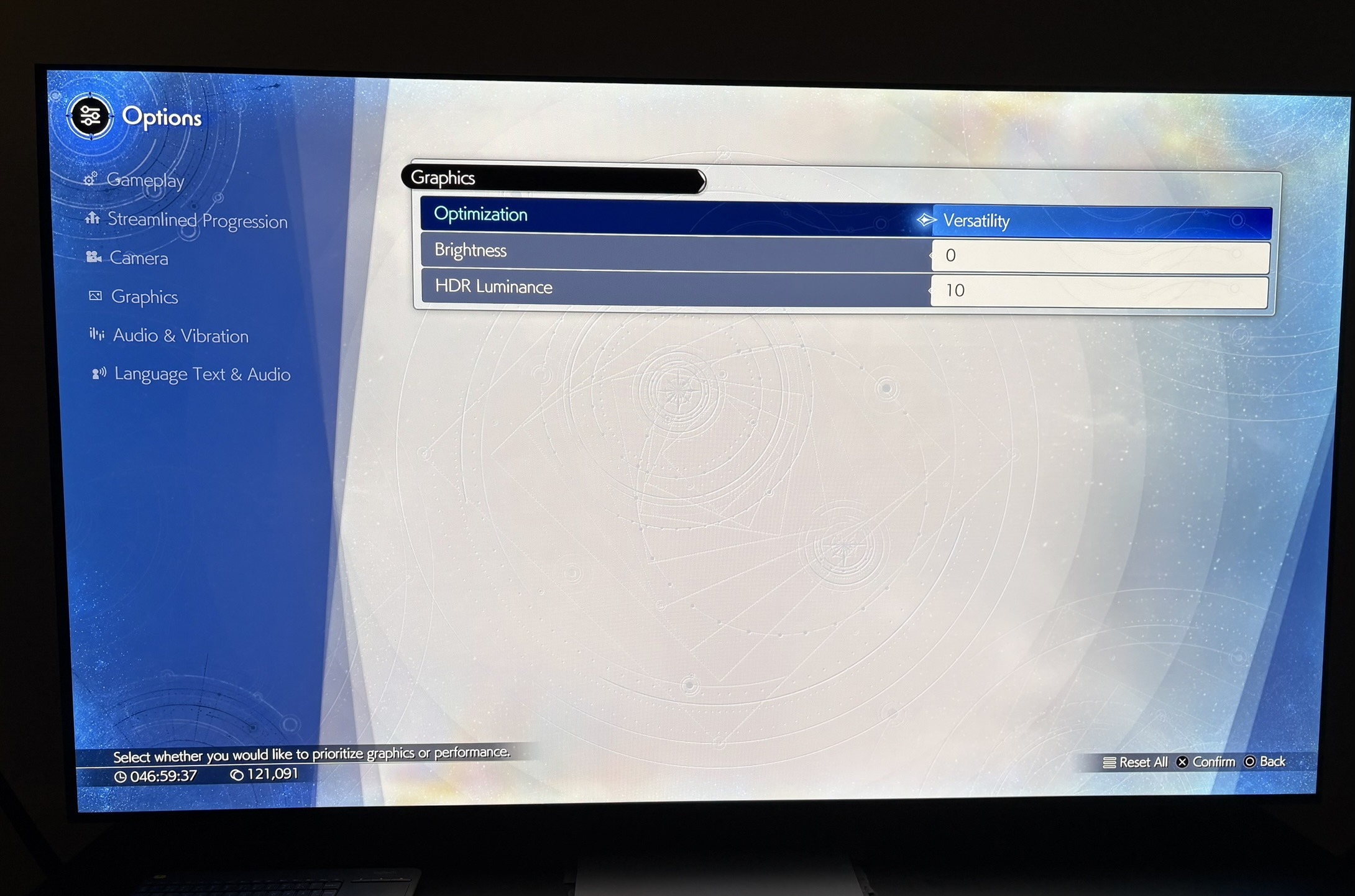
We have two in-game HDR settings (see picture in next post). A brightness setting and a HDR luminance setting (peak brightness).
Paper White (Brightness):
The brightness setting changes black levels and midtones, but does not change peak brightness. I recommend to leave it at 0, because increasing it, increases black levels too much, especially in the many scenes where the black levels are already raised (See black levels below). Maybe increase it 1 or 2 in a bright room.
Peak brightness:
The Max Luminance setting has 10 settings for peak brightness. The game will output the following peak brightness:
1 = 330 nits
2 = 400 nits
3 = 480 nits
4 = 550 nits
5 = 630 nits
6 = 700 nits
7 = 780 nits
8 = 850 nits
9 = 930 nits
10 = 1000 nits
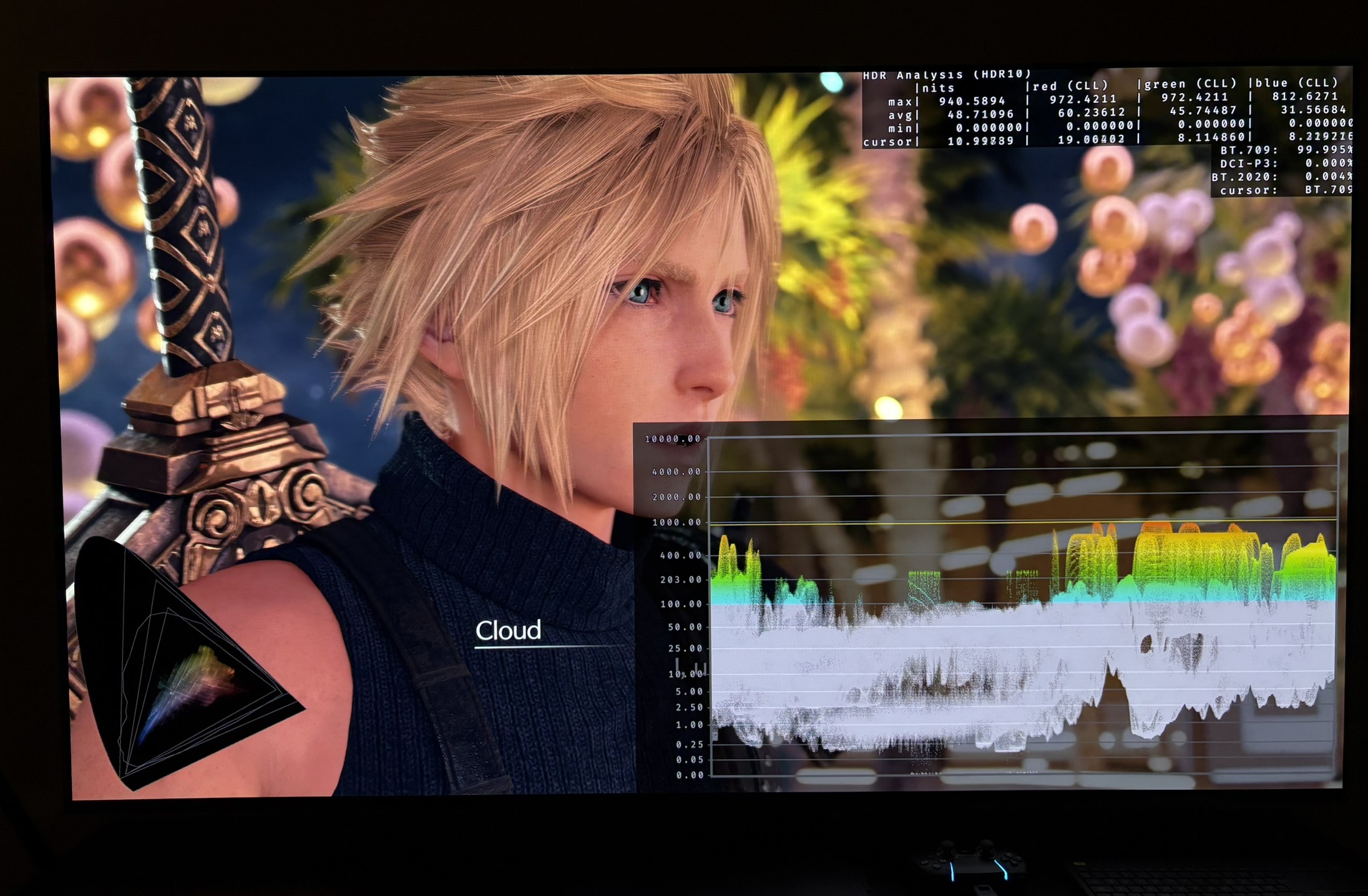
Picture 1 is from PS5 Pro and with 10 HDR Luminance setting. We see close to 1000 nits peak brightness.
Black levels:
There is no separate in-game adjustment for black levels.
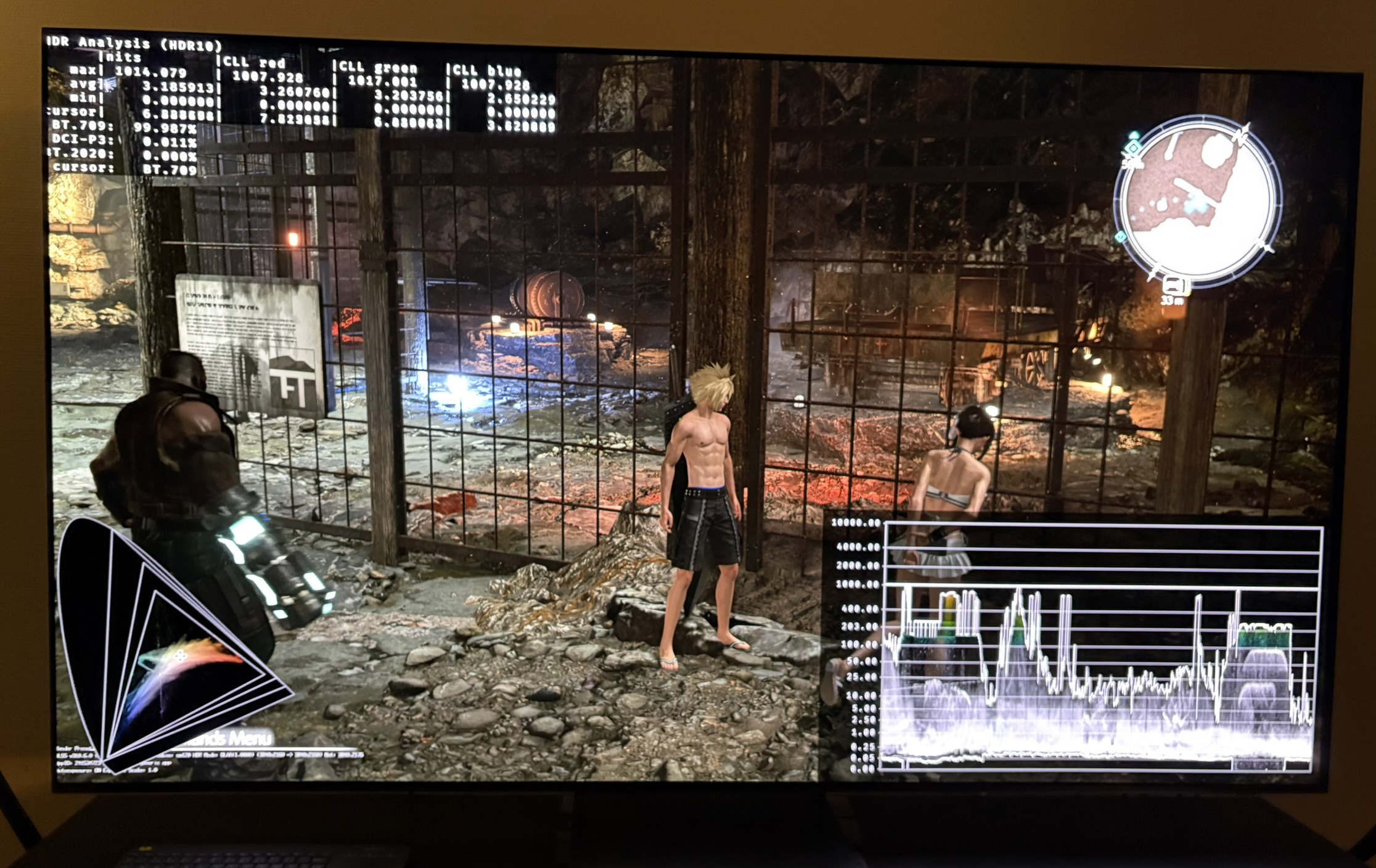
In picture 3 we can see great black level floor, but in picture 2 we see a raised black level floor of around 0.05 nits.
We see this black level raise in many scenes. It can be caused by the tiny layer of fog the game uses a lot, or it's simply how the artists have chosen to grade that scene. It doesn't matter to me, it effectively raises black levels and reduces contrast.
I don't like all that use of fog, so I removed it when I played it on PC.
SDR vs HDR - colors:
I don't see any major color shifts or black level differences between SDR and HDR, so that's great.
Ingame HDR setup screen