Gothic 1 Remake
HDR analysis and setup guide for #Gothic1Remake on PC, Playstation (PS5/PS5 Pro) and Xbox (SS/SX).
This is as lazy as it gets from the developer. No HDR on consoles and a basic non-adjustable HDR output on PC (1000 nits).😥
Playstation:
The game does not output HDR on PS5. It only outputs SDR, unfortunately.
You can still get an HDR signal from our PS5, if you use HDR Always On in PS5's system settings. It will output the SDR signal in an HDR container and enable you to use your TVs HDR features, such as Dynamic Tone Mapping or similar.
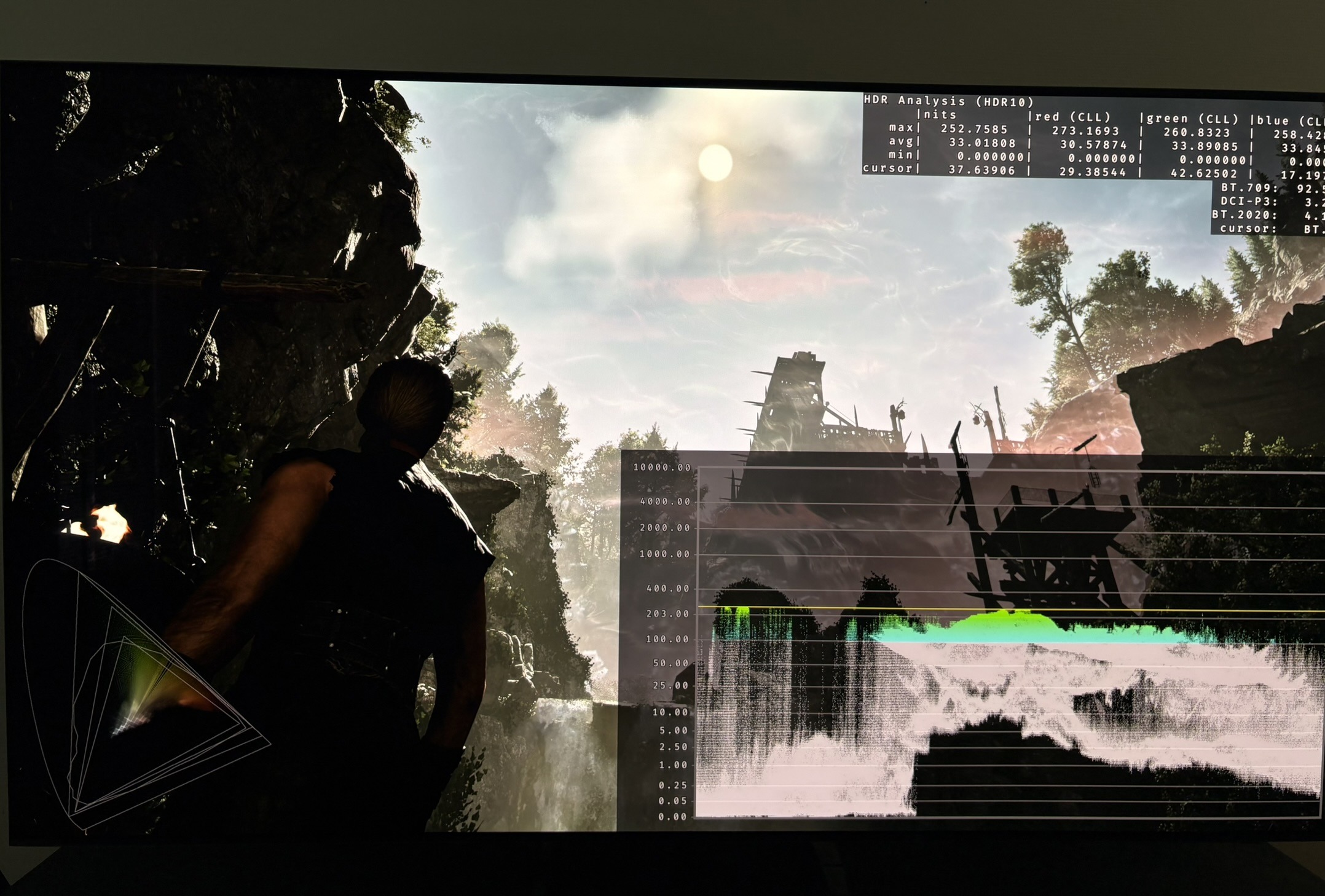
Picture 4 shows HDR Always On. It typically caps peak brightness at around 253 nits.
I also have an article explaining HDR Always On.
Xbox:
I only tried the demo on SX. It did not support HDR, just as on PS5.
Auto HDR also didn't work. It only does if the developer actively chooses this.
The game is using Unreal Engine 5. We know UE5 supports HDR. It's not by any means perfect HDR, but it's better than SDR. I'm no developer and just a gamer, so why they chose not to give console gamers this option, I simply don't understand (They do give PC gamers this option).
PC:
The game uses UE5's standard HDR, as far as I can see.
Peak brightness is capped at one brightness output of 1000 nits, with no way of adjusting it in-game.
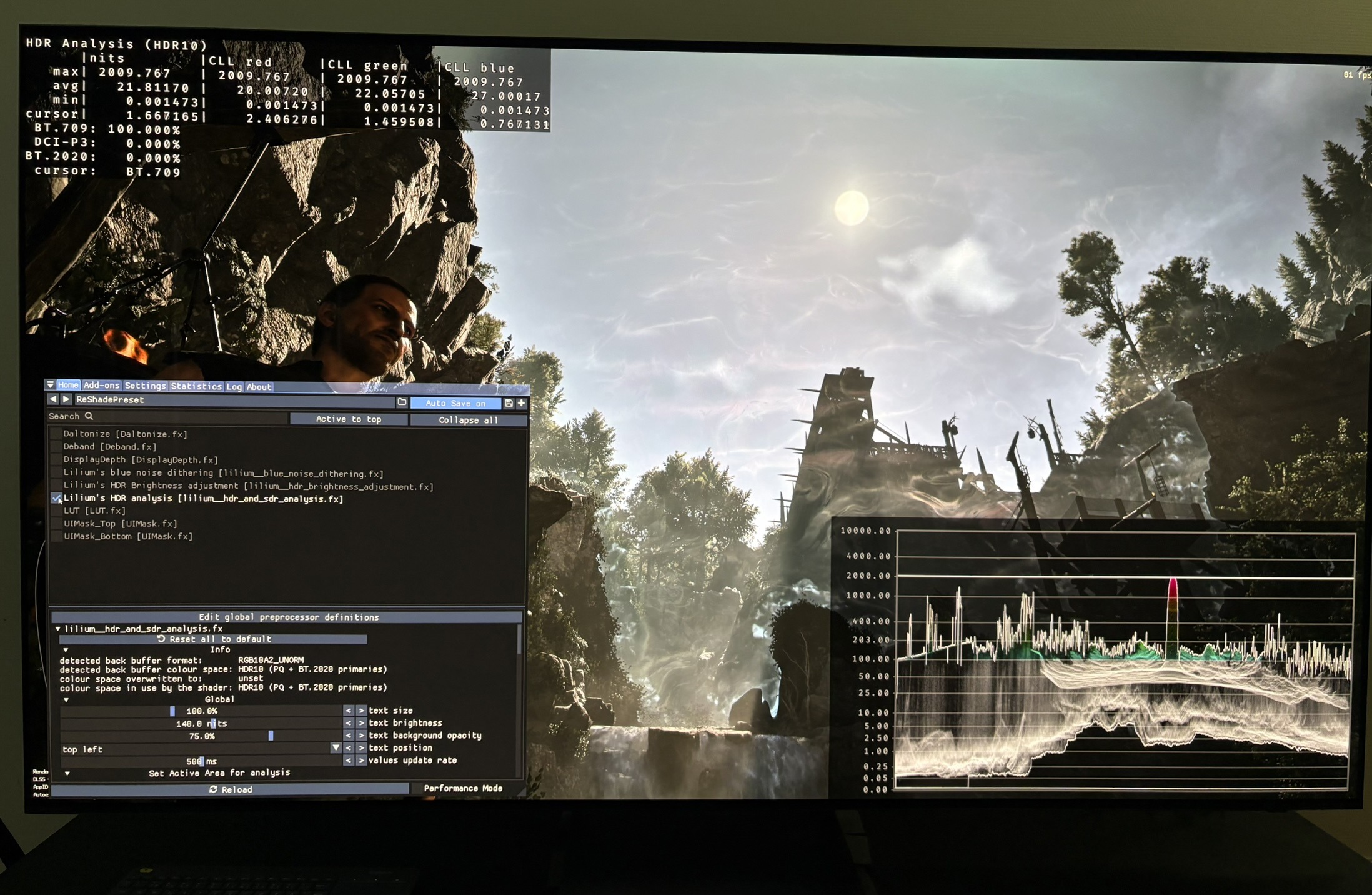
However, it's easy to go into the game's Engine.ini file and simply type in your display's peak brightness. I tried that for mine (2000 nits), and it worked (see picture 3).
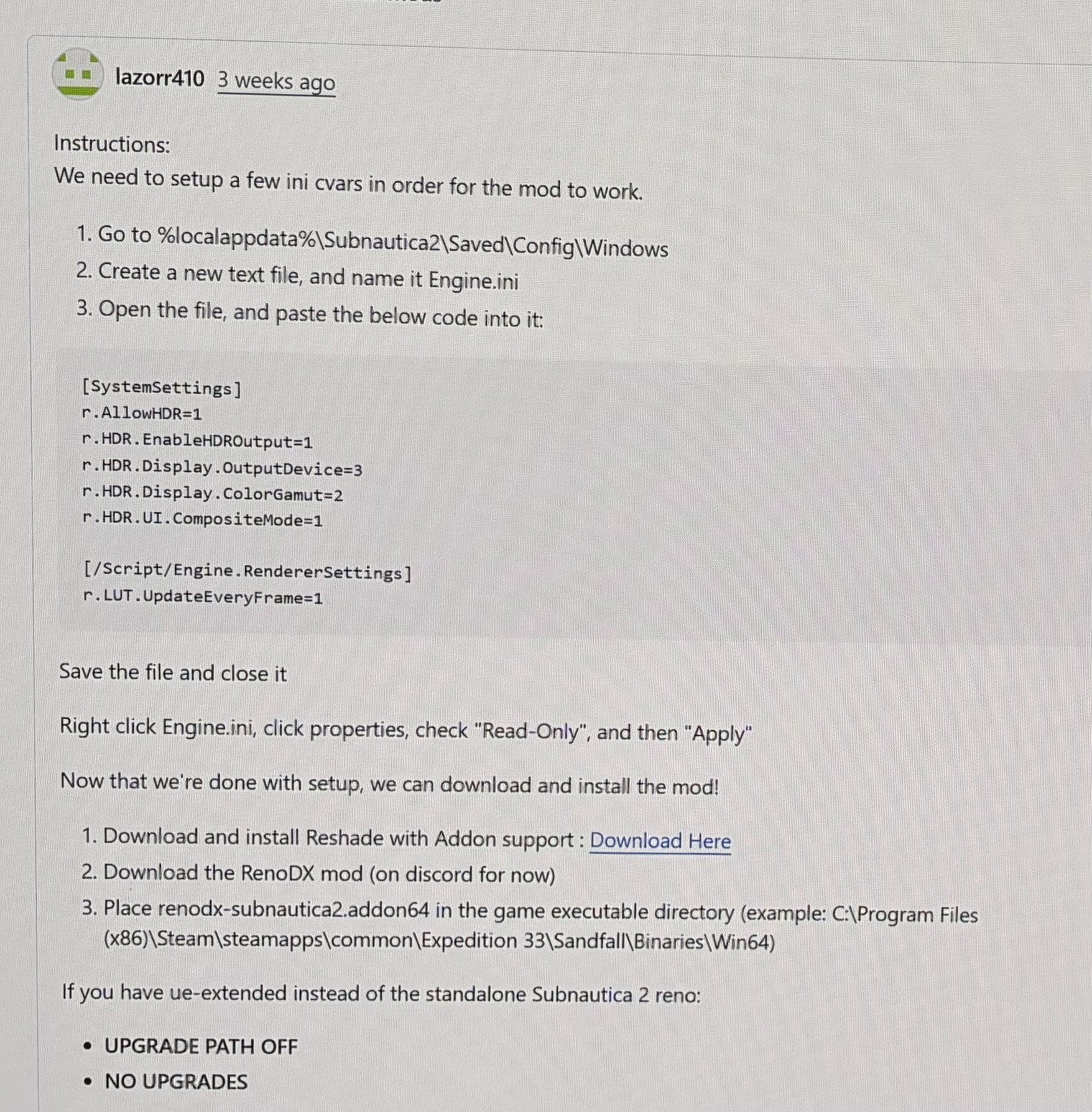
Since it's an Unreal Engine 5 game with the standard and flawed UE5 in-game HDR, then PC gamers should use the RenoDX Extended version for UE5.
Below I show how I got the RenoDX Extended version to work.
- Picture 2 - RenoDX Extended - 2000 nits
- Picture 3 - In-game HDR with 2000 nits in engine.ini
- Picture 4 - PS5 HDR Always On
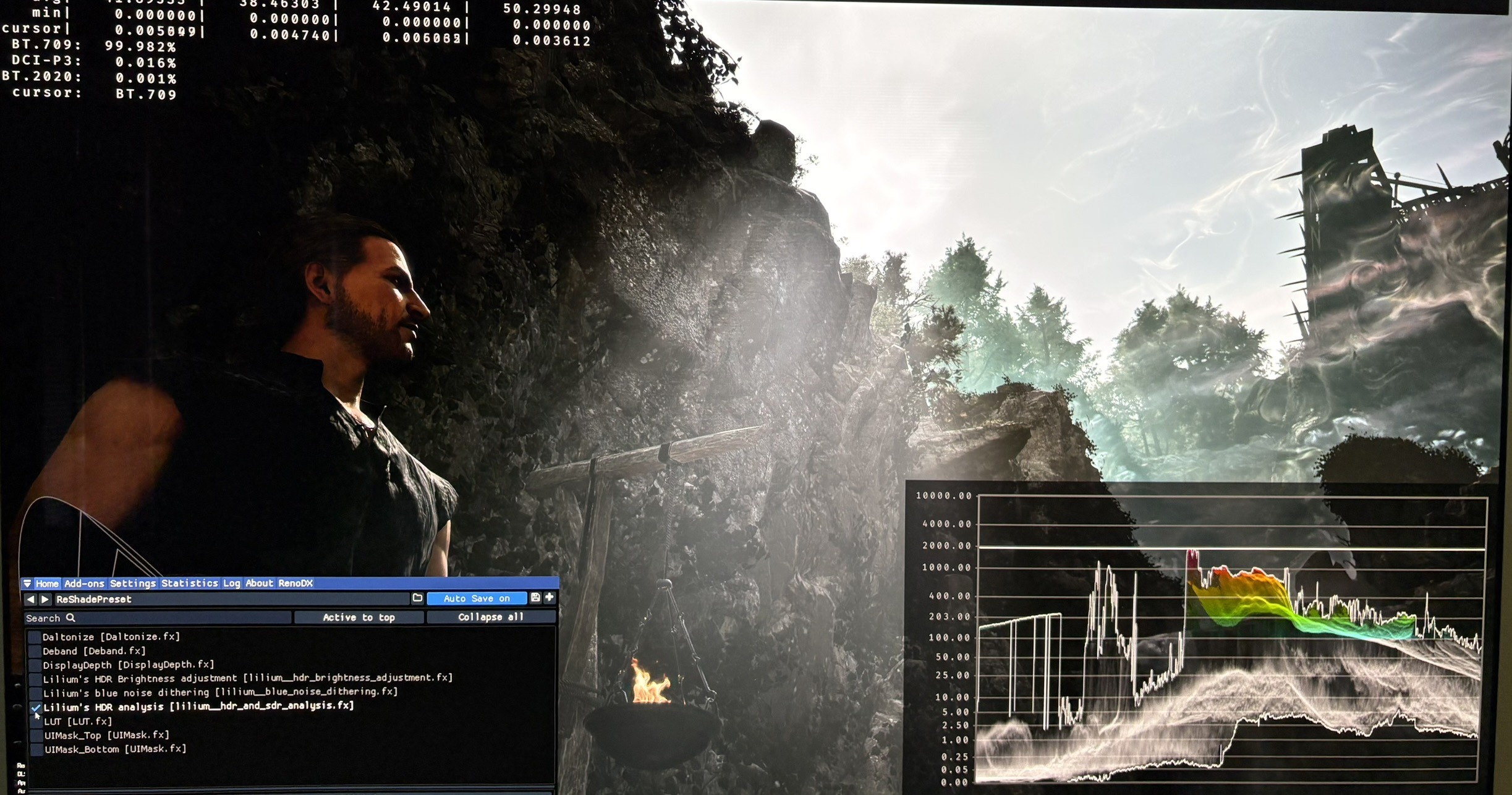
RenoDX setup 1
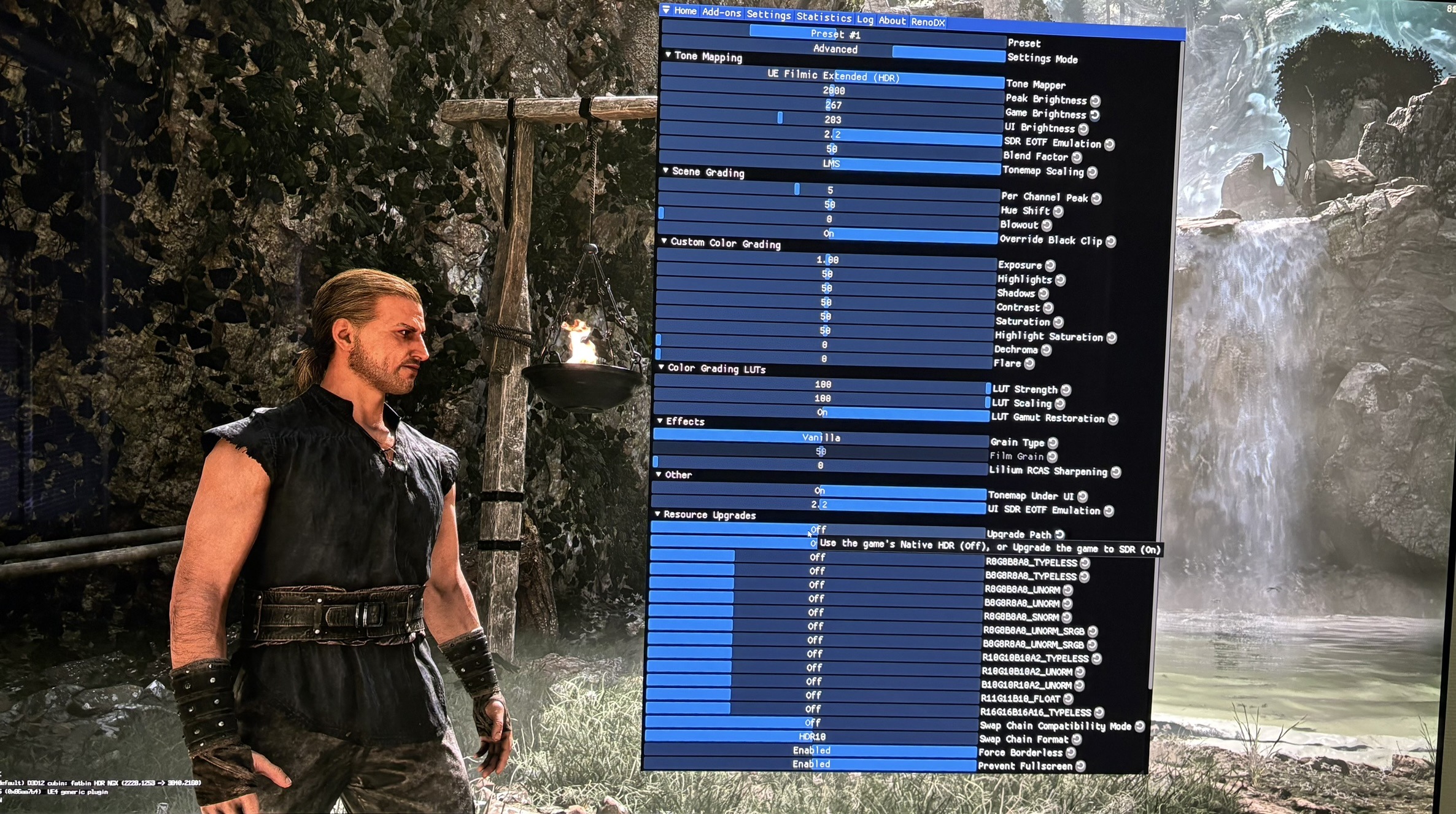
RenoDX setup 2