Hellblade 2
HDR analysis #Hellblade2 on PC and Xbox (SS/SX).
It's a great looking game using Unreal Engine 5.
It's clearly graded as a dim game with mostly dark scenes, with dim highlights and lots of film grain, chromatic aberration etc. - Just like a movie. It also has black bars.
However, that doesn't mean it couldn't utilize current display technology much better.
In-game HDR also has a less than ideal HDR gamma brightness slider.
And PC has a fixed peak brightness output. So those with less capable displays will get clipping and those with more capable displays, will not get to utilize their displays fully.
HDR is basically implemented the same way on PC and Series X, except peak brightness.
I have not tried it on PS5.
Peak brightness:
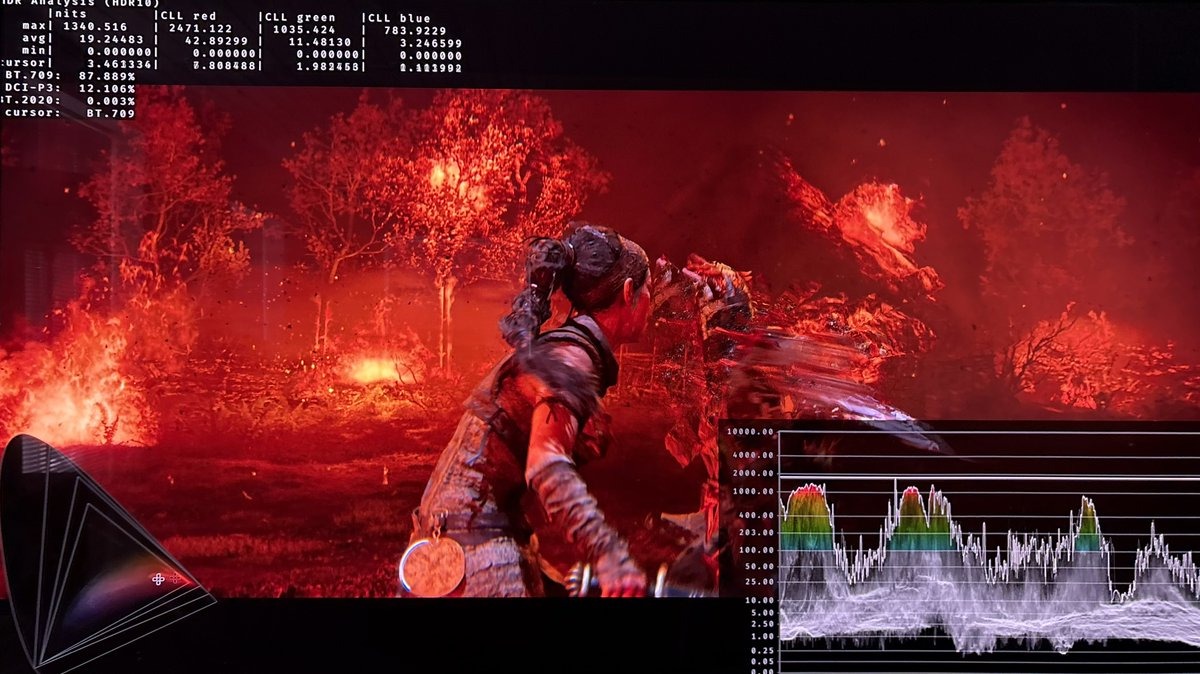
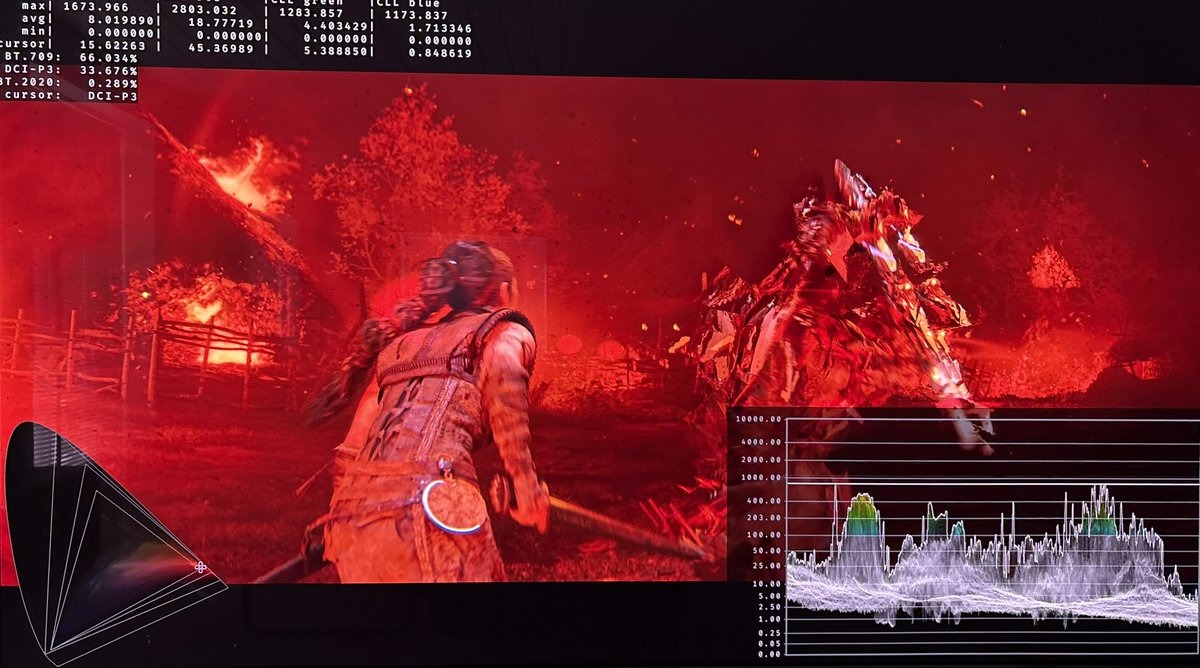
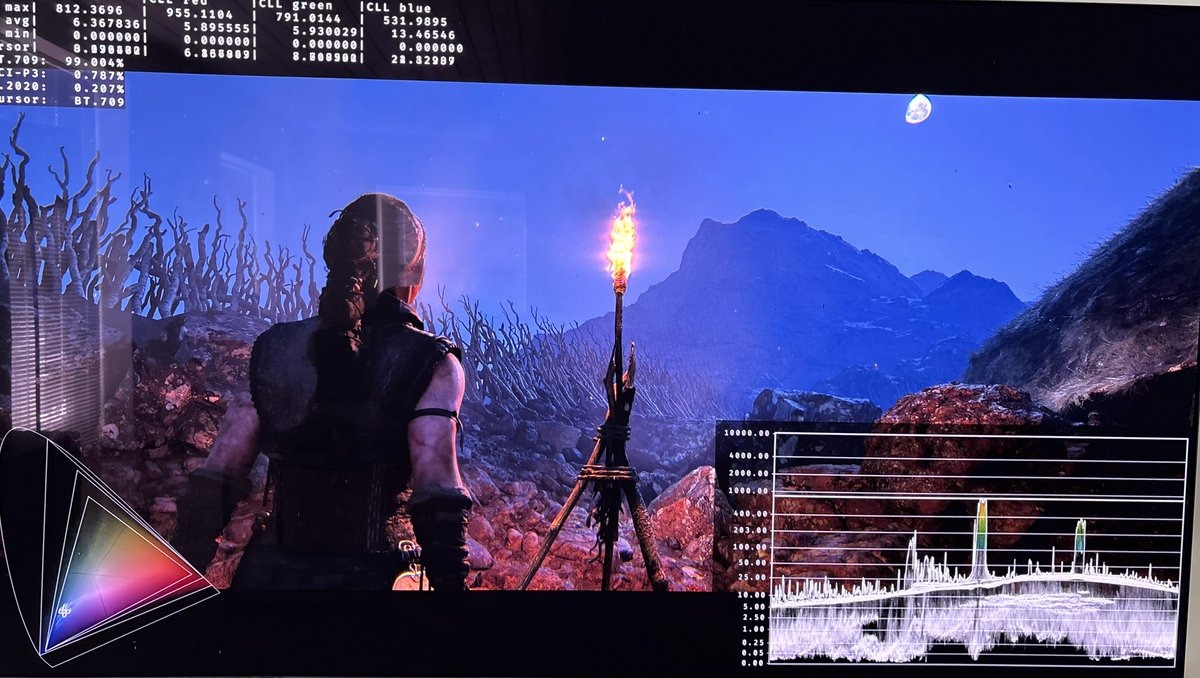
We can't adjust peak brightness on PC. We just have to accept the brightness the game outputs in any given scene. It seems to output a fixed peak brightness output of up to 1000 nits for most lightsources, such as torches (800-1000 nits). But some lights can go much higher. There is not a hardcap as such.
Picture 1 and 2 are using in-game HDR on PC and we see 800-1000 nits peak brightness.
On Xbox, the games peak brightness can be adjusted via Series X's HDR system settings. If we set it to 1000 nits peak brightness, then its basically the same HDR output as on PC. Setting to 2000 nits increases most bright highlights with 400-500 nits, such as torches (1100-1300 nits) and bigger brighter areas, like big clouds in the sky by 100-200 nits.
HDR gamma slider:
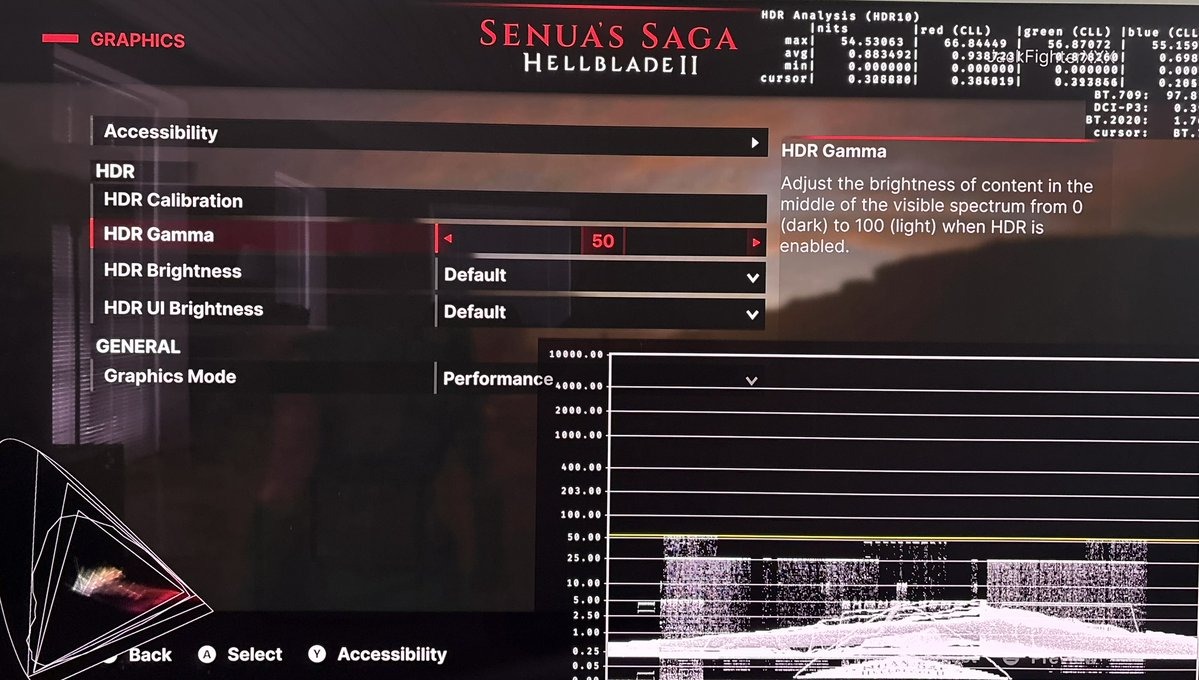
The only in-game HDR setting we really have is the HDR gamma slider. See picture 4.
The menu says it adjusts midtone brightness. But that is not all it does. Increasing it brightens shadows and midtones, and it also lowers peak brightness, and reduces color saturation.
It doesn't behave like a gamma slider. It behaves more like a contrast slider.
What we actually want is a paper white slider that changes midtones and leaves black floor and peak brightness untouched.
This slider's behaviour must be broken or its implementation misunderstood by the developer. Just leave it at default 50.
Shadows:
Black levels are great and dark. It suits the game well. But only if we keep the HDR gamma slider at default 50.
Play the game in dark room instead of increasing the gamma slider.
The game really deserves to be played in a dark room. In a bright room you can't see the detail in shadows and the dim highlights loses pop.
SDR does not look like HDR:
At default settings (50 on the HDR gamma slider), SDR has much brighter shadows and is less saturated than HDR.
That leaves the question - Should we play in SDR or HDR to experience the artists version of the game ??? That I can't answer.
I like when SDR and HDR look the same, meaning have the same shadows and colors, because of course they should fundamentally look the same, except for HDRs usual benefits.
RenoDX HDR mod:
It's an Unreal Engine 5 game, so we can use the RenoDX extended version. Thats how I prefer to play the game.
The torches get up to 2000 nits on my 2000 nits TV and bigger brighter areas get noticeably brighter. It doesn't change the dark look of the game. It only makes it look better -it better utilizes current display technology. Picture 4 is using RenoDX - It basically shows twice as bright highlights as when using in-game HDR.
But wait a minute. Doesn't this go against creator's intent. No it doesn't when we on Xbox can increase peak brightness too. Just not as much.
I also see better tone mapping of highlights when using RenoDX -more detail in the clouds in a brighter skybox etc.
On a 2000 nits TV, like mine, the in-game HDR is the most dim. RenoDX is the brightest and Xbox is somewhere inbetween (when set to 2000 nits in Xbox's HDR system settings).