Lords of The Fallen
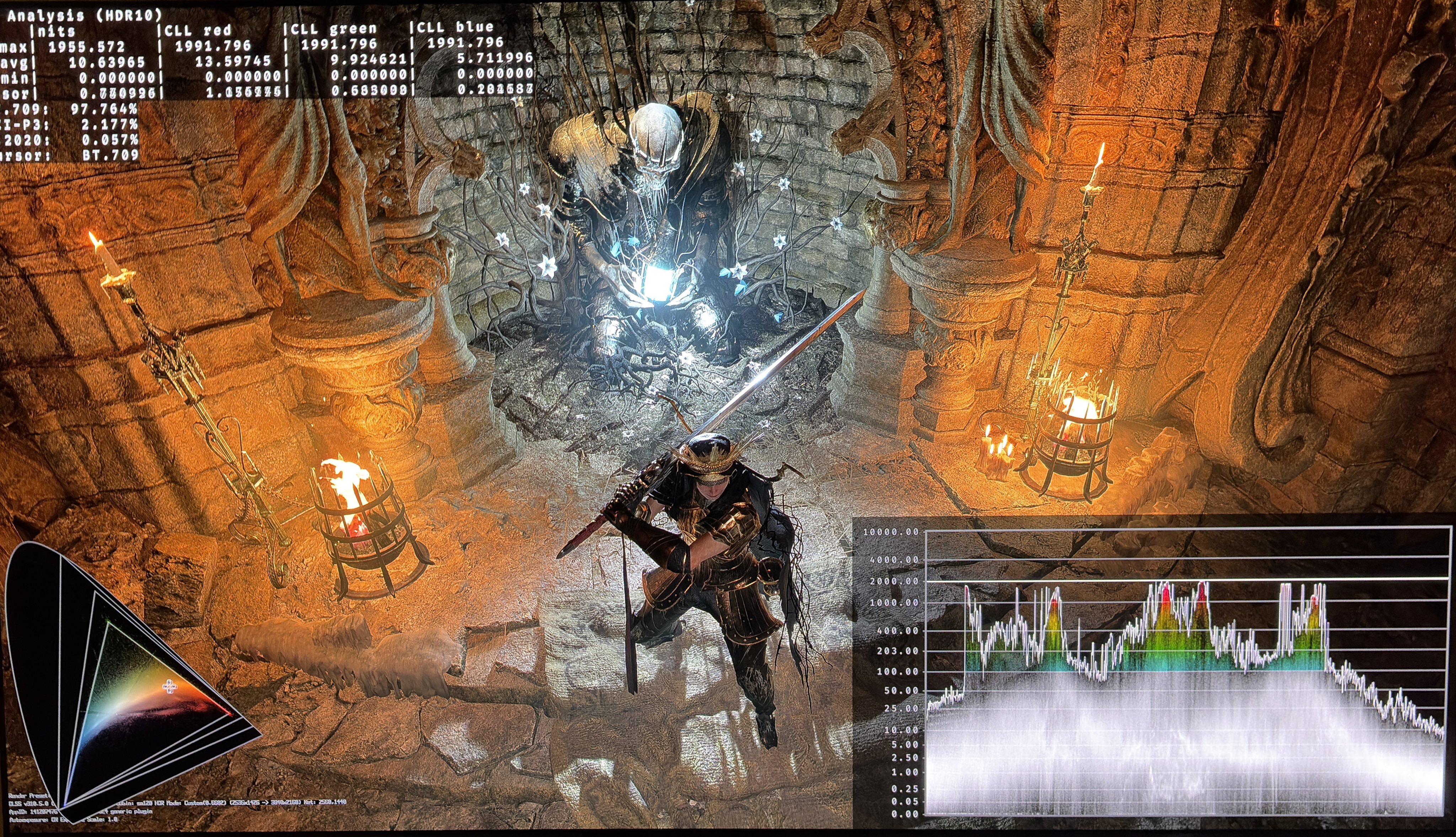
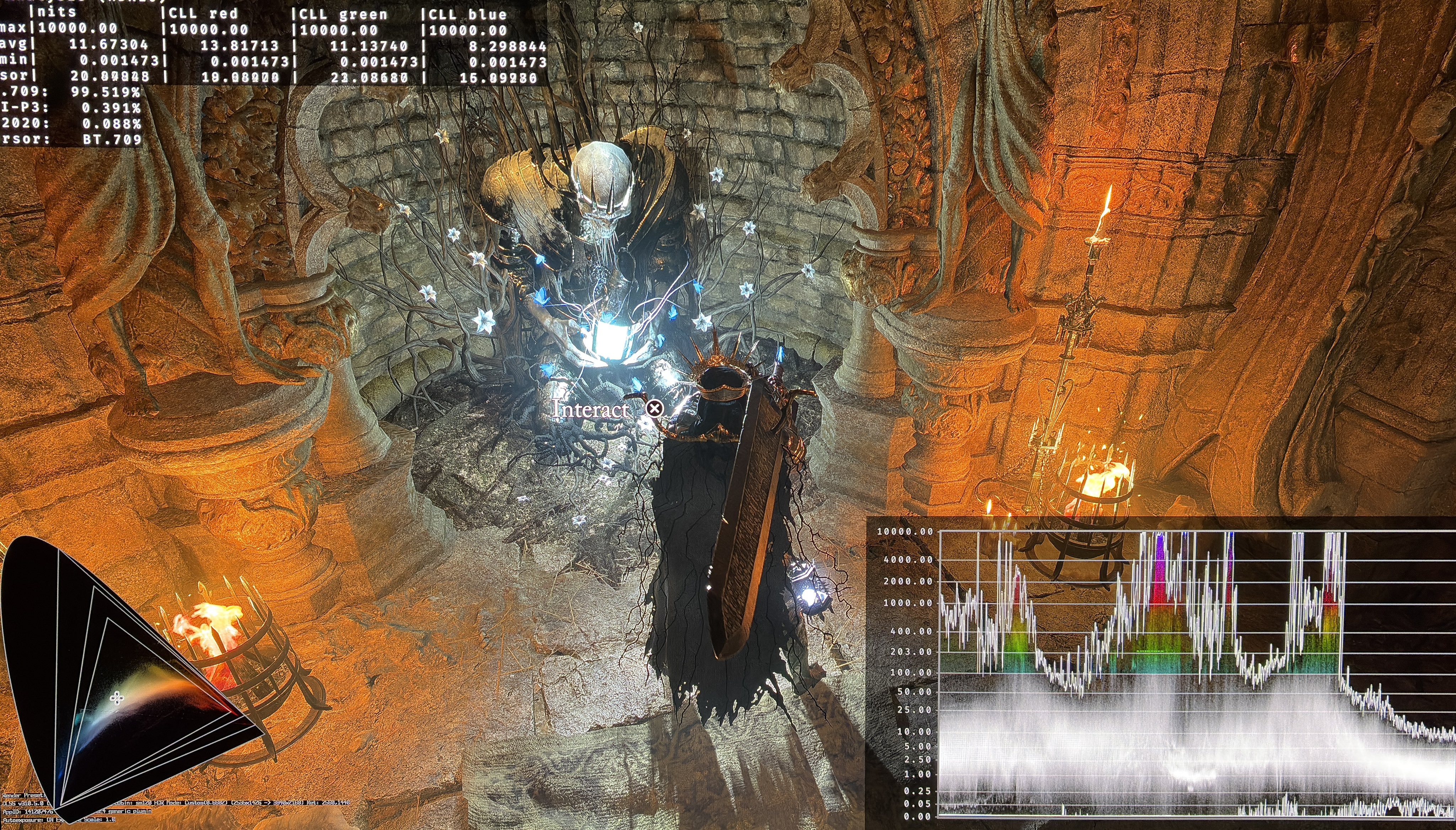
HDR analysis Lords of The Fallen on PC and PS5 Pro.
HDR looks very different on PC and PS5 Pro, but the in-game adjustments are the same and work the same.
Max Luminance:
Max luminance is setup in-game on both PC and PS5 and can be set to a maximum of 2000 nits.
But as we can see from picture 1 (PS5) and picture 2 (PC), the game outputs up to 10000 nits. That's of course way too high. It's mostly in small highlights.
Black levels:
Black levels on PS5 are raised massively. On PC they are fine.
Paper white:
There are bigger issues than paper white on PS5, so it's not relevant to think about on PS5.
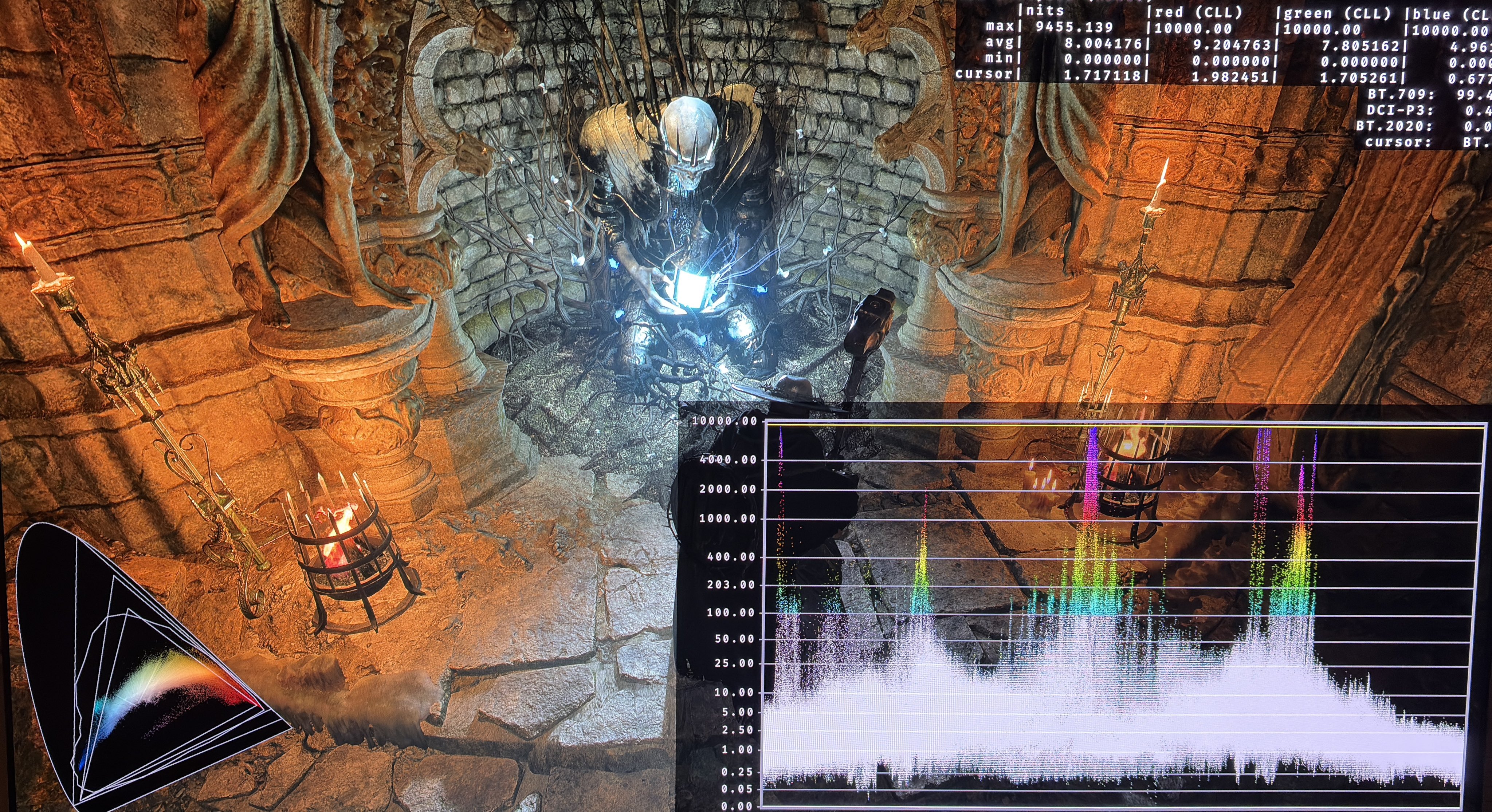
On PC we can use RenoDX to fully fix the HDR in the game. Picture 3 is with RenoDX. Just setup RenoDX as you like, with max luminance and paper white. I have also set saturation in RenoDX to 60 to get more colors. It looks great and most of all, natural/correct.
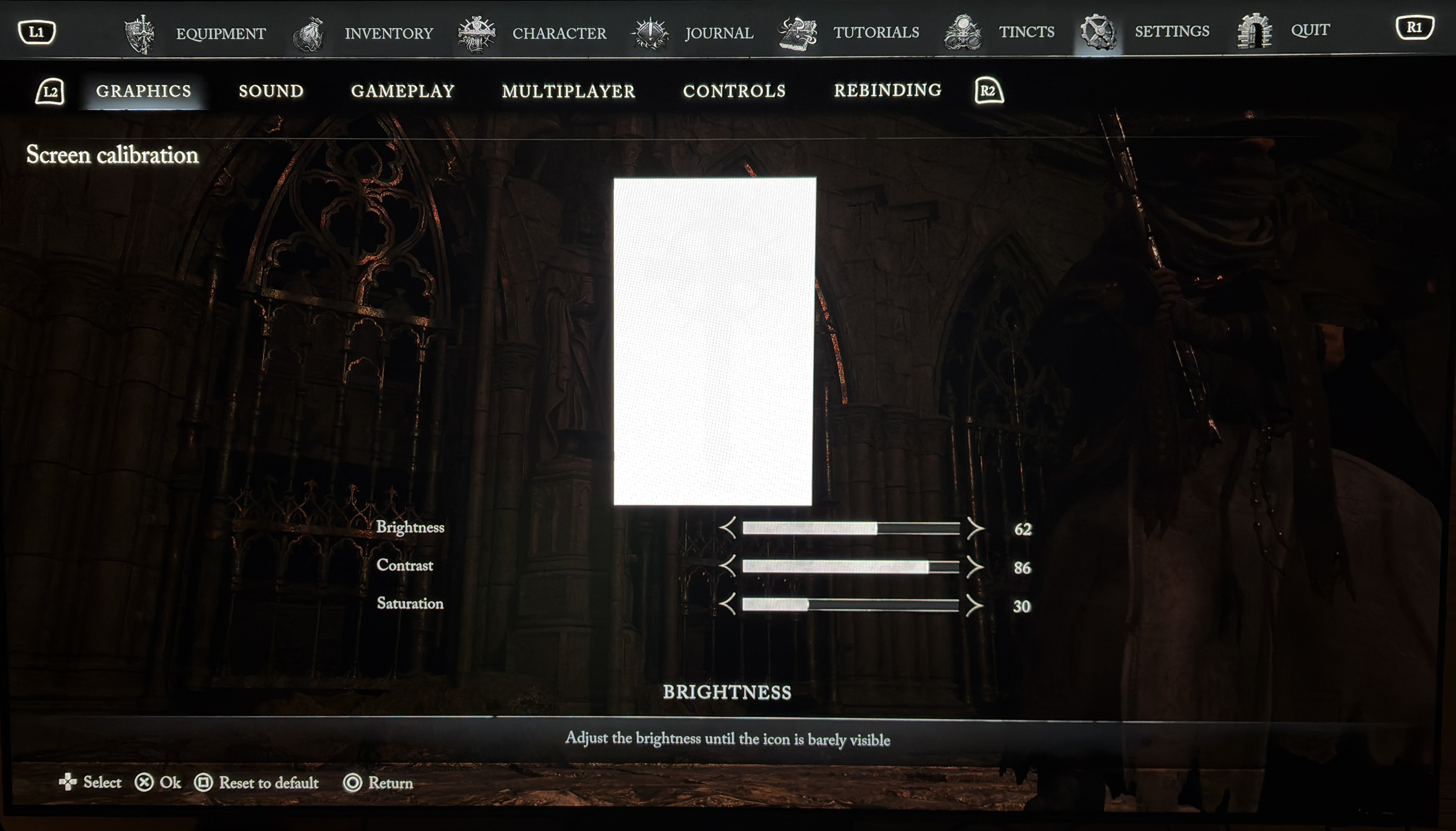
In picture 4 I have made a suggestion to how PS5 can be setup to get better black levels. It required contrast to be increased to 86. That meant a too dark game, so I increased brightness to 62. Colors were too saturated so I also lowered saturation to 30.
It's impossible to get PS5 to look as RenoDX. But try my suggestion out.