Pragmata
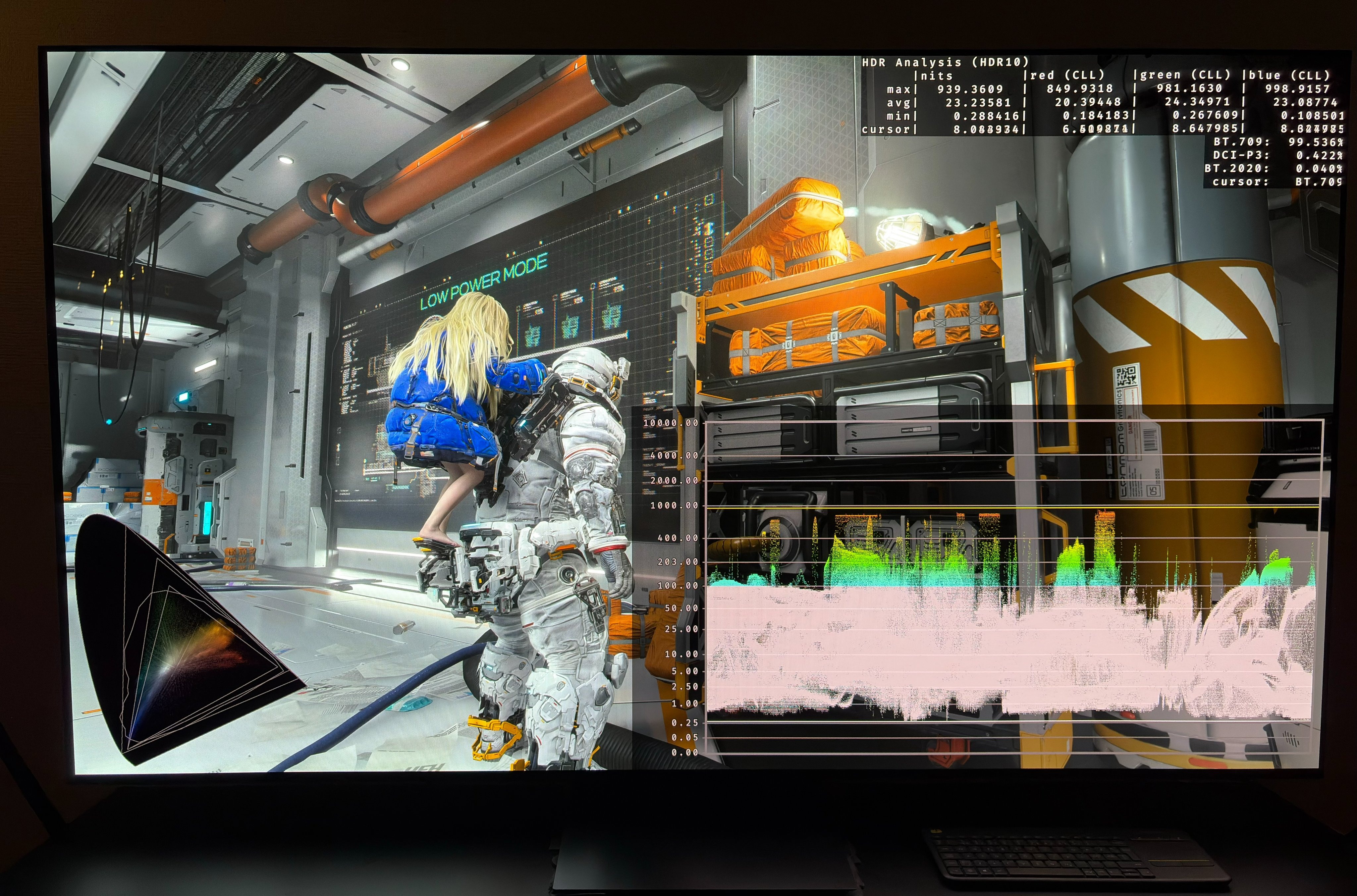
Short HDR setup guide for #Pragmata on PS5 and PS5 Pro.
PC gamers should use the RenoDX HDR mod.
Max Brightness:
This is what the game will output in max brightness at different settings on the max brightness slider. Set it to what your display can do on a 2-10% window.
5 clicks: 325 nits
6 clicks: 400 nits
7 clicks: 400 nits (545 nits)
8 clicks: 700 nits
9 clicks: 700 nits (795 nits)
10 clicks: 865 nits
11 clicks: 900 nits
12 clicks: 940 nits
13 clicks: 940 nits
20 clicks: 940 nits
You can only get 545 nits at 7 clicks and 795 nits at 9 clicks if you also move the min brightness slider from left to right and back again. Or the game simply will output 400 or 700 nits. It's a strange error.
Black levels:
Everyone should set the min brightness slider all the way to the left.
Paper White (brightness):
The brightness slider is adjusting the overall brightness of the game, also called paper white.
Start by setting to minus 5 from neutral. Then the game will output 203 nits paper white. That is what most probably will prefer for 700-940 nits max brightness.
If minus 5 is too dim for you, then use neutral. Here the game will output 230 nits paper white.
Don't go lower than minus 5 on displays capable of 400-700 nits. Here the game will decrease paper white down to 185 nits (at 400 nits max). Probably to make room for highlights above the midtones.
But ultimately set paper white (brightness) to what looks most natural to you.