Red Dead Redemption 2
HDR analysis & setup guide — Red Dead Redemption 2 on PC and PS5.
HDR is implemented the same way on PC and PS5 (I did not test on Series X).
It's a decent HDR implementation with some good parts and a fair few not-so-good ones.
I really like the bright, detailed highlights.
Noticeably raised black levels and a less saturated look compared to SDR, and a limited paper white range are the main weaknesses.
The Good
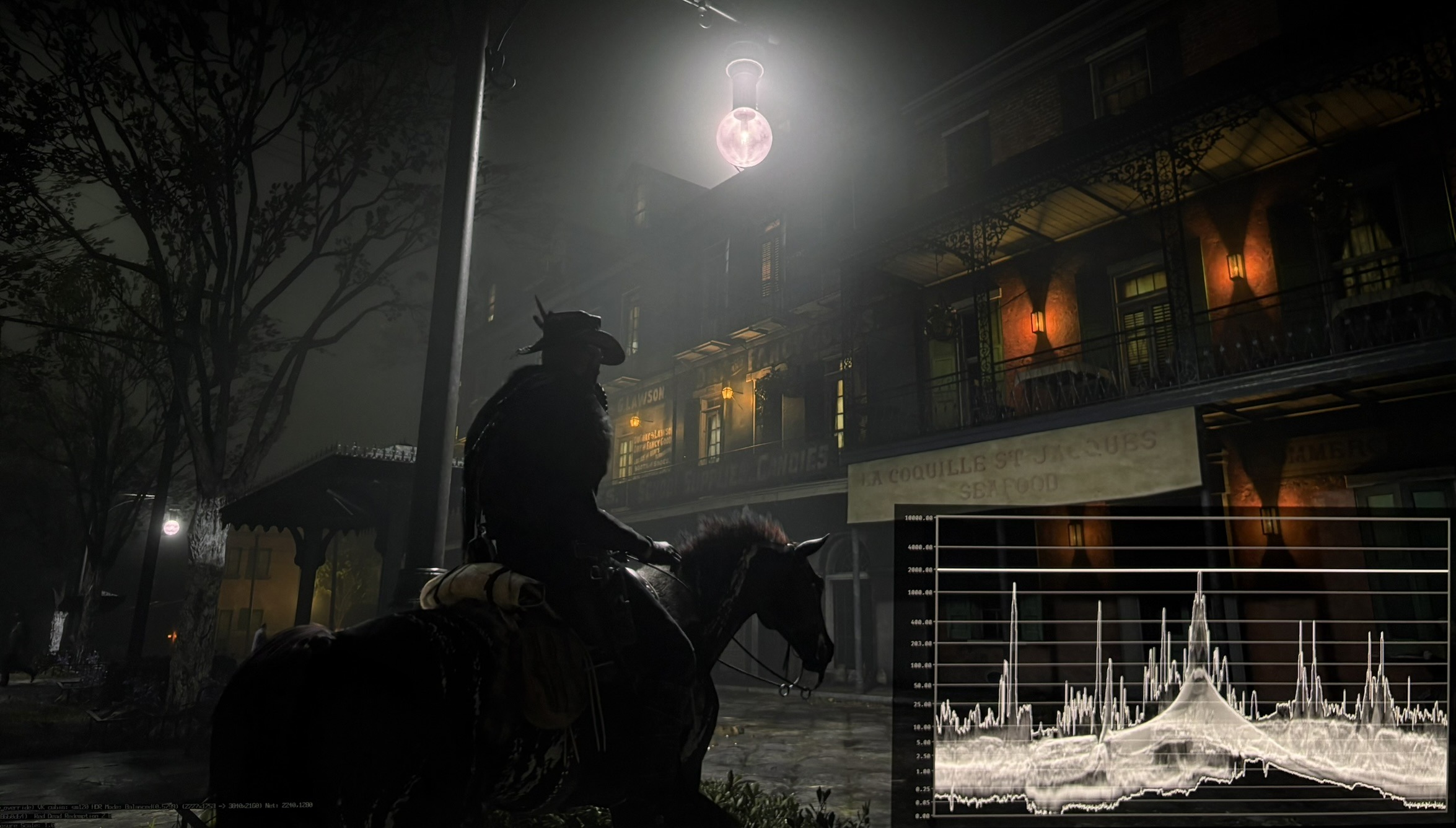
- Bright, detailed small light sources — street lamps, gas lights, candles — with real structure inside them. It's HDR letting us see the artists handcrafted small detail. It's some of the best detail in bright lightsources I have seen.
- Peak brightness slider works as expected: what you set is what the game outputs (slider goes up to 10000 nits).
- Dark scenes in indoor areas or in cities at night time can look strikingly good at times. See picture 1 with detail in the lamp, outputting 2000 nits in a dark city scene.
The Bad
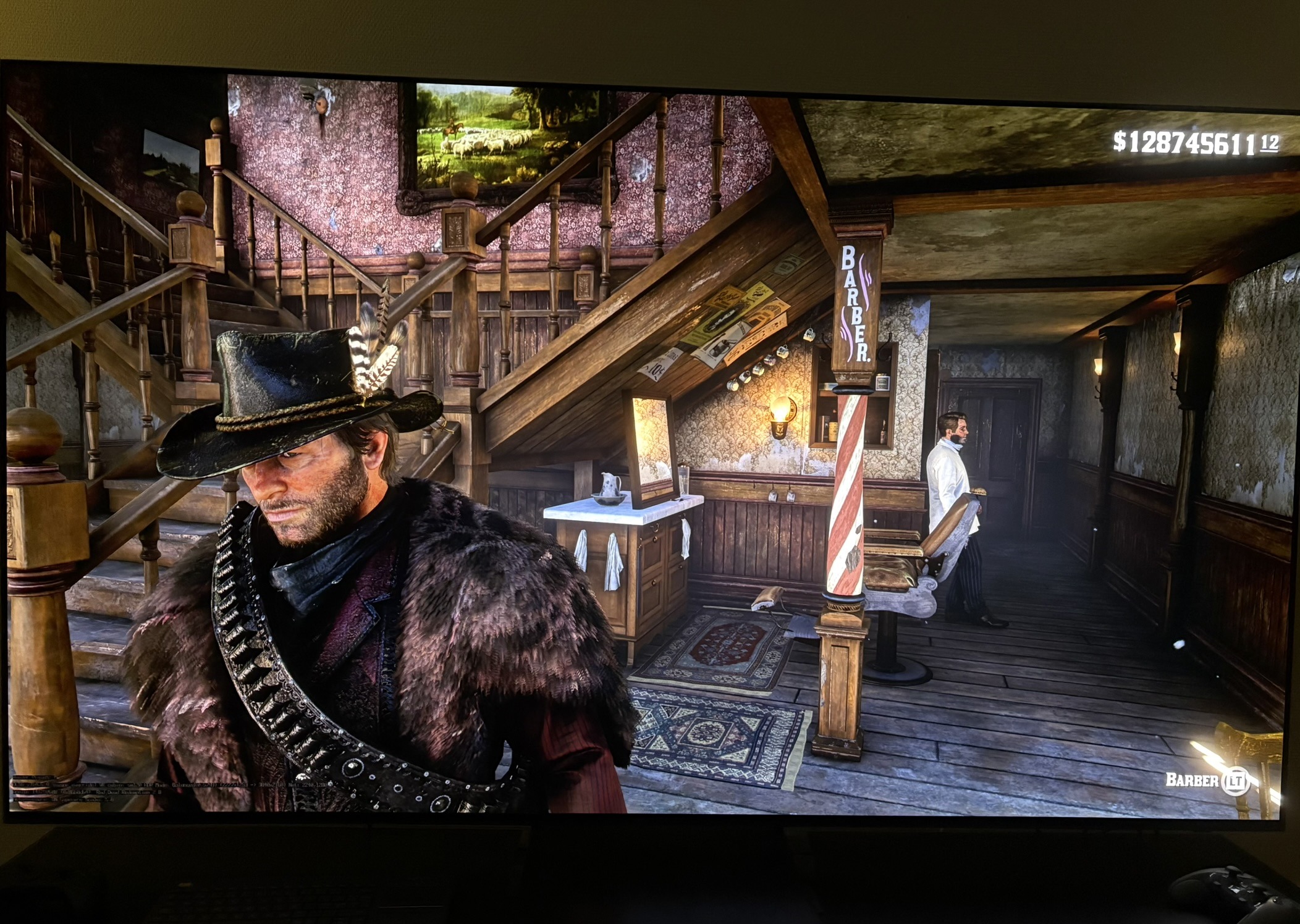
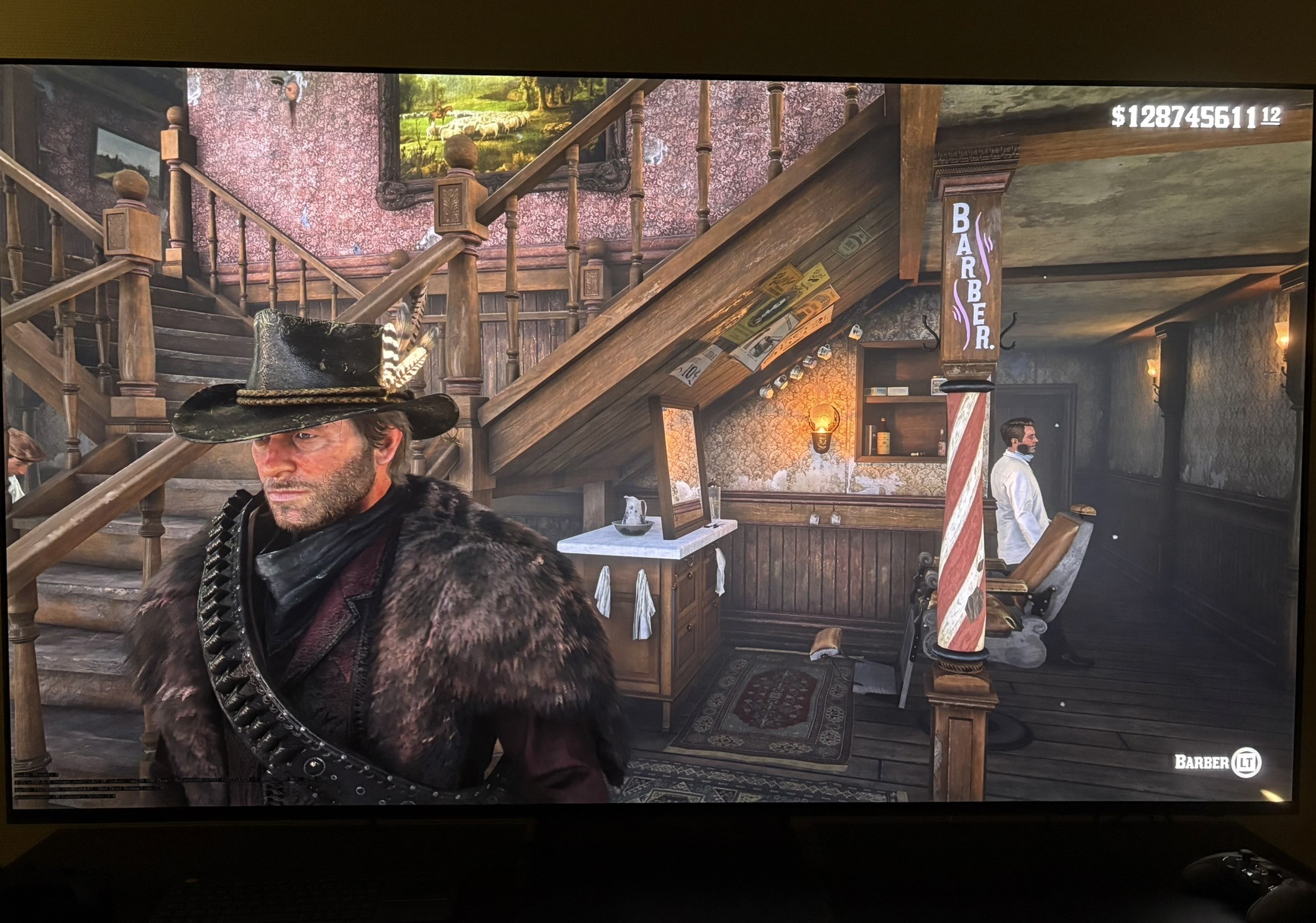
- Black levels are noticeably raised. SDR has much darker shadows — this isn't a minor lift, the whole low end sits too high. The heavy use of fog makes this look even worse. Picture 3 is SDR and picture 4 is in-game HDR with 200 on paper white slider.
- The raised blacks also reduce perceived saturation. Lifting the dark end washes the colors out, which is part of why the in-game HDR looks less saturated than SDR.
- There's no separate shadow slider to bring the blacks down.
- Raising paper white makes it worse: it lifts the already-raised blacks further, and with no shadow slider to compensate, the low end washes out more.
- Raising paper white also pushes the brighter/secondary light sources toward peak, where they get aggressively compressed and lose a bit of detail.
- It means the usable paper white range is limited - go too high and you get even more washed out shadows and crushed highlights at the same time.
- The default paper white is set to 100 and that's way too dim. The default setting should be what most gamers would use.
Setup recommendations
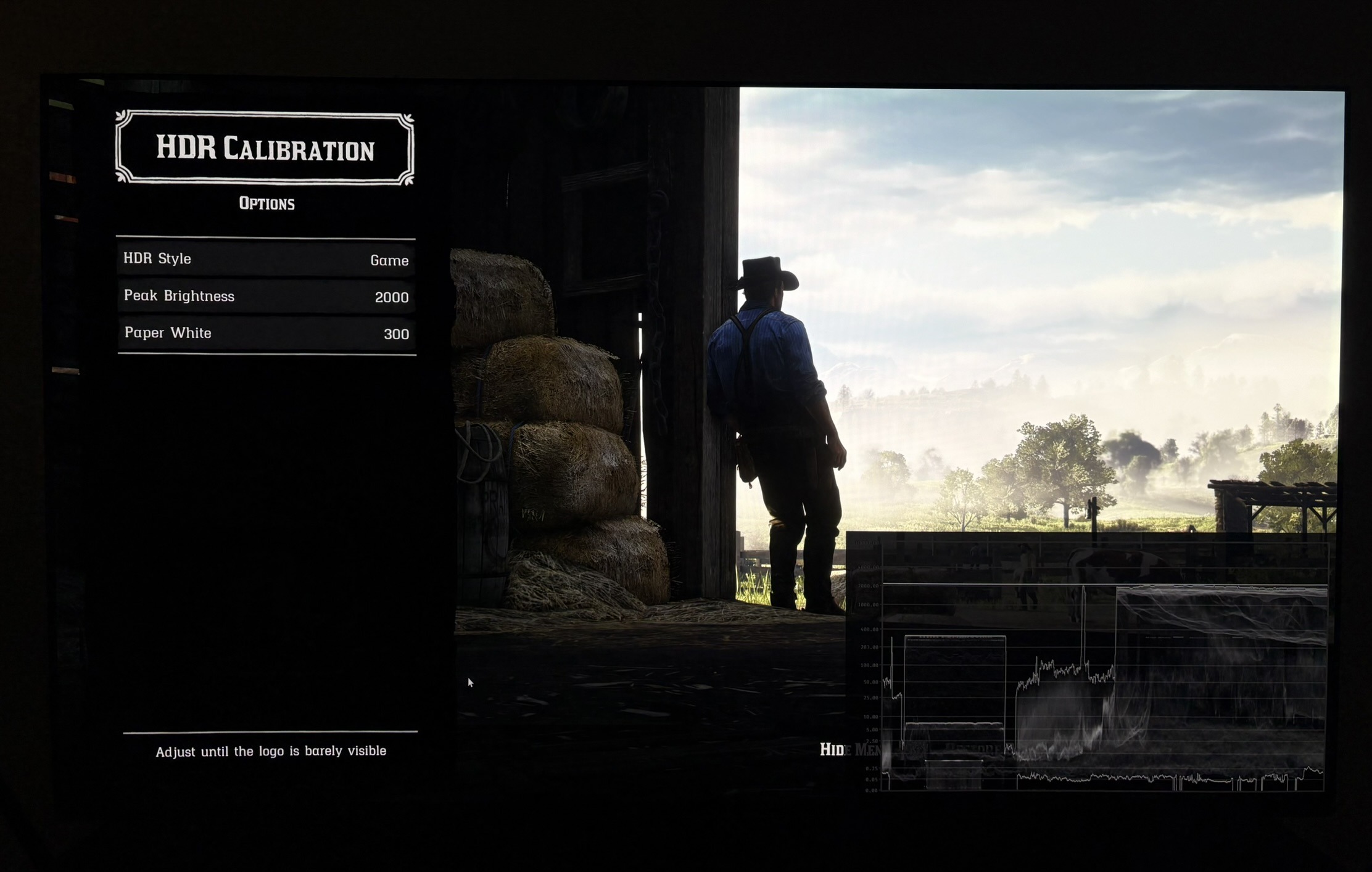
- HDR setup screen in picture 2.
- Use Game HDR, not Cinematic. Cinematic is the old mode, and it's the reason a lot of people think RDR2's HDR is more broken than it is.
- Set peak brightness to your display's peak.
- Set paper white to around 200. This is in my opinion the best setting — not because it's ideal, but because going much higher will give you even more raised blacks and you can lose a bit of detail due to aggressive highlight compression. I'm assuming you are gaming in a dark room. In a brighter room, you can go up to around 300 on the paper white slider.
PC only — RenoDX:
I recommend PC gamers to use the RenoDX HDR mod.
Its default and purist settings matches the intended SDR look more closely, with darker blacks/shadows, better perceived saturation.
With RenoDX we can increase paper white further without risking losing detail in the brightest highlights.
The default settings raises the secondary bigger lightsources even higher. Purist does not.
RenoDX only works in Story Mode.
Note on PS5 version:
PS5 is only running the PS4 version of the game. That means a quite low resolution, lower quality graphical settings and only 30 fps. The detail in small lightsources, such as lamps are not so noticeable because of this on PS5 compared to PC. So console gamers might not be so impressed by this, as I am, when they have not seen the PC version.
It's a shame we have not gotten a next gen upgrade for RDR2 on consoles.