Resident Evil Requiem
Quick look at HDR in Resident Evil Requiem on PC and PS5. With a setup guide.
I will update it and go more into detail, if I need to, when I get longer into the game on PC and PS5. We are also waiting for the RenoDX mod for PC.
HDR looks to be implemented as in the demo for Pragmata, that also use the Re Engine.
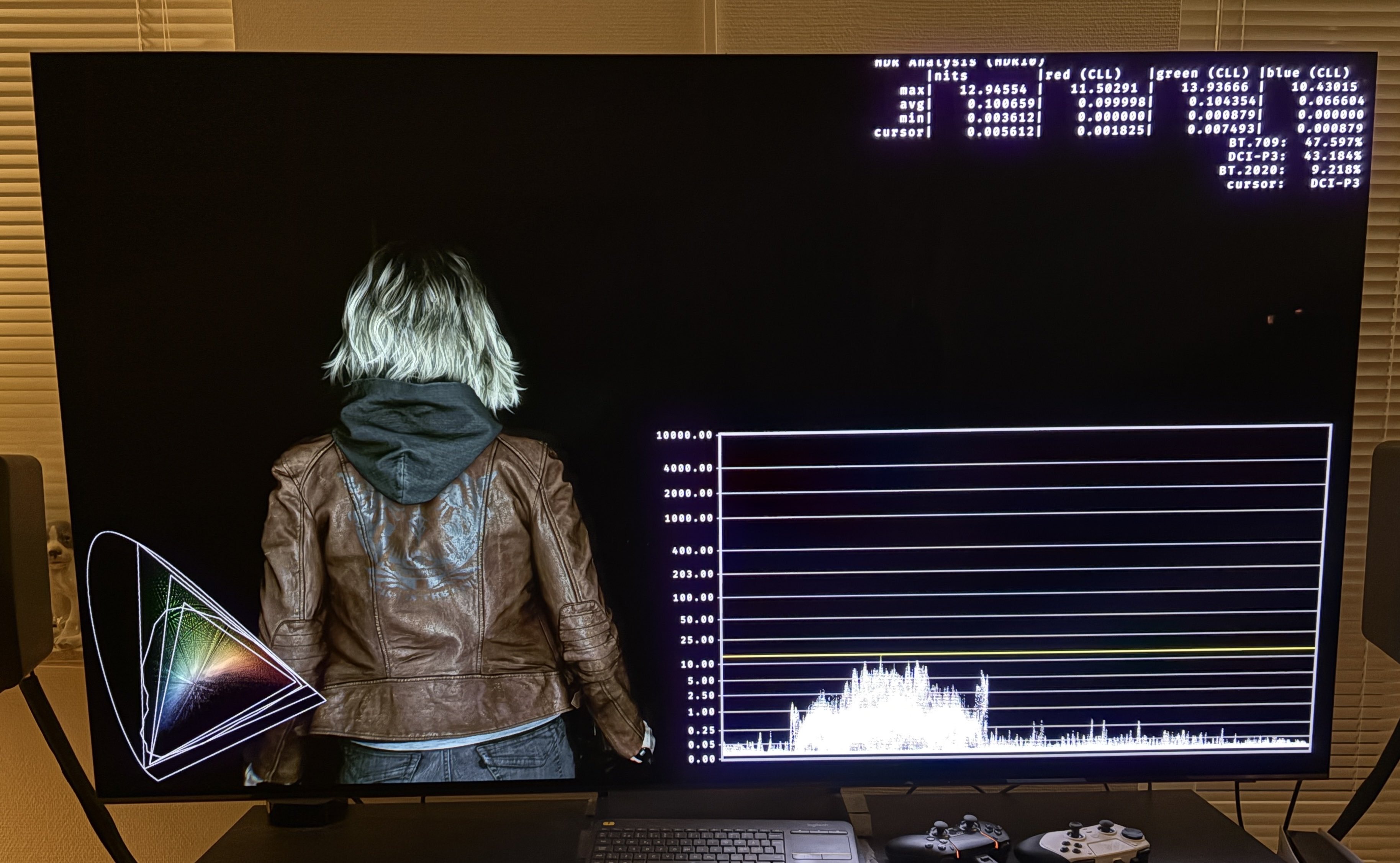
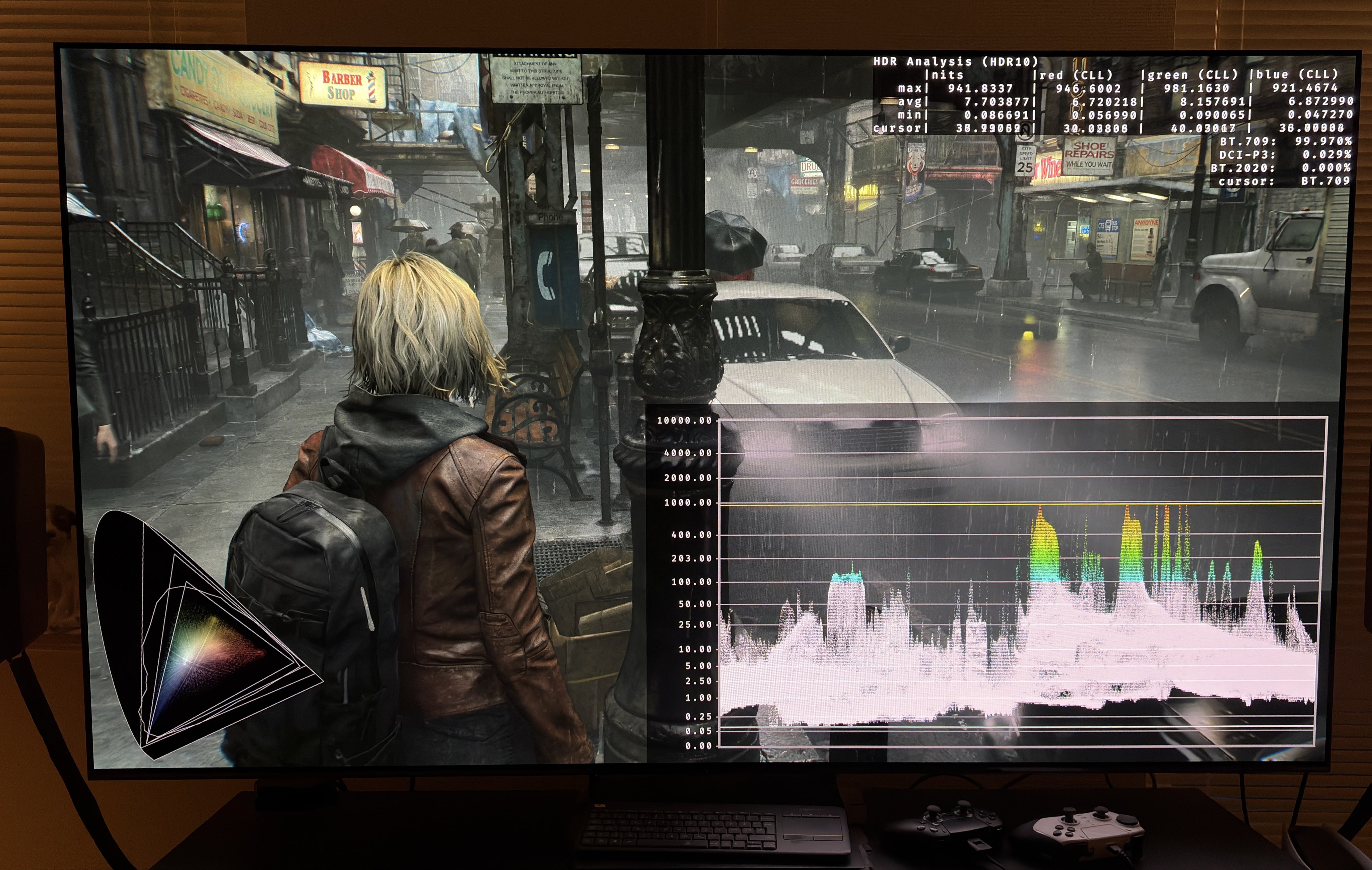
Both games have the same in-game HDR menu, max luminance is capped at 940 nits (picture 4), and there is a tiny black level raise at all times (picture 2).
On top of that, in Requiem many light sources are much dimmer than the max luminance. It makes the game have less HDR impact. It's probably by design to create a certain mood (the dim highlights compared to max luminance).
Setup:
1) Turn off depth of field, motion blur and most importantly chromatic aberration on PC.
On PS5 you can unfortunately only turn off motion blur.
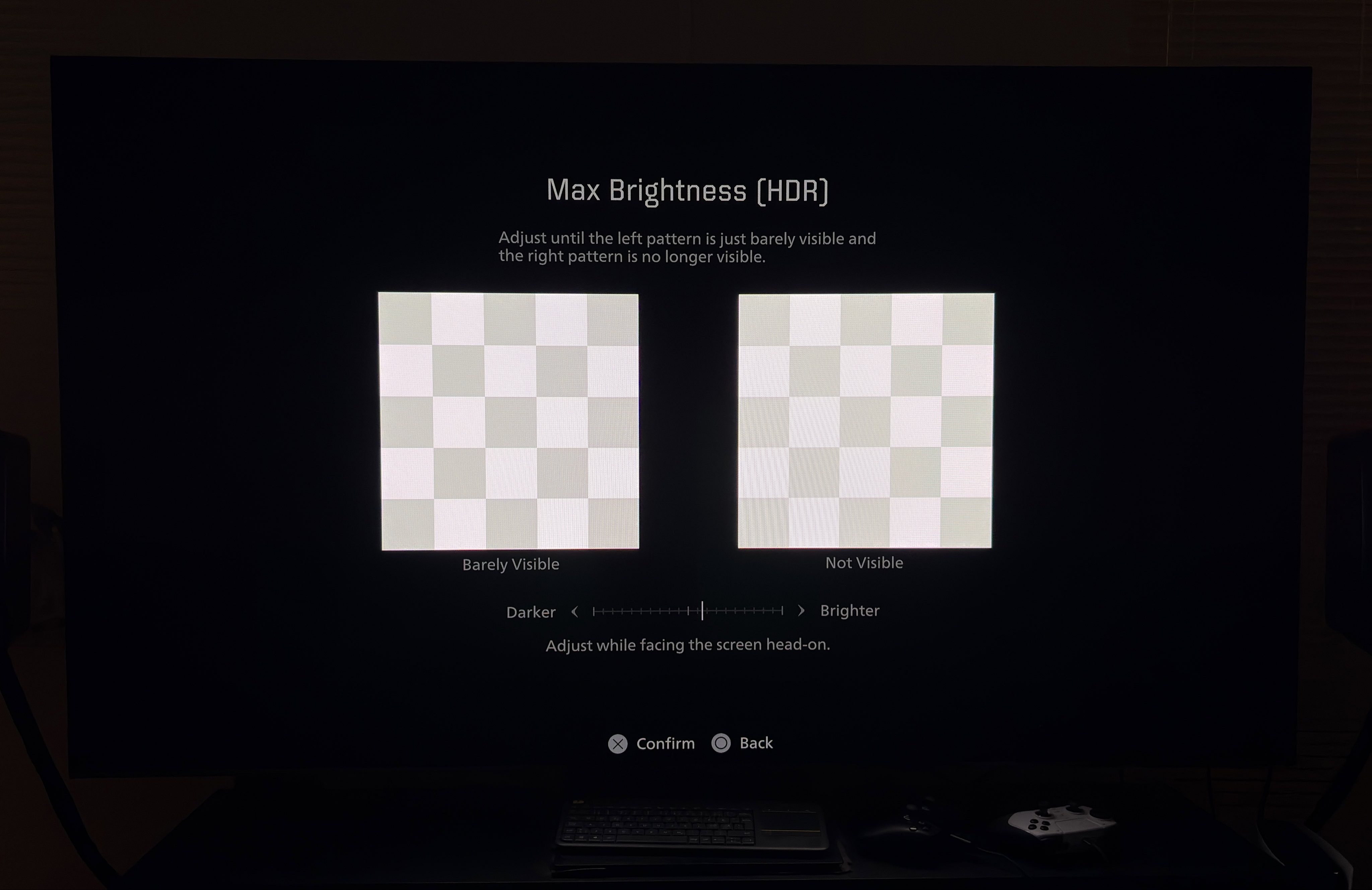
2) The only HDR slider you need to change is the max brightness. See picture 1. Don't follow the instructions because the game outputs something different (much less) then the setup screen. The setup screen is totally broken and useless.
Instead use these settings on the slider:
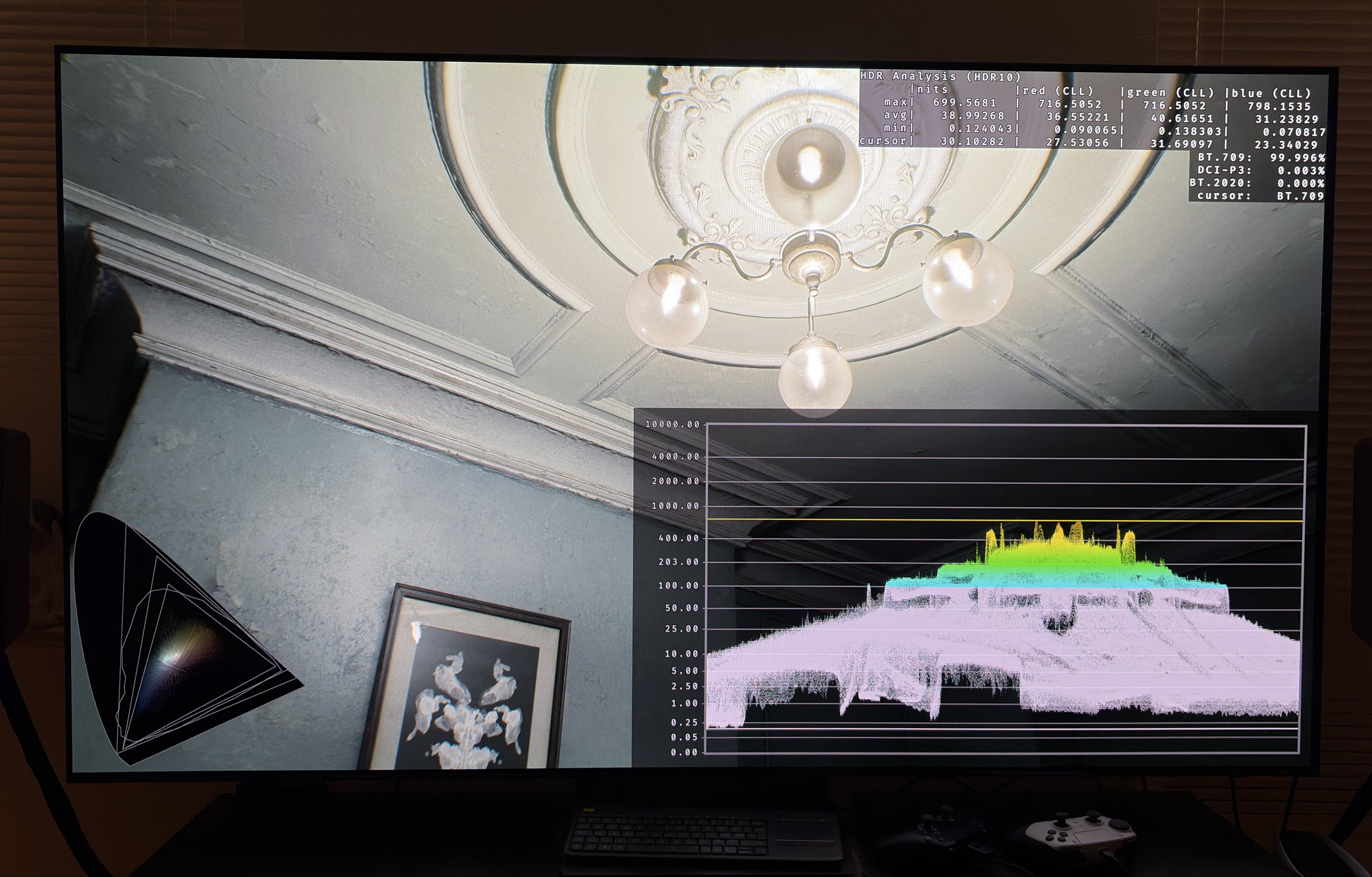
Neutral, outputs 700 nits (picture 3)
2 clicks to the right, outputs 800 nits
All the way to the right, outputs 940 nits.
3) Black level slider all the way to the left, as always on an OLED
4) Brightness slider (last one). Keep it at neutral. The game seems to output a paper white or overall brightness, that are good for 700-940 nits max luminance.
The game uses a tiny layer of fog all the time. It really ruins the presentation, contrast and detail level for me, but this is not the fault of HDR.
Remember, I have only seen the start of the game, so areas later in the game may look different. They are hopefully less foggy ☺️