Spider-Man 2
HDR analysis and setup guide for Spider-man 2 on PC and PS5.
I think HDR overall looks good. But the in-game settings are not so intuitive to understand and use.
See summarized setup recommendation at the end.
Gamma mis-match on PC:
Insomniac for some reason has broken the colors in an update, so colors on PC don't match creator's intent and those on PS5. It makes the PC version look vary different to the PS5 version. There is a RenoDX mod that fixes this (and only this). I recommend all PC gamers to use this mod.
Black level raise:
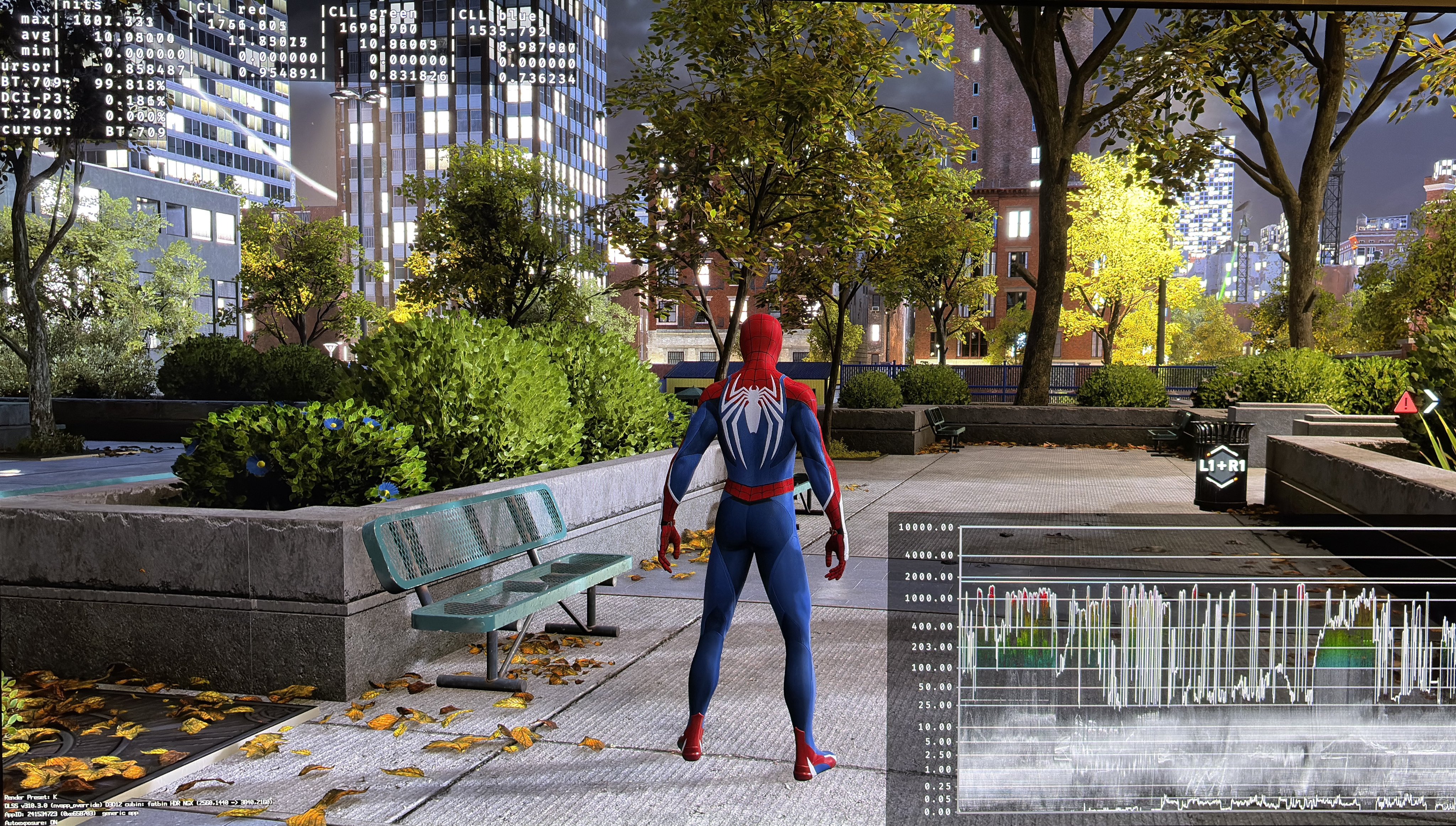
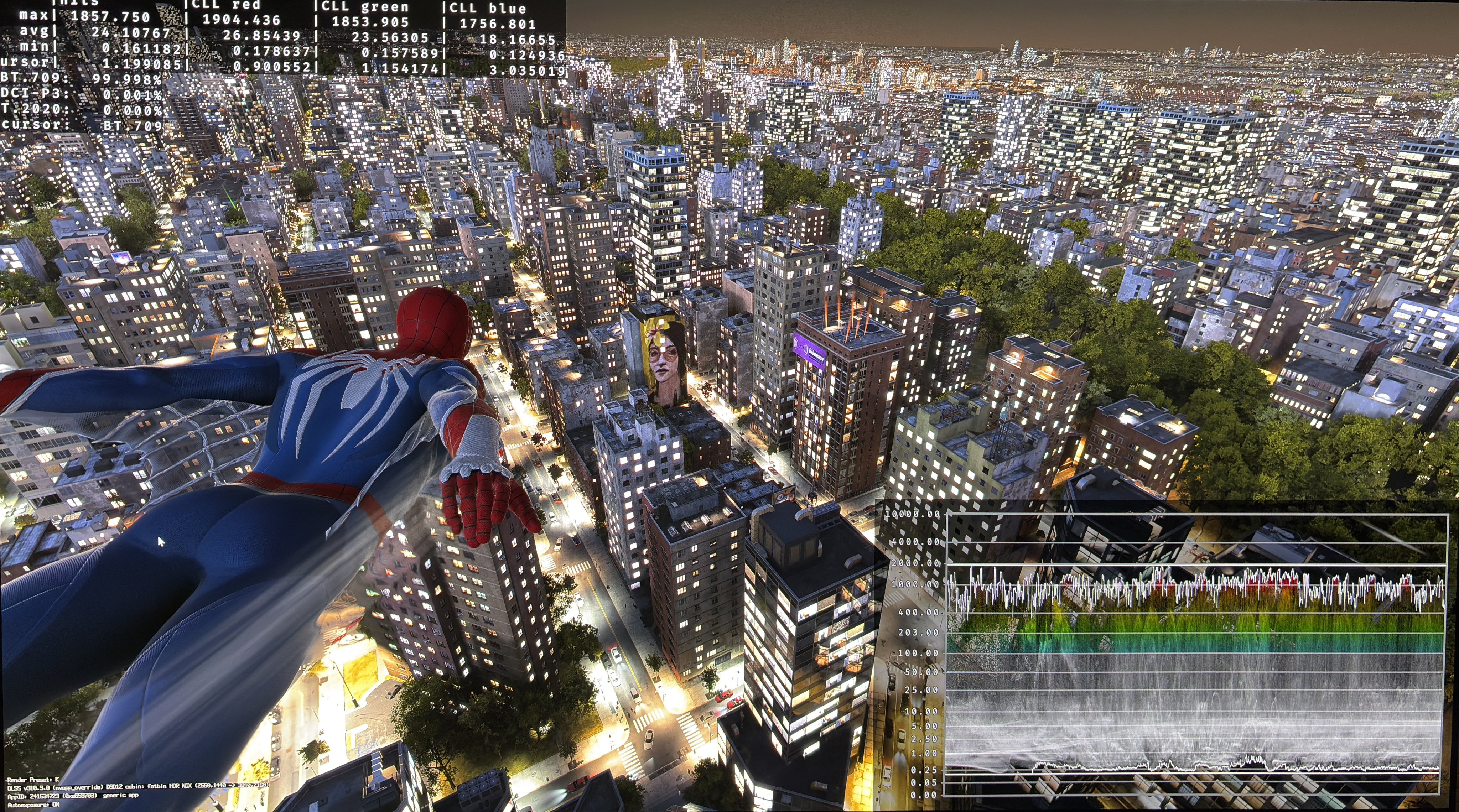
There is a massive black level raise on both PC and PS5 at night time of 0.16 nits. That's a lot. The other times of day are fine. We can fix it on PC using Lilium's Black Floor fix. No fix on PS5.
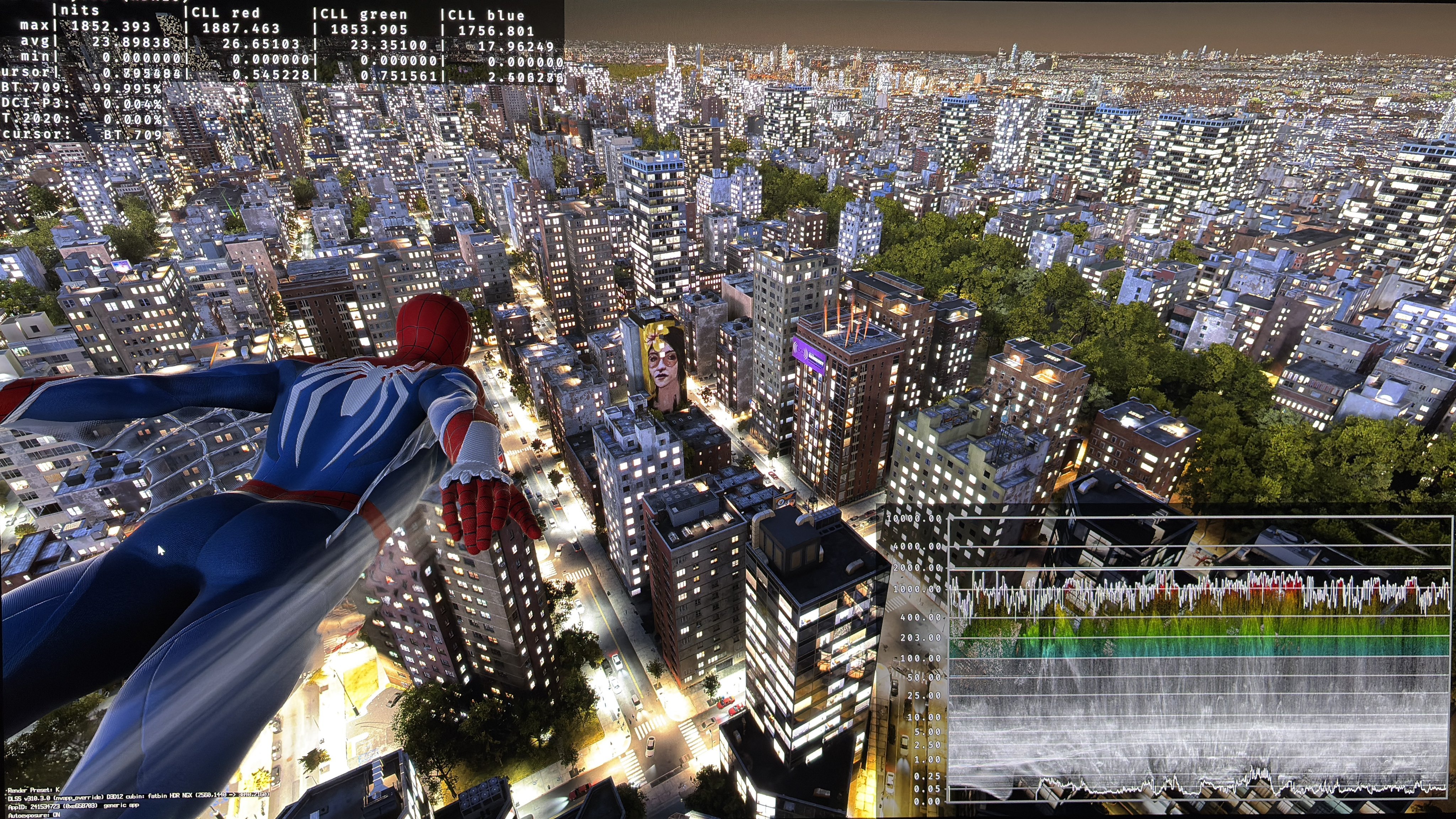
Picture 2 shows the black level raise and in picture 3 I have fixed it. The last picture below, is from night time on ground level where I have fixed the black level raise and there is plenty of light and detail, so I don't understand why we need this raise?
Peak Brightness:
Peak brightness is automatically setup on PS5 based on HDR system settings. I have tested that peak brightness can go up to at least 2000 nits on PS5.
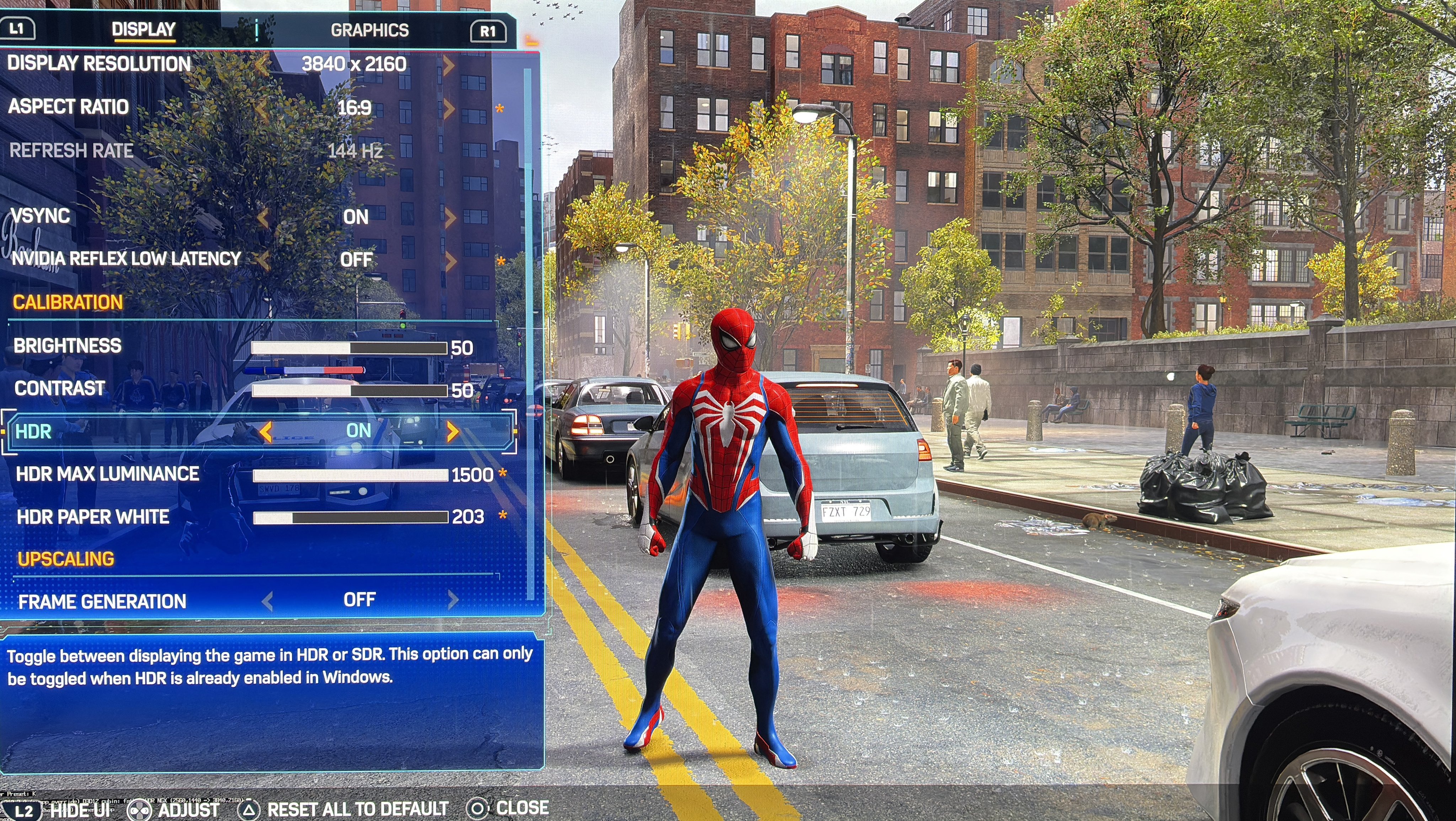
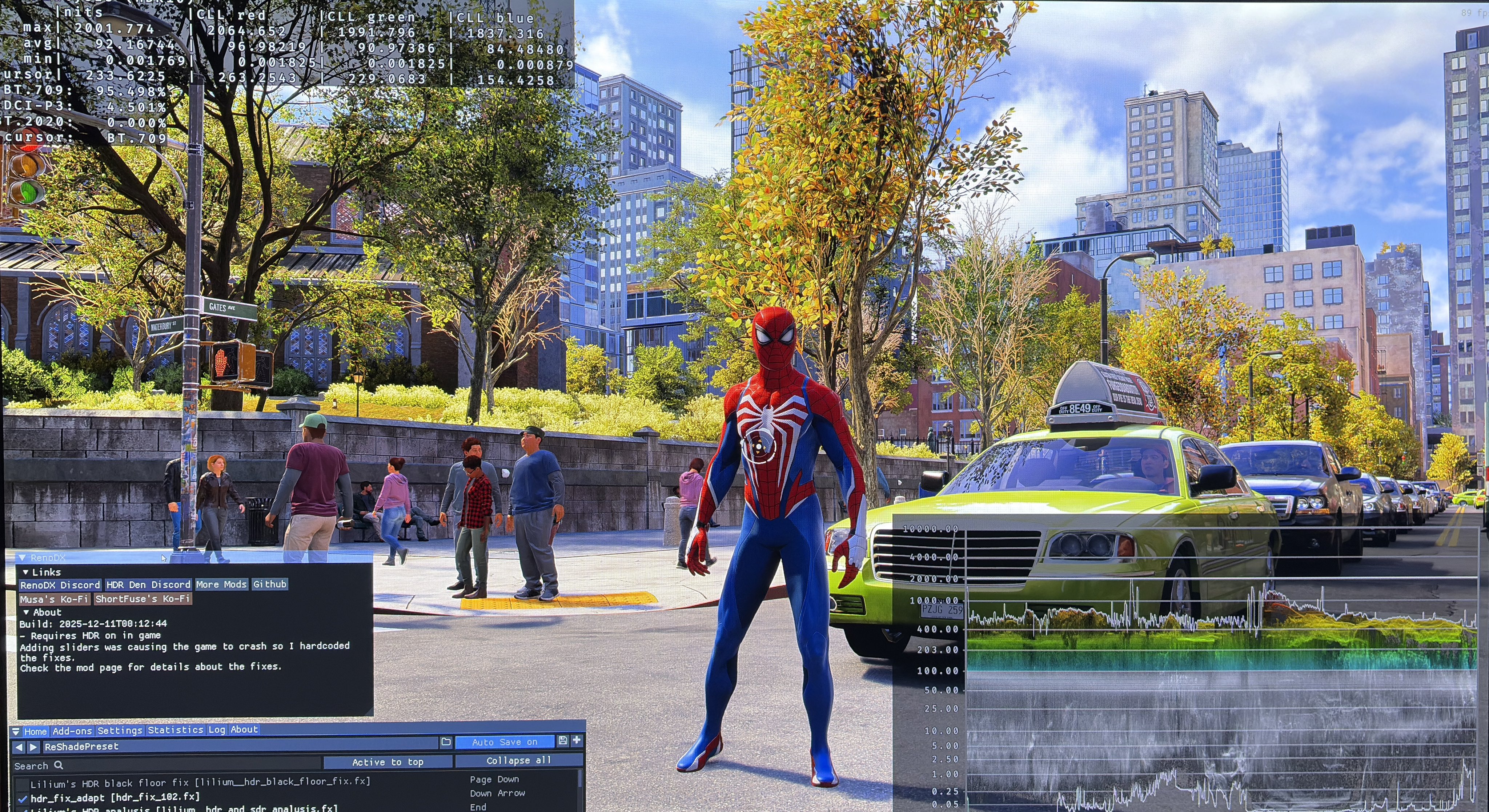
On PC peak brightness is setup in-game using a peak brightness slider. The game can not output more than 1500 nits. We can easily fix this on PC using HDR Fix Adapt or Lilliums Brightness Adjustment. I do that in picture 4, where you also can see the reshade tools I use.
Setup to what your display can maximum output.
Paper white / mid tones:
The Paper White slider on PC is NOT a paper white slider. It changes the brightness of the UI
The game automatically adjust paper white, or overall brightness of the game, as we make changes to max luminance. It's difficult for me to indirectly estimate what paper white is, but it seam to me to be the following at different peak brightness levels;
-800 nits peak brightness = 200 nits paper white
-1000 nits peak brightness = 225 nits paper white
-1500 nits peak brightness = 275 nits paper white
-2000 nits peak brightness = 330 nits paper white
When max luminance on PC can't go higher than 1500 nits then paper white also can't increase further than to around 275 nits on PC. But when we use HDR fix Adapt to increase max luminance, it also increases paper white, so it's also easily fixed on PC.
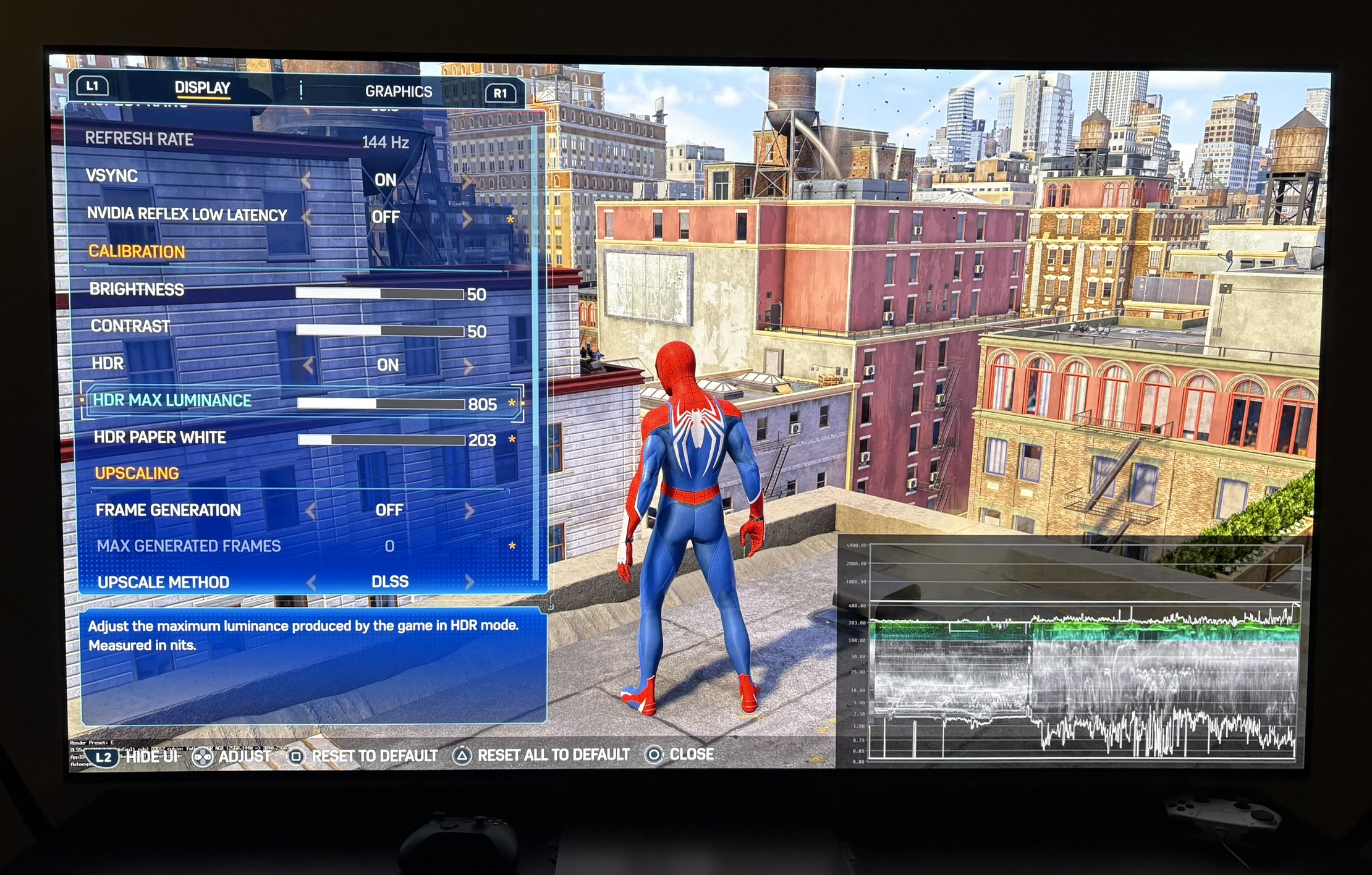
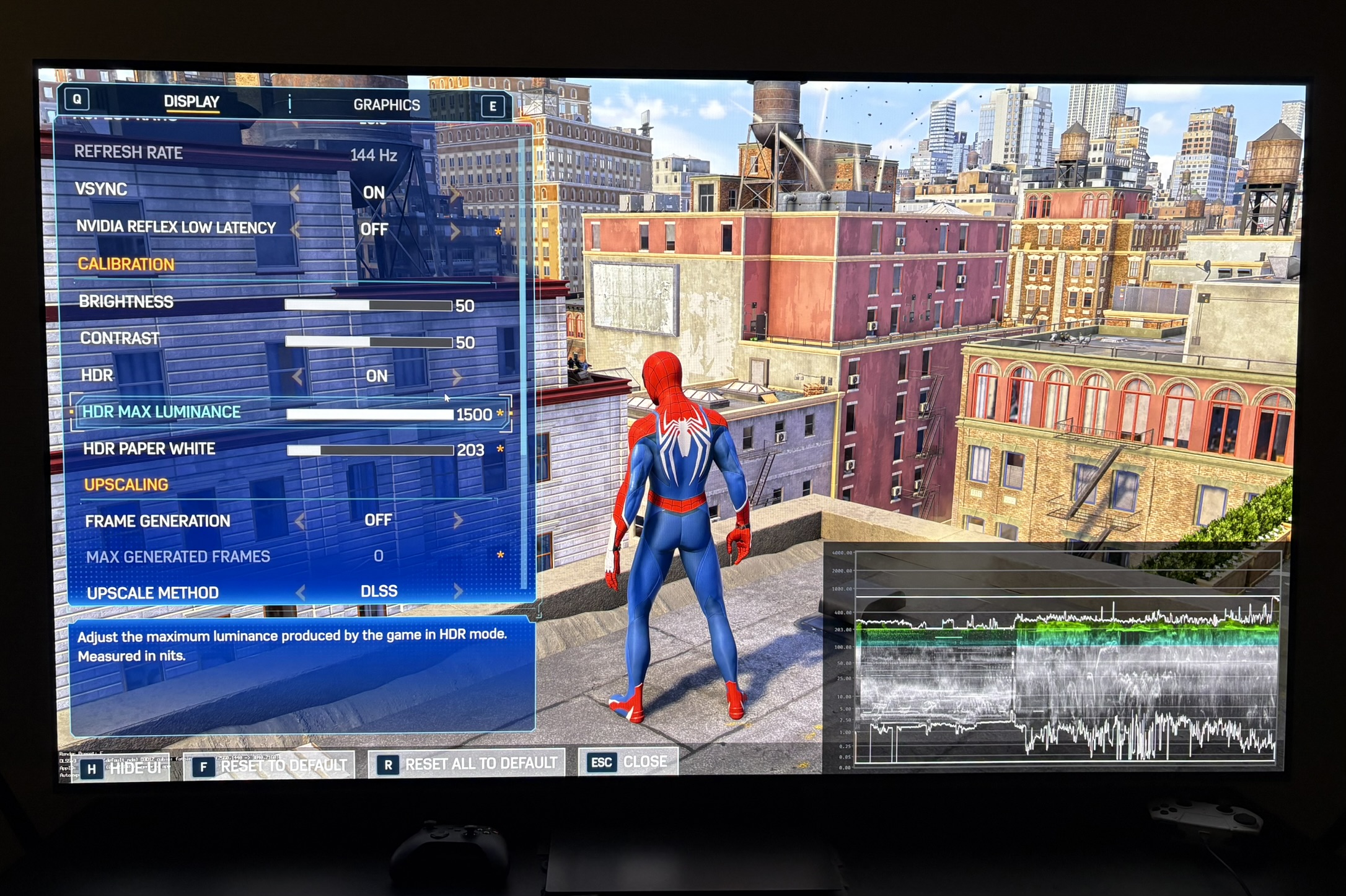
In picture 5 and 6 is using 1000 nits peak brightness and 1500 nits peak brightness. We see the game automatically increases mid tones (paper white) as peak brightness increases.
Brightness slider:
The brightness slider changes everything from brightness of the UI to peak brightness, upper shadows and mid tones. So if you use it then you need to adjust peak brightness too. I don't recommend adjusting it if you game in a dark room. I find black levels and shadows generally fine. And mid tones are adjusted automatically based on peak brightness. If you game in a bright room, then using it will give you more brightness in the entire image.
Contrast slider:
It's a typical contrast slider. Increasing it increased upper mid tones and lowers shadows, leading to increased contrast. I don't see a need for changing it because I find contrast, shadows and black levels detailed and dark, except black levels at night time. But black levels at night time you can't with increasing the contrast slider, because that will lower black levels at other times of day too, that have good black levels.
HDR Paper White (Ui):
In the in-game menu we have a setting called HDR Paper White on PC, as mentioned above. It only changes the brightness of the UI. It's totally misleading to call it paper white. Just call it UI brightness. At default the UI will have a brightness of 203 nits. That's a good value for most, so don't change it.
Summarized setup recommendation :
PS5:
- Setup peak brightness to the max your display can output in PS5s HDR system settings
- Don't change the brightness slider or contrast slider
PC:
- Setup the peak brightness slider to what you display can maximum output
- Don't change the brightness slider, contrast slider or HDR paper white slider.
- Use the RenoDX HDR mod to fix the colors / gamma
- For gamers with displays capable of higher than 1500 nits, use HDR Fix Adapt or Lilium's Brightness Adjustment (via Reshade) to increase peak brightness and paper white to above 1500 nits and 275 nits.
- Use Lilium's Black Floor Fix to fix black levels at night time.
No black level raise at night