Wuchang: Fallen Feathers
HDR analysis Wuchang; Fallen Feathers on PC and PS5 Pro.
The HDR implementation looks very similar on PC and PS5, but with a difference in how shadows look. In-game settings/adjustments behave the same.
Max Luminance:
It's setup in-game and the game can output up to 2000 nits. It outputs what we set it up to output.
Shadows
Black level floor is good, but shadows are too dark on PC. On PS5 they are more detailed.
Paper white:
Can be adjusted via the in-game brightness setting. A setting of 3 is around 203 nits and it's suitable for TVs with 800-1200 nits max luminance.
For a 2000 nits tv, I would set it to 6 and we get around 343 nits paper white.
The brightness setting does not increase the black level floor or peak brightness, so it's acting like such a brightness setting must 👍
SDR colors:
The game unfortunately does not use the color grading in SDR in HDR. So the color grading, the artists have made is not used in HDR.
There is no fix for the color grading on PS5.
On PC we can use the native RenoDX HDR mod to get the SDR color grading in HDR. It makes a huge difference. Not only do colors look as intended, shadows are now fixed on PC. Shadows not being so dark and compressed make all the dark areas in caves and underground look brighter and more correct, so it's important to use RenoDX HDR mod on PC.
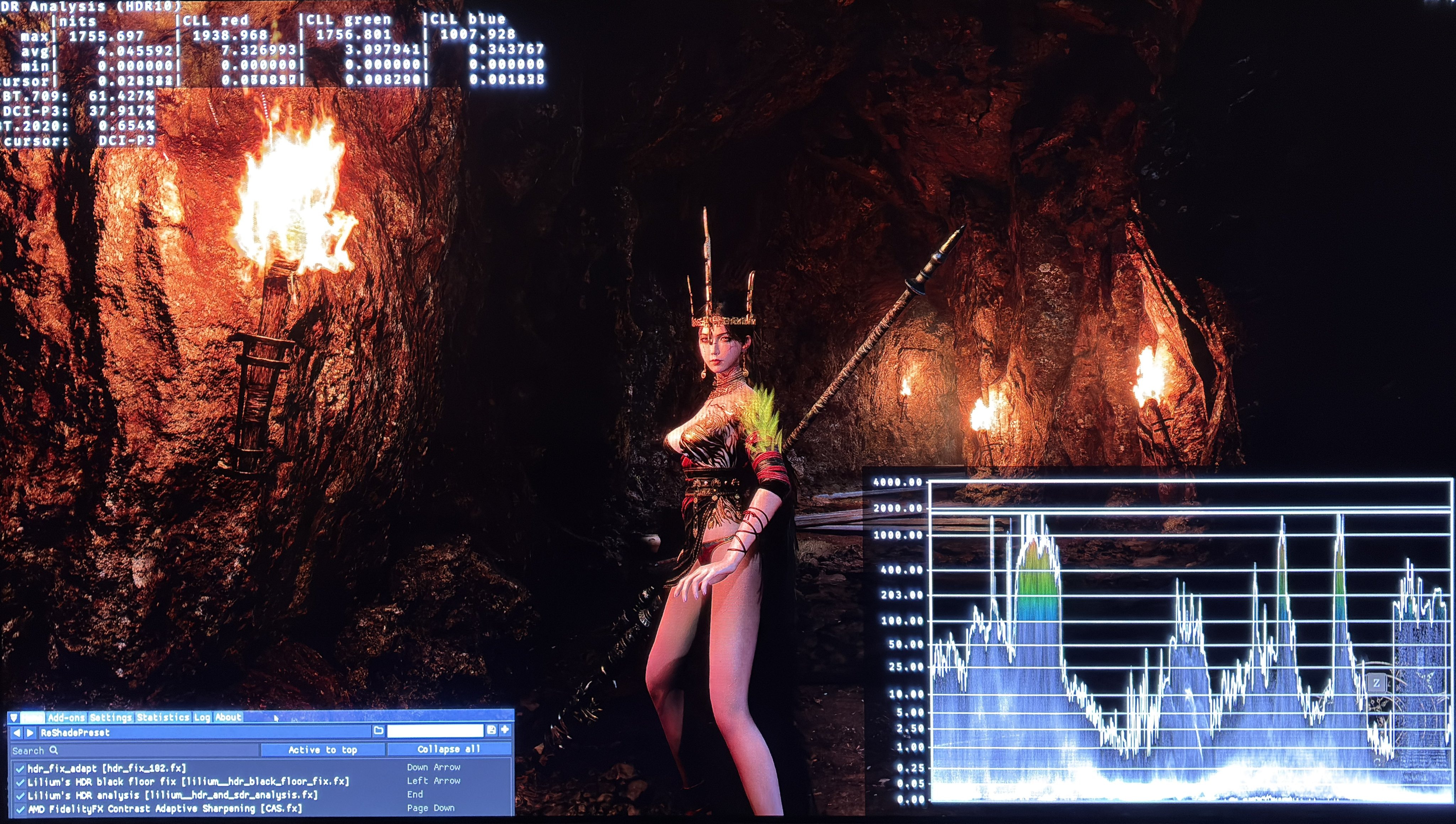
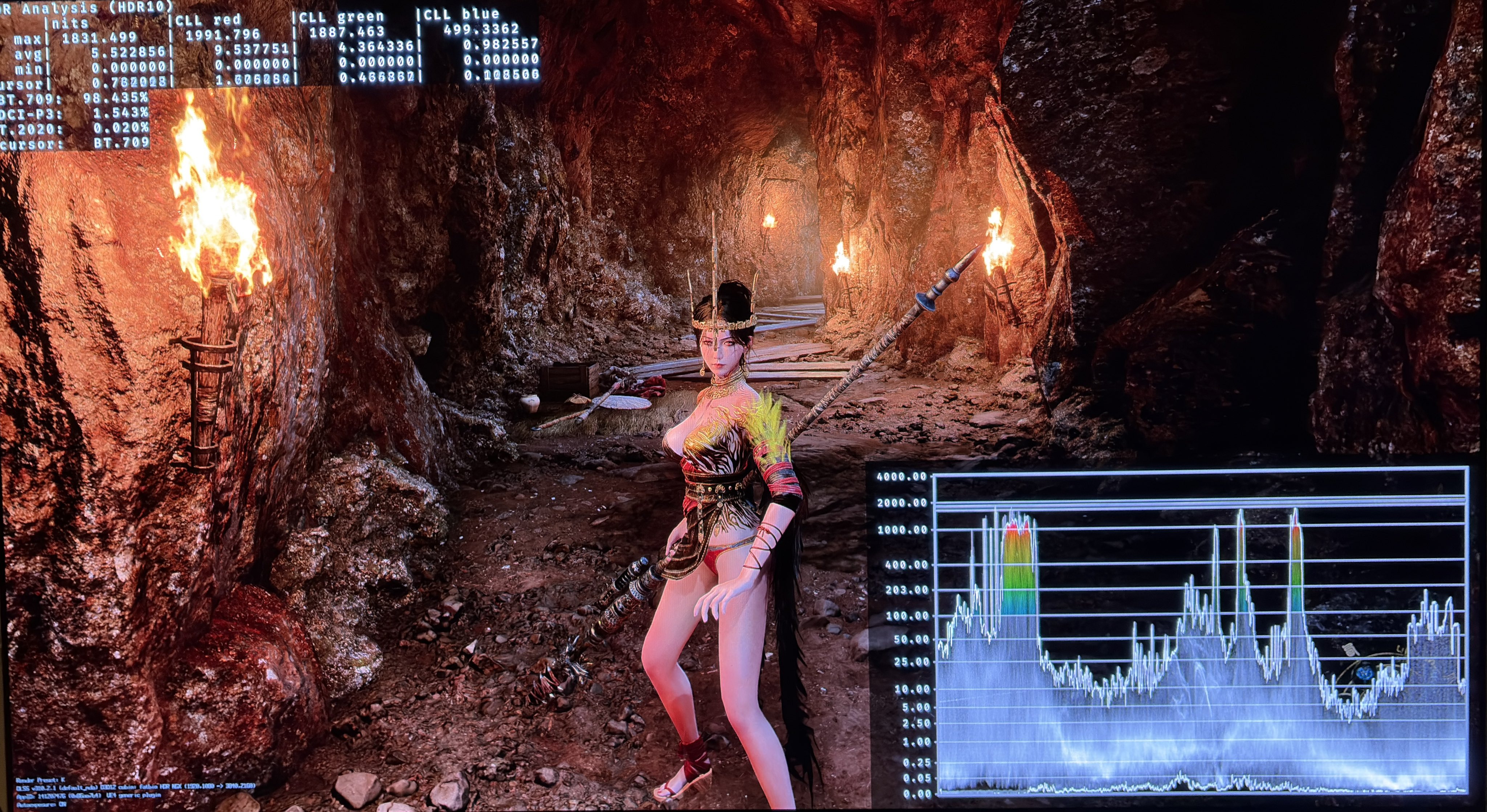
In picture 2 RenoDX is used and in picture 3 it's in-game HDR. We see too dark shadows in picture 3. The shadow area is simply too compressed.
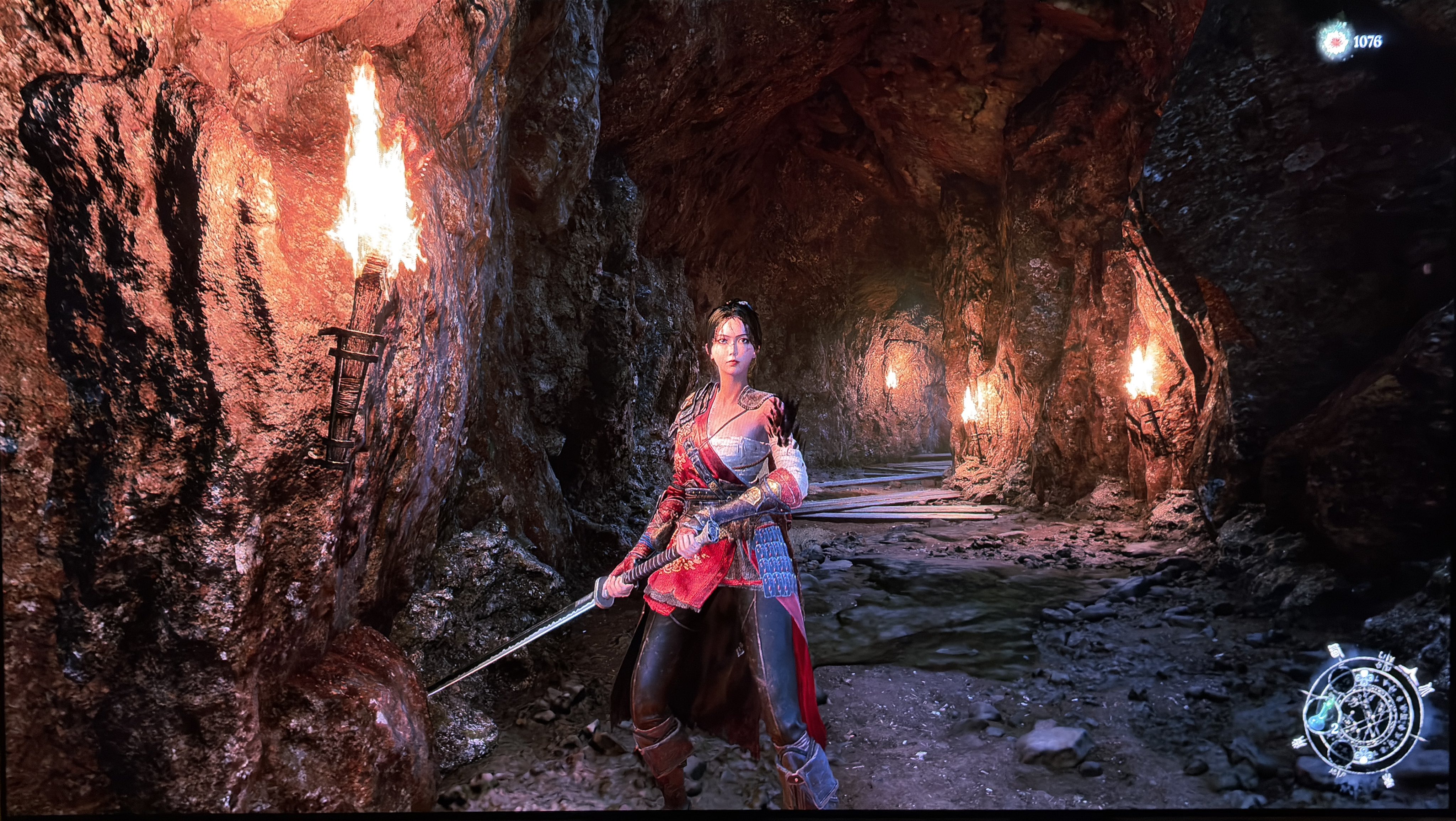
In picture 4 we see shadows are more lifted on PS5 but colors still look off. Maybe the developers only raised the shadows on PS5.
So on PC we as always use RenoDX. It looks amazing and we get the usual extra HDR settings/adjustments.
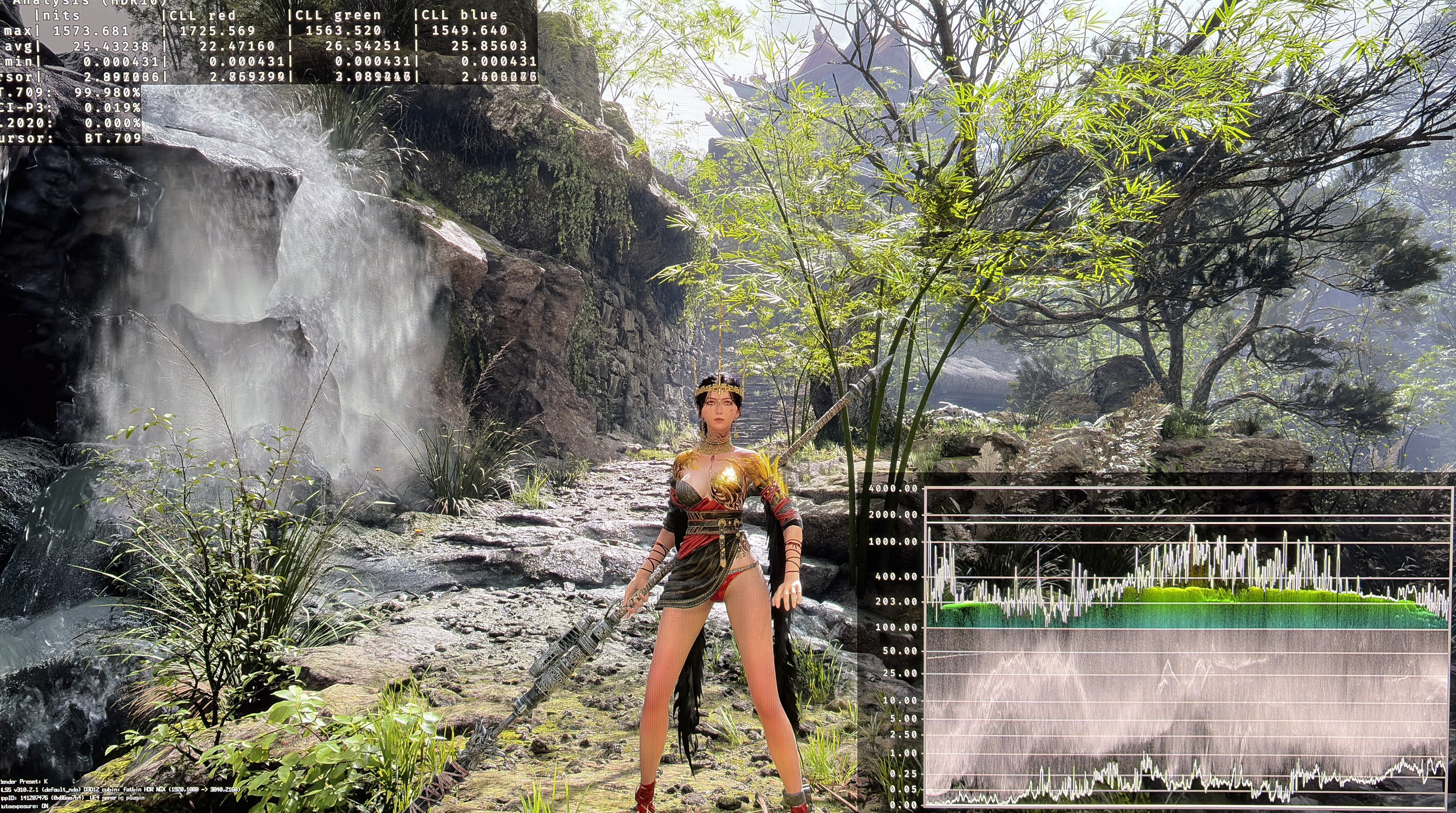
Picture 1 is with RenoDX on PC with 2000 nits max luminance and 343 nits paper white.